Senior Year Experience: Igniting Creativity and Innovation at Williams College

As senior year at Williams College nears its conclusion, students are offered a unique and exciting opportunity to leave their legacy through the Senior Year Experience (SYE). The Makerspace and Fabrication Lab are collaborating with the SYE to offer seniors opportunities to channel their creativity and bring their most ambitious ideas to life.
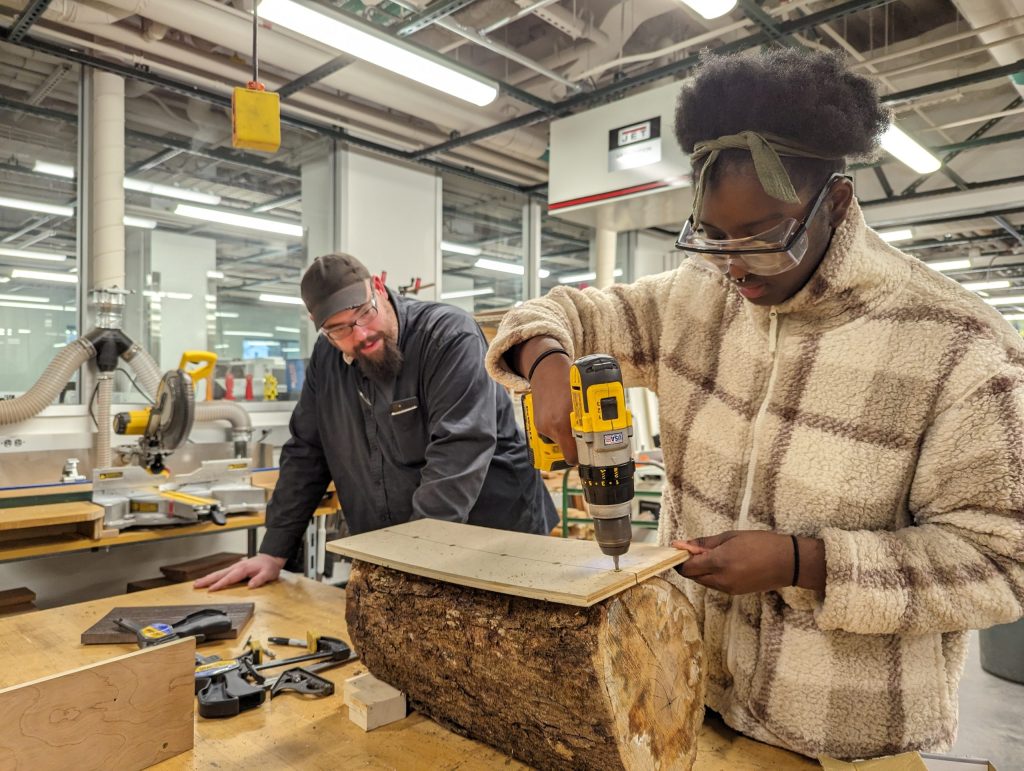
makerspaceWhether it’s working on a meaningful piece of art, designing an innovative product, or building something entirely out of the box, the SYE provides access to cutting-edge tools like 3D printers, laser cutters, woodworking equipment, and more. But it’s not just about the tools students are guided by experienced staff who are passionate about turning ideas into tangible results.

The SYE encourages seniors to think big, experiment boldly, and create something that truly reflects their passions and journey at Williams. It’s not just a project; it’s a chance to showcase innovation, dedication, and individuality as they prepare to step into the next chapter of their lives.

What is the Senior Year Experience?
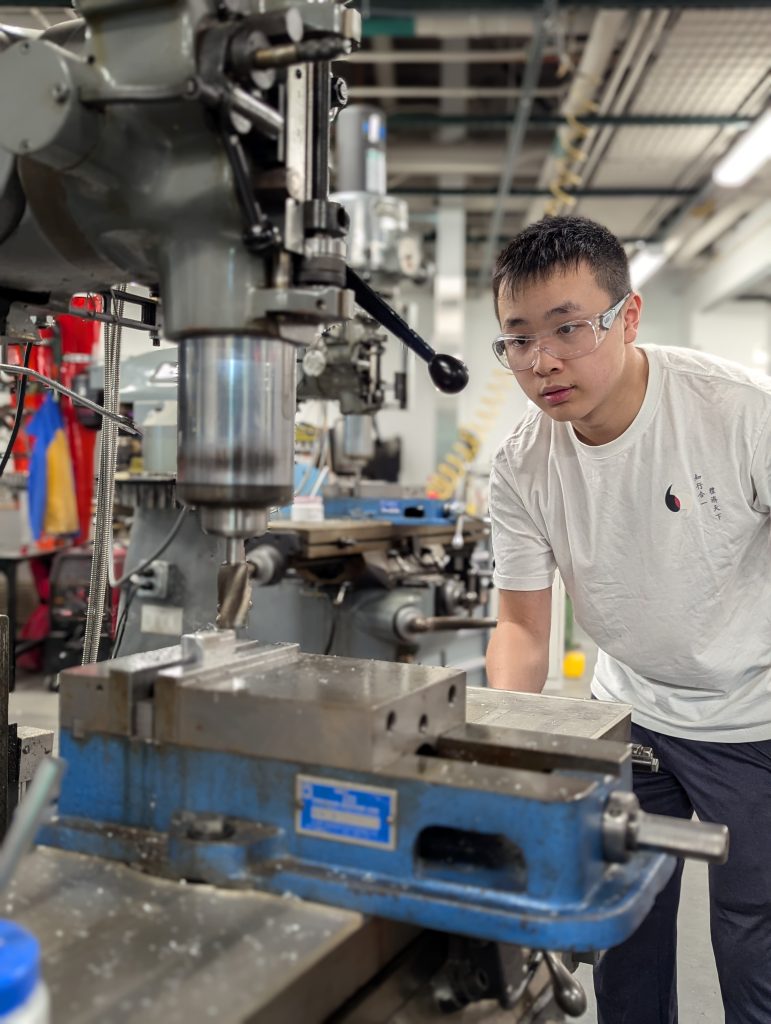
The Senior Year Experience (SYE) is an exciting opportunity for seniors to dive into extracurricular projects that reflect their passions and aspirations. Whether you’re envisioning a sustainable 3D printing solution, designing intricate textiles, or building innovative prototypes with Raspberry Pi, the SYE provides the perfect platform to bring your ideas to life. The possibilities are as vast as your imagination.

What sets this program apart is its access to an incredible network of resources, including the Makerspace, Fabrication Lab, and perhaps even parts of the interdisciplinary MakersWeb. These spaces foster collaboration and creativity, connecting students with over 20 unique workspaces across campus. It’s not just about the tools; it’s about the vibrant community of creators who inspire and support one another.

Students have the freedom to explore a wide range of mediums, such as:

  • 3D Printing and Scanning: Create intricate designs or explore sustainable printing solutions.
  • Laser Cutting and Engraving: Add precision and detail to your projects with state-of-the-art technology.
  • Photogrammetry and Mold Making: Transform objects into digital models or design complex molds.
  • Fiber Arts: Try your hand at quilting, sewing, crocheting, or even experimenting with mixed textiles.
  • Microprocessor Prototyping: Build interactive devices using Arduino or Raspberry Pi.
  • Woodworking and Cricut Cutting: Craft furniture, decor, or intricate designs with these versatile tools.

The Application Process: Turning Ideas into Reality

Getting started with the Senior Year Experience (SYE) is as straightforward as sharing your vision. The process is designed to be simple yet impactful, ensuring that every participant has the opportunity to fully explore their creativity. Here’s how it works:

1. Submit Your Idea

The journey begins with an email. Reach out to David Keiser-Clark, the Makerspace Program Manager, to pitch your project idea. Don’t worry if it’s still in the brainstorming stage. This is your chance to outline your vision, explain your goals, and share what excites you about your project. Whether it’s a sustainable solution, an artistic masterpiece, or a tech-driven innovation, the SYE is all about giving life to bold and unique ideas.

2. Collaborate and Create
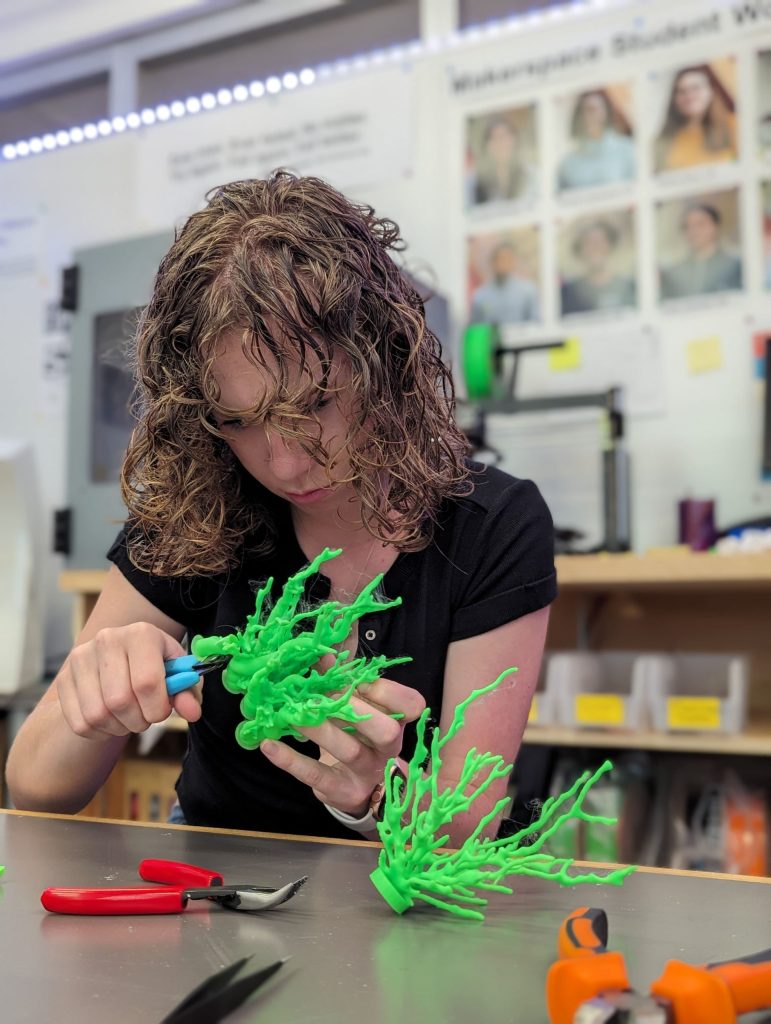
Once your project is accepted, you’ll dive into the creative process with the support of campus experts and access to state-of-the-art tools. From 3D printers and laser cutters to fiber arts tools and microprocessor kits, the Makerspace and Fabrication Lab have everything you need to bring your concept to life. You’ll also have the chance to collaborate with knowledgeable staff and fellow students, making the experience as enriching as it is productive.

3. Showcase Your Work

At the end of the semester, your project will take center stage. Whether it’s displayed at an exhibition or shared with the broader campus community, your work will inspire future innovation and creativity. Completing an SYE project isn’t just about the final product, it’s about the process, the lessons learned, and the mark you leave on the Williams community. You also will be offered an opportunity to amplify your work by writing a guest Makerspace blog post.

What You Need to Know

  • The SYE accepts up to five projects per semester on a first-come, first-served basis. This ensures each participant receives a personalized, focused experience.
  • Selected projects are matched with the expertise available on campus, ensuring the right guidance and resources are at your fingertips.

The application process is intentionally simple, giving you more time to focus on what really matters, creating something meaningful, innovative, and entirely your own. So, if you have an idea that’s been buzzing in your head, now’s the time to turn it into reality. The SYE is your platform; all you need to do is take the first step.

A Network of Campus Partners

The SYE thrives on collaboration, integrating support from campus partners like Alumni Engagement, Career S

ervices, the Zilkha Center, and more than a dozen others. These partnerships enhance the program’s impact, offering students a robust platform to refine their skills and showcase their achievements.

Leadership Behind the SYE

The Senior Year Experience (SYE) at Williams College was initiated under the leadership of Associate Dean Ray Grant, who serves as the Associate Dean for Senior Year Students and Director of Students in Transition. Dean Grant has been instrumental in shap

ing the SYE to provide seniors with meaningful opportunities to celebrate their achievements, explore new interests, and prepare for life after graduation. His dedication to student development ensures that the SYE remains a cornerstone of the senior experience at Williams. 

If the SYE had a superhero, it would be Dean Ray Grant: the guy who turned the “senior slump” into a launchpad for creativity and adventure. As the Associate Dean for Senior Year Students, he’s made sure the SYE isn’t just another check-the-box requirement but a once-in-a-lifetime chance to make your mark at Williams. His goal? Help every senior leave with stories, skills, and something awesome to show for their time here.

Why SYE Matters
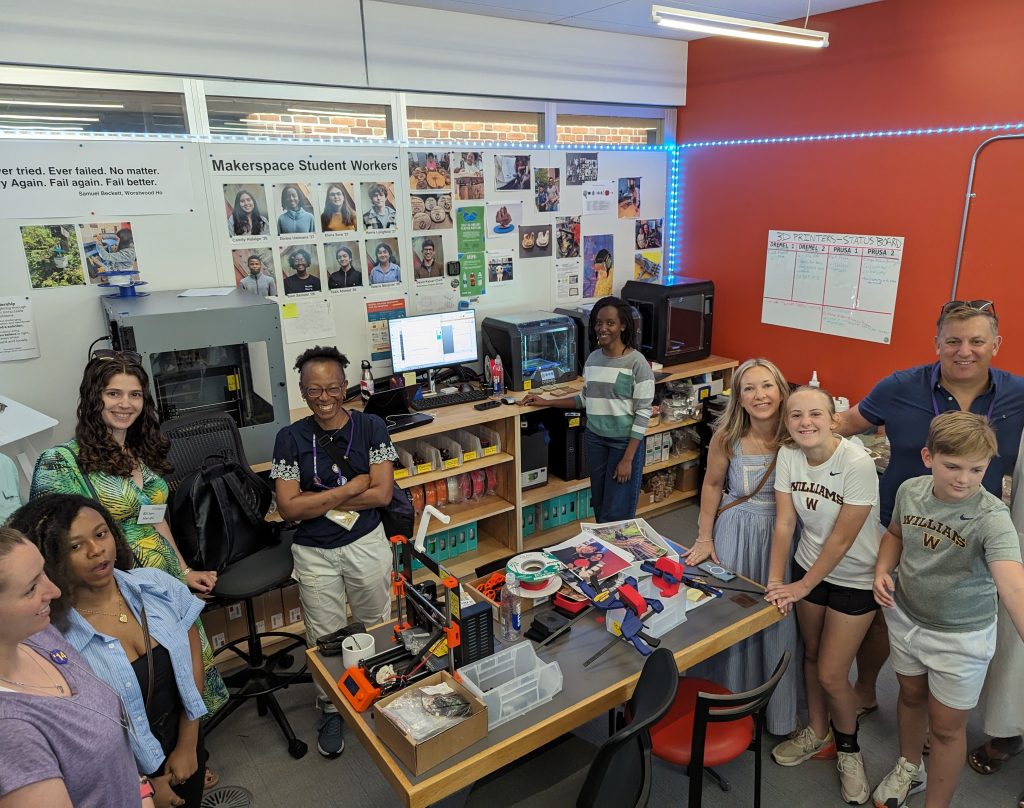
Beyond creating something tangible, the SYE is about professional growth and personal fulfillment. Imagine presenting a digital portfolio of your project to potential employers, highlighting skills in research, design, and execution. Platforms like Wakelet and Bulb, recommended by the SYE team, provide seamless ways to compile and share these experiences.

Inspiring Creations

The Makerspace has already facilitated awe-inspiring projects, such as:

  • High resolution 3D photogrammetry scans of million year old Bovid teeth from an archeological site in the Siwalik Hills, India
  • Extracurricular 3D-printed and painted board games like Catan
  • Sustainably harvested Hopkins Forest logs to laser-engraved garden signs for the Zilkha Center
  • Museum quality exhibition reproductions such as this Mayan Tenon (“monster” head)
  • Lincoln life masks brought to life with 3D modeling

These creations demonstrate the blend of creativity and innovation that the SYE nurtures.

Happy applying!

Stitch by Stitch: Building an Ocean in the Berkshires

Imagine walking into the ’62 Center for Theatre & Dance and finding yourself underwater surrounded by waves of vibrant coral, not in glass tanks, but crocheted by hundreds of hands across the Berkshires. This isn’t a fever dream. It’s the Berkshires Satellite Reef project, and it’s growing one loop at a time.

Worldwide Crochet Coral Reef

Worldwide Crochet Coral Reef

Williams College is diving headfirst into the worldwide Crochet Coral Reef project, a global, art-meets-science extravaganza designed by sisters Christine and Margaret Wertheim of the Institute for Figuring. This isn’t just art for the sake of beauty (though trust me, it’ll be stunning). This is art with a purpose, spotlighting climate change, celebrating mathematical forms, and building community all at once.

What’s a Satellite Reef, Anyway?

Participants working to craft the reef.

Participants working to craft the reef.

Glad you asked! The Berkshires Satellite Reef is our community’s personal contribution to this worldwide coral constellation. Over the next year, students, faculty, staff, and neighbors will come together to crochet corals of all shapes, sizes, and textures, using yarn, plastic bags, fabric scraps, and whatever else we can loop together.

In Spring 2026, these tiny textile ecosystems will unite as one immersive installation right here at Williams. Picture it: a fiber-optic reef you can wander through, crafted by hundreds of hands, from campus crochet circles to weekend workshops across Berkshire County.

No Crochet Experience? No Problem!

Instruction on how to crochet.

Instruction on how to crochet.

Whether you’re a seasoned stitcher or someone who’s never touched a crochet hook (hi, that was me), we’ve got you covered! Join one of our Coral Crochet Workshops and learn the basics, no experience required. You’ll get a free kit with yarn, a hook, and instructions (and maybe a super cute bag to hold it all). Or drop in for one of our Coral Crochet Circles and stitch alongside fellow reef-makers.

It’s low-pressure, high-reward. You’ll learn something new, meet great people, and contribute to something way bigger than yourself (literally, it’s life-size!). And your name will be in the credits for the installation.

Sustainable Stitches: Crafting with Care

53 pounds of yarn

All yarn was either donated or purchased as upcycled materials from the Old Stone Mill Zero Waste Maker Space

Here’s where it gets even cooler: this reef isn’t just about raising awareness, it’s about doing something. We’re experimenting with sourcing materials that are eco-friendly or upcycled (think yarn remnants, old plastic bags, strips of sheets, even industrial shrink wrap from commercial pallets). Our Makerspace and FabLab are testing out how to turn industrial shrink wrap, police caution tape, and packaging tape, and bulk sized cereal bags into crochet-ready materials. Who knew that caution tape and shrink wrap could become sea anemones?

Get Involved: Be Part of the Reef

  • Learn to Crochet: Join a workshop and get your free kit.
  • Crochet at Your Own Pace: Make corals at home, in circles, or with friends.
  • Donate Materials: Yarn, hooks, plastic bags: we’ll take ‘em!
  • Drop Off or Mail Corals: Send your creations to campus by March 1, 2026.

For specific details, please view our Berkshires Satellite Reef website, this instructional video (How To Crochet A Hyperbolic Plane), or these PDFs:

Preserving History: How I used 3D scanning to preserve an ancient cuneiform tablet

I have always been someone who is interested in different languages. My passion sparked when me and my family moved to the United States from Venezuela, and I needed to learn English fast to help my family navigate this country, since they had less time to learn English than I did. Although I didn’t have an English tutor to formally teach me English, I taught myself most of my English through reading, which made me develop a love for languages in written form. Now, at Williams, I am a prospective Chinese Language major because I fell in love with the language after taking CHIN 101! So when I was given the opportunity to work on a project that was so related to my interest in languages, I jumped on it immediately.

Cuneiform is regarded as the earliest known writing system. These words are written into clay and then baked into a sturdy, but fragile tablet. I was also really surprised to learn that cuneiform was used to write several languages. I had the pleasure to work with When we got to work, I was filled with excitement, but also some anxiety about the unknowns. Anne Peale, a librarian that works closely with the college’s special collections. She taught me that this particular cuneiform tablet was (insert interview details here). She plans to use the 3D printed tablet for educational purposes, because the characters in the tablet are very legible and hold information about a person’s taxes. Not only would 3D printing the cuneiform tablet allow several iterations of it to be used outside of the special collections library, it also allows us to make the tablet bigger, which makes the writing a lot easier to read. I was really excited about all of this, and it honestly made me want to learn how to read this type of cuneiform!

When we got to work, I was honestly really nervous. I didn’t know what to expect. This project required a way to record the tablet’s intricate wedges and patterns in a way that makes the writing completely legible, so we decided to use the unfamiliar Creality scanner to 3D scan the cuneiform, digitizing it into a file form. In my opinion, the Creality software was really intuitive. It was fairly easy to connect it to the computer, and to figure out how to correctly configure the scan. The most challenging part of this project was figuring out how to scan the tablet in a way that fully recorded the writing. We had some challenges with this, as the most detailed scanning mode included stickers that told the scanner its location, and since we couldn’t place the stickers on the cuneiform, we had to place them in its perimeter, something that became really hard to deal with when we began to turn the scanner sideways to get the sides of the tablet, since it could no longer recognize the stickers due to the angle change. Another challenge we had was that the tablet was really hard to place in a balanced way that didn’t topple over, so we ended up putting a small weighted cushion to hold it up.


Since we couldn’t place the tablet in a way that was possible for us to capture all four sides in one scan, we had to do a scan for each of all four sides. Each side of the tablet took about twenty minutes to complete, and the Creality scanner is really heavy! Anne and I had to take turns scanning, and we were both so sore! Creality records 3D items by scanning each and every point on the item, and this tablet was so intricate that it had over a million points for each side! The more we scanned, the fewer points that were recorded, so we had to go around the item a lot slower and with a lot more complex angles to make sure we recorded every character.

After two hours, all sides were scanned. Now, the only thing that was left was to find a way to merge the different scans into the composite model of the tablet. Although the Creality software comes with a scan merging option, this did not work on our scans, so blender was used to merge it.

After a month, the 3D scanned cuneiform was ready! It was a lot bigger than the tablet, and a lot less fragile, and best of all, we now had a file that could be used for printing as many of these tablets as we want! I was really excited because it was also my first time getting to see a 3D scanned object up close, as well as hold it.

One side of the tablet is clearer than the other, so we are going to reprint the file as a resin print, because the material may help to raise the clarity of the 3D print. 

Working on this project was a true journey of growth for me. The complexity of 3D scanning and the delicate nature of the cuneiform tablet made every step a learning experience. There were moments when I felt challenged, uncertain about the technical aspects or the best way to handle the fragile tablet. But with each hurdle, I gained more confidence, honed my problem-solving skills, and improved my ability to think creatively under pressure. I have always been really interested in languages, and this project sparked an interest in the digital humanities and language preservation.The potential of 3D scanning in the field of digital humanities is endless. From preserving endangered artifacts to making them accessible to scholars and students around the globe, this technology ensures that history is no longer bound by geography or fragility. I couldn’t help but think, what other treasures could we preserve this way?

3D Printed Topographical Maps of Louisiana, Bhutan, and the Berkshires!

Arriving in the Berkshires

I arrived at Williams as a freshman never having visited the campus. Despite the admissions webpage’s best efforts to warn me, I was still shocked by the beauty of the mountains. Various trips to Pittsfield and Albany, mountain day hikes, and other excursions took me outside the main campus, but I couldn’t keep track of all the mountains, and I had little to no sense of the Berkshire geography. I put off looking closely at a map to orient myself because I kept thinking this would all be so much easier if I could just run my fingers over a topographical map of the area.

Creating Meaningful Gifts

Last semester, I decided that a 3D printed map of Williams would make a nice gift for my friends who were graduating. And, with the help of the website https://touchterrain.geol.iastate.edu/ and David Keiser-Clark at the makerspace, I made it happen. It was actually pretty easy. Touchterrain let me trace out the area I wanted a map of and download the elevation data as an STL file, which I sent to David, who got it printed.

The Process

When I first came to the Makerspace with an STL file of the Williams College campus, my goal was simple: create something meaningful for my graduating friends. I wanted to give them a small, lasting reminder of the place where we had spent the past four years. That idea soon grew into a larger project, with maps of Williamstown for several friends and a special map of coastal Louisiana for someone whose thesis focused on flooding in that region.

In addition to maps of Williamstown, we printed Paro, Bhutan for one of my friends who had studied abroad there and part of the Louisiana coastline (with the height scale exaggerated 500 times) for another friend who did his thesis on natural-technological disasters in that area and relied heavily on elevation maps.

The only map I kept for myself was a map of Amman, Jordan, where I studied abroad during my gap year. I returned there this summer thanks to funding from Williams’ Wohabe Fellowship, and one of the best parts of my trip was using my map to better understand the geography. By the end of my weeks there, I had a really solid grasp of the layout of the western side of the city and could place my memories from mysemester there in my mental understanding of the area.  

I’m really grateful to the Makerspace and David for helping me print these maps, and for anyone interested in 3D printing topographic maps at Williams, I’d recommend multi-colored filament so that the layers of the map change color with height and I’d warn that when painting a white print, some of the paint can find its way inside the plastic and get stuck there. (Also, for anyone looking for a good, online topographic map, I recently found the website https://en-gb.topographic-map.com/, which overlays color-coded elevation data onto Google Maps).

At the Makerspace, I experimented with materials and techniques. I tried different filament colors to see which would make the contours stand out best. For the Louisiana print, by exaggerating the elevation by 500 times, I brought out subtle topographical changes that are normally almost invisible. This choice created a striking visual effect and started conversations about how we interpret geographic data and how exaggeration can be used to reveal patterns that might otherwise go unnoticed.

Final Reflection

The final prints are more than just maps. They are pieces of memory, friendship, and curiosity. They invite touch and exploration. For me, they represent a way to connect academic learning, travel experiences, and personal relationships. For the friends who received them, they are a reminder of place and community at a moment of transition.

Hyperbolic Paraboloid: The Ball that Wouldn’t Roll Away

A still photo from a video of a sweeping hyperbolic paraboloid with a ball resting right at its unstable center. Photo courtesy of Brough Morris.

A still photo from a video of a sweeping hyperbolic paraboloid with a ball resting right at its unstable center. Photo courtesy of Brough Morris.

At first glance, the shape looks like a saddle, a sweeping hyperbolic paraboloid with a ball resting right at its unstable center. Under normal conditions, gravity would quickly win, sending the ball rolling away. But the magic begins when the surface rotates. Suddenly, what was once unstable becomes stable: the ball lingers at the top, as though defying gravity. This simple but mesmerizing demonstration is more than a parlor trick. It’s a tangible, mechanical analogy for a Paul Trap, a device used in quantum mechanics experiments to confine ions and electrons with oscillating electric fields.

The idea to bring this demonstration to Williams College originated in conversations with Professor Fred Strauch, who saw its potential for enriching the department’s Quantum Mechanics (PY301) course. Project owner Brough Morris, Instructional Support Specialist for Physics and Astronomy, and Makerspace student worker Alice Sore ‘27 took on the task of designing a version that could withstand repeated classroom use. Their challenge was to improve on an earlier fiberglass prototype, which only managed to keep the ball stable for about five seconds before imperfections in the surface or misalignment caused it to fail.

This photo displays the hyperbolic paraboloid (connected to a base with rotational motor) that the Makerspace 3D printed. Unlike fiberglass models, this included smooth curves and precise geometry and no bumps. The Makerspace has the largest 3D-printer beds on campus.

This photo displays the hyperbolic paraboloid (connected to a base with rotational motor) that the Makerspace 3D printed. Unlike fiberglass models, this included smooth curves and precise geometry and no bumps. The Makerspace has the largest 3D-printer beds on campus.

A 3D-printed model offered a promising solution. Unlike fiberglass, which introduced bumps and inconsistencies, 3D printing could produce smoother curves and more precise geometry. Brough designed the surface to be as wide as possible while still fitting in the Makerspace printer’s build area, which was larger than any other printer available on campus. Multiple design iterations in CAD ensured that the final geometry struck the right balance, shallow enough to reduce instability, but still faithful to the physics of a Paul Trap. Rigidity was also essential: any flexing or vibration in the surface during rotation would send the ball off course. To get the balance right, Brough consulted with Jason Mativi, Senior Science Center Shop Engineer, about print density and material strength, ensuring the final model would be both stable and durable.

The fabrication process involved careful modeling of the hyperbolic paraboloid in CAD. Once the paraboloid was printed and mounted on a rotating base, the demonstration came to life. Smooth, precise, and stable, the 3D-printed saddle surpassed the earlier fiberglass attempt, holding the ball far longer (see video) and illustrating the physics concept in a way that is both intuitive and unforgettable.

A critical addition to this setup is the custom control box that Brough and Kevin Forkey, Lab Supervisor and Lecturer in Physics, built to regulate the motor speed. The experiment only works in a narrow frequency range, around 100 rpm. A little too fast or too slow and the ball will slowly drift away from the center before eventually flying off. At the correct speed, though, the ball doesn’t just sit precariously balanced, it truly stabilizes. If nudged slightly, it self-corrects and returns to the center. This visual proof of a dynamically stable equilibrium makes the analogy to the Paul Trap even more compelling.

Another photo of the hyperbolic paraboloid printed by the Makerspace.

Another photo of the hyperbolic paraboloid printed by the Makerspace.

The project draws inspiration from a similar setup at Harvard, but with a Williams Makerspace twist. The collaboration between Brough and Alice highlights how a mix of creativity, technical skill, and persistence can transform abstract concepts into hands-on learning tools. By June 2025, the hyperbolic paraboloid demonstration will be ready for classroom use, giving physics students a chance to see, not just imagine, how stability can emerge from instability. With the wires cleaned up and the motor properly mounted, the demonstration is now classroom-ready and will be used in Quantum Mechanics (PY301) starting June 2025.

What makes this project exciting is not only the final product but what it represents, the blending of mathematical surfaces, modern fabrication techniques, and physics pedagogy. In the classroom, the spinning saddle offers more than a visual spectacle. It anchors a difficult idea: the dynamic stabilization of particles in a Paul Trap in an experience that students can watch unfold before their eyes. It’s proof that sometimes, the best way to teach quantum mechanics is to let a ball roll across a 3D-printed saddle and show that, with the right motion, even instability can be tamed.

Resurrecting the Ancient: A 3D-Printed Chinese Oracle Bone Finds a New Home at Williams

When students in ASIA 325 / ARTH 325: The Arts of the Book in Asia walk into class, they are greeted by an object that feels both ancient and cutting-edge: a 3D-printed replica of a 3,000-year-old Chinese oracle bone. What they may not realize is the complex and fascinating journey that brought this piece into their classroom, a story of international collaboration, digital preservation, and creative craftsmanship.

The 3D-printed replica

The 3D-printed replica.

From Oracle to Object

Using open-access scans from the Cambridge University Library, and with permission from Professor Dominic Powlesland, who co-holds copyright with Cambridge, the team downloaded and processed a high-resolution 3D model of Oracle Bone CUL.52.

“We don’t have any oracle bones on campus, and it wouldn’t be ethical to acquire one. But thanks to digital tools and Cambridge’s generosity, we can still bring one into students’ hands,” said Anne Peale.

3D print ready for resin.

3D print ready for resin.

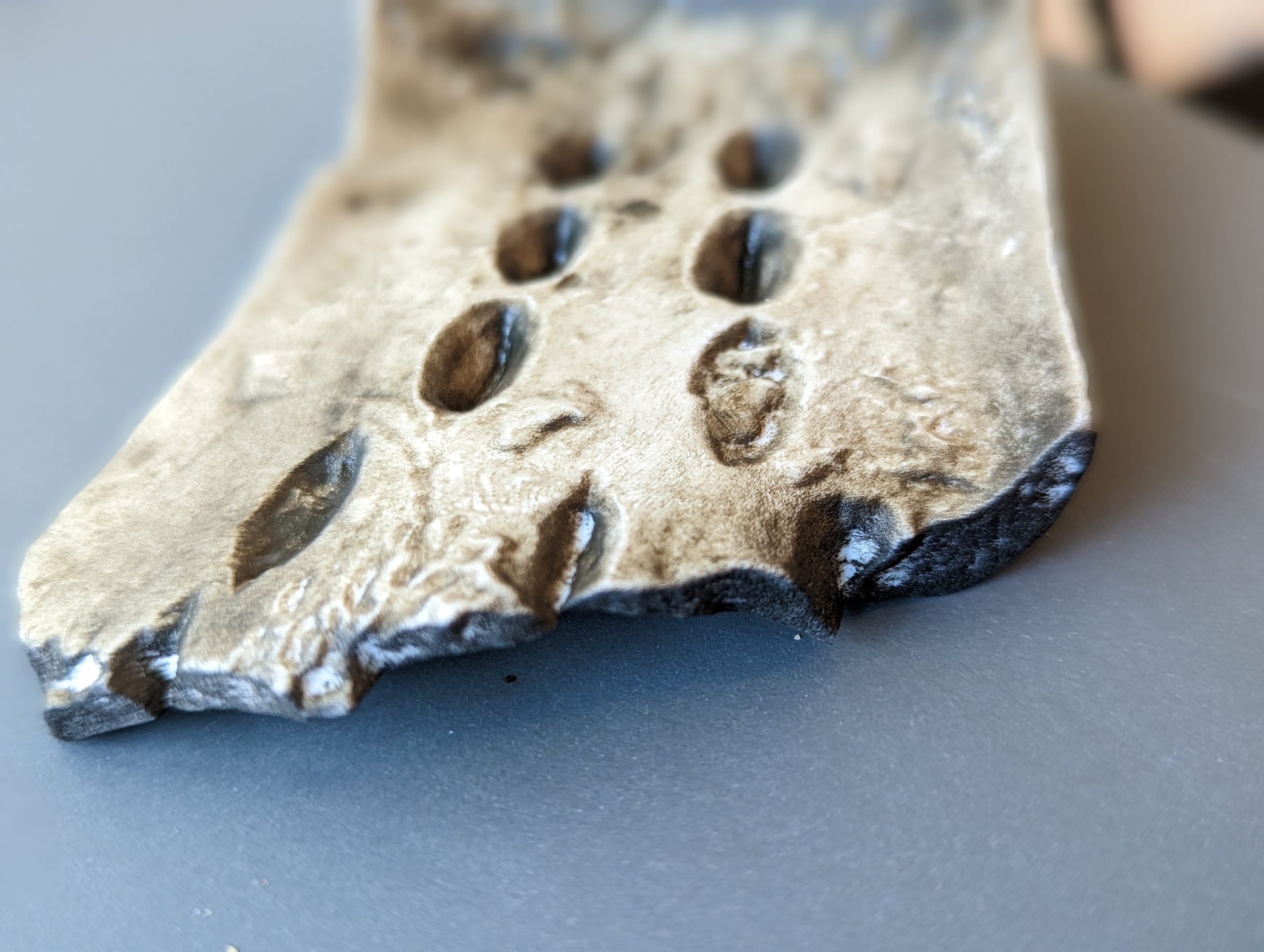
The etchings after resin.

The etchings after resin.

From Data to Artifact

The project’s journey from digital file to physical artifact unfolded in several stages:

  • January 30, 2023: STL files arrived from Cambridge.
  • February 1: The first prototype was printed using FDM (fused deposition modeling).
  • February 7: A final resin print was scheduled, scaled to preserve the original details.
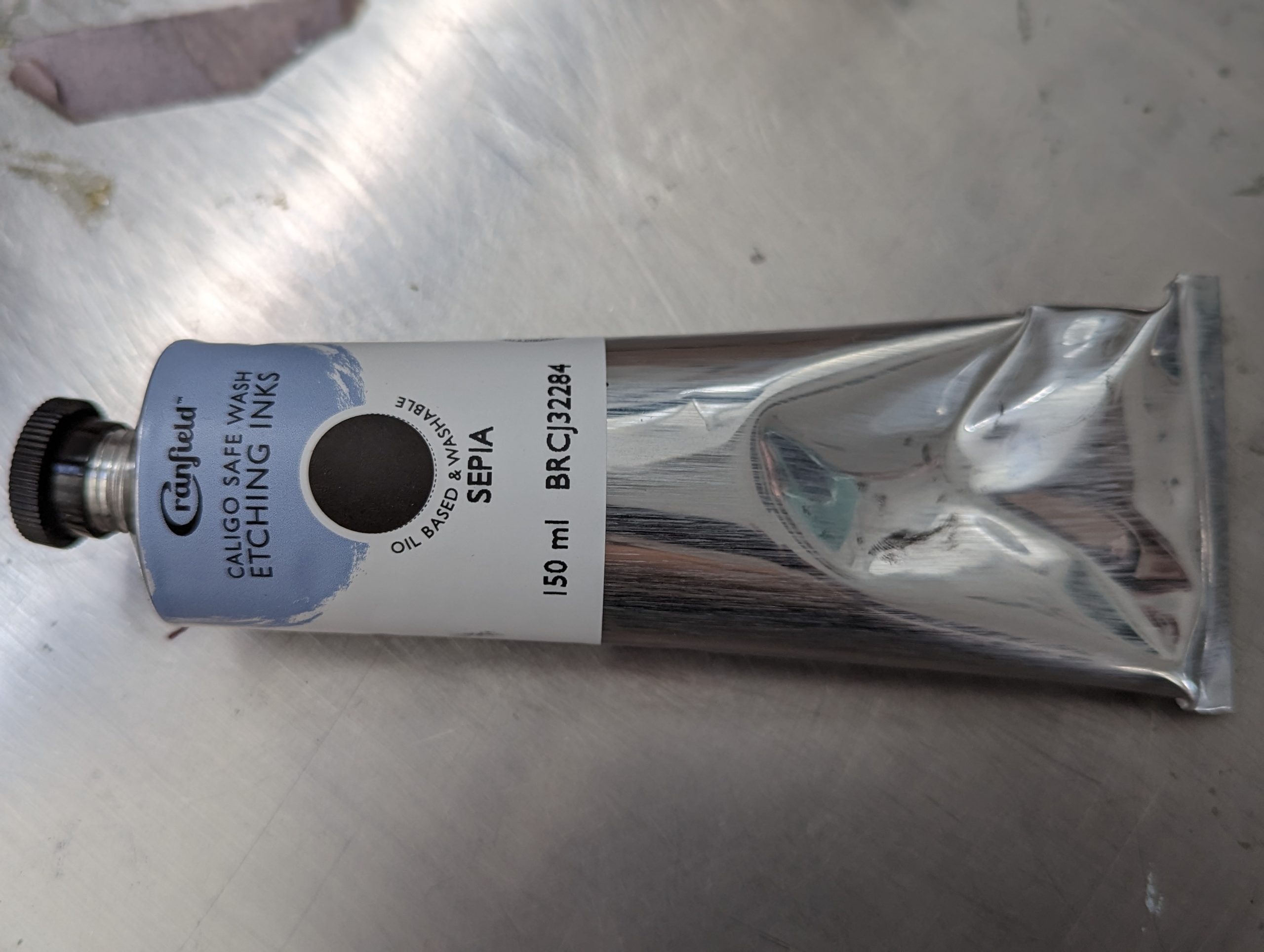
  • March 16: Print studio technician Javier Robelo applied etching ink, transforming the object’s surface from shiny resin to an aged, textured finish.

“To my eyes, the etching ink transformed the resin print into something that feels older and more authentic,” said David Keiser-Clark.

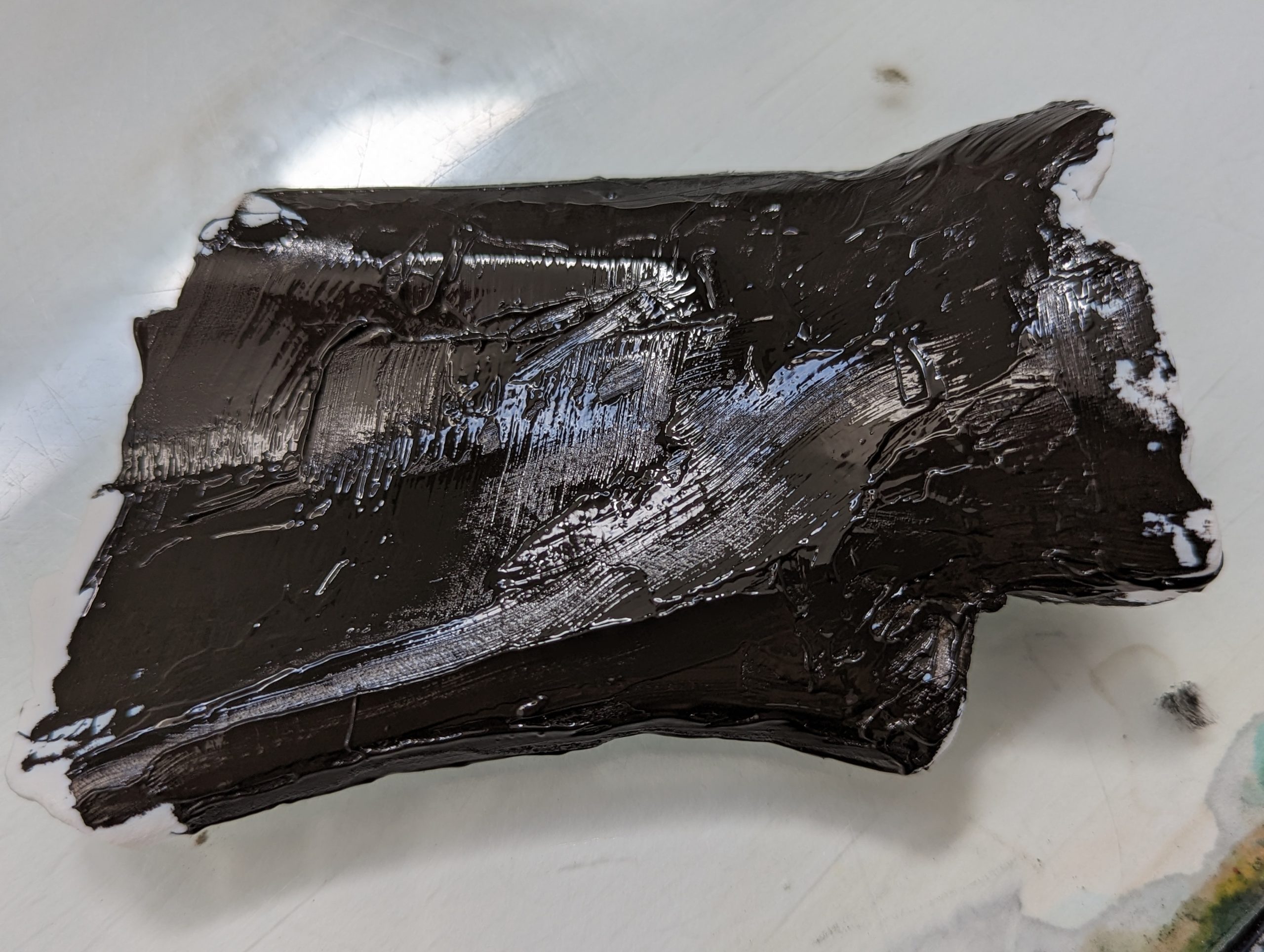
Ink covered 3D print.

Ink covered 3D print.

Ink resin used to age the 3D print.

Ink resin used to age the 3D print.

A Teaching Tool with Character

Javier Robelo (Print Studio Technician) added water soluble etching ink to the resin print, then wiped it off using tarlatan wiping fabric. This process allows only the ink within the crevices to remain and that greatly the enhances visible contrast of the 3,000 year old markings.

Javier Robelo (Print Studio Technician) added water soluble etching ink to the resin print, then wiped it off using tarlatan wiping fabric. This process allows only the ink within the crevices to remain and that greatly the enhances visible contrast of the 3,000 year old markings.

By late March, the project reached completion. Both Peale and Mumtaz were impressed by how the replica captured the visual depth and tactile quality of the original oracle bones.

“WOW, what a transformation! I can’t believe how much more visible the characters have become. May I share this with Dominic at Oxford?” wrote Peale in response to the final version.

“It is really looking like the real deal now! We would be delighted to teach with this,” added Mumtaz.

Acknowledging the Origins

This project would not have been possible without the digital preservation work of Cambridge University Library and Professor Dominic Powlesland. All future educational materials will include the following acknowledgment:

Oracle Bone, CUL.52. With thanks to Cambridge University Library and Professor Dominic Powlesland for making these scans available for research and teaching.

What’s Next

A second resin print, featuring the same inked detailing, will be produced as a gift for Professor Powlesland. The team is also exploring new materials and inking techniques to enhance texture and durability. The replica will continue to be a highlight of ARTH 325: The Arts of the Book in Asia, giving students a tangible connection to early Chinese history and script. Through this collaboration, ancient writing and modern technology meet in a way that deepens understanding and preserves cultural heritage.