Senior Year Experience: Igniting Creativity and Innovation at Williams College

As senior year at Williams College nears its conclusion, students are offered a unique and exciting opportunity to leave their legacy through the Senior Year Experience (SYE). The Makerspace and Fabrication Lab are collaborating with the SYE to offer seniors opportunities to channel their creativity and bring their most ambitious ideas to life.
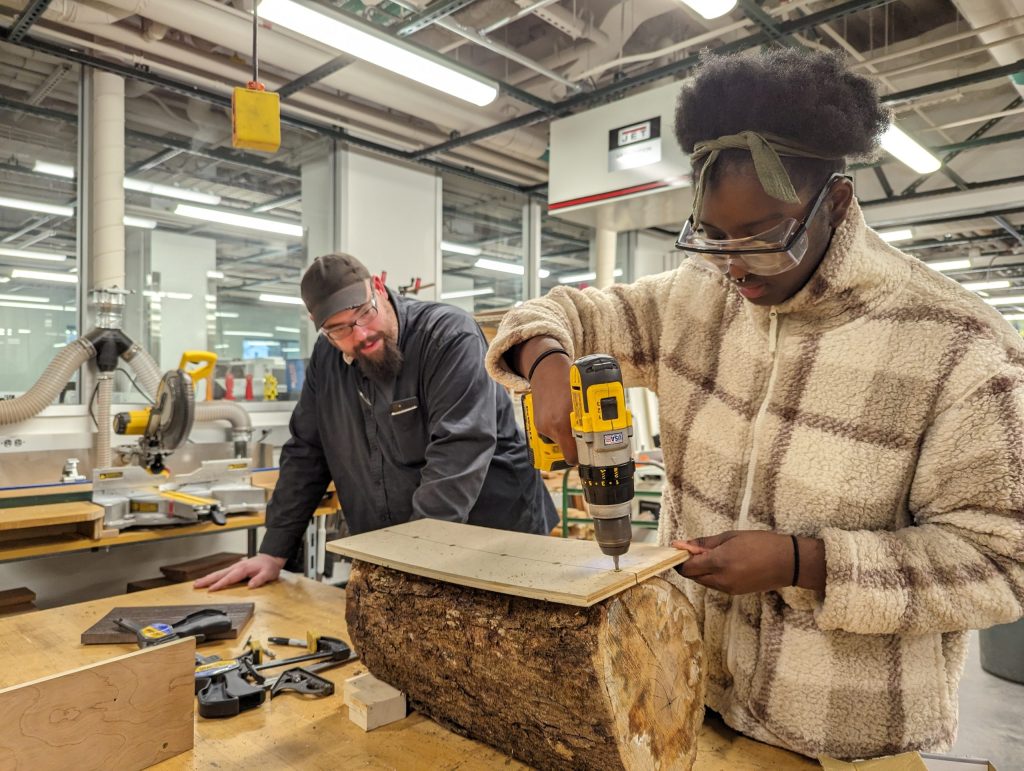
makerspaceWhether it’s working on a meaningful piece of art, designing an innovative product, or building something entirely out of the box, the SYE provides access to cutting-edge tools like 3D printers, laser cutters, woodworking equipment, and more. But it’s not just about the tools students are guided by experienced staff who are passionate about turning ideas into tangible results.

The SYE encourages seniors to think big, experiment boldly, and create something that truly reflects their passions and journey at Williams. It’s not just a project; it’s a chance to showcase innovation, dedication, and individuality as they prepare to step into the next chapter of their lives.

What is the Senior Year Experience?
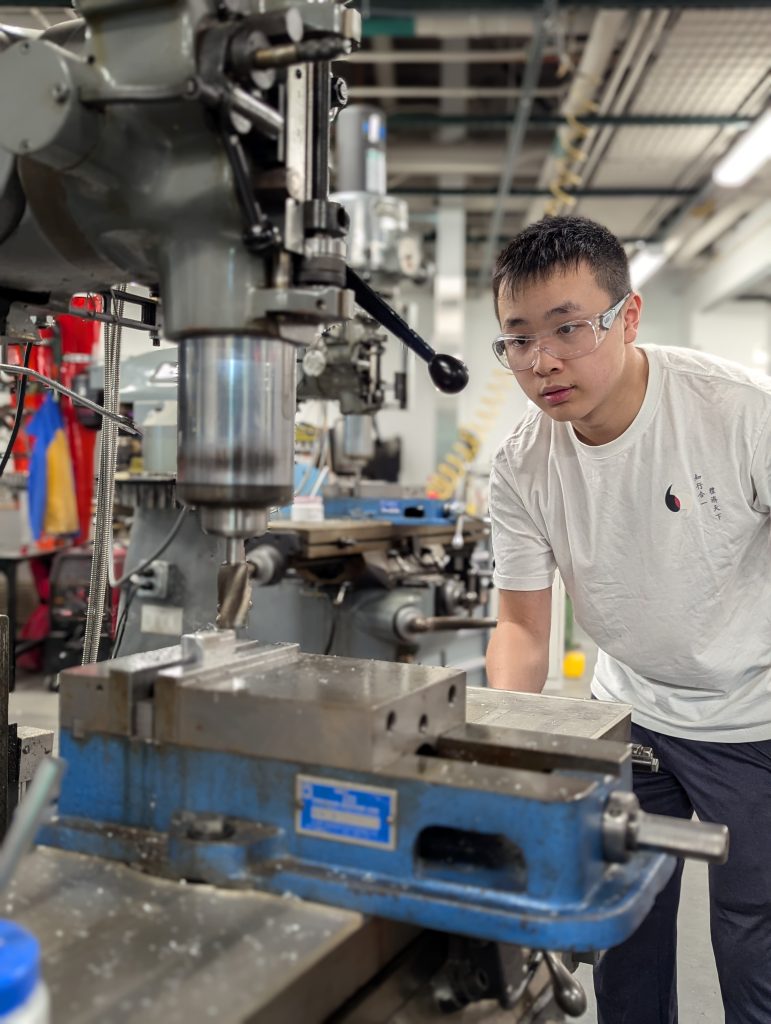
The Senior Year Experience (SYE) is an exciting opportunity for seniors to dive into extracurricular projects that reflect their passions and aspirations. Whether you’re envisioning a sustainable 3D printing solution, designing intricate textiles, or building innovative prototypes with Raspberry Pi, the SYE provides the perfect platform to bring your ideas to life. The possibilities are as vast as your imagination.

What sets this program apart is its access to an incredible network of resources, including the Makerspace, Fabrication Lab, and perhaps even parts of the interdisciplinary MakersWeb. These spaces foster collaboration and creativity, connecting students with over 20 unique workspaces across campus. It’s not just about the tools; it’s about the vibrant community of creators who inspire and support one another.

Students have the freedom to explore a wide range of mediums, such as:

  • 3D Printing and Scanning: Create intricate designs or explore sustainable printing solutions.
  • Laser Cutting and Engraving: Add precision and detail to your projects with state-of-the-art technology.
  • Photogrammetry and Mold Making: Transform objects into digital models or design complex molds.
  • Fiber Arts: Try your hand at quilting, sewing, crocheting, or even experimenting with mixed textiles.
  • Microprocessor Prototyping: Build interactive devices using Arduino or Raspberry Pi.
  • Woodworking and Cricut Cutting: Craft furniture, decor, or intricate designs with these versatile tools.

The Application Process: Turning Ideas into Reality

Getting started with the Senior Year Experience (SYE) is as straightforward as sharing your vision. The process is designed to be simple yet impactful, ensuring that every participant has the opportunity to fully explore their creativity. Here’s how it works:

1. Submit Your Idea

The journey begins with an email. Reach out to David Keiser-Clark, the Makerspace Program Manager, to pitch your project idea. Don’t worry if it’s still in the brainstorming stage. This is your chance to outline your vision, explain your goals, and share what excites you about your project. Whether it’s a sustainable solution, an artistic masterpiece, or a tech-driven innovation, the SYE is all about giving life to bold and unique ideas.

2. Collaborate and Create
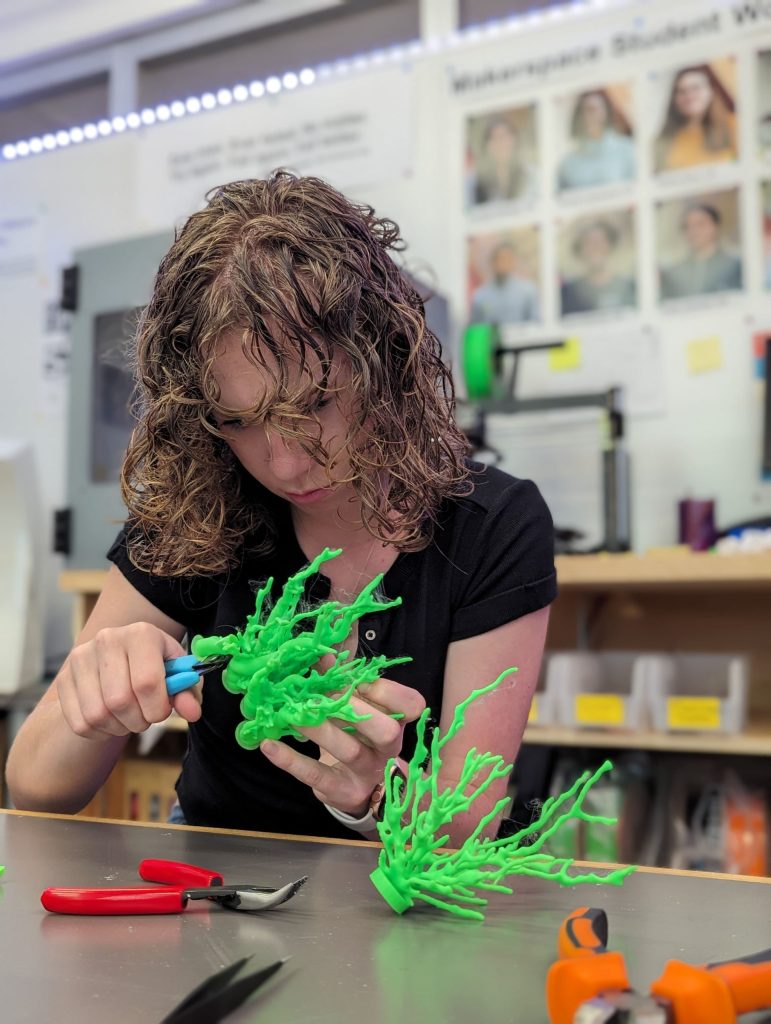
Once your project is accepted, you’ll dive into the creative process with the support of campus experts and access to state-of-the-art tools. From 3D printers and laser cutters to fiber arts tools and microprocessor kits, the Makerspace and Fabrication Lab have everything you need to bring your concept to life. You’ll also have the chance to collaborate with knowledgeable staff and fellow students, making the experience as enriching as it is productive.

3. Showcase Your Work

At the end of the semester, your project will take center stage. Whether it’s displayed at an exhibition or shared with the broader campus community, your work will inspire future innovation and creativity. Completing an SYE project isn’t just about the final product, it’s about the process, the lessons learned, and the mark you leave on the Williams community. You also will be offered an opportunity to amplify your work by writing a guest Makerspace blog post.

What You Need to Know

  • The SYE accepts up to five projects per semester on a first-come, first-served basis. This ensures each participant receives a personalized, focused experience.
  • Selected projects are matched with the expertise available on campus, ensuring the right guidance and resources are at your fingertips.

The application process is intentionally simple, giving you more time to focus on what really matters, creating something meaningful, innovative, and entirely your own. So, if you have an idea that’s been buzzing in your head, now’s the time to turn it into reality. The SYE is your platform; all you need to do is take the first step.

A Network of Campus Partners

The SYE thrives on collaboration, integrating support from campus partners like Alumni Engagement, Career S

ervices, the Zilkha Center, and more than a dozen others. These partnerships enhance the program’s impact, offering students a robust platform to refine their skills and showcase their achievements.

Leadership Behind the SYE

The Senior Year Experience (SYE) at Williams College was initiated under the leadership of Associate Dean Ray Grant, who serves as the Associate Dean for Senior Year Students and Director of Students in Transition. Dean Grant has been instrumental in shap

ing the SYE to provide seniors with meaningful opportunities to celebrate their achievements, explore new interests, and prepare for life after graduation. His dedication to student development ensures that the SYE remains a cornerstone of the senior experience at Williams. 

If the SYE had a superhero, it would be Dean Ray Grant: the guy who turned the “senior slump” into a launchpad for creativity and adventure. As the Associate Dean for Senior Year Students, he’s made sure the SYE isn’t just another check-the-box requirement but a once-in-a-lifetime chance to make your mark at Williams. His goal? Help every senior leave with stories, skills, and something awesome to show for their time here.

Why SYE Matters
Beyond creating something tangible, the SYE is about professional growth and personal fulfillment. Imagine presenting a digital portfolio of your project to potential employers, highlighting skills in research, design, and execution. Platforms like Wakelet and Bulb, recommended by the SYE team, provide seamless ways to compile and share these experiences.

Inspiring Creations

The Makerspace has already facilitated awe-inspiring projects, such as:

  • High resolution 3D photogrammetry scans of million year old Bovid teeth from an archeological site in the Siwalik Hills, India
  • Extracurricular 3D-printed and painted board games like Catan
  • Sustainably harvested Hopkins Forest logs to laser-engraved garden signs for the Zilkha Center
  • Museum quality exhibition reproductions such as this Mayan Tenon (“monster” head)
  • Lincoln life masks brought to life with 3D modeling

These creations demonstrate the blend of creativity and innovation that the SYE nurtures.

Happy applying!

Printing History: Bringing The Beaver Mill Back to Life

Inspiration to Creation

Photo of the Beaver Mill geographical area from the Big Art Show. The material used is eucalyptus matt board, an environmentally friendly product as compared to traditional acrylic or MDF, and it was laser cut in the Science Shop on an Epilog Laser Helix machine.

Photo of the Beaver Mill geographical area from the Big Art Show. The material used is eucalyptus matt board, an environmentally friendly product as compared to traditional acrylic or MDF, and it was laser cut in the Science Shop on an Epilog Laser Helix machine.

The first time the digital blueprint of the Beaver Mill appeared on my computer screen, I could hardly imagine it becoming real. This historic site, standing quietly in North Adams, was about to transform from a mere collection of pixels into a tangible piece of art. As part of Grace Espinosa’s ’26 ARTS 222 – Critical Practice of Architecture course, our mission was bold yet simple: craft a detailed 3D printed model for the Williams College Big Art Show. Beyond being an academic project, our process and production turned out to be a dynamic intersection of art, technology, architecture, and history.

Grace, the stakeholder and driving artistic force behind this project, shared her vision clearly: “We were inspired to create a 3D printed model of the Beaver Mill to introduce in the architecture section of the Big Art Show.” She wanted viewers to vividly experience the historical site students had been exploring all semester, bringing their classroom discussions to life in a practical, memorable way.

ARTS 222, taught by Assistant Professor of Architecture and Environmental Studies Giuseppina Forte, challenges students to transform architectural spaces through innovative design interventions. Throughout the semester, students develop skills in architectural drawing, graphic design, and digital and physical 3D modeling. They also engage deeply with design strategies such as spatial hijacking and détournement, learning to rethink conventional ideas of space and time. This Beaver Mill project has become a practical demonstration of these powerful ideas.

Navigating Challenges with Creativity

This is a 3D rendering of a split-section of the Beaver Mill that we printed so as to be able to test the internal structural integrity.

This is a 3D rendering of a split-section of the Beaver Mill that we printed so as to be able to test the internal structural integrity.

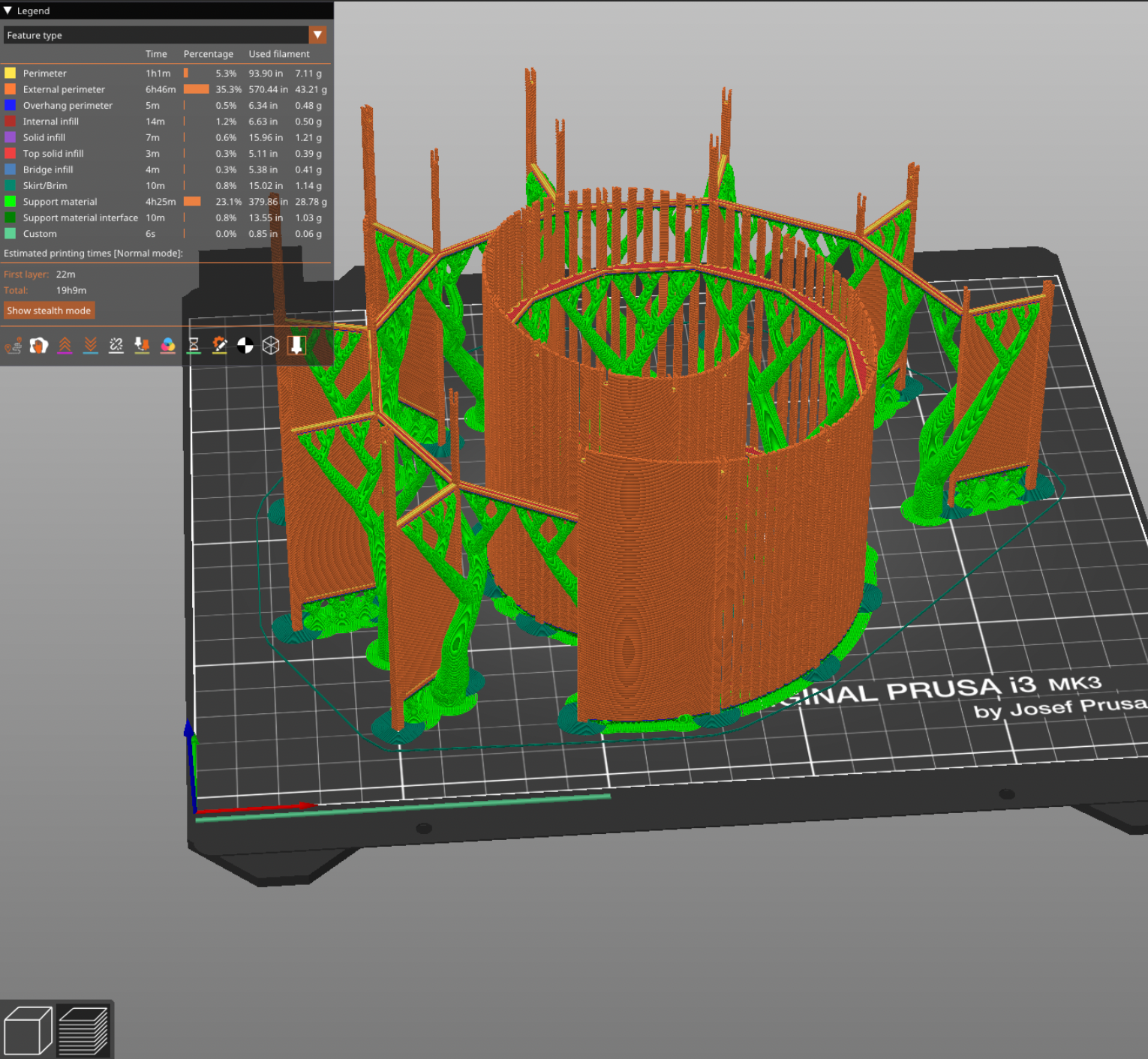
Our biggest challenge? The size limitations of the Makerspace’s 3D printers. The solution was as simple as it was elegant: we used the Prusa Slicer to split the model into three parts. While this meant a careful, precise assembly with glue afterward, it allowed us to maximize scale and achieve a stunning 24-inch model. Grace noted, with satisfaction, that splitting the model “didn’t impact the final presentation much,” making this strategic decision effective in the end.

Collaboration: Art Meets Technology

This is one of three printed parts of the Beaver Mill. We printed it with "organic tree supports" that are designed to support overhanging structures (like the roof overhangs). We later removed these supports and the result was a cleanly printed section of the building.

This is one of three printed parts of the Beaver Mill. We printed it with “organic tree supports” that are designed to support overhanging structures (like the roof overhangs). We later removed these supports and the result was a cleanly printed section of the building.

Grace had never attempted 3D printing before, making the Makerspace’s role in the project essential. She described this collaboration as transformative: “Working with the Makerspace made the project possible… your facilities and technical knowledge brought the model to a much higher level.”

David Keiser-Clark, Makerspace Program Manager, explains how the Beaver Mill project perfectly embodies the Makerspace’s mission of providing practical, hands-on experience with digital fabrication. “This project directly supported the architectural course goals by giving students real-world experience in modeling and computer-aided design software,” David stated.

David firmly believes in interdisciplinary learning, emphasizing that projects like the Beaver Mill offer students invaluable skills. “Interdisciplinary collaboration encourages critical thinking and practical problem-solving skills students carry forward into their careers and lives beyond Williams,” he explained. This project perfectly encapsulated the blending of creative artistry and technical proficiency.

The Spirit of the Beaver Mill

Grace envisioned visitors observing and actively engaging with the model, appreciating the Beaver Mill’s distinctive texture and structure. The carefully chosen scale and attention to detail turned the model into an interactive experience, inspiring curiosity and exploration about the site’s potential as an artistic hub.

This is the left-most section of the Beaver Mill building with most of the external tree supports removed.

This is the left-most section of the Beaver Mill building with most of the external tree supports removed.

This is the final 3D printed object with all three sections glued together, using cyanoacrylate (CA) glue!
This is the final 3D printed object with all three sections glued together, using cyanoacrylate (CA) glue!


The Magic Moment

This is the finished Beaver Mill model, as it appeared in the Big Art Show. This model shows the post-processing acrylic painting that Grace Espinosa '26 applied!

This is the finished Beaver Mill model, as it appeared in the Big Art Show. This model shows the post-processing acrylic painting that Grace Espinosa ’26 applied!

For Grace, the project’s highlight was unmistakable: “Seeing the model printed for the first time was incredibly rewarding.” After countless hours of refining the digital design, watching the Beaver Mill physically materialize felt almost magical. This moment embodies the Makerspace spirit: turning ambitious ideas into real, tangible outcomes through creativity, technology, and collaboration.

Projects like the Beaver Mill not only captivate participants and viewers but also shape the Makerspace’s future. David highlighted that “each new project fosters deeper connections and opens doors to innovative ideas across the campus.” Events like the Big Art Show and reflecting on these stories inspire future ambitious projects, encouraging faculty and students alike to imagine what’s possible.

Reflecting on the Beaver Mill project, it’s clear that the Makerspace is more than a lab—it’s a space where creativity and technology meet, where collaboration flourishes, and where students like Grace (and myself!) can transform dreams into realities!

Who knows what we’ll create next?


Makerspace Shoutout from Jack Murphy ’25

Thank you to the Makerspace!

Model of Neoclassical Modernist Home in Rome, Italy

Model of Neoclassical Modernist Home in Rome, Italy

The Makerspace empowered me, somebody with no model-building experience, to create an architectural model of a home in Rome, Italy that I am proud of—they even lent me the tools to make it happen. I am grateful to  David Keiser-Clark, Makerspace Program Manager, for offering guidance in this design project. This Neoclassical Modernist home was inspired by my time spent last spring studying abroad in Rome, Italy, and David helped me design this relatively low-tech model for my architecture class, taught by the great and powerful Professor Michael Lewis. As an economics major, I had never created anything like this, so I enlisted David to help me solve some practical problems that were preventing me from getting the design to look as accurate as I’d hoped. Specifically, I needed help to understand how to get the proportions of arches to look correct, and how I could properly cut and fill these voids. Due to the nature of the project, I wanted this to be done by hand, so David’s first idea of 3D printing the walls was not practical, so he worked with me to trace voussoirs into both the poster board walls and the plexiglass windows, a material that he referred me to. In addition, we grappled with the idea of how to properly include a glass dome in my model. David had the wonderful idea to buy a clear plastic bowl from Walmart and then set the scale of the entire model off of the measurement of this piece. David and I had many ideas about how to create the most interesting model possible, but his genius lies in the simplicity of his solutions to these practical problems. Being well-versed in the world of 3D printing, he was tempted to create bespoke parts for the project, but I was impressed with his restraint, ingenuity, and creativity to use more common items to solve these issues using a fraction of the time, labor, and resources.  In addition to his more high-tech tools in the Makerspace, David keeps a plethora of different tools that made this project possible and accessible for a student like me. He has compasses, saws, scoring equipment, clamps, and countless other items that allow students to have a one-stop shop for making their creative vision into a reality. I cannot thank David enough for all of the help and support, and I would recommend that anyone at the College and beyond come check out what he is doing, as it is extremely interesting and unique in a college landscape. Below, I included a write-up on my project for anyone interested. Thank you David & the Makerspace!

Jack Murphy
Modern Architecture
Professor Lewis
11 November 2024

Neoclassical Modernist Home in Rome, Italy

My vacation house in Rome, Italy features Classicist architecture with a modernized design that subverts the traditional Roman order to provide the home with aesthetic and functional attributes never seen in ancient Rome. More specifically, the house is located in the Aurelio District above Vatican City at 41º53’21.56” N, 12º27’02.88” E. This undeveloped plot of grassland (1.2 acres) is located directly across the street from Villino Algardi, a government-owned villa where meetings are held. Villino Algardi sits inside Villa Doria Pamphili, a massive public park where Romans escape the city and have picnics with their families. The house faces north and sits at 246 feet of elevation, 0.95 miles away from Vatican City (50 feet of elevation), providing spectacular views of the entirety of downtown Rome. This area provides me with a unique location just outside of the city, views of the scenic city, and distance from the highly traditional architectural standards that my home violates. 

In essence, my home’s exterior is meant to mimic buildings like the Pantheon, Parthenon, and countless other Roman Temples. It features a portico and dome similar in silhouette to the Pantheon, but I decided to make the “rotunda” square due to the difficulty in creating a circular floorplan for home applications. To allude to this building, I included arches on all four sides with glass beneath to provide excellent natural light into all rooms. The ground floor features a dividing wall in the middle, with a great room in front and a bedroom in the back. The great room includes a dining room and kitchen with an island in the middle, allowing me to entertain guests during dinner parties essential to Roman culture. In total, this room sums up to 332 square feet, giving me space for indoor functions and direct access to the portico for aperitivo (afternoon cocktail hour) as the sun sets over the Roman cityscape. The rear half of the ground floor features a bedroom, bathroom (accessible from both sides of the ground floor), and walk-in closet, allowing for comfortable living for me and my future wife. I chose to put the bedroom on the western side of the home to prevent the morning sun from waking me too early as I relax on vacation. The one bathroom is located on the east side of the home, with the option to soak in the morning sun as you prepare for the day or to pull blinds down for extra privacy. Back in the great room, a staircase climbs the dividing wall to allow access to the semi-circular loft inside of the glass dome, overlooking all of Rome. This room includes a sectional couch and TV and serves as an excellent living space to watch sunsets or stargaze with friends and loved ones. This sectional can also pull out to allow for additional sleeping space for guests of the home looking for one of the most beautiful and unique living arrangements imaginable. The loft is semicircular, allowing for natural light to permeate into the great room as you cook lunch and enjoy days off on the weekend. A long basalt-cobblestone driveway connects the property to Via Aurelia Antica, cutting under an ancient Roman aqueduct’s arch that provides privacy from the passing traffic. 

One of the chief inspirations for this home was Hagia Sophia of the East Roman Empire. This building collapsed 21 years after its construction in 558 AD due to the difficulty of supporting a round dome on a rectangular rotunda. This problem led to the invention of pendentives, which use arches on all 4 sides and diagonal arches across the hypotenuse of the rotunda to distribute force away from weak points towards the middle of the rectangular floorplan and into the corners of the structure. I decided to use a light glass dome for reasons listed later, so pendentives are unnecessary due to their juxtaposition with the heavier brick-and-mortar dome of Hagia Sophia. Interestingly, this building has been modernized in its own way, as it was converted into a mosque in 1453 following the Ottoman invasion of Constantinople. While I didn’t end up needing to use pendentives, Hagia Sophia served as a major inspiration for the silhouette of my home as it was the first time that a round dome was placed on a rectangular building in any part of the Roman Empire.

The use of glass serves as a way to improve upon traditional Roman architecture using modern materials. Firstly, glass allows for the use of arches in the design, tying in the aforementioned inspiration of Hagia Sophia with the practicality of an enclosed structure. Furthermore, glass allows me to subvert the ideas of modern architecture into the form of classicism. I found myself fascinated by the transparency of the Seagram Building and the Crown Hall (Ludwig Mies van der Rohe) and wanted to incorporate this into my home. In addition, the oculus of the Pantheon served as inspiration for the dome, as I took this idea and wanted to maximize natural lighting past what Roman architects were capable of due to material limitations. Ancient Romans never had access to the quantity of glass that we do today, so I wanted to use the figure of a classical dome with the transparency of glass to allow for a unique living space in the loft and beautiful natural lighting in the great room. To directly reference traditional Roman orders, I used monolithic columns on the portico, but again subverted it by using black marble, something untraditional to ancient Rome. To take this idea to the next level, omitted almost all aspects of Roman orders, including the capital, base, and entablature to provide a more minimalist aesthetic that is free of ornament. The exterior of the home is constructed of black painted stainless steel, juxtaposing it with the marble cladding of ancient Rome and Renaissance architecture, again using traditional Roman form with modern material functionality.

The fundamental idea of this home was to combine modern materials and aspects of modern functionality into a more classicist design. I found myself interested in the irony of this home, as modern architecture was in a way in direct opposition to classism. The challenge was to create a home that is both classicist and modern, styles many would argue are mutually exclusive. Prof. Lewis challenged me to design the interior of the building first and to avoid trying to cram a floorplan into a predetermined exterior, but in avoiding this, I actually found the home to become more interesting. By clinging to the idea of having a dome, I was forced to think about how I could use the upper floor, leading to my favorite idea for the whole home in the semicircular domed loft. Like all great architects, limitations forced me to become creative and create novel solutions to functional problems. While my home is largely in the form of a Roman temple, something less than ideal for living, it actually is quite suited for a home as it has all of the necessities that one could need for a small vacation home. While this design is far from the most daring, I would argue that it encompasses many of the ideas that we have gone over in class as crucial to the inception of modern architecture and applies them in a different direction than seen before.

Exhibit 1


Exhibit 2


Exhibit 3


Exhibit 4

https://www.thoughtco.com/what-is-a-pendentive-dome-177310

What is a pendentive dome?

What is a pendentive dome?


Exhibit 5

https://simple.wikipedia.org/wiki/Hagia_Sophia

Hagia Sophia

Hagia Sophia


Exhibit 6

https://en.wikipedia.org/wiki/Seagram_Building

Seagram Building

Seagram Building


Exhibit 7

https://www.johndesmond.com/blog/design/mies-van-der-rohe-part-ii-the-mind-behind-the-steel/


Lions at the Spruces

2024 Big Art Show Exhibition

2024 Big Art Show Exhibition

What do Vienna, a long-lost trailer park in Williamstown, and two fifth graders have in common? They all came together via architecture, storytelling, and a whole lot of glue in a Makerspace project that began as a college classroom assignment and grew into something far more textured (literally and metaphorically).

Welcome to ARTS 222 / ENVI 202: Critical Architecture Practice, where theory meets practice, and memory is not only something you hold onto, but something you build.

The Backstory: Lions, Memory, and the Spruces

The Spruces was a trailer park in Williamstown, Massachusetts that was flooded by Hurricane Irene, and then closed in 2016. While it’s no longer standing, its memory continues to ripple through the town’s environmental and architectural narratives. For this class project, led by Giuseppina Forte, Assistant Professor of Architecture and Environmental Studies, (with TAs Elijah Washington ‘24 and Grace Espinosa ’26), students set out to reimagine the site and its emotional geography through architectural modeling.

David Keiser-Clark took measurements of the lion statues (on site) at the former Spruces in Williamstown, MA

David Keiser-Clark took measurements of the lion statues (on site) at the former Spruces in Williamstown, MA

The mission

Recreate a tabletop model of the Spruces site and anchor it with two majestic lions, inspired by those that once guarded the entrance. But these weren’t just any lions.

How to (Re)Build a Lion

Let’s rewind to Vienna, Austria. A statue stands outside the METAstadt in Donaustadt of a proud, regal lion. David Keiser-Clark, Makerspace Program Manager, searched Google and found what appeared to be an exact match of “our” lions at the METAstadt. He found a digital version of the statue that had been uploaded by a tourist who scanned it with Polycam in LiDAR mode with their iPhone 14 Pro Max (credit to @Stefan_80888). David drove to the Williamstown lion statues, and used a 30’ measuring tape to mark down the dimensions.

Left: Autodesk Fusion 360 CAD renderings created by Alice Sore '27, from measurements, to 3D print the pillars and base. Right: digitized lion scan placed, to scale, on top of pillars structure.

Left: Autodesk Fusion 360 CAD renderings created by Alice Sore ’27, from measurements, to 3D print the pillars and base. Right: digitized lion scan placed, to scale, on top of pillars structure.

Alice Sore ’27, a Makerspace student worker, used AutoDesk’s Fusion 360 software to model the statue’s pedestals and columns from scratch, creating not just pieces of the project but a learning moment. She used this experience to then lead the Makerspace’s first “Teach-In: Learning Fusion 360”, and walked fellow students through the software and showed them how to model architectural structures with precision and confidence.

Intelligent CAD modeling includes auto-centering devices that also add strength and rigidity.

Intelligent CAD modeling includes auto-centering devices that also add strength and rigidity.

Once the lion, pedestal, and columns were ready, we printed them in white PLA in four separate sections, kind of like Legos for architects, and bonded them with cyanoacrylate glue.

Left: first completed statue. Right: The second one is always easier and quicker.

Left: first completed statue. Right: The second one is always easier and quicker.

But they weren’t finished. Not yet.

Enter: Two Fifth Graders and a Can of Paint

What do you do when you want your lion statues to look like they’ve stood in the elements for decades, rather than hours?

You recruit two fifth graders, naturally.

Elizabeth Heeringa and Anderson Keiser-Clark, fifth graders, provided the vision for aging and the labor to complete the entire post-processing effect. (Clockwise from top left: Anderson on left, and Elizabeth on right; Elizabeth dry brushing with greens to create moss effect; Bottom left: more dry bushing; Bottom right: Getting out the ladder as these lions are tall!

Elizabeth Heeringa and Anderson Keiser-Clark, fifth graders, provided the vision for aging and the labor to complete the entire post-processing effect. (Clockwise from top left: Anderson on left, and Elizabeth on right; Elizabeth dry brushing with greens to create moss effect; Bottom left: more dry bushing; Bottom right: Getting out the ladder as these lions are tall!

Elizabeth Heeringa and Anderson Keiser-Clark, armed with brushes, DryLok Masonry Waterproofer, acrylic paint, a misting bottle, and a creative eye, transformed glossy 3D prints into textured, time-worn sentinels. They painted the lions with two coats of DryLok, which added grit (sand is in the paint) and also obscured the 3D printed lines. They then used an “acrylic wash”, a mixture of 85% water and 15% black acrylic paint, and spritzed the lions multiple times, allowing them to dry between each coating. Finally, they used a technique called dry-brushing, using tiny brushes and miniscule amounts of pure acrylic color to create highlights. They used greys to emphasize age, and greens to simulate moss or lichen, until the lions no longer looked like something made yesterday but like artifacts pulled from a lost world. (Elizabeth shared that an optional final step would be to dip a paint brush in white acrylic paint and then flick it at the object to create little stippled drops of paint.)

Elizabeth initially warned that the black acrylic wash solution goes on strong and creates deep and dark puddles, but eventually dries much lighter. Effectively, she said: "Don't worry, David." Left: You can see the difference of the acrylic wash on cardboard (dried dark), and how 3 successive additive layers dried on the scrap base with slightly darker tones and increase variation of patterning. Right: Massive puddling and dripping of black paint that will dry in significantly lighter tones.

Elizabeth initially warned that the black acrylic wash solution goes on strong and creates deep and dark puddles, but eventually dries much lighter. Effectively, she said: “Don’t worry, David.” Left: You can see the difference of the acrylic wash on cardboard (dried dark), and how 3 successive additive layers dried on the scrap base with slightly darker tones and increase variation of patterning. Right: Massive puddling and dripping of black paint that will dry in significantly lighter tones.

Elizabeth created this original 3D post processing recipe from scratch. You saw it here first.

Anderson also helped calibrate the Makerspaces 3D printers, because of course he did.

Left: Lion dripping from the acrylic wash spray; Right: Completed lion after multiple acrylic wash sprayings.

Left: Lion dripping from the acrylic wash spray; Right: Completed lion after multiple acrylic wash sprayings.

A Model of Memory

Meanwhile, Professor Forte and her team worked on designing the 30” x 30” tabletop model of the Spruces site built to a scale of 800:1, which means it represents a 2,000’ x 2,000’ section of land. Four interlocking 15” x 15” environmentally friendly MDF panels called Eucaboard (made from eucalyptus fibers), two layers thick, formed the base. An etched river flows through the landscape, marked by laser-etched topography and filled with translucent blue acrylic.

Every detail of mobile homes represented by tiny markers, zones carved into MDF, and even the idea of including a scale model trailer with furnishings was designed to be both informative and deeply effective. This wasn’t just about land use. It was about memory, displacement, community, and presence.

Why It Matters

Architecture isn’t just about buildings. It’s about what we build to remember. What we build to mean something.

This project took a long-forgotten corner of Williamstown, wrapped it in theory, scaled it to human imagination, and rebuilt it with resin, MDF, paint, and story.

It involved artists, scientists, young makers, international scans, and kids with paintbrushes.

And as the lions stood silent, strong, slightly green at the mane you could almost hear them guarding the gates not just of a trailer park, but of a memory that refuses to fade.

Left: Lion and Elizabeth; Right Anderson and Lion.

Left: Lion and Elizabeth; Right Anderson and Lion.

2024 Spring Big Art Show Exhibition. Lions standing as sentinels.

2024 Spring Big Art Show Exhibition. Lions standing as sentinels.

Elizabeth’s Post Processing Recipe

Elizabeth mentions it’s important to use the normal version of DryLok Masonry Waterproofer, as the “extreme” version lacks the sandy texture.

Elizabeth's supplies.

Elizabeth’s supplies.

More Information

Postscript (February 14, 2025)

Brenda Aubin of Dining Services reached out to the Makerspace to include the lions in their Winter Carnival celebrations, complete with AV and slideshows for ambience. Dining Services rock!

Brenda Aubin of Dining Services reached out to the Makerspace to include the lions in their Winter Carnival celebrations, complete with AV and slideshows for ambience. Dining Services rock!

Simulating Spaces with Augmented Reality (AR)

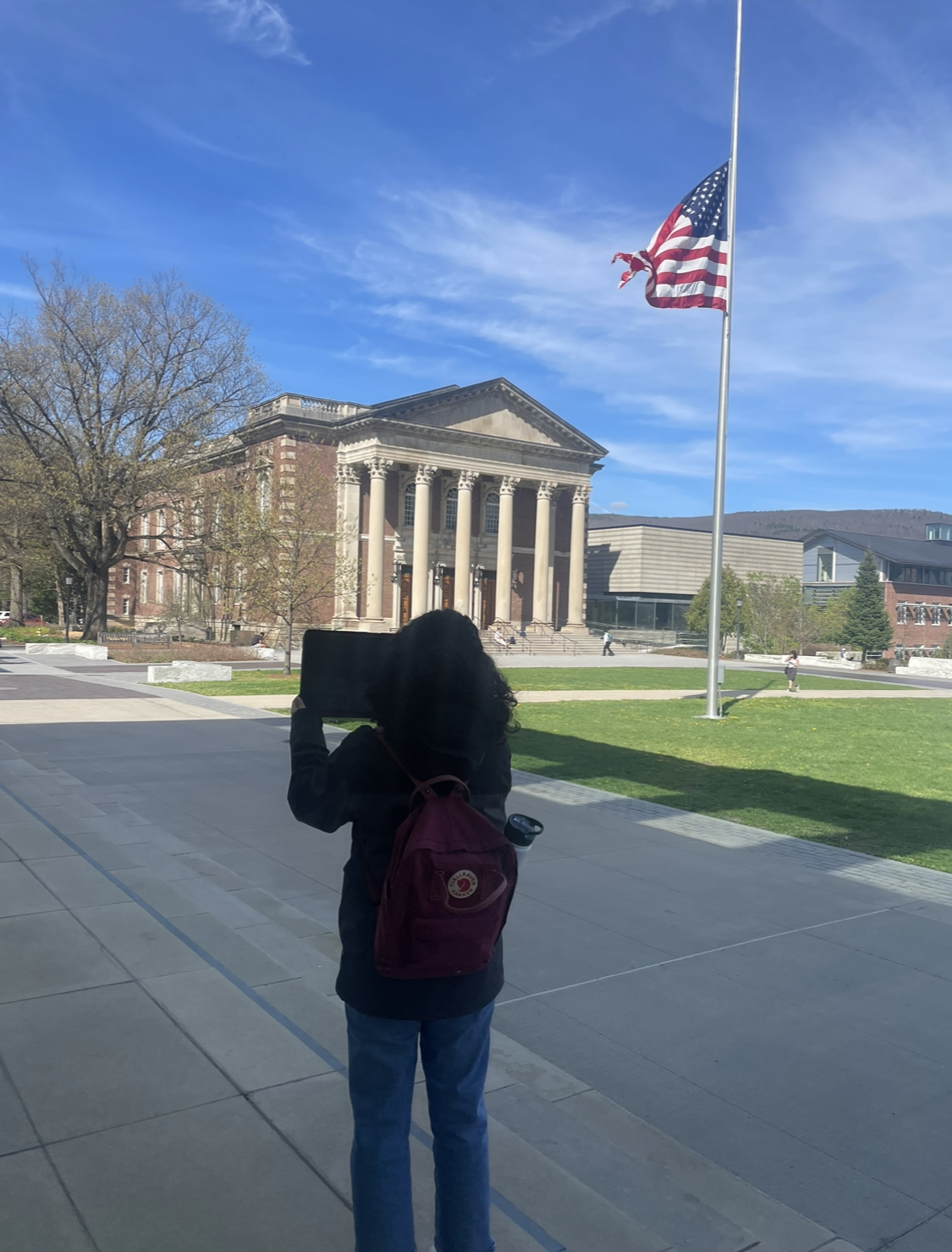
Fig.1 This is me standing in front of Chapin Hall, using my tablet to view my AR model (see below) superimposed as a "permanent object" onto the Williams campus.

Fig.1 This is me standing in front of Chapin Hall, using my tablet to view my AR model (see below) superimposed as a “permanent object” onto the Williams campus.

At age nine, I had a bicycle accident (and yes, for those who know me, I can’t swim, but I can pretty much ride a bike, thank you!). It was not that unusual compared to how you usually fall from a bike: I was going up perhaps faster than what my mom allowed me at the time, and I bumped into a really, really, BIG rock. In great pain, someone nearby picked me up and, crying very much, I said: “I want to go home, give me my tablet.” A very Gen-Z answer from me, and I don’t recommend that readers have such an attachment to their devices. But let’s be honest—would I have been in such a situation at the time if I was peacefully playing the Sims instead of performing dangerous activities (such as bike riding) in real life? Is there a fine line between real and virtual? Can I immerse myself in a virtual environment where I *feel* like I drive without actually driving *insert cool vehicle*?


Fig. 2: I created this sketch of "maker space" in Procreate on my tablet.

Fig. 2: I created this sketch of “maker space” in Procreate on my tablet.

Augmented Reality (AR) is something I have been interested in learning more about as an internet geek. Although I count stars for a living now (I am an astrophysics major), I am still very much intrigued by the world of AR. Whenever there is a cool apparatus in front of me, I take full advantage of it and try to learn as much as I can about it. That’s why one of my favorite on-campus jobs is at the Williams College Makerspace! It is the place where I get to be a part of a plethora of cool projects, teach myself some stuff, and go and share it with the world (i.e., as of now, the College campus and grand Williamstown community!). Fast forward to my sophomore year of college, Professor Giuseppina Forte, Assistant Professor of Architecture and Environmental Studies, reached out to the Makerspace to create a virtual world using students’ creativity in her class “ENVI 316: Governing Cities by Design: the Built Environment as a Technology of Space”. The course uses multimedia place-based projects to explore and construct equitable built environments. Therefore, tools like Augmented Reality can enhance the students’ perspectives on the spaces they imagine by making them a reality.

This project could not have been possible without the help of the Makerspace Program Manager, David Keiser-Clark. He made sure that there was enough communication between me and Professor Forte so that deadlines for the in-class project completion were met, as well as the Williams College “Big Art Show”. In short, my role was to help students enhance their architectural designs with augmented reality simulations. This process involved quite a few technical and creative challenges, leading to a lot of growth as a Makerspacian, especially having no background in AR before taking part in this project!

Choosing Tools and Techniques

My role in this project was to research current augmented reality softwares, select one, and then teach students in the course how to utilize it. In consultation with Giuseppina and David, we chose Adobe Aero because it’s free, easy to use, and has lots of cool features for augmented reality. Adobe Aero helps us put digital stuff into the real world, which is perfect for our architectural designs in the “ENVI 316: Governing Cities by Design” course. I then set up a project file repository and inserted guides that I created, such as “Interactive Objects and Triggers in Adobe Aero” and “How to Use Adobe Aero”. This documentation is intended to help students and teaching assistants make their own AR simulations during this — and future — semesters. This way, everyone can try out AR tools and learn how to apply them in their projects, making learning both fun and interactive.

AR Simulations: My process

Fig. 3: I have successfully augmented reality so that, viewed through a tablet, my "maker space" 3D model now appears to be positioned in front of Chapin Hall at Williams College.

Fig. 3: I have successfully augmented reality so that, viewed through a tablet, my “maker space” 3D model now appears to be positioned in front of Chapin Hall at Williams College.

Once we had all the tools set up with Adobe Aero, it was time to actually start creating the AR simulations. I learned a lot by watching YouTube tutorials and reading online blogs. These resources showed me how to add different elements to our projects, like trees in front of buildings or people walking down the street.

Here’s a breakdown of how the process looked for me:

  1. Starting the Project: I would open Adobe Aero and begin a new project by selecting the environment where the AR will be deployed. This could be an image of a street or a model of a building façade.
  2. Adding 3D Elements: Using the tools within Aero, I dragged and dropped 3D models that I previously created in Procreate into the scene. I adjusted their positions to fit naturally in front of the buildings.
  3. Animating the Scene: To bring the scene to life, I added simple animations, like people walking or leaves rustling in the wind—there was also the option to add animals like birds or cats which was lovely. Aero’s user-friendly interface made these tasks intuitive, and videos online like this one were extremely helpful along the way!
  4. Viewing in Real-Time: One of the coolest parts was viewing the augmented reality live through my tablet. I could walk around and see how the digital additions interacted with the physical world in real-time.
  5. Refining the Details: Often, I’d notice things that needed adjustment—maybe a tree was too large, or the animations were not smooth. Going back and tweaking these details was crucial to ensure everything looked just right. Fig. 1, 2 & 3 show an example of a small project I did when I just started.

Final Presentation: The Big Art Show

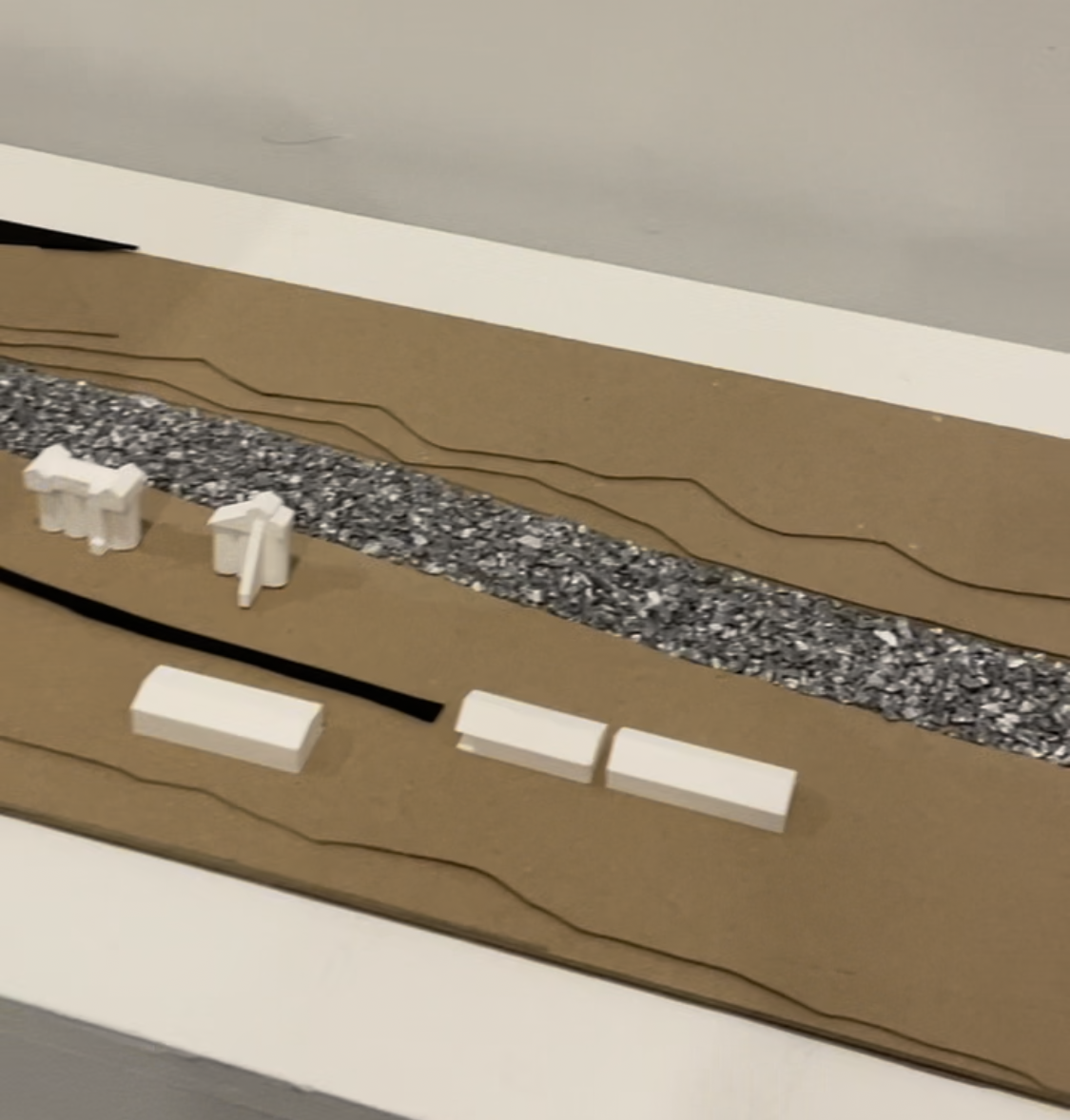
Figures 4 and 5 show side-by-side comparisons of real-life vs AR spaces as presented in the Williams College “Big Art Show” in the fall semester 2024. The student who used the AR techniques decided to place plants, trees, people and animals around the main road to make the scene look more lively and realistic. 

Fig. 4: Exhibition at the "Williams College Big Art Show" featuring 3D printed houses and buildings alongside a main road.

Fig. 4: Exhibition at the “Williams College Big Art Show” featuring 3D printed houses and buildings alongside a main road.

Fig. 5: Live recording of an AR space in Adobe Aero, enhanced with added people, trees, and birds to create a more memorable scene.

Fig. 5: Live recording of an AR space in Adobe Aero, enhanced with added people, trees, and birds to create a more memorable scene.


Lessons Learned

Reflecting on this project, I’ve picked up a few key lessons. First, jumping into something new like augmented reality showed me that with a bit of curiosity, even concepts that seem hard at first become fun. It also taught me the importance of just trying things out and learning as I go. This project really opened my eyes to how technology can bring classroom concepts to life—in this case, the makerspace!—making learning more engaging. Going forward, I’m taking these lessons with me.

Resurrecting the Ancient: A 3D-Printed Chinese Oracle Bone Finds a New Home at Williams

When students in ASIA 325 / ARTH 325: The Arts of the Book in Asia walk into class, they are greeted by an object that feels both ancient and cutting-edge: a 3D-printed replica of a 3,000-year-old Chinese oracle bone. What they may not realize is the complex and fascinating journey that brought this piece into their classroom, a story of international collaboration, digital preservation, and creative craftsmanship.

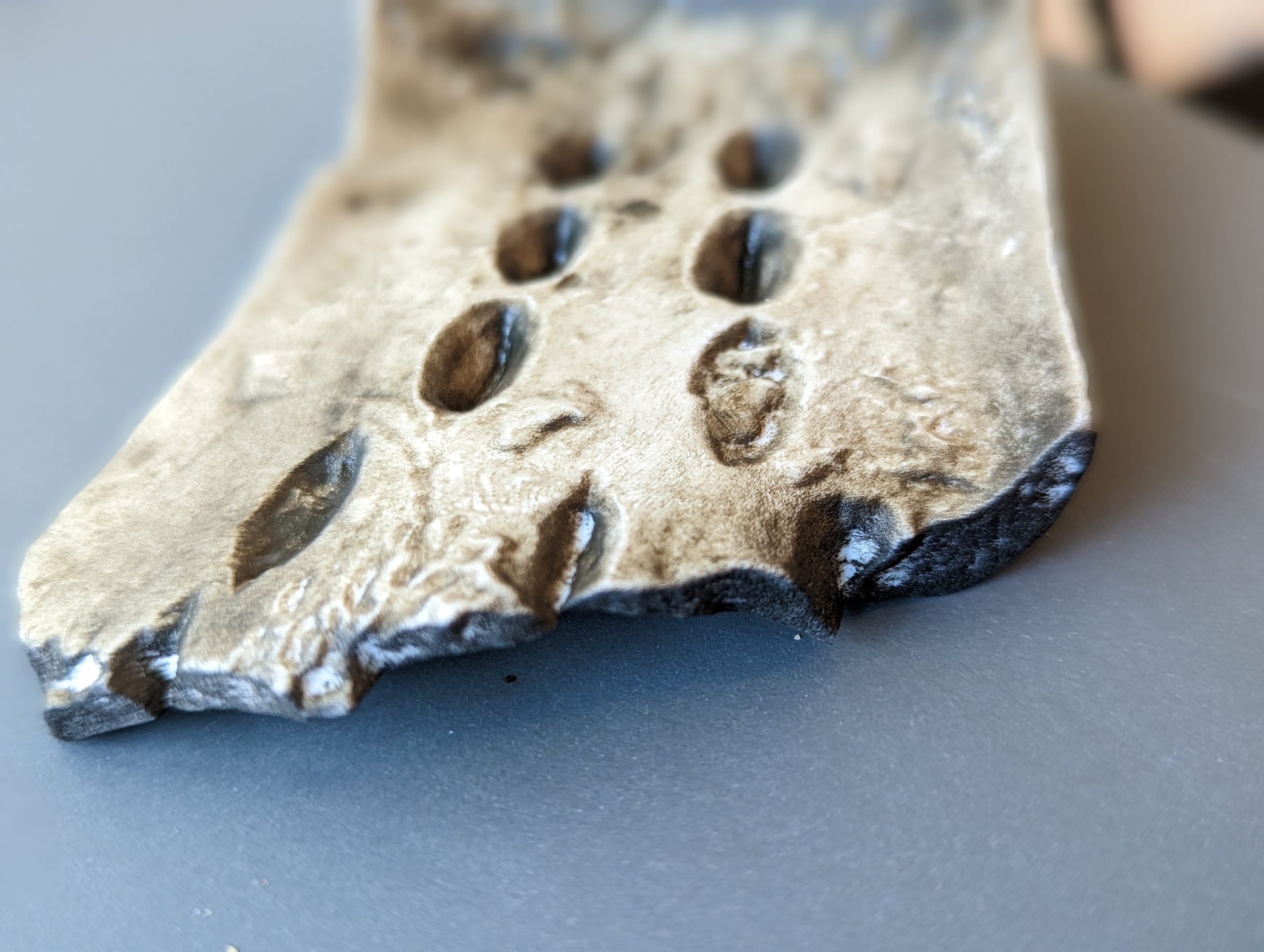
The 3D-printed replica

The 3D-printed replica.

From Oracle to Object

Using open-access scans from the Cambridge University Library, and with permission from Professor Dominic Powlesland, who co-holds copyright with Cambridge, the team downloaded and processed a high-resolution 3D model of Oracle Bone CUL.52.

“We don’t have any oracle bones on campus, and it wouldn’t be ethical to acquire one. But thanks to digital tools and Cambridge’s generosity, we can still bring one into students’ hands,” said Anne Peale.

3D print ready for resin.

3D print ready for resin.

The etchings after resin.

The etchings after resin.

From Data to Artifact

The project’s journey from digital file to physical artifact unfolded in several stages:

  • January 30, 2023: STL files arrived from Cambridge.
  • February 1: The first prototype was printed using FDM (fused deposition modeling).
  • February 7: A final resin print was scheduled, scaled to preserve the original details.
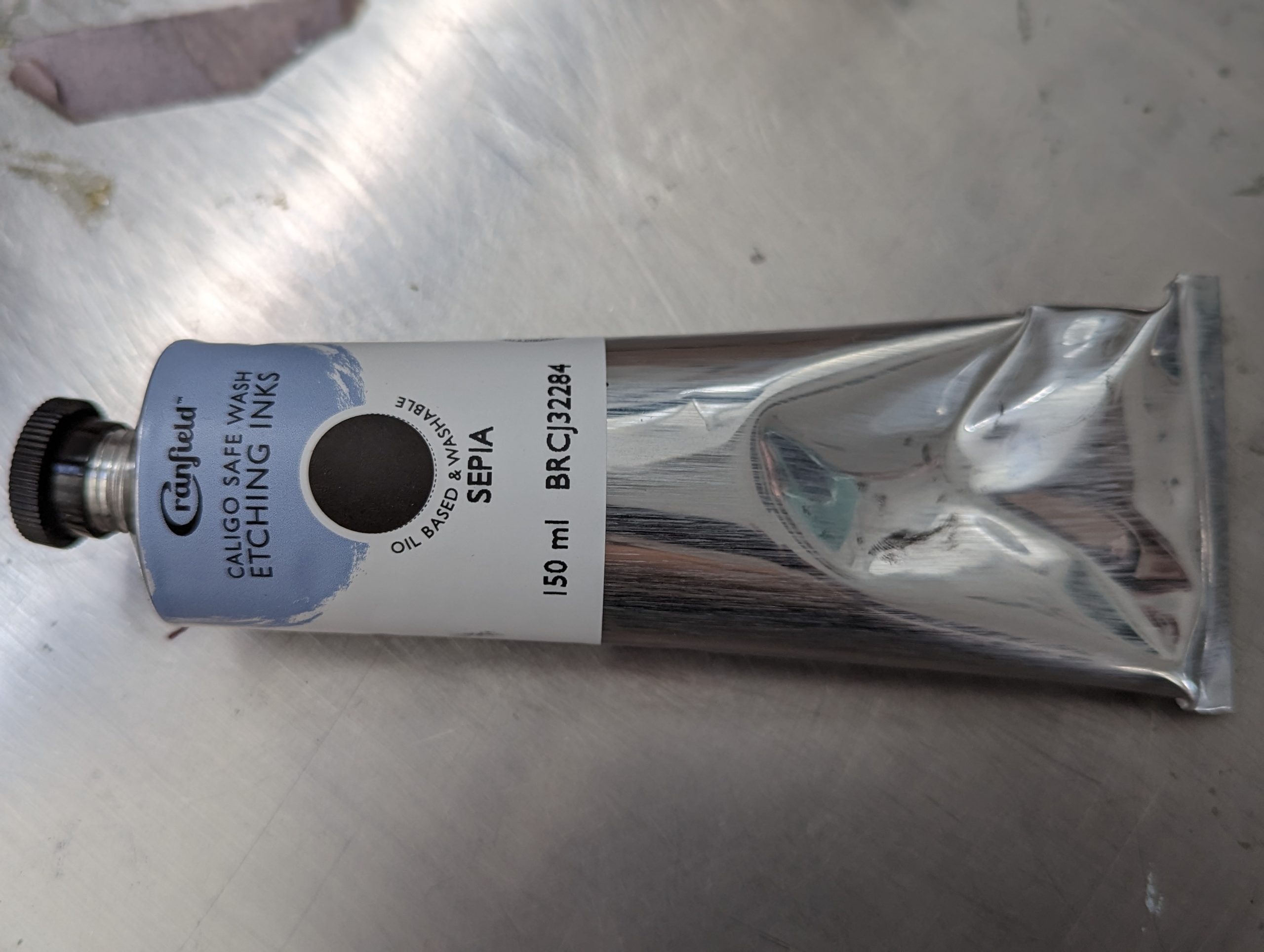
  • March 16: Print studio technician Javier Robelo applied etching ink, transforming the object’s surface from shiny resin to an aged, textured finish.

“To my eyes, the etching ink transformed the resin print into something that feels older and more authentic,” said David Keiser-Clark.

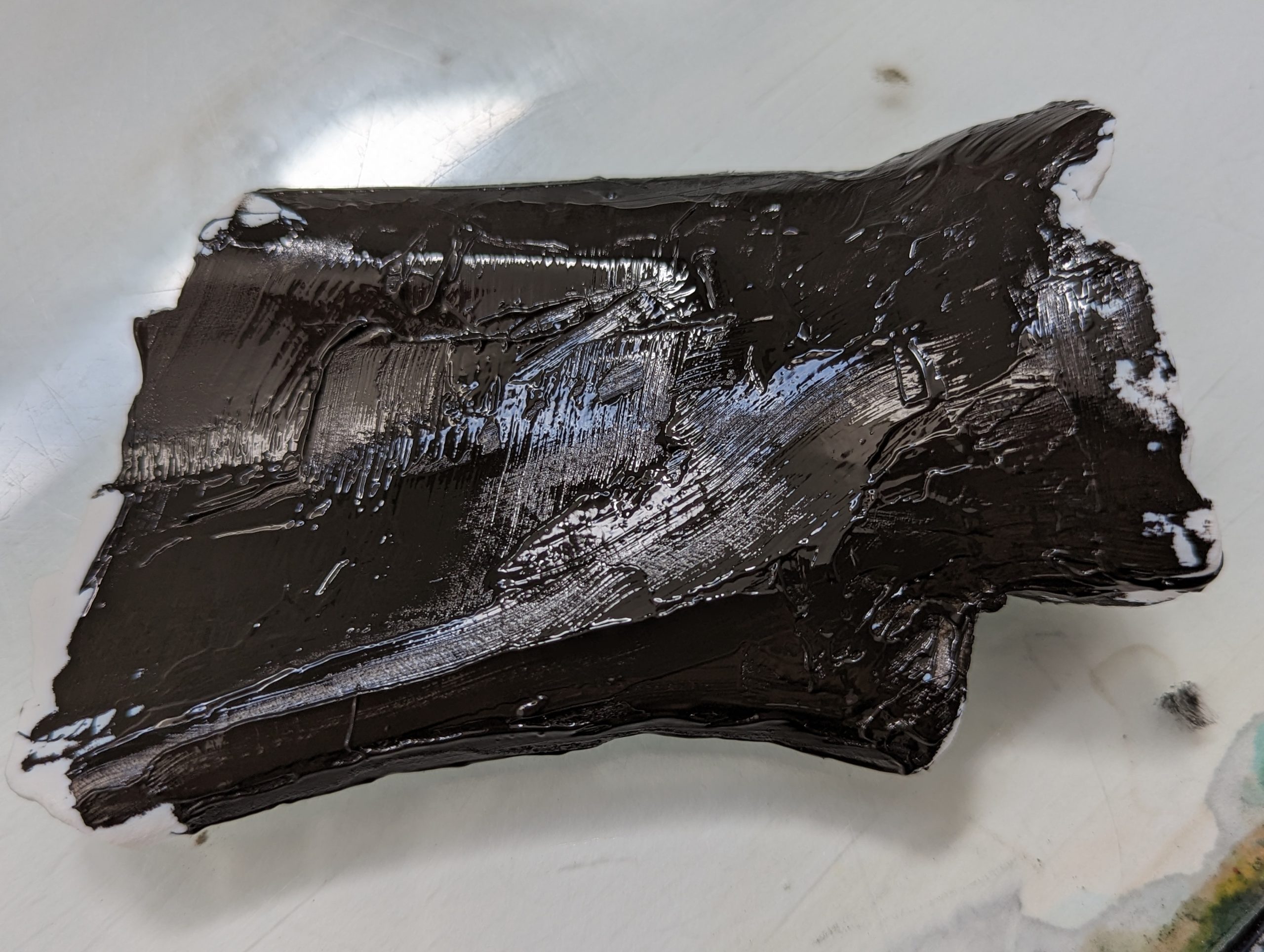
Ink covered 3D print.

Ink covered 3D print.

Ink resin used to age the 3D print.

Ink resin used to age the 3D print.

A Teaching Tool with Character

Javier Robelo (Print Studio Technician) added water soluble etching ink to the resin print, then wiped it off using tarlatan wiping fabric. This process allows only the ink within the crevices to remain and that greatly the enhances visible contrast of the 3,000 year old markings.

Javier Robelo (Print Studio Technician) added water soluble etching ink to the resin print, then wiped it off using tarlatan wiping fabric. This process allows only the ink within the crevices to remain and that greatly the enhances visible contrast of the 3,000 year old markings.

By late March, the project reached completion. Both Peale and Mumtaz were impressed by how the replica captured the visual depth and tactile quality of the original oracle bones.

“WOW, what a transformation! I can’t believe how much more visible the characters have become. May I share this with Dominic at Oxford?” wrote Peale in response to the final version.

“It is really looking like the real deal now! We would be delighted to teach with this,” added Mumtaz.

Acknowledging the Origins

This project would not have been possible without the digital preservation work of Cambridge University Library and Professor Dominic Powlesland. All future educational materials will include the following acknowledgment:

Oracle Bone, CUL.52. With thanks to Cambridge University Library and Professor Dominic Powlesland for making these scans available for research and teaching.

What’s Next

A second resin print, featuring the same inked detailing, will be produced as a gift for Professor Powlesland. The team is also exploring new materials and inking techniques to enhance texture and durability. The replica will continue to be a highlight of ARTH 325: The Arts of the Book in Asia, giving students a tangible connection to early Chinese history and script. Through this collaboration, ancient writing and modern technology meet in a way that deepens understanding and preserves cultural heritage.

Architecture in Slices: 3D Printing for the Big Art Show.

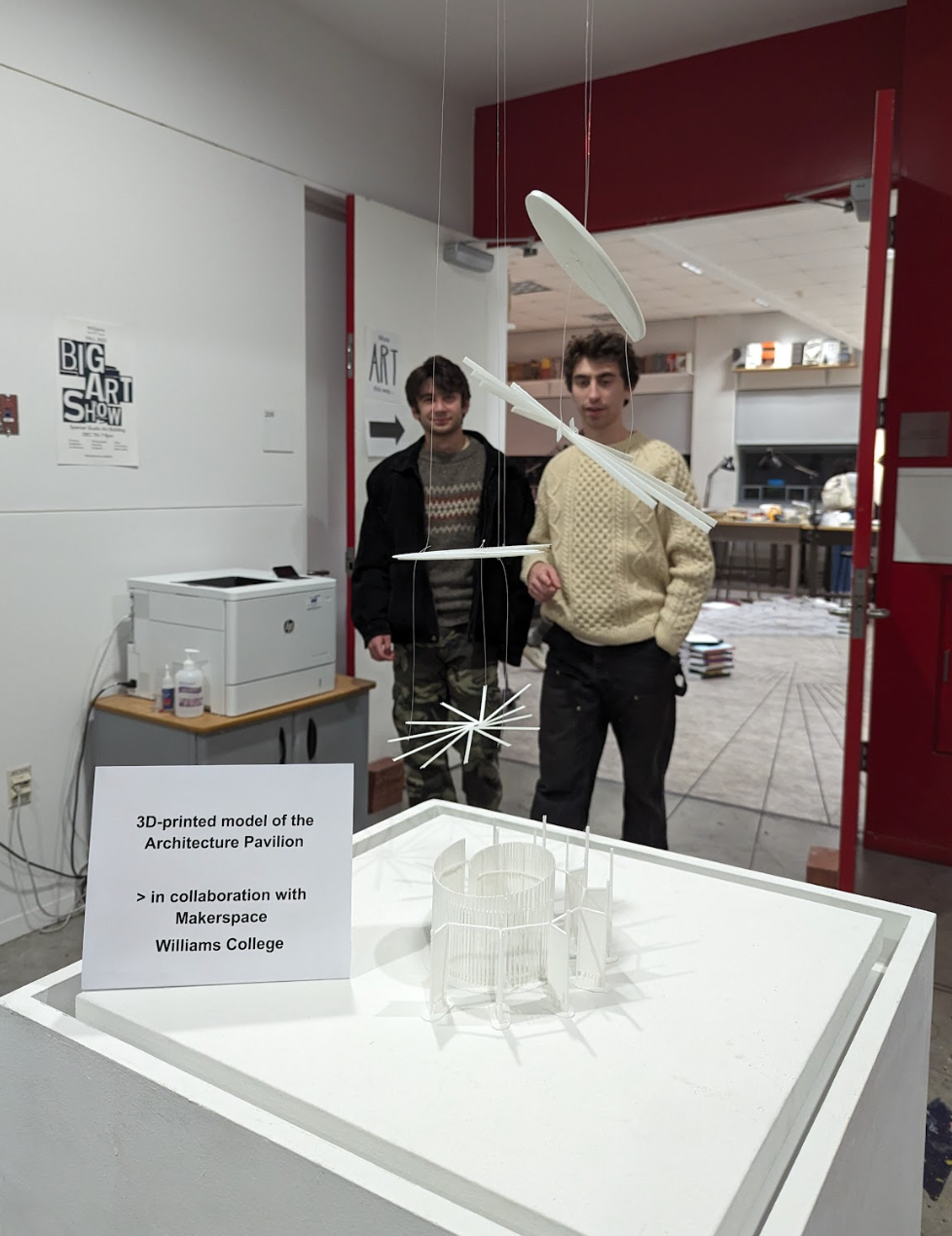
The Arts 314 exhibit in the Big Art Show

The Arts 314 exhibit in the Big Art Show

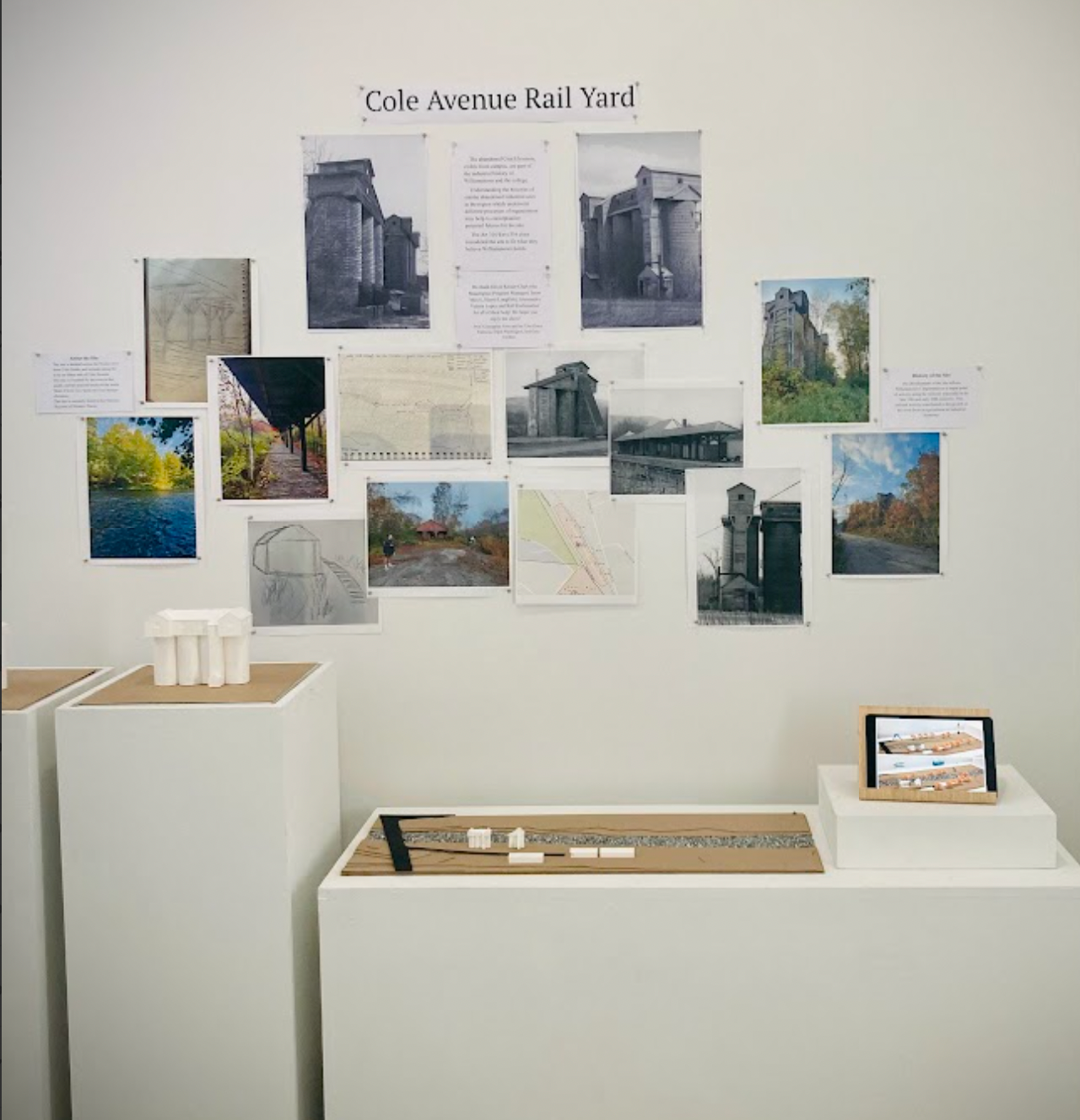
In my first Makerspace academic project, I jumped into the deep end. My role was to support Giuseppina Forte, the Assistant Professor of Architecture and Environmental Studies, and her students by preparing exhibition materials for the end-of-semester campus Big Art Show. I supported her two studio arts classes “ARTS 314 / ENVI 310 – Design for the Pluriverse: Architecture, Urban Design, and Difference” and “ENVI 316 / ARTS 316 – Governing Cities by Design: the Built Environment as a Technology of Space”. For ARTS 314, her students designed an architectural model of an outdoor community building, and for ARTS 316, they re-envisioned the Cole Avenue Rail Yard area of Williamstown into a river-side park. My role was to convert the students’ digital architectural designs into 3D-printed objects. What seemed straightforward quickly became a challenging—and amazing—learning experience filled with challenges and growth that I want to share. 

Prototyping

The first of many difficulties arose when I sliced, or readied, the models for the 3D printers. First, some files seemed to have problematic features deeper than the abilities of the FlashForge and Prusa slicer software repair algorithms. So, I spent some time learning MeshMixer and how to identify the Achilles heels of the models. In most cases, manually widening thin connections was sufficient. Second, some prints seemed impractical, if not entirely impossible. In some cases, these impractical features were easily removable without destroying the final product, like thin columns on B3. In others, features were inherent to the design, such as with A1, which posed a challenge for 3D printing due to its elevated, thin, and intricate spiral design. Finally, some prints, like B2, would just take an incredibly long time to print – up to 60 hours.

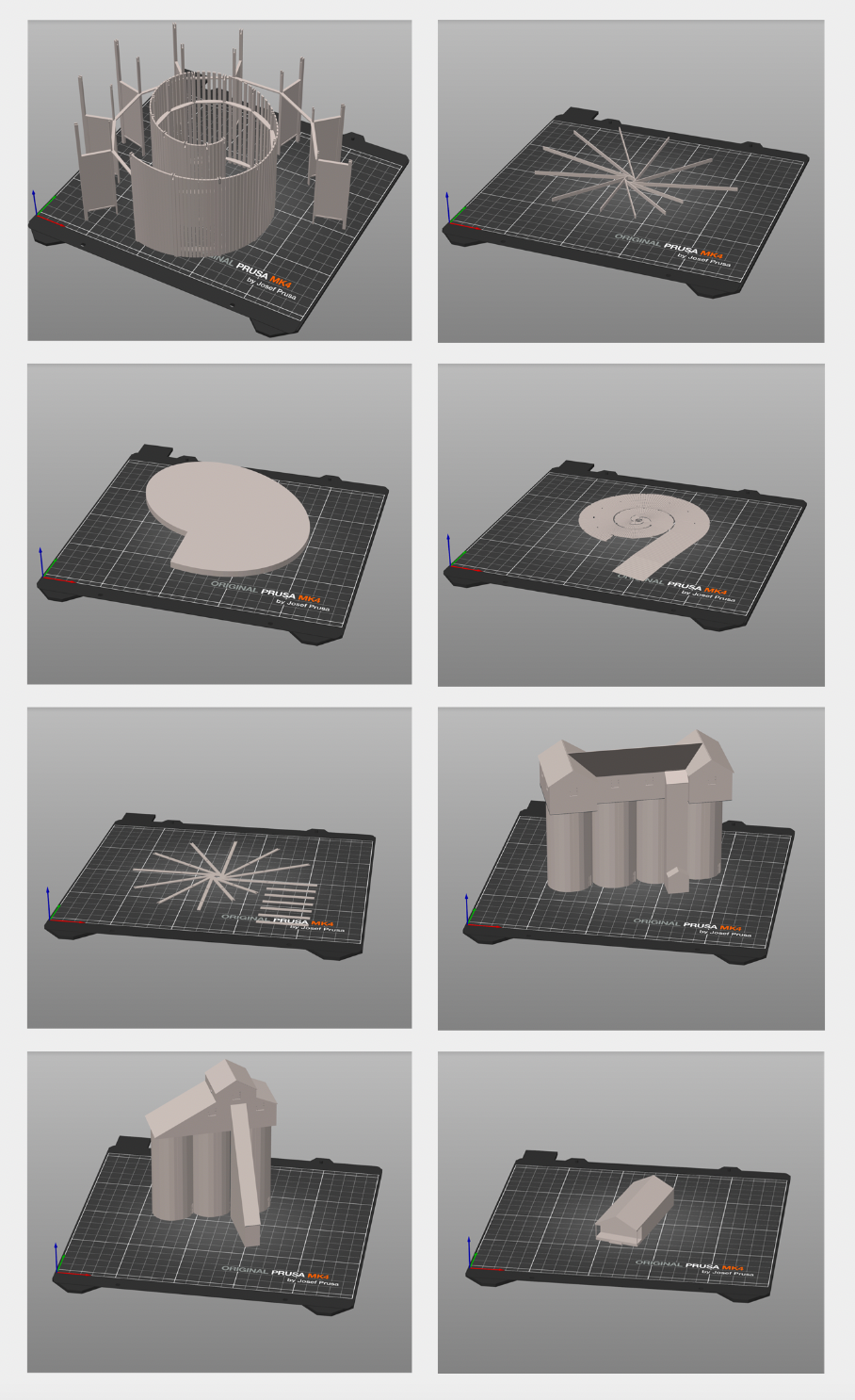
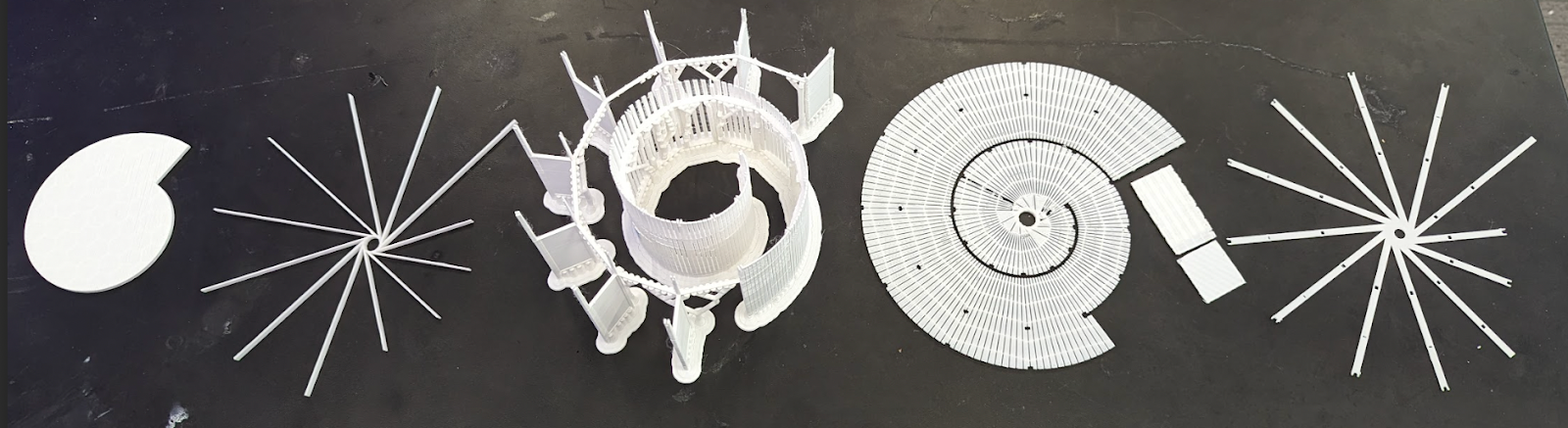
The models I would print. From top left to bottom right: A1, A2, A3, A4, A5, S1, S2, B1.

The models I would print. From top left to bottom right: A1, A2, A3, A4, A5, S1, S2, B1.

A prototype of A2

A prototype of A2

In a typical project, I would prototype each print and present them before starting any final prints. This helps to set expectations for what a 3D print looks like, how the pieces go together and allows me to get feedback on the prints. However, these prints proved particularly challenging to prototype for the above reasons. While I could get a couple of iterations of the simpler prints, many prints proved difficult to scale down due to their small and intricate details, and, in my mind, no prototype is worth 40 hours or 100 meters of filament because of the likelihood of repeated failed prints.


Crunch Time

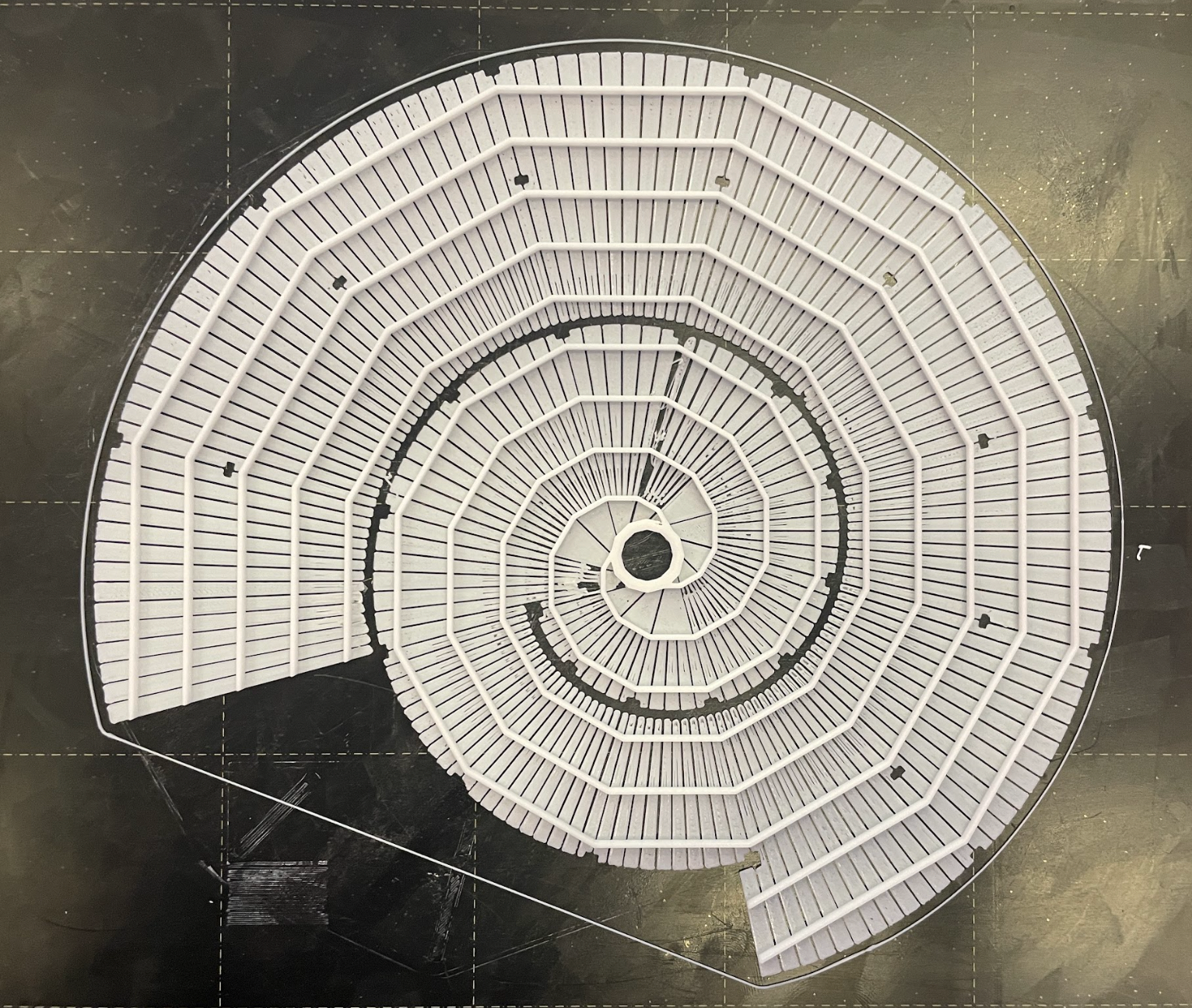
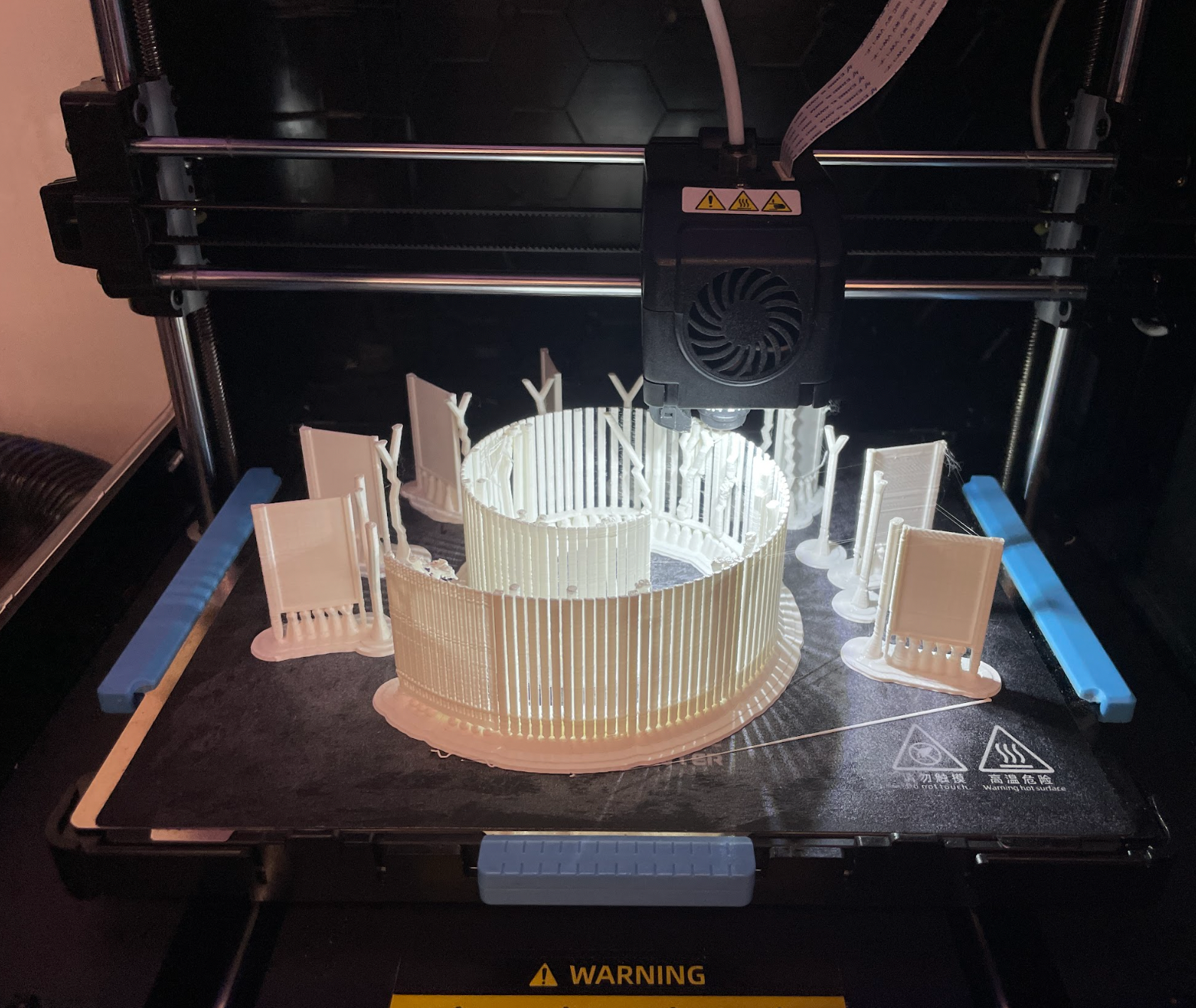
For prints with exposed, flat surfaces like A4, printing upside down provided a smoother finish and allowed the prints to peel off of the plate more consistently

For prints with exposed, flat surfaces like A4, printing upside down provided a smoother finish and allowed the prints to peel off of the plate more consistently

However, dilly-dallying in this “half-prototyping” stage created a problem. Since I was hesitant to review an incomplete set with everyone, I mentally stayed in the prototyping phase, not starting any of the final prints. Instead, I spent this time optimizing the prints that I hadn’t been able to prototype. I ran tests to maximize the quality of the print while minimizing the filament used. While I can’t say that this time was wasted, since many of the optimizations helped me later, in hindsight, I wish that I had paid more attention to the time and started my final prints sooner, as I could have prevented much of the stress in the final time crunch.


I found that I was able to go as low as 8% infill on solid prints before jeapordizing structural integrity.

I found that I was able to go as low as 8% infill on solid prints before jeapordizing structural integrity.

The final week and a half of the project was a combination of epic stress and stellar production. It started with David Keiser-Clark, the Makerspace Program Manager, asking me if I thought it would be possible to finish and deliver the prints before the start of the show in nine days. I panicked. I had become so immersed in solving the technical issues that I had lost track of the delivery date. I sat down and figured out that the total printing time for this project would take ~240 hours. Had I immediately started two prints on the two working printers and ran them 24/7, the prints would have only finished three or four days before the deadline. I immediately put two prints on the printer and responded to David, cautiously telling him I thought I could finish them in time. 

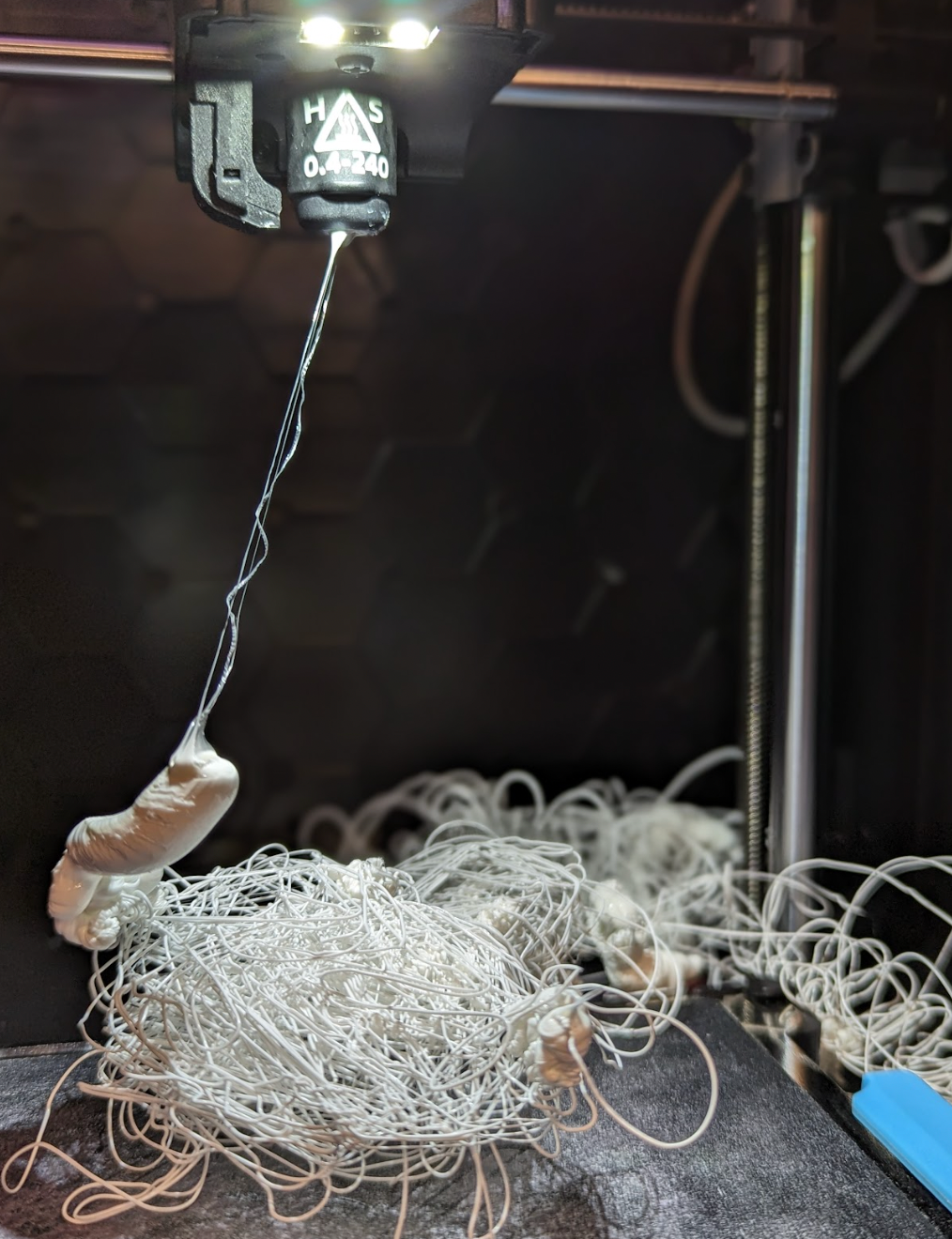
A spectacular failure of one of the prints

A spectacular failure of one of the prints

My estimates couldn’t have been more wrong. My first two prints should have been relatively quick and easy, but when I returned to collect them I was greeted by two spaghettified clumps of white PLA. I reran both prints, praying that they were flukes, but of course, they weren’t. Within 5 minutes, both prints had failed again. I did a 20-minute calibration of both printers and reran the prints: the print in the FlashForge was successful, but the Prusa failed again. Time was slipping away, and only one printer was operating reliably. 


Removing Roadblocks

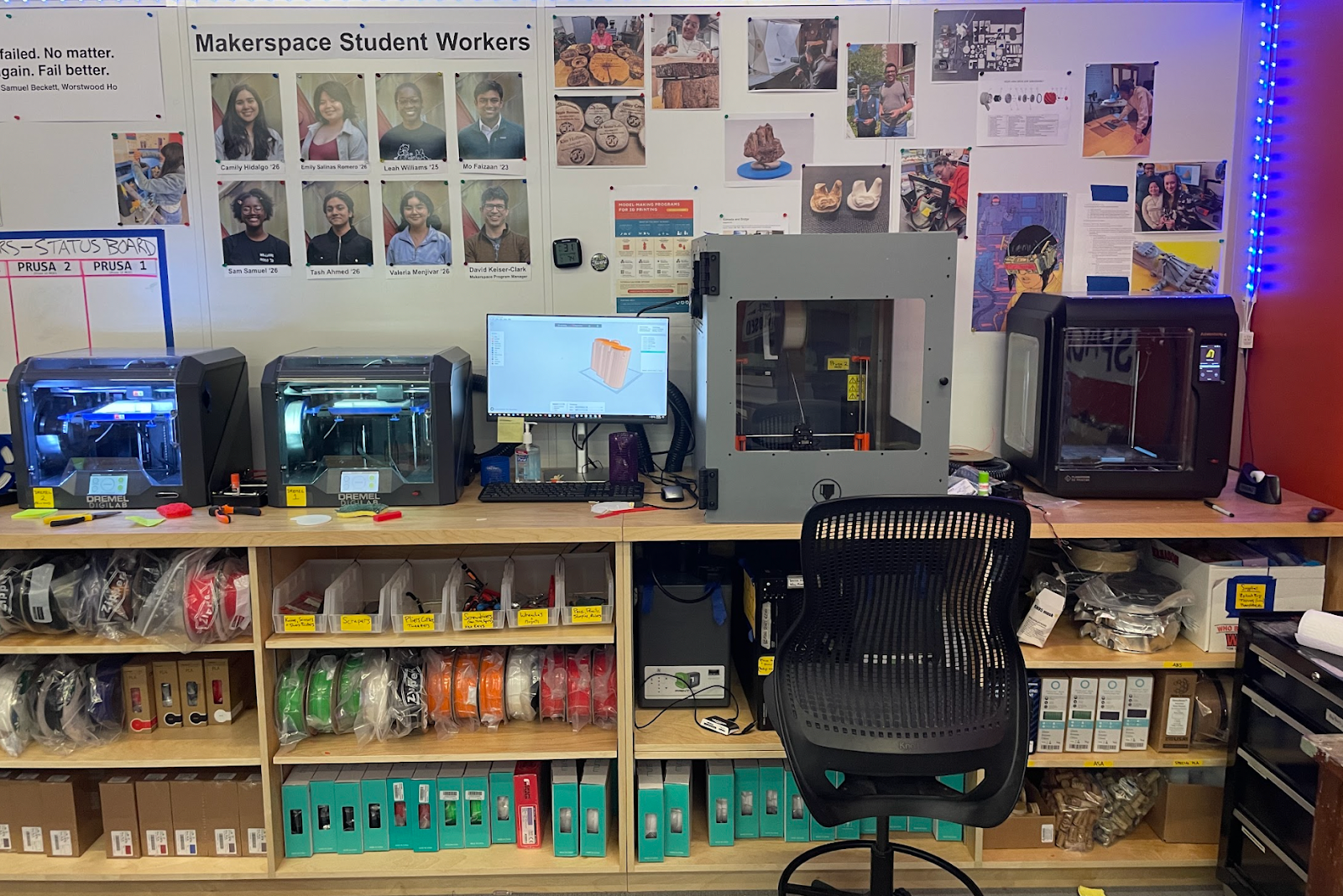
All four printers running smoothly!

All four printers running smoothly!

I reached out to David and explained the issue. He helped me configure the two out-of-commission Dremel printers, which seemed to be my saving grace. However, I transferred my slices to the Dremel and found that many of the round prints were larger than the Dremel’s base plate. This, combined with the fact that the Dremels struggled with finer detail in test prints added to my stress. However, after examining the models, I found that I could cut the larger files into smaller pieces, print them, and then later assemble and permanently glue them together. 

The final print of A2 and the tops of S1 and S2, unfortunately printed in different sizes.

The final print of A2 and the tops of S1 and S2, unfortunately printed in different sizes.

Six days before the show we had four working printers. The Prusa had been fixed (twice) and was churning out the finer detailed prints. The FlashForge was working on a piece of the largest print, which I had cut down to 30 hours (from 48) by increasing the layer height to the maximum of 0.3mm (75% of the nozzle diameter). Both Dremels were printing the remaining pieces of the largest print and we had received permission to use the Science Shop’s Ultimaker for A1, which was the most challenging, longest-running, and most likely-to-fail print in the entire project. For a moment, it looked as if the project would be done comfortably in time, with several days of cushion to spare.

Using natural supports used less filament, took less time, and failed less than vertical supports

Using natural supports used less filament, took less time, and failed less than vertical supports

One day later the situation flipped on its head. The filament for the Ultimaker, ordered in advance, failed to arrive. Three prints in the Makerspace failed. The filament roll on the FlashForge got tangled and caused a jam, the Prusa had spaghettified, and one Dremel printed the house sans the roof. I was able to find and solve a problem within the Dremel slicer software and recalibrate the Prusa, but for now, the FlashForge was out of commission. 

In hindsight, I had not anticipated the variance in scaling among different slicing softwares. The Dremel software defines its x-axis differently than the FlashForge software, which resulted in pieces that scaled poorly with the rest of the model. 

A copy of A1 printing on the FlashForge 1 day before delivery.

A copy of A1 printing on the FlashForge 1 day before delivery.

Three days before the show, I had somehow managed to print A2, A3, A4, A5, B1, and B3. We fixed the Dremel and set the most structurally fragile and complicated print (A1) to run overnight on all four printers. This would be our last chance. 

One day before the show, our final prints were completed: the Prusa and FlashForge succeeded, while both the Dremels failed. Of the two successful prints, the Prusa created a beautiful, highly detailed print. Unfortunately, I woke up with the flu and didn’t get to say goodbye to the prints, nor could I go to the Big Art Show. However, I got to see pictures and I was proud to support the students’ architectural work for the show, but, to me, the greatest value of this project was not in the prints themselves, but in the lessons that I learned and that I will take with me into my future work both in and out of the classroom. Specifically, I developed confidence in my ability to solve technical problems in a new medium while working under pressure and improved my capacities in project management.

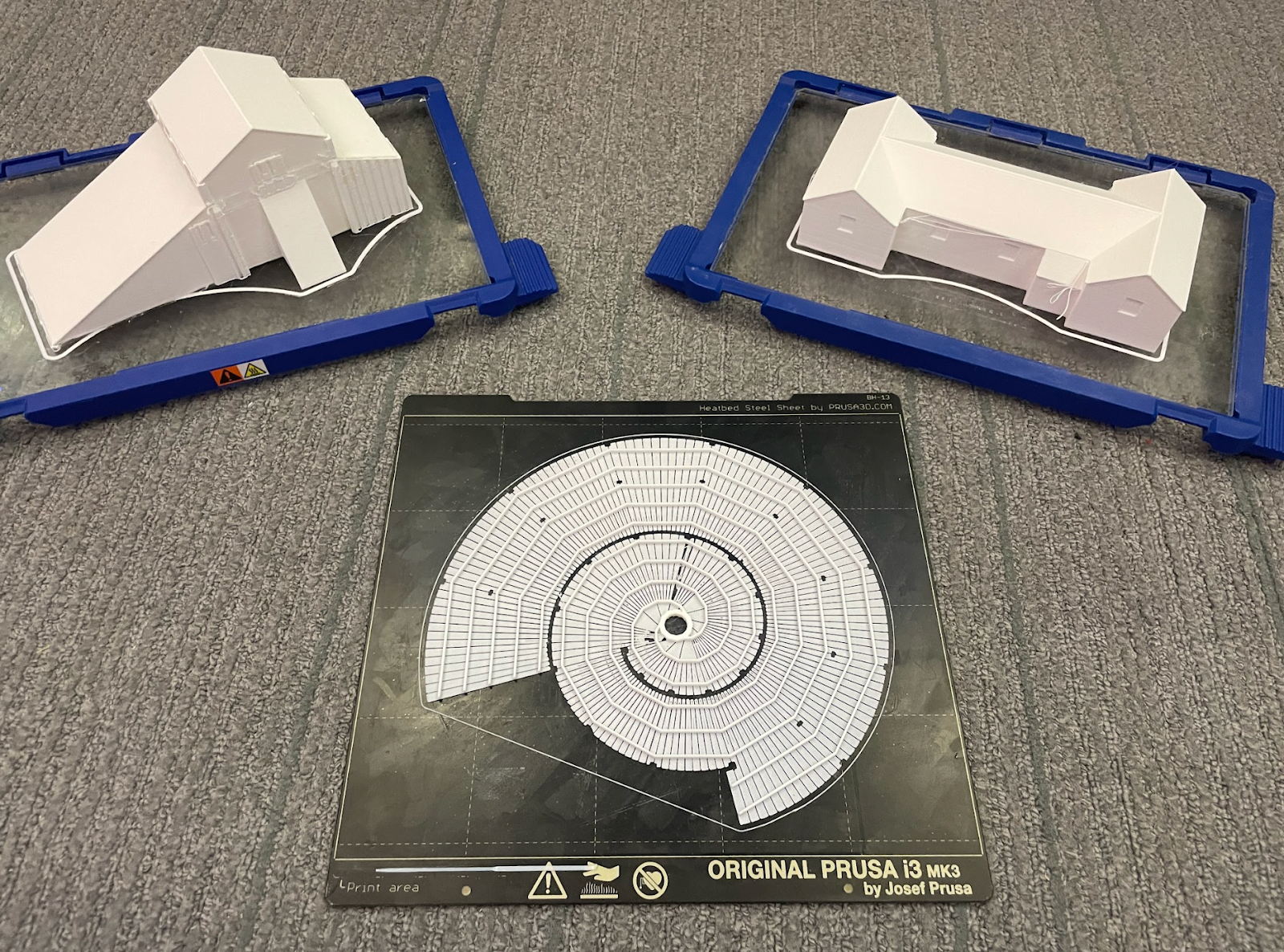
The final collection of pieces

The final collection of pieces

Murphy’s Law

The Arts 316 exhibit in the Big Art Show

The Arts 316 exhibit in the Big Art Show

Murphy’s Law states that when something can go wrong, it will. Doubly so when you are under a time crunch. In hindsight, most of this pressure could have been avoided had I made an effort to timeline the project before the due date was imminent. When printing, you have to strike a balance between quality, material used, and time. Before the time crunch, I was trying to maximize quality and minimize the material used. However, the instant time became the driving factor, I swapped those priorities. All in all, it worked out, but if I had managed my time better I likely could have delivered just as good of a final product with less stress. 

Post Mortem

During this project, I discovered how fragile 3D printers are. We had four printers in the Makerspace, and I had to do a total of eight mechanical fixes. At some points, I felt completely defeated. It seemed like every successful print was counterbalanced by an awful grinding sound or a jammed PLA feed. This was not the first time I had ever 3D printed, but it was my first time tinkering with 3D printers. Admittedly, at the start of the project, I was so scared of breaking something that I barely opened the side panel before asking for help. The silver lining of the printers breaking so often was that I had the opportunity to learn how to fix them. During the project, David took a few hours to show me around each printer, explaining how they work and where they usually fail. This paid itself off in dividends. By the end of the project, I was more than comfortable repairing every single printer we had and reached a point where I didn’t even have to tell David when they were broken, likely saving him more time than it took to help me figure out how all of them work. I’m excited to take this experience and apply it to my next faculty project in the Makerspace.