Folding Culture into Craft: 3D Pop-Up Cards at the FabLab

As part of International Education Week at Williams College, the FabLab hosted a 3D Pop-Up Gift Card Workshop, offering students a hands-on way to explore cultural expression through craft and design. Making pop-up cards is beginner-friendly and accessible, so the event welcomed participants of all skill levels. The focus? Create something personal: cards that reflected cultures, holidays, traditions, memories, or just artistic inspirations on paper.

One of the many amazing cards made during the workshop! This 3D pop-up gift card made by Carmen (photo taken by Carmen).

One of the many amazing cards made during the workshop! This 3D pop-up gift card made by Carmen (photo taken by Carmen).

The workshop setup was simple and inviting. Tables were covered in colorful pieces of paper, scissors, glue sticks, markers, and any materials for card making. Some students followed sample templates, while others sketched out their own ideas. There were Christmas trees and Diwali lamps, abstract patterns and handwritten poems. One student made a theater inspired card that showcased her favorite drama productions, while someone else made a card for a friend they missed back home. Another said, “This one’s for me, because self-love deserves representation.”

The process itself had its challenges and charm. Some folds took five tries. One student spent 15 minutes getting a single crease right, then yelled, “I DID IT!” loud enough to scare the glue sticks. Others discovered that lining up a pop-up platform just right takes a surprising amount of patience. But by the final hour, even the people who walked in saying “I’m not an art person” were holding up their cards like trophies.

And while it was all about creativity, the workshop naturally became a space for cultural exchange. As students worked, conversations unfolded about holidays celebrated differently across the world. Two students realized they celebrate the same holiday but with totally different traditions, and ended up swapping design ideas. Others shared music playlists or childhood stories while layering paper and ink.

Some cards were destined for family back home. Others were given to friends on campus, or tucked away as keepsakes. Whatever the purpose, each card became a small, folded expression of identity, memory, or experience. The FabLab provided the materials, but the room was filled with shared experience, laughter, and little victories.

In a fast-moving semester, this workshop reminded us to slow down and take the time to make something with our hands. It wasn’t just about making art; it was about creating space for connection, reflection, and a little fun. And when the last cards were folded and the scraps swept into the recycling bin, what remained was a room full of people who had built something: on paper and in a diverse community.

Participants creating their unique versions of 3D gift cards for their friends and family during the International Education Week (photo by Carmen).

Participants creating their unique versions of 3D gift cards for their friends and family during the International Education Week (photo by Carmen).

Stitch by Stitch: Building an Ocean in the Berkshires

Imagine walking into the ’62 Center for Theatre & Dance and finding yourself underwater surrounded by waves of vibrant coral, not in glass tanks, but crocheted by hundreds of hands across the Berkshires. This isn’t a fever dream. It’s the Berkshires Satellite Reef project, and it’s growing one loop at a time.

Worldwide Crochet Coral Reef

Worldwide Crochet Coral Reef

Williams College is diving headfirst into the worldwide Crochet Coral Reef project, a global, art-meets-science extravaganza designed by sisters Christine and Margaret Wertheim of the Institute for Figuring. This isn’t just art for the sake of beauty (though trust me, it’ll be stunning). This is art with a purpose, spotlighting climate change, celebrating mathematical forms, and building community all at once.

What’s a Satellite Reef, Anyway?

Participants working to craft the reef.

Participants working to craft the reef.

Glad you asked! The Berkshires Satellite Reef is our community’s personal contribution to this worldwide coral constellation. Over the next year, students, faculty, staff, and neighbors will come together to crochet corals of all shapes, sizes, and textures, using yarn, plastic bags, fabric scraps, and whatever else we can loop together.

In Spring 2026, these tiny textile ecosystems will unite as one immersive installation right here at Williams. Picture it: a fiber-optic reef you can wander through, crafted by hundreds of hands, from campus crochet circles to weekend workshops across Berkshire County.

No Crochet Experience? No Problem!

Instruction on how to crochet.

Instruction on how to crochet.

Whether you’re a seasoned stitcher or someone who’s never touched a crochet hook (hi, that was me), we’ve got you covered! Join one of our Coral Crochet Workshops and learn the basics, no experience required. You’ll get a free kit with yarn, a hook, and instructions (and maybe a super cute bag to hold it all). Or drop in for one of our Coral Crochet Circles and stitch alongside fellow reef-makers.

It’s low-pressure, high-reward. You’ll learn something new, meet great people, and contribute to something way bigger than yourself (literally, it’s life-size!). And your name will be in the credits for the installation.

Sustainable Stitches: Crafting with Care

53 pounds of yarn

All yarn was either donated or purchased as upcycled materials from the Old Stone Mill Zero Waste Maker Space

Here’s where it gets even cooler: this reef isn’t just about raising awareness, it’s about doing something. We’re experimenting with sourcing materials that are eco-friendly or upcycled (think yarn remnants, old plastic bags, strips of sheets, even industrial shrink wrap from commercial pallets). Our Makerspace and FabLab are testing out how to turn industrial shrink wrap, police caution tape, and packaging tape, and bulk sized cereal bags into crochet-ready materials. Who knew that caution tape and shrink wrap could become sea anemones?

Get Involved: Be Part of the Reef

  • Learn to Crochet: Join a workshop and get your free kit.
  • Crochet at Your Own Pace: Make corals at home, in circles, or with friends.
  • Donate Materials: Yarn, hooks, plastic bags: we’ll take ‘em!
  • Drop Off or Mail Corals: Send your creations to campus by March 1, 2026.

For specific details, please view our Berkshires Satellite Reef website, this instructional video (How To Crochet A Hyperbolic Plane), or these PDFs:

Can You Use a Laser Cutter to Create Silk Screen Templates?

Ever wanted to reuse your old silkscreen without first having to clean off the old paint or emulsion? This innovative process explores reusing a stainless-steel screen by applying new acrylic paint to the screen to create a solid resist, and then, after the paint dries, removing sections of the resist with a laser engraver. This method has the potential to be a more efficient way of creating intricate and customizable screen printing designs, with substantially less prep work. 

Inspired by Carleton College’s Makerpedia, this method turns traditional screen printing on its head.
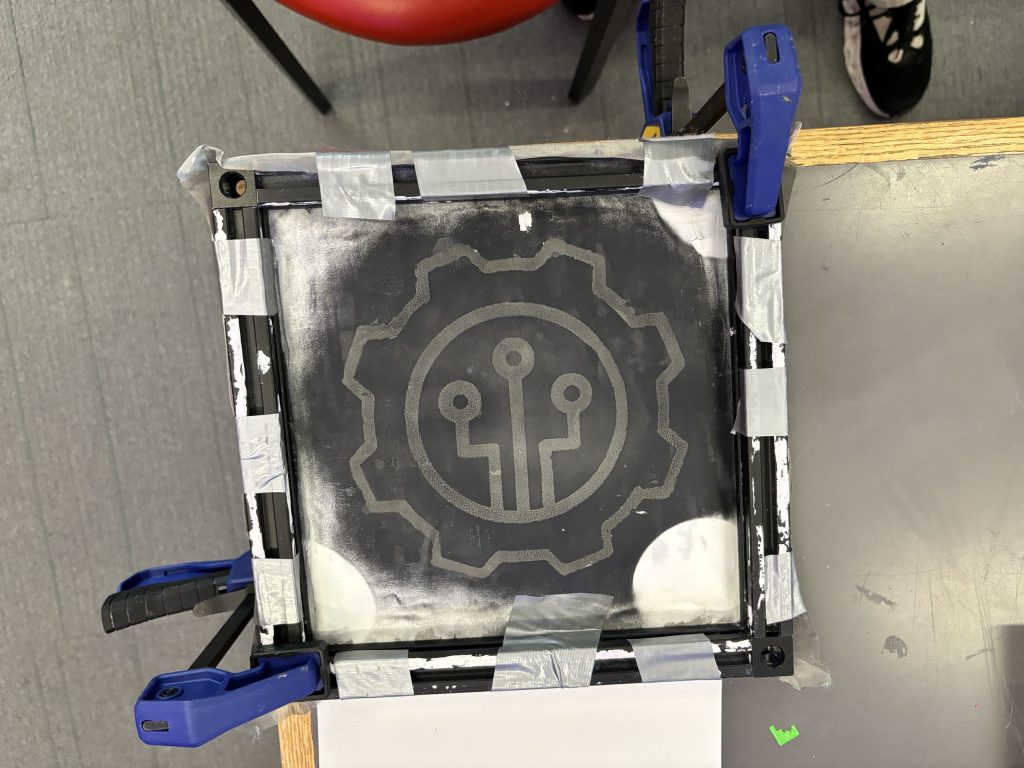
The result of using a laser cutter to burn acrylic paint off of a painted steel mesh screen. Instant "silk screen". Or is it?

The result of using a laser cutter to burn acrylic paint off of a painted steel mesh screen. Instant “silk screen”. Or is it?

Here’s Why this Rocks

  • Reuse it like a pro: Say goodbye to one-and-done screens. 
  • Freedom to create: Change designs as easily as switching out the acrylic paint resist. 
  • Laser precision: Get ultra-detailed results with modern tech. 
  • Perfect for small batches: Quick, easy, and ideal for mini-projects.

How to Make It? (The Fun Part)

I consulted with David Keiser-Clark, Makerspace Program Manager, and Jason Mativi, Senior Science Center Shop Engineer.

Step 1: Make The Frame

To make the project successful, I had to make a frame for the steel mesh. I learned how to use a metal chop saw in the Science Shop to cut the aluminum extrusions to the desired lengths. Before cutting the aluminum, I made sure to wear safety goggles and to clamp the stock down. I then carefully measured and cut a total of four pieces of aluminum.

I used the corner bracket cube to serve as a connector between the aluminum frame pieces, and screwed each side tight to prevent any wobble. 

Step 2: Attach the Screen

I then modified and customized Carleton College’s 3D screen lock. I added more thickness in the base of the screen lock and included holes on each end for the screws to pass through. Each hole has a diameter of 0.27 in.

I cut enough screen mesh to wrap over both ends of the frame. I then had to make two holes on each side of the screen and attached it as tight as possible to the extruded part of the frame. I added the screen lock, pressed, and secured it in place with a screw.

Step 3: Painting the Screen

I painted the mesh of the screen with a solid coat of acrylic paint. I found that painting one side of the screen is sufficient.

Step 4: Printing Process
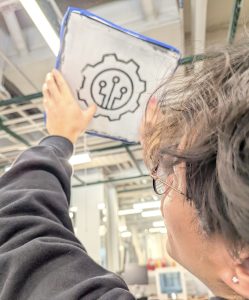
Stephen Sabio '28 examining the first attempt to use the laser engraver to do a reusable skill stencil.

Stephen Sabio ’28 examining the first attempt to use the laser engraver to do a reusable skill stencil.

I placed the screen on top of white drawing paper, with the screen facing the paper. Then, I made sure that it was secured so that it would not move as I applied fresh paint. I used around 10 ml of paint and painted it over the screen nice and slow to make sure that it didn’t bleed. I used the silicone squeegee to apply the paint evenly on the screen. Lastly, I slowly separated the screen from the paper. It was a little sticky, so I had to be careful not to smudge the paint. Sticky? Yes. Smudgy? No.

I may not have successfully created the perfect silkscreen. I think what I learned here is patience. Everyday I learn something new. It is not always about the goal. I was initially so focused about creating the perfect mesh screen, but I think the best part here was the process of figuring out how to make this work the way I wanted it to work. I learned that the beauty of creating something isn’t the result. It is every step you take, every turn of the screw, every laser that passes through, every stroke of the paint. It is those little pieces of an art that makes it a whole.

How Many Times Did I Fail? (A Love Letter to Iteration)

Spoiler alert

It wasn’t perfect the first time.
Or the second.
Or… well, you’ll see.

Unfortunately, we broke the auto-focus plunger (which we don’t use) on the laser engraver, because we set the height for the recessed screen and failed to account for the taller aluminum frame. Collision! (Sorry Mativi!!!) On the positive side, when the new part arrived, we learned how to repair the laser engraver.

Iteration #1: The first attempt of using the laser engraver to burn a precise design in the mesh screen, I set the power to 26% and the speed to 100%. I repeated this process three times to try and burn through the acrylic paint on the mesh. It didn’t work. The screen was still covered with acrylic paint on the other side of the screen. Epic fail. Paint didn’t budge.

Here’s what I learned: there’s no need to paint both sides of the mesh screen, as that only makes it more difficult to burn the paint off with the laser engraver.
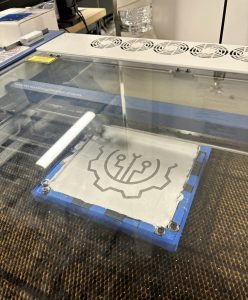
The laser engraver’s first run, etching precision into motion. #Laser engraver in action!
The laser engraver’s first run, etching precision into motion. #Laser engraver in action!

Round two of testing: despite multiple burns, the acrylic paint refused to give in.

Round two of testing: despite multiple burns, the acrylic paint refused to give in.


Iteration #2: I next set the power to 100% and the speed to 100%. I again repeated this burn three times. It didn’t work. The screen was still covered with acrylic paint on the other side.

Bright side? The laser survived!

Iteration #3: Third time’s a charm, they say. I set power to 100% and the speed to 100%. It was basically the same as the second iteration, but this time instead of passing the laser engraver thrice, I passed it five times. The screen was still covered with acrylic paint on the other side but this time the acrylic was brittle and I was able to remove it using a razor blade and a steel brush. I gently took off all the brittle dried acrylic from the screen. The design survived. It worked! Oops! A new problem: applying fresh paint to the mesh screen results in paint bleeding out around the design borders. The print quality is terrible. There is still something missing. What’s next? I don’t know! Guess we will keep trying. 
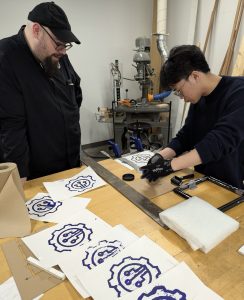
A test for new solutions: Jason Mativi and Stephen Sabio experimenting with alternative methods after multiple laser engraving challenges.

A test for new solutions: Jason Mativi and Stephen Sabio experimenting with alternative methods after multiple laser engraving challenges.

Iteration #4: A recurring problem that I have identified is that the acrylic paint is challenging to burn away using the laser engraver. It’s time to try an alternative method. Mativi recommended that we try using the water jet to burn away the acrylic paint. So, I went to the Science Shop. And voilà, the water jet cut through both the acrylic paint and the mesh screen. The 30,000 psi water pressure and garnet dust was too strong for the screen material. We initially thought that might occur, but hey, at least we tried! 

Iteration #5: Back to the laser engraver. We tried experimenting around the speed and power of the laser engraver. There was no optimal speed and power to completely get rid of the acrylic. However, 100% power and 30% speed almost achieved our desired result. I still had to scrape a little bit of the acrylic off the screen. It was still worth the try!

Finally, it did work on iteration 5! Now, the big question: How many times did I fail? To be honest, I don’t know. I lost track along the way. The important thing is, I, we did it
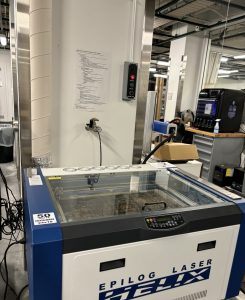
When the backup fails ( water jet), it is time to go back to the original plan of the laser engraver and try again
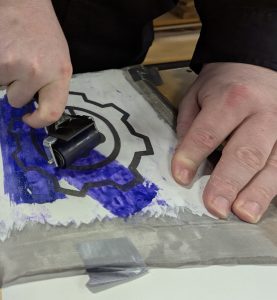
When the backup fails ( water jet), it is time to go back to the original plan of the laser engraver and try again

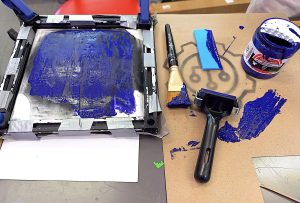
After multiple attempts, there was success! Next came printing - an extremely careful process of separating the screen paper with little to no smudges.

After multiple attempts, there was success! Next came printing – an extremely careful process of separating the screen paper with little to no smudges.


Result? Fabulous

But more than just a crisp print, what I really took away from this process was growth. Every failed iteration, every broken tool, every “oops” moment pushed me to adapt, experiment, and stay curious. I didn’t just build a reusable mesh silkscreen—I built patience, problem-solving skills, and a deeper appreciation for the messy magic of making.

The learning process gave me hands-on experience with precision measurement, power tools, and mechanical assembly. I learned how to safely operate cutting equipment, interpret dimensions with accuracy, and ensure structural stability by aligning components tightly. It also sharpened my understanding of engineering tolerances; one loose screw, and the whole frame can wobble!

Beyond just assembly, this part of the process also introduced me to the practical side of design thinking, understanding how each material interacts under tension, and how even minor tweaks to the build can affect the outcome of the print. Turns out, there’s a bit of an art to building things that don’t fall apart under pressure. Literally.

Materials List

  • Stainless Steel Mesh
  • Aluminum Extrusion
  • Silicone Squeegee
  • Acrylic Paint
  • Screen Printing Ink
  • Corner Bracket Cube (20x20x20mm)
  • Dimensions; 8.625 in x 8.625 in

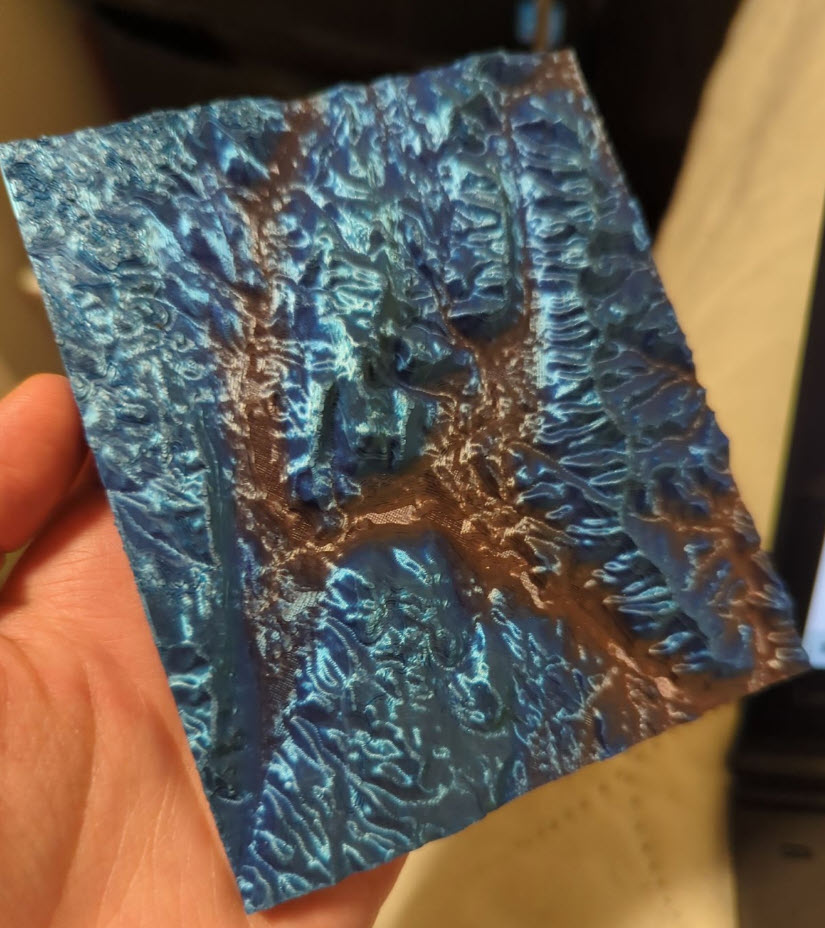
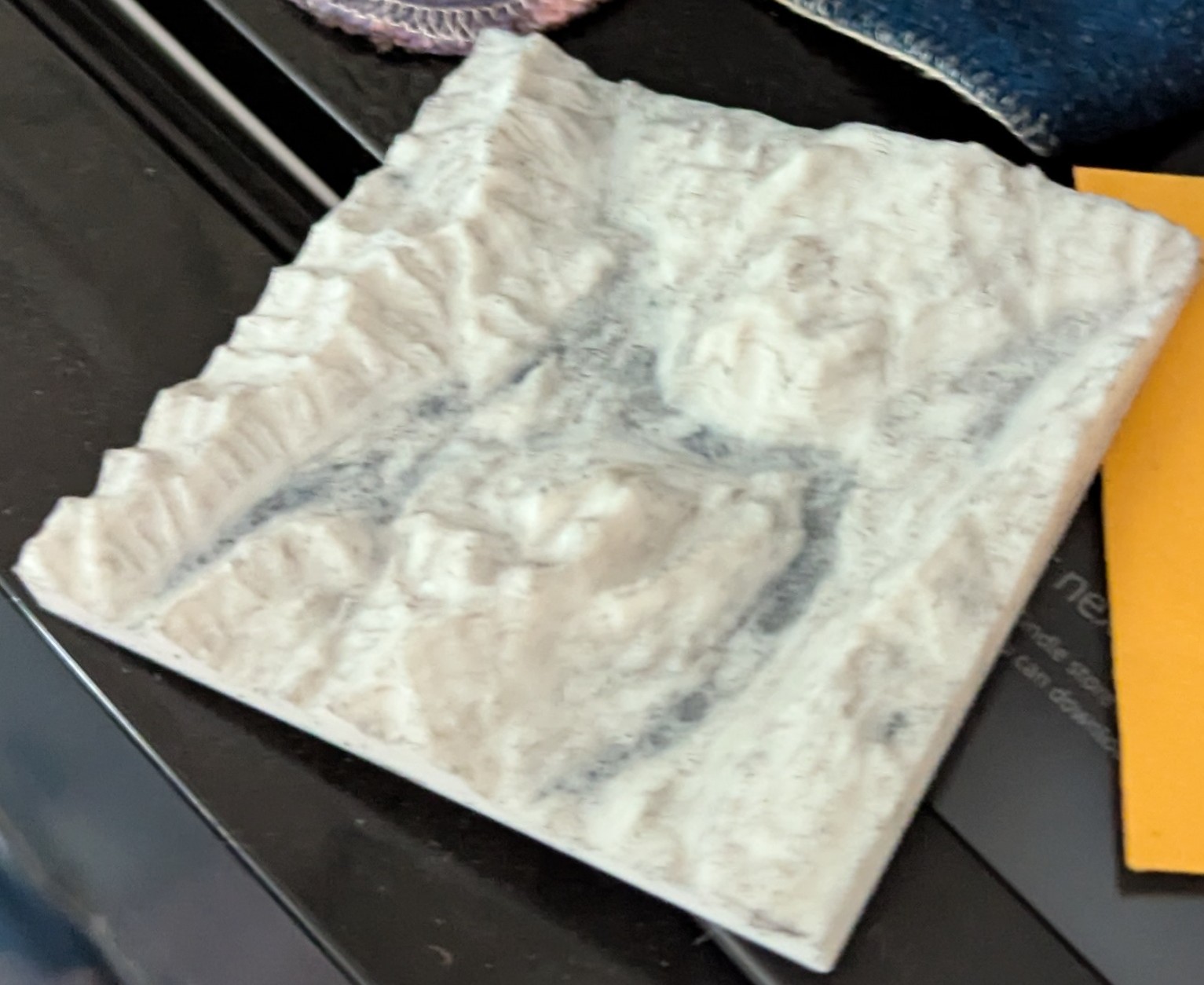
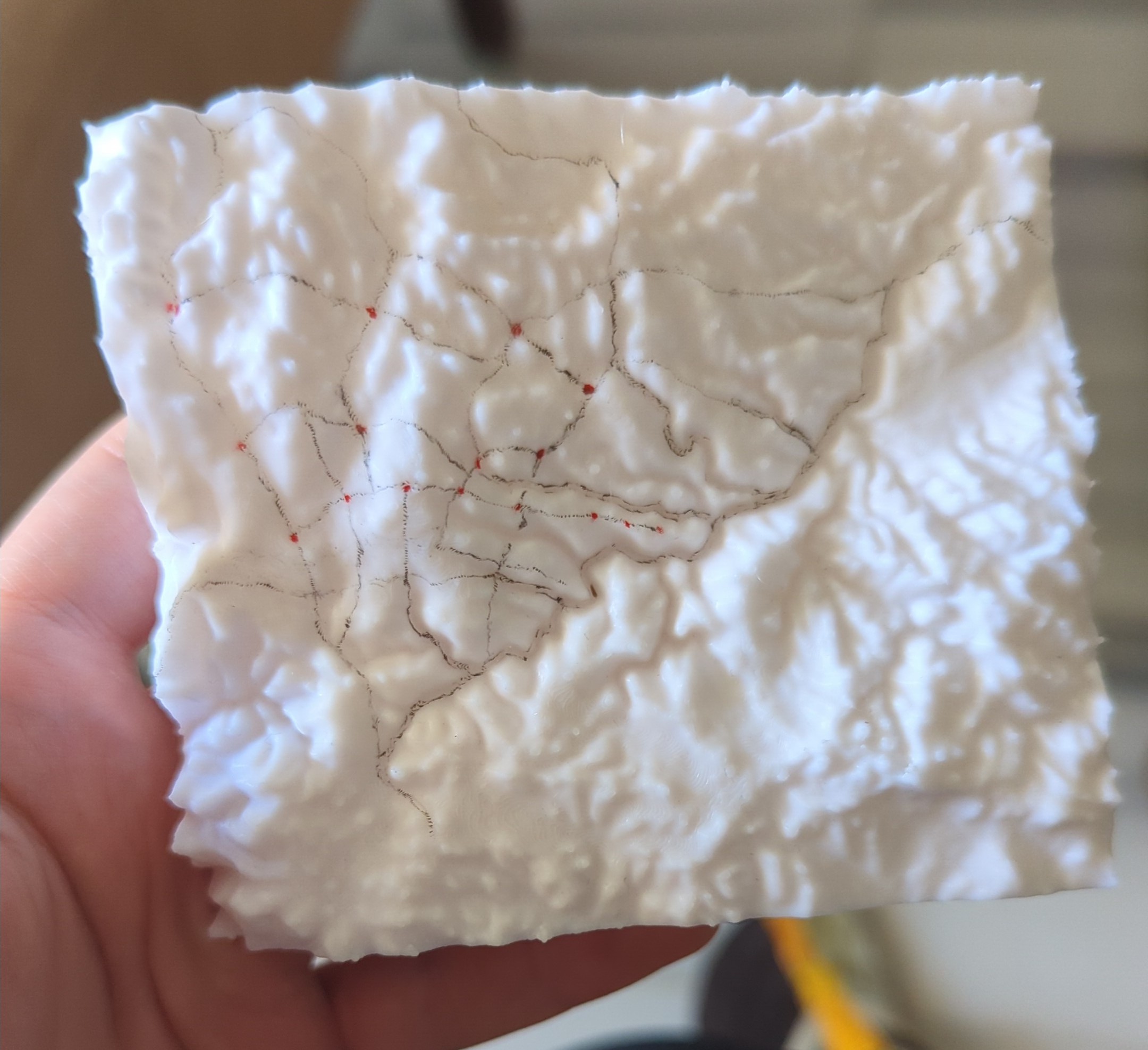
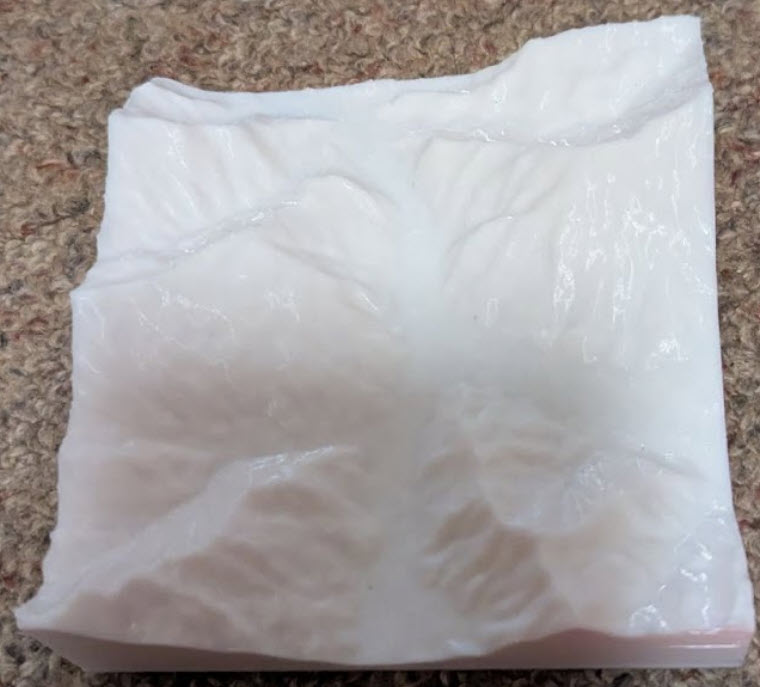
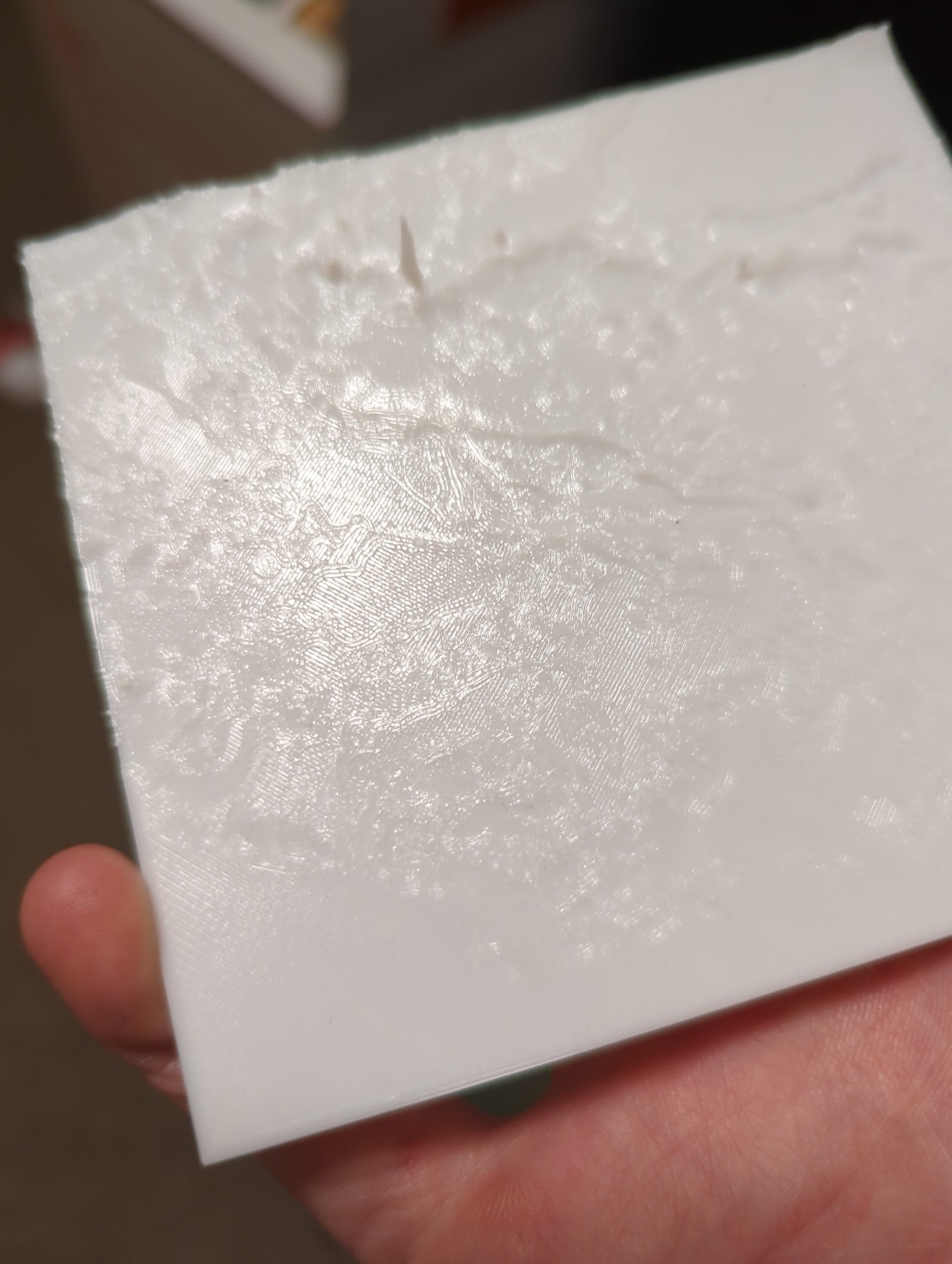
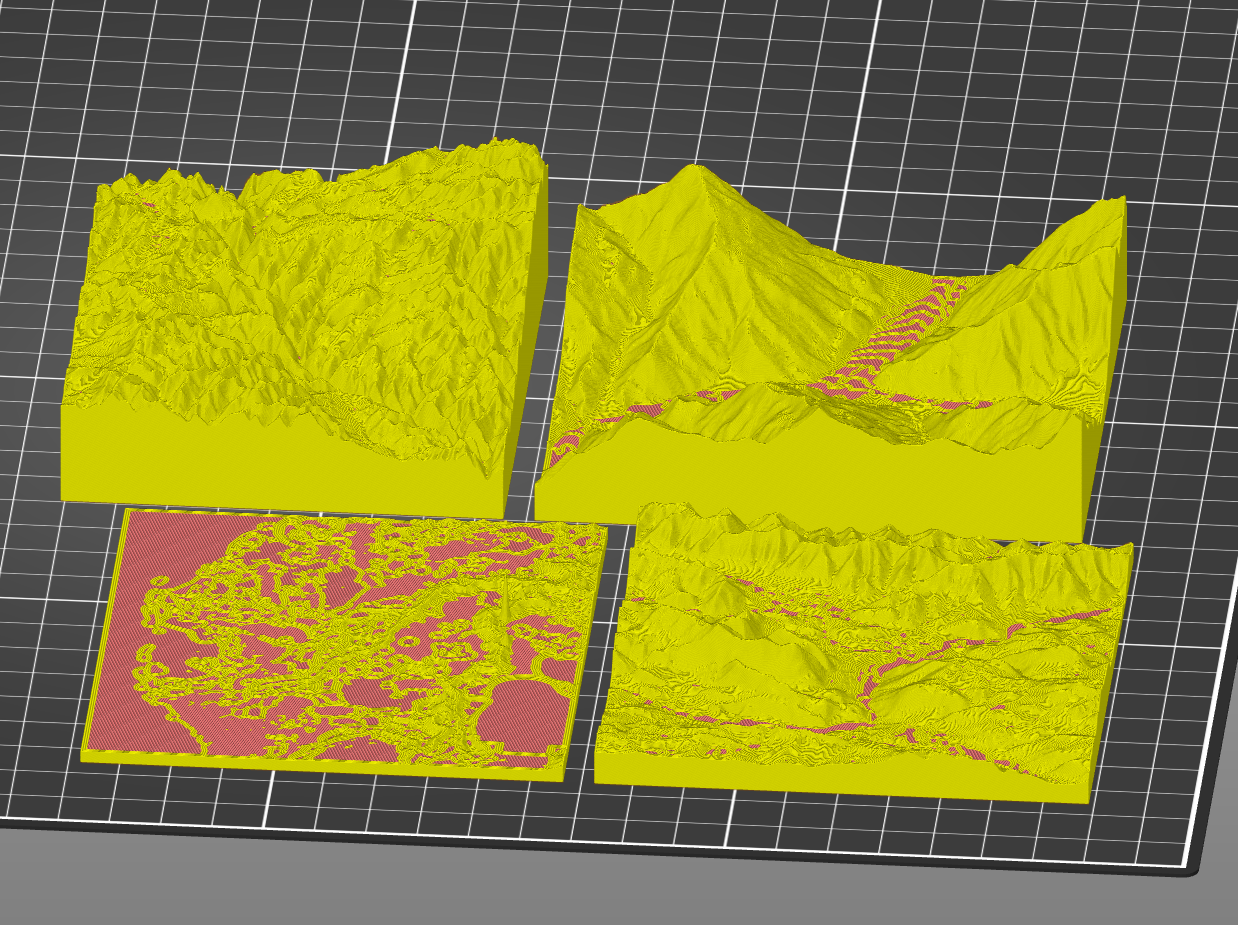
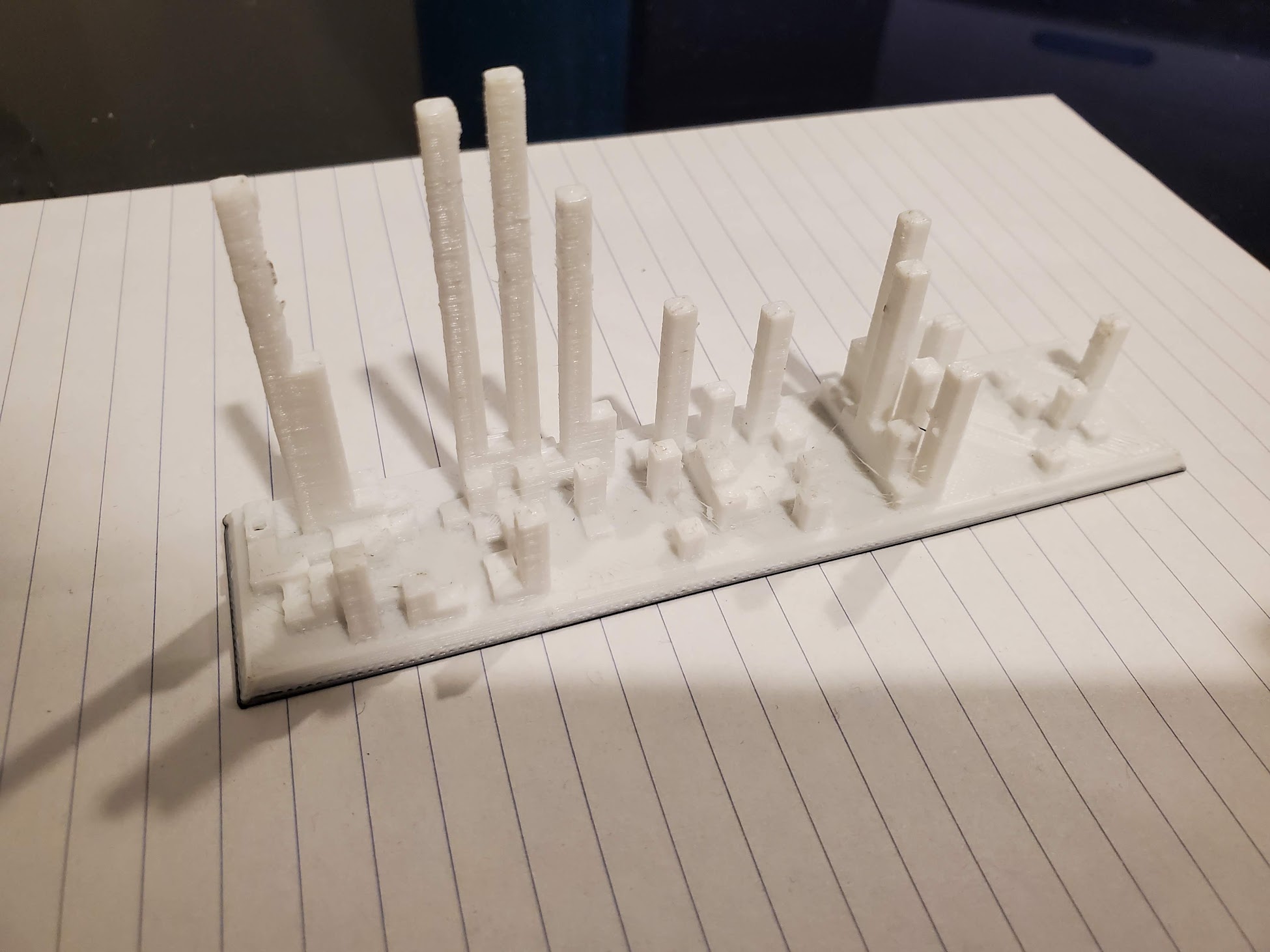
3D Printed Topographical Maps of Louisiana, Bhutan, and the Berkshires!

Arriving in the Berkshires
I arrived at Williams as a freshman never having visited the campus. Despite the admissions webpage’s best efforts to warn me, I was still shocked by the beauty of the mountains. Various trips to Pittsfield and Albany, mountain day hikes, and other excursions took me outside the main campus, but I couldn’t keep track of all the mountains, and I had little to no sense of the Berkshire geography. I put off looking closely at a map to orient myself because I kept thinking this would all be so much easier if I could just run my fingers over a topographical map of the area.
Creating Meaningful Gifts

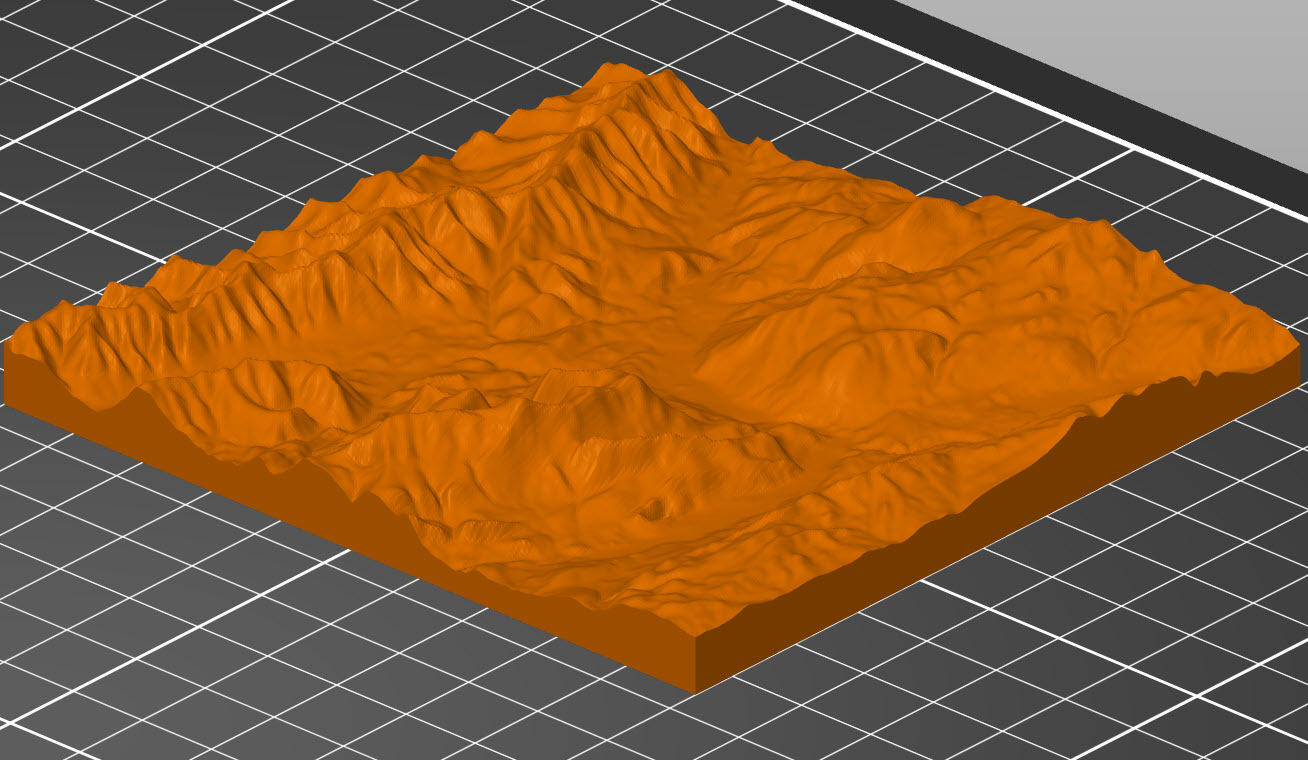
Last semester, I decided that a 3D printed map of Williams would make a nice gift for my friends who were graduating. And, with the help of the website https://touchterrain.geol.iastate.edu/ and David Keiser-Clark at the makerspace, I made it happen. It was actually pretty easy. Touchterrain let me trace out the area I wanted a map of and download the elevation data as an STL file, which I sent to David, who got it printed.

The Process

When I first came to the Makerspace with an STL file of the Williams College campus, my goal was simple: create something meaningful for my graduating friends. I wanted to give them a small, lasting reminder of the place where we had spent the past four years. That idea soon grew into a larger project, with maps of Williamstown for several friends and a special map of coastal Louisiana for someone whose thesis focused on flooding in that region.

In addition to maps of Williamstown, we printed Paro, Bhutan for one of my friends who had studied abroad there and part of the Louisiana coastline (with the height scale exaggerated 500 times) for another friend who did his thesis on natural-technological disasters in that area and relied heavily on elevation maps.

The only map I kept for myself was a map of Amman, Jordan, where I studied abroad during my gap year. I returned there this summer thanks to funding from Williams’ Wohabe Fellowship, and one of the best parts of my trip was using my map to better understand the geography. By the end of my weeks there, I had a really solid grasp of the layout of the western side of the city and could place my memories from mysemester there in my mental understanding of the area.  

I’m really grateful to the Makerspace and David for helping me print these maps, and for anyone interested in 3D printing topographic maps at Williams, I’d recommend multi-colored filament so that the layers of the map change color with height and I’d warn that when painting a white print, some of the paint can find its way inside the plastic and get stuck there. (Also, for anyone looking for a good, online topographic map, I recently found the website https://en-gb.topographic-map.com/, which overlays color-coded elevation data onto Google Maps).

At the Makerspace, I experimented with materials and techniques. I tried different filament colors to see which would make the contours stand out best. For the Louisiana print, by exaggerating the elevation by 500 times, I brought out subtle topographical changes that are normally almost invisible. This choice created a striking visual effect and started conversations about how we interpret geographic data and how exaggeration can be used to reveal patterns that might otherwise go unnoticed.

Final Reflection

The final prints are more than just maps. They are pieces of memory, friendship, and curiosity. They invite touch and exploration. For me, they represent a way to connect academic learning, travel experiences, and personal relationships. For the friends who received them, they are a reminder of place and community at a moment of transition.

Darkroom Meets MakerSpace: How 3D Printing Transformed a Photography Class

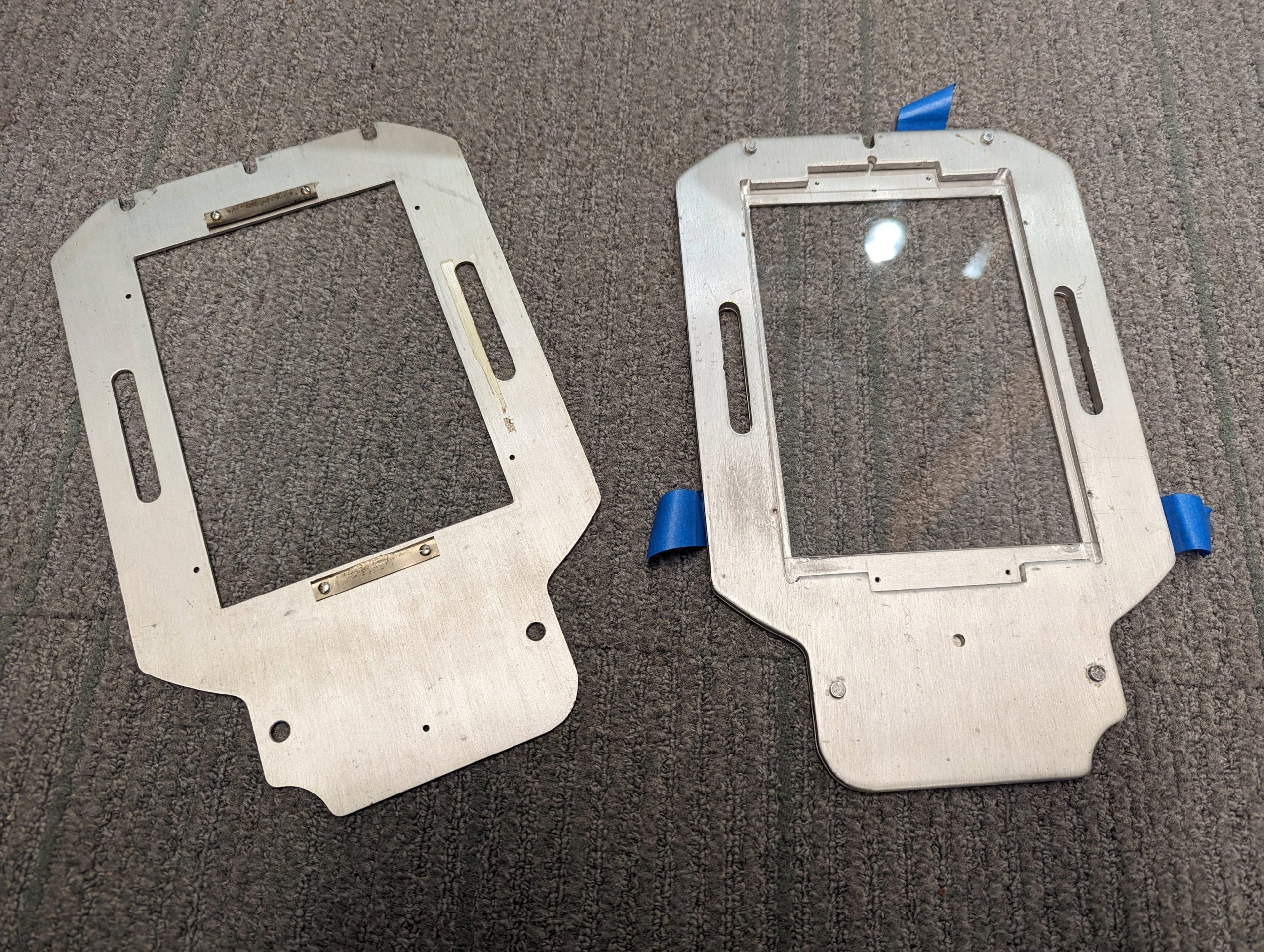
What happens when a darkroom tool goes extinct, but twenty students still need it? The class had everything: a large-format camera, a darkroom, and eager students. It lacked only one thing: a negative holder that no longer existed. A negative holder is a device that keeps a piece of photo flat and steady during printing or scanning, and it is crucial because it ensures the image stays sharp, properly aligned, and free from distortion or damage.

The solution? Make One.

The original, nearly impossible to find, negative holders

The original, nearly impossible to find, negative holders

Last Winter Study, Daniel Goudrouffe, the Photo Technician for the Spencer Art Building, taught a winter study class called “Creative Portrait in the Darkroom,”  where students experimented with black-and-white film and created photomontages. The class utilizes a large-format view camera that produces 4×5-inch negatives, perfect for cutting, collaging, and combining with digital negatives to create layered portraits. However, there was one obstacle: the darkroom’s negative holders, which were essential for fitting these large negatives into the enlarger, were impossible to find online. The school’s enlarger was a rare, older, and slightly larger 5×7-inch model.

How We Solved the Problem

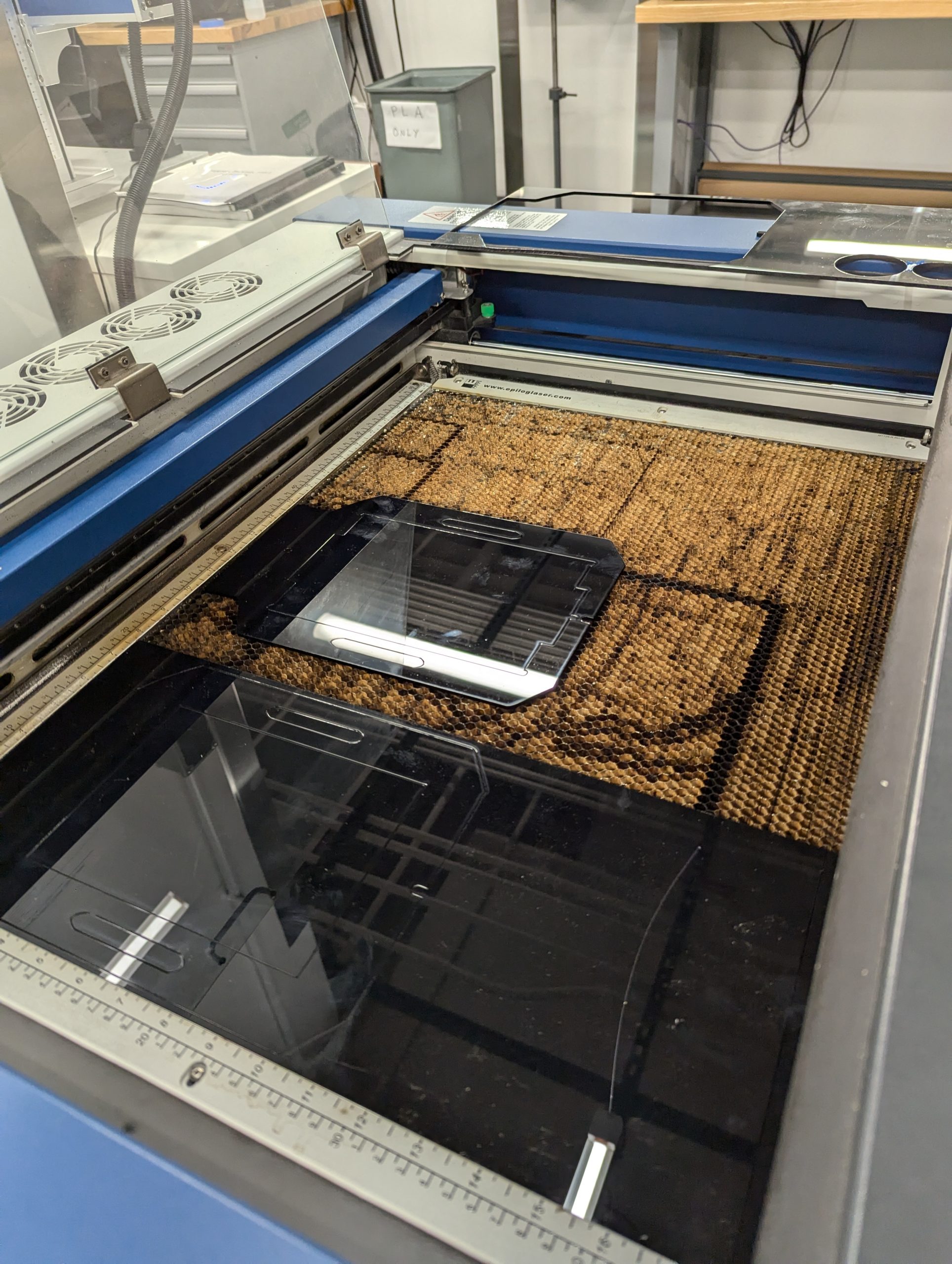
Using the Epilog to laser cut the negative holders.

Using the Epilog to laser cut the negative holders.

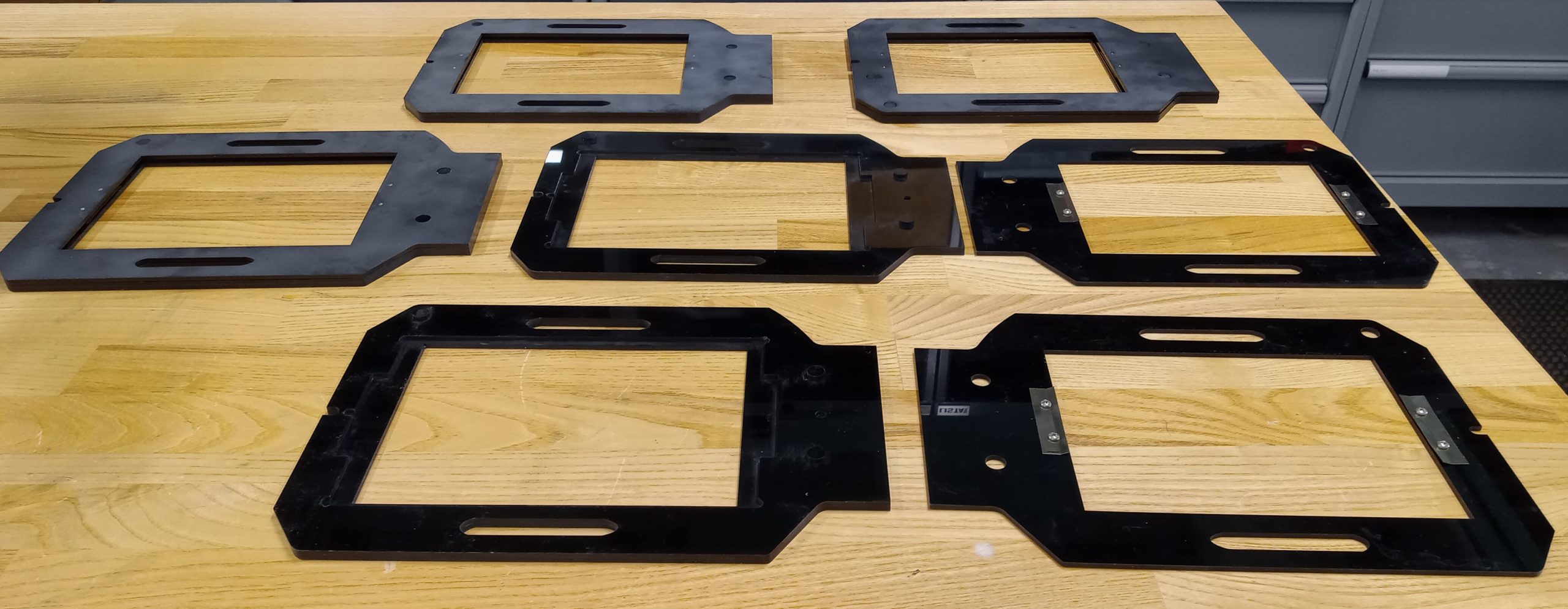
Daniel collaborated with Harris Longfield ‘27, a fellow makerspace worker, and Jason Mativi, Senior Science Center Shop Engineer, to design new holders from scratch. First, using Fusion 360, Harris and I carefully traced the original holder’s dimensions, while Mativi laser-cut and 3D-printed prototypes. After testing the first model and correcting a few asymmetries, the final versions worked flawlessly. The extra holders made a huge difference: instead of waiting in line for a single holder, ten students could now pair up and share five holders.

With the new equipment, students took their projects to the next level, pushing them further than ever. Instead of cutting paper prints, a traditional photomontage method, they cut and layered actual negatives, both film and digitally produced, to craft a one-of-a-kind composition. The larger 5×7 enlarger provided extra space around the 4×5 negatives, allowing them to add new visual elements and more information. This combination of old-school technique and modern tools opened a world of possibilities for image-making.

The five laser cut negative holders

The five laser cut negative holders

Perhaps the most striking result was how effortlessly the 3D-printed holders fit into the darkroom workflow, showing no loss of quality compared to the originals. By blending engineering with art, the project not only solved a practical challenge but also expanded the creative possibilities of analog photography, which shows how new technology can enhance and support classic film practices.

Surprises!

What surprised me most about this project was how naturally problem-solving morphed into a creative discovery. Initially, I viewed the missing negative holder as a straightforward hardware issue that required a technical solution, but I ultimately learned more: how to sketch and model a design, how to test and refine it, and the importance of teamwork in an environment where ideas are constantly evolving.

More importantly, I realized technology and art aren’t two separate worlds–they can actually amplify each other. By designing the new 3D-printed negative holders, we didn’t just replace a piece of equipment; we opened up new possibilities for creative image-making and expanded the possibilities of what a darkroom class could be. For me, that was a powerful reminder that creativity doesn’t exist in isolation: it grows when collaboration, technical skill, and art intersect. I’ll carry that forward into future projects, whether it’s prototyping or approaching any problem with both imagination and practical thinking.

Next Steps

Looking ahead, I can imagine this project leading to a shared toolkit for photographers everywhere. With tools like 3D printers and open-source design platforms, we can expand the idea by posting our files and guides online, making it possible for other darkrooms to thrive despite having vintage tools. I’d love to see this small innovation grow into a network that preserves classic practices and continually improves them through modern engineering. 


The Backbone of Art: Sculpting a Spine with 3D Printing and Plaster

Sculpting a Spine with 3D Printing and Plaster

Sculpting a Spine with 3D Printing and Plaster

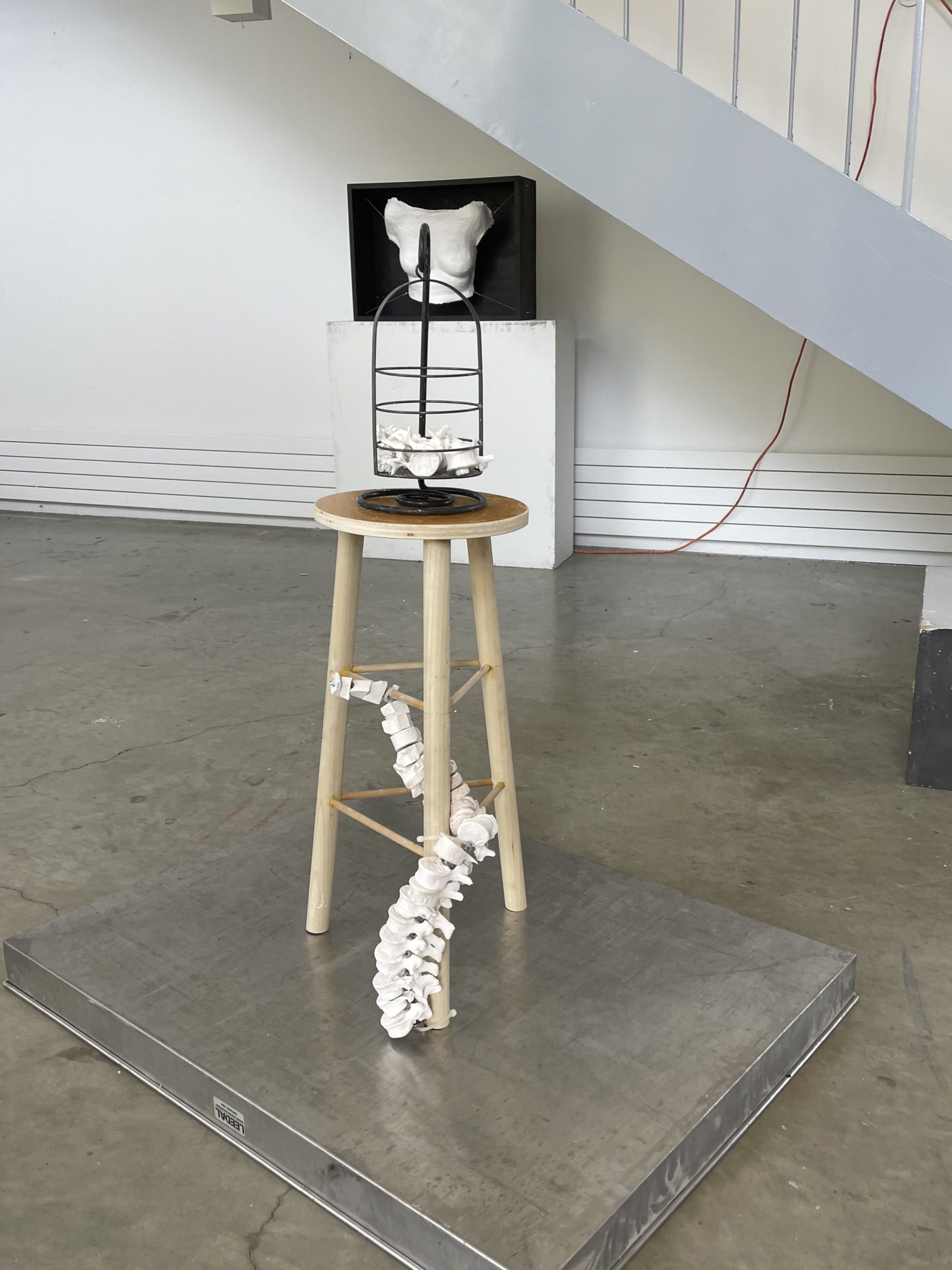
This semester in Beginning Sculpture (ARTS 132), my professor Amy Podmore tasked us with creating a sculpture in response to a prompt titled “Scaffolded Fragments.” For this project, we had to “create a sculpture where a part of a figure, (or a fragment or surrogate), is supported, contained, bracketed or held by a wooden support.” We could use any material of choice, but she strongly encouraged us to use wood as the support. To answer the prompt, I started by thinking about what fragment I wanted to use. My initial impulse was to make something that featured a spine. I knew I wanted the spine to be realistic, so I began brainstorming how I could emulate the curvature of a spine and create recognizable vertebrae. First, I modeled vertebrae out of clay and made some plaster molds of those clay pieces, but I knew there had to be a better way to create these bones. 

We were given freedom with regard to materials for this project, so I tried to think outside the box for how to make realistic vertebrae quickly and easily. In my brainstorming and searching, I found a design for a 3D printed vertebrae for sale on Etsy. From there, I went to the Makerspace to discuss the logistics and if using this design would be possible. The students working there told me it was not only possible, but I didn’t even have to make the purchase and instead could peruse a library of free designs online. I found one that worked, and the undertaking began! 

Spine Sculpture project on display in the Spencer Studio Art Building

Spine Sculpture project on display in the Spencer Studio Art Building

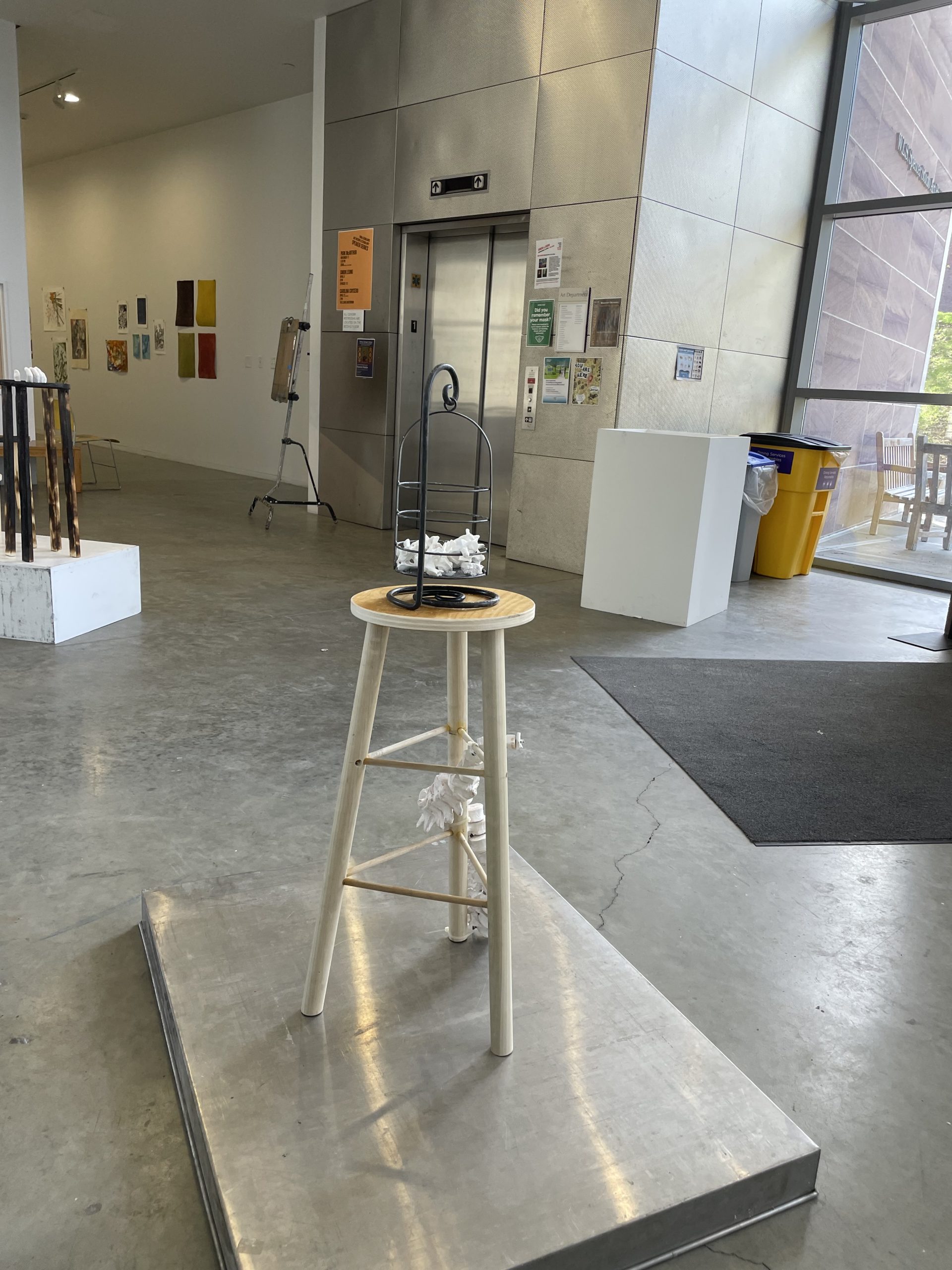
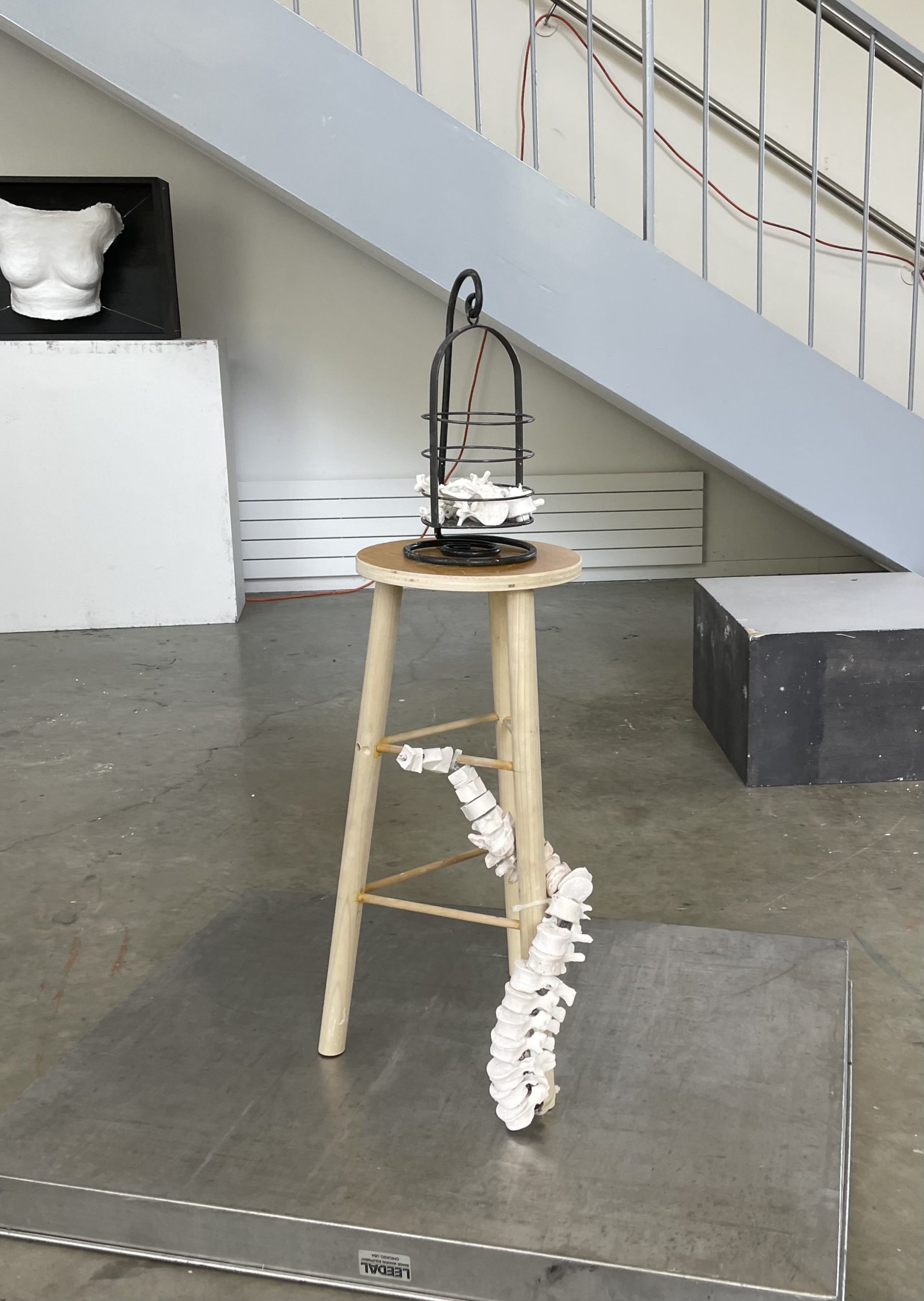
Leah Williams led the Makerspace side of things for this project, and once she printed some vertebrae, I brought them to the sculpture studio. I made molds of the vertebrae using alginate and then poured plaster into the molds to create casts. After the casts hardened, I drilled holes in them and slid them onto a piece of steel I bent to resemble the twist of a spine. The plaster offered a smooth, matte look that the plastic couldn’t, so I decided to use the plaster casts for the spine, but I still wanted to incorporate the original 3D printed plastic vertebrae in my sculpture, so I placed them in a bird cage-like metal object resting atop the stool. Including both materials resulted in an interplay between the artificial and the natural (with the plaster representing the natural) that makes the viewer wonder about what happens when you bring the artificial into the human body.

Sculpting a Spine with 3D Printing and Plaster

Sculpting a Spine with 3D Printing and Plaster


One challenge with this project was the limited timeframe by which I was constrained. When we began printing, I had roughly 1-1.5 weeks to complete the project, and printing took more time than I had anticipated. But Leah was able to print enough pieces for me to make casts while more were still being printed, and we were able to make enough to fill the bird cage partway with the 3D printed pieces. In the end, I was able to bring my vision to life and incorporate both machine-made and handmade objects in my sculpture.

Using Clay Based Filaments to Create 3d-Prints

This is an extension of the WCMA artist project.

At this point, all of the 3d-prints for the Williams College Museum of Art (WCMA) have been in PLA plastic filament. Creating them in plastic was relatively inexpensive, convenient (as we already had that filament on hand), and gave a good enough visual representation of what the pieces looked like.

Now that we now have access to a pottery clay-based filament the 3d-prints can now be created using the new filament type. As the pieces cannot be held by the average person creating models using stone based filament gives more accurate information on the artifacts weight and texture.

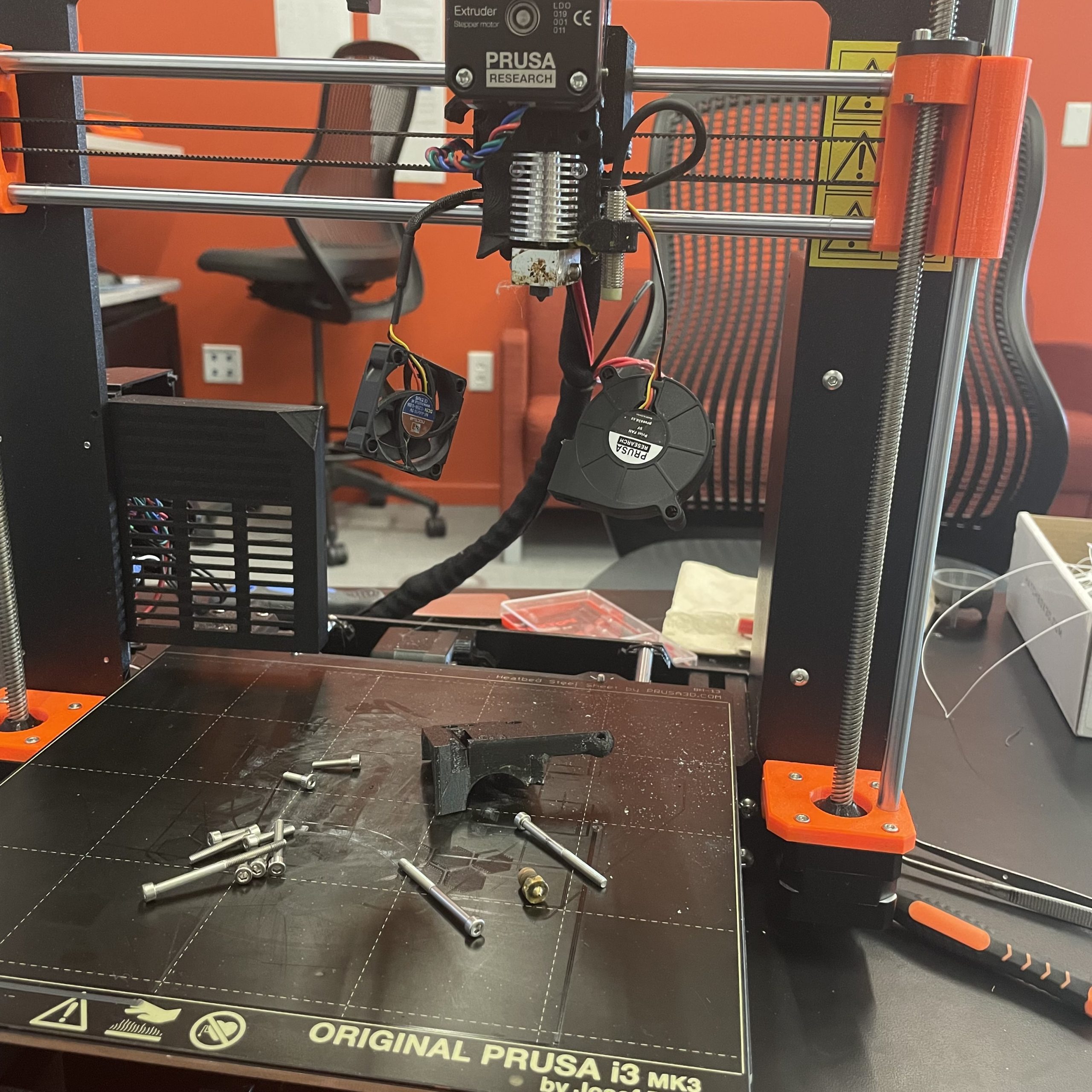
Our current machines have brass nozzles which are not suitable for the more textured pottery clay based filament. As a result, the brass nozzle needs to be removed and replaced hardened steel nozzle.

Rebuilding the Prusa MK3S

Rebuilding the Prusa MK3S

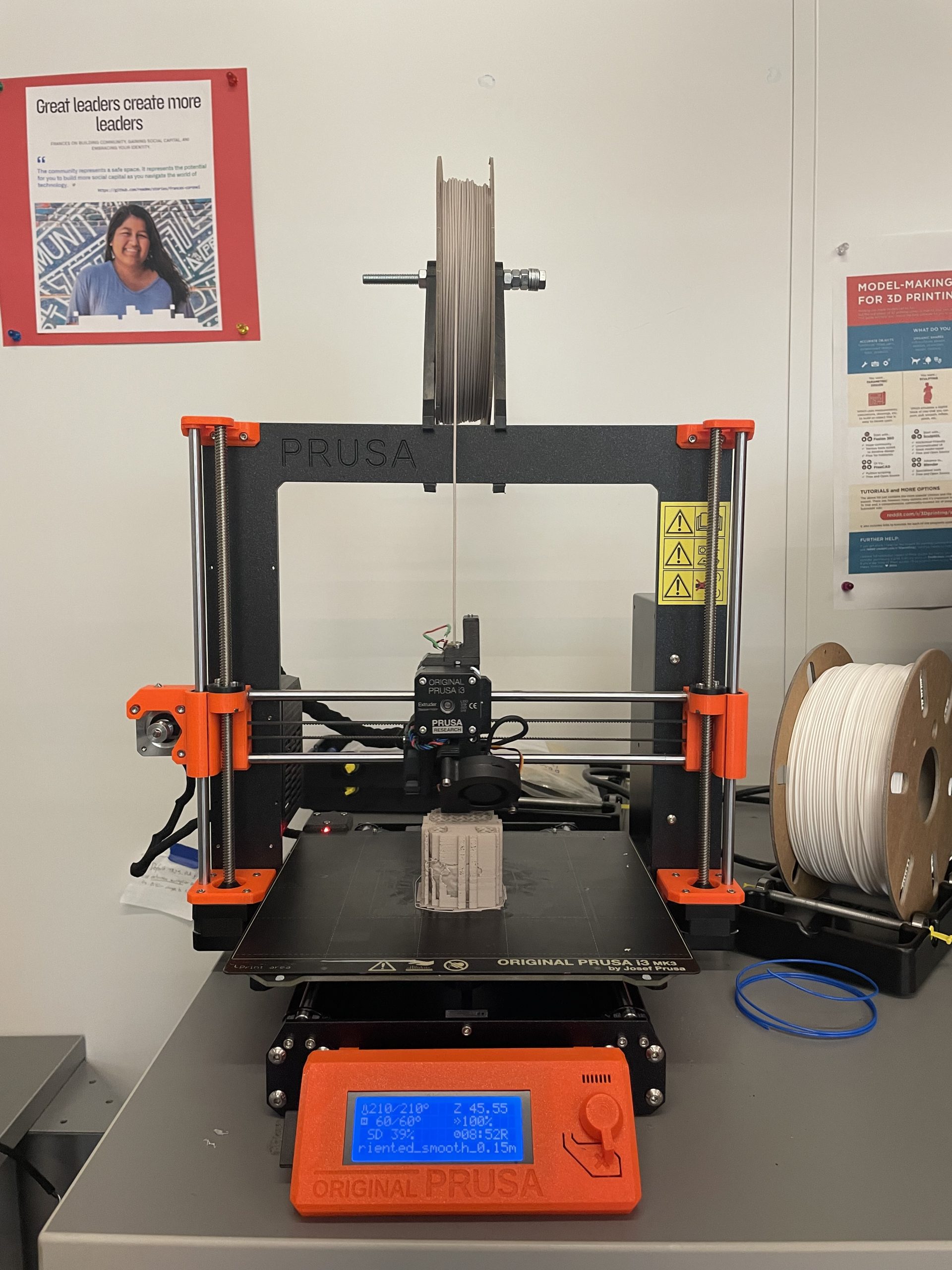
Once the hardened nozzle was installed, the printer was recalibrated to account for any thing that might have changed when it was taken apart. The seated deity was printed as an initial test of the filament because it had the least amount of problems when printing in PLA. It was printed at 0.15 mm quality with a 15% infill and supports were generated everywhere.

Printing with the Prusa MK3S

Printing with the Prusa MK3S

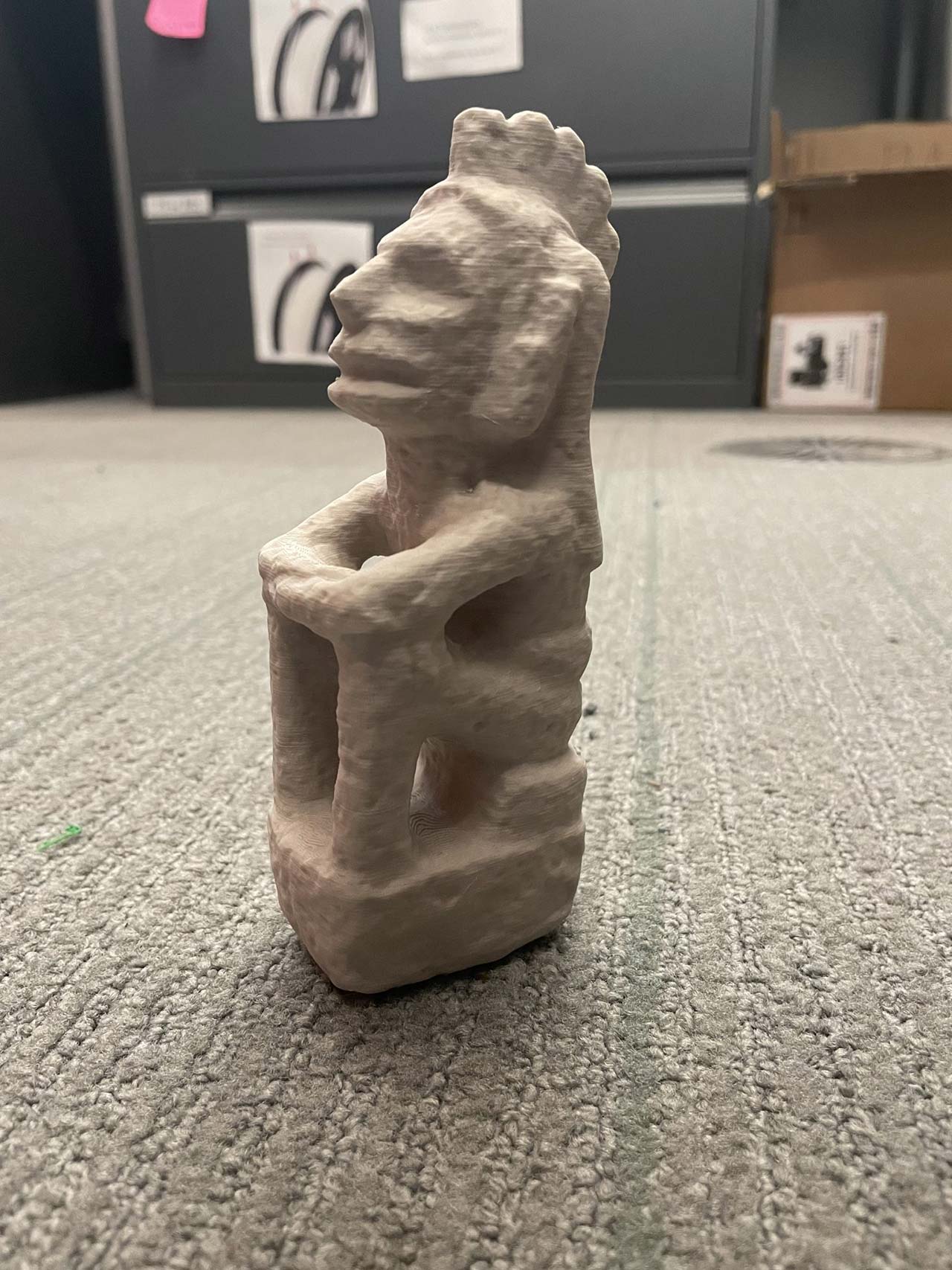
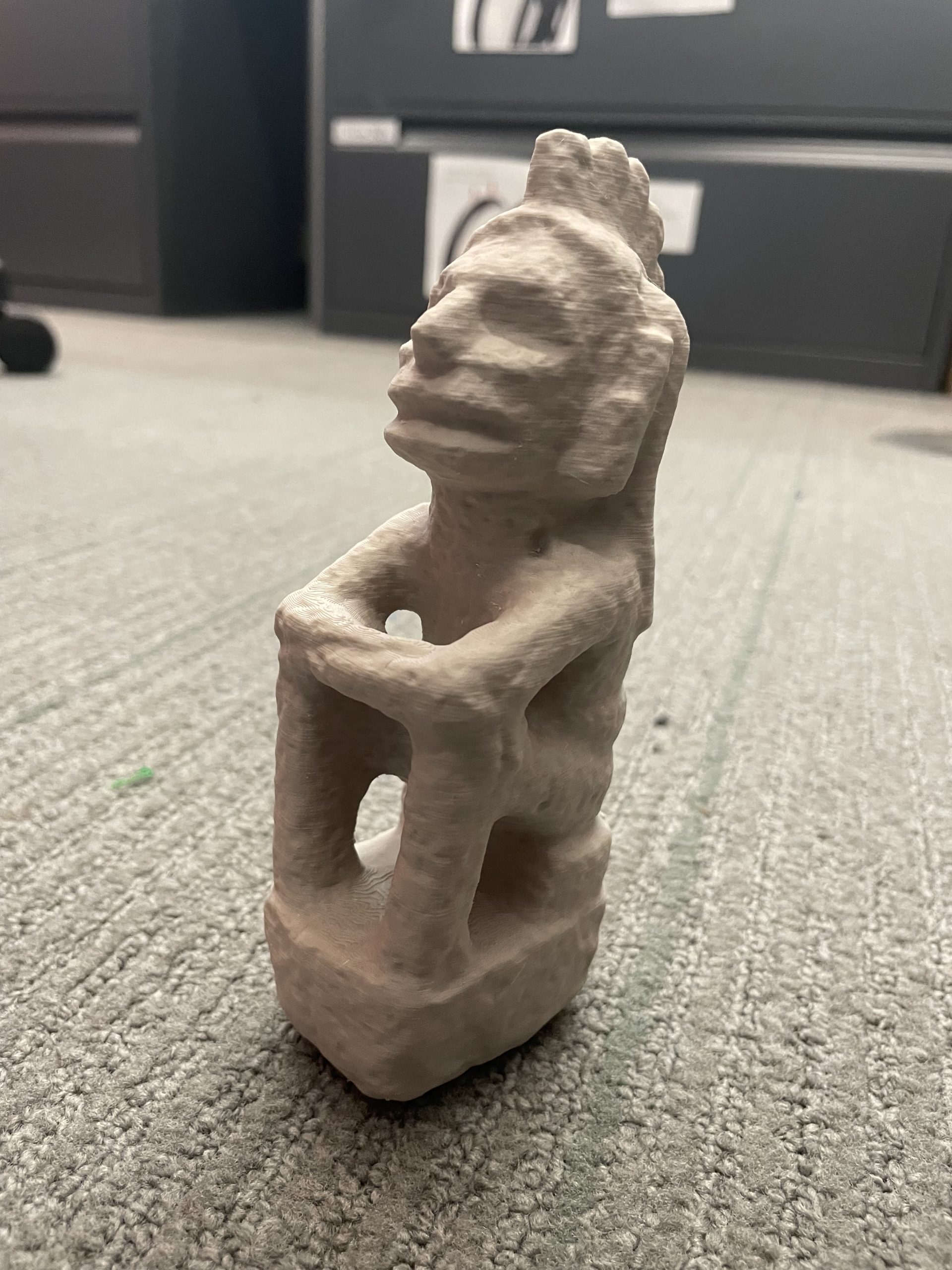
These are the results.

Leah Williams 3D printed this using clay filament for Dr. Beatriz Cortez.

Leah Williams 3D printed this using clay filament for Dr. Beatriz Cortez.

Leah Williams 3D printed this using clay filament for Dr. Beatriz Cortez.

Leah Williams 3D printed this using clay filament for Dr. Beatriz Cortez.


3d Printing Sculptures with WCMA

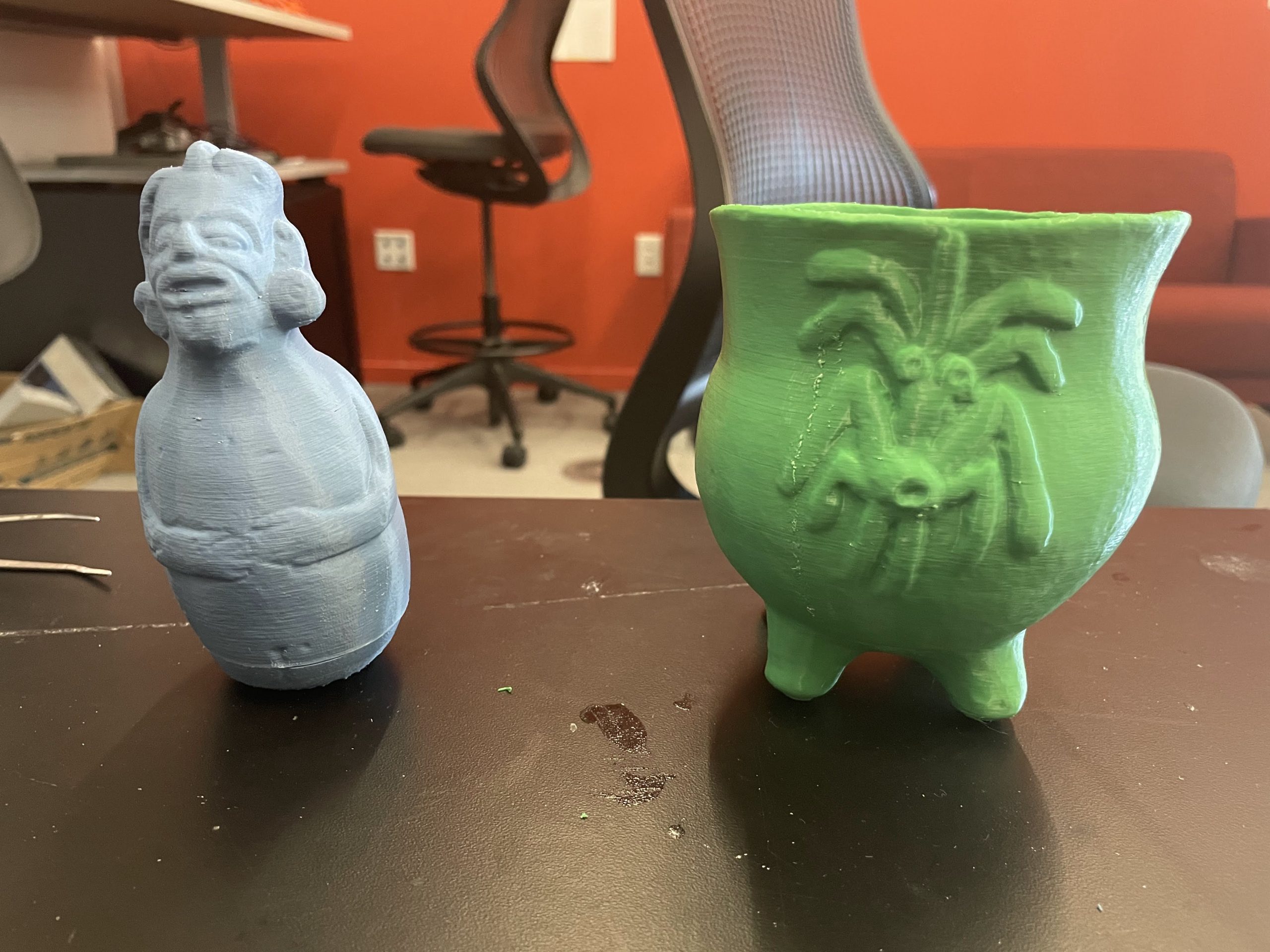
The makerspace was approached by a representative of the Williams College Museum of Art (WCMA) to create 3d models of some of the Maya objects, dated to approximately 600-900 CE, that they have in their collection. Some of their sculptures are old and have an unknown creator so creating 3d prints of them allows others to engage with them more and an accurate print gives insight into how it was made.

3d Printing Sculptures with WCMA

3d Printing Sculptures with WCMA

On the left is a hollow rattle and on the right is a corn pot.

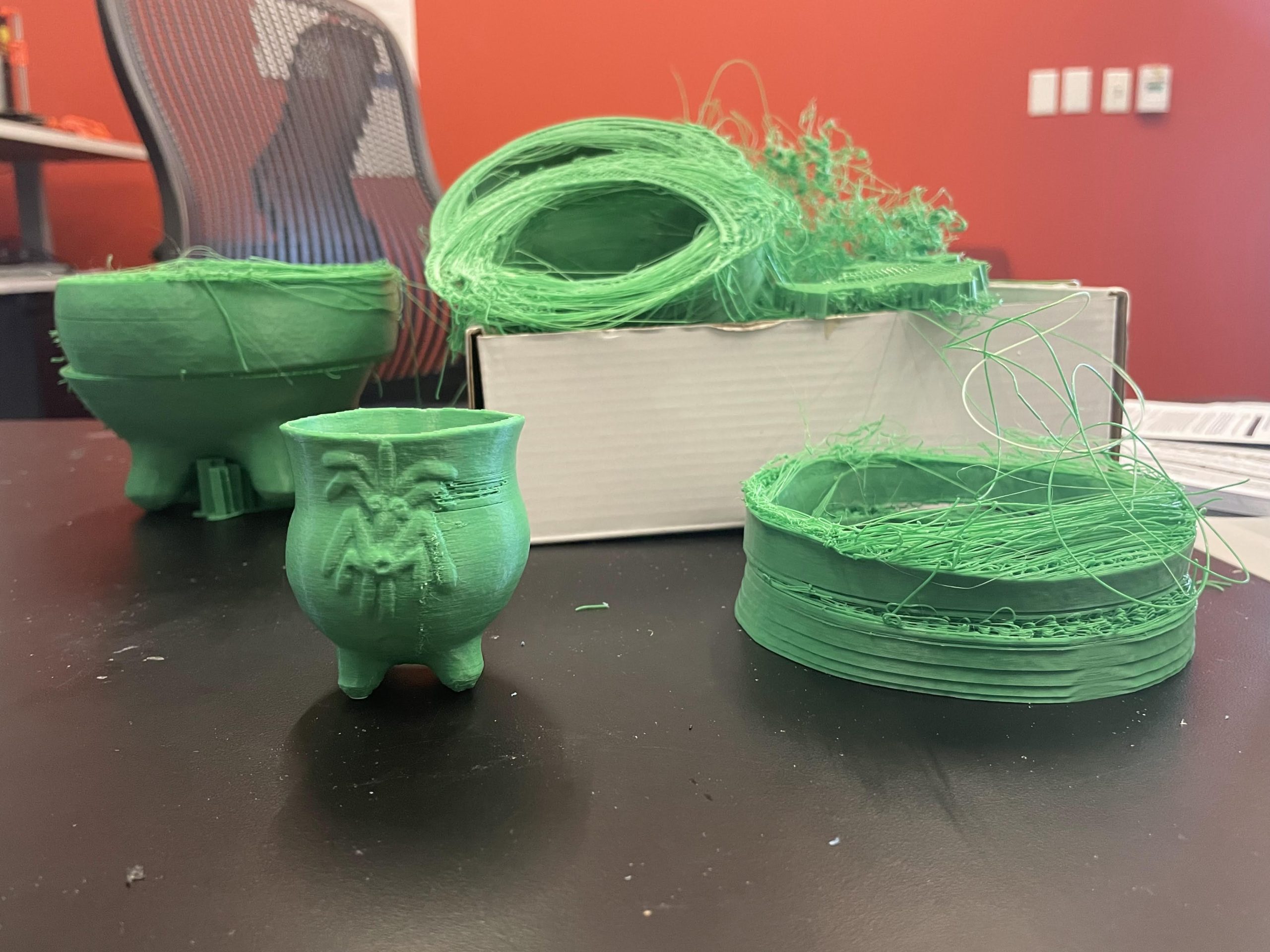
Examples of 3d printing failures

Examples of 3d printing failures

When printing the corn pot a lot of issues were encountered. When printing a large model a lot of layer shifting in the print would happening and the front left leg would have problems adhering to the print bed. A variety of different solutions were trim including different kinds of bed adhesion methods (skirt, brim raft), decreasing the print speed and changing the size of the model.

Eventually the final model was created at 50% print speed, around 80% of the original size and a 3.0mm brim to help with bed adhesion.


Raccoon Tracks

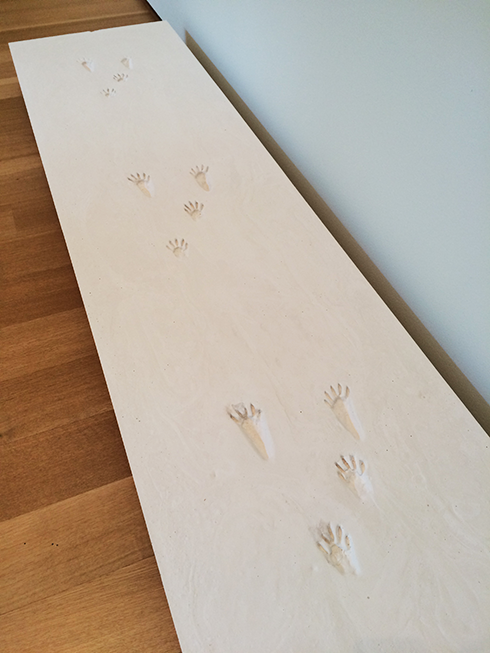
Raccoon footprints

Raccoon footprints

Over the summer of 2016, the Clark Art Institute came to the Makerspace for help. For their exhibit Sensing Place: Reflecting On Stone Hill at the Lunder Center on Stone Hill, they needed molds of raccoon paws to make a plaster cast of raccoon footprints. However, they only had molds of the raccoon’s right front and right back paws, and they needed molds of the raccoon’s left front and left back paws to complete the set.

We were able to help out by scanning the two footprint molds that the Clark Art Institute owned using the David Scanner. The scans were 3D models of the two molds which could be opened in Rhinoceros and then reflected to create a mirrored replica.

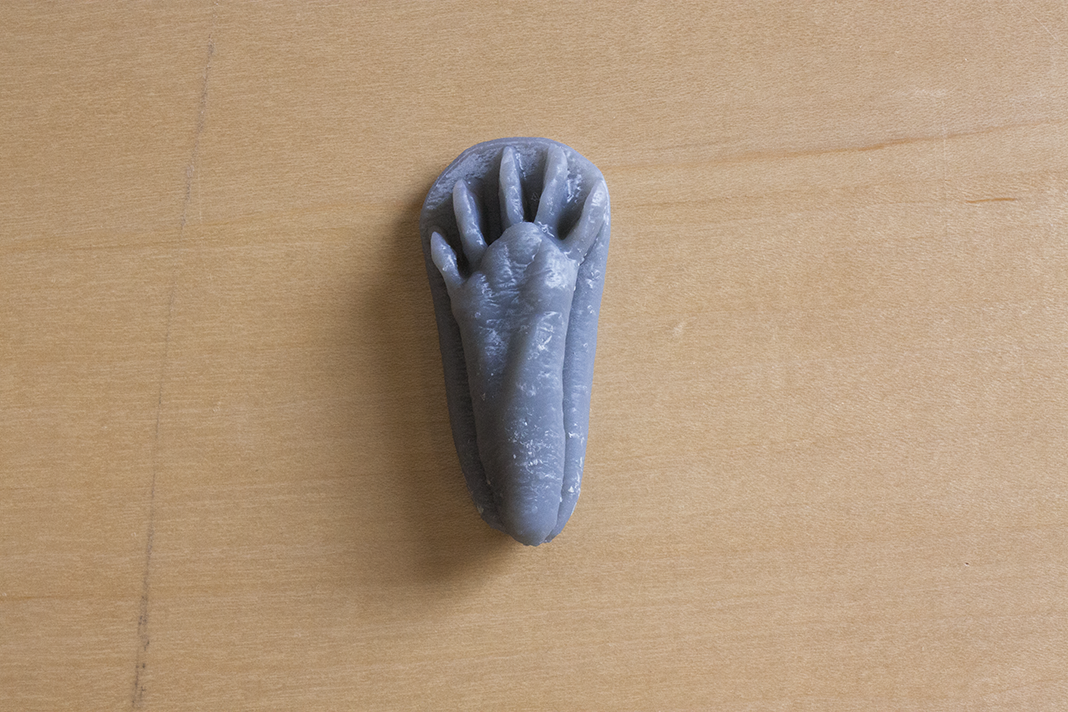
After creating a set of four 3D models using the scanning and modeling technology that we have, we used the Form 1+ printer to print the models out. The Form 1+ printer, which uses liquid resin, produced prints with the smooth texture required for the molds.

Raccoon mold

Raccoon mold

However, after two prints, there was not enough liquid resin to print an additional two sets of footprints that the Clark needed. To improvise, we mobilized the Makerspace’s remaining two printers, the MakerGear M2 and LulzBot TAZ 5. We used these printers to print the remaining footprints, applied the liquid resin on the surface of the prints, and left them to cure under the sun, allowing us to successfully recreate the smooth texture of the original prints.


Sensing Place: Reflecting On Stone Hill is on exhibit until October 10, 2016. Stop by to check out the Makerspace’s contribution to the exhibit!

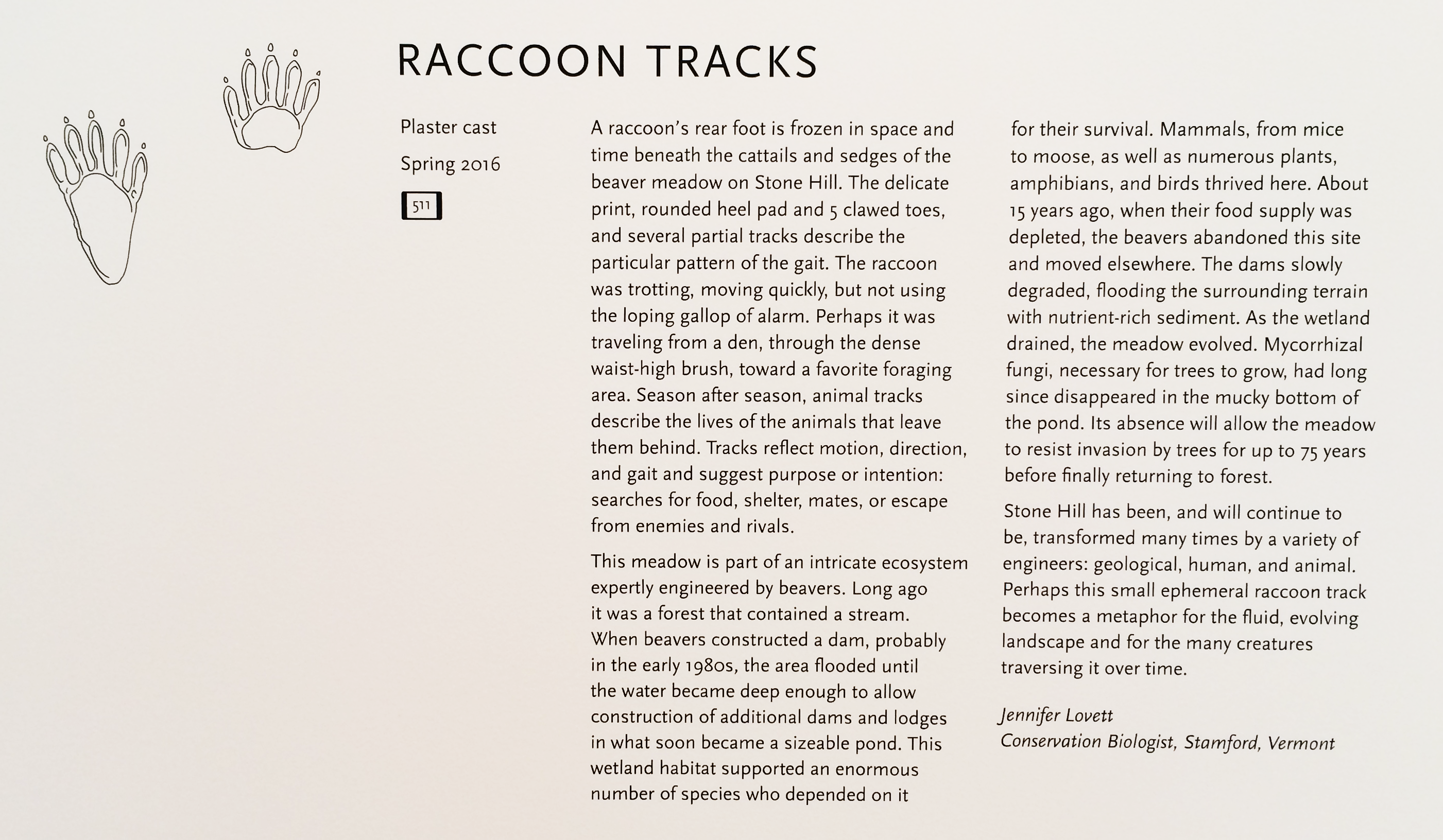
Raccoon Tracks Panel at Clark Art Institute

Raccoon Tracks Panel at Clark Art Institute