A very useful list of group policies to control the new windows 10 start menu is at:
https://technet.microsoft.com/en-us/library/mt484191%28v=vs.85%29.aspx
A very useful list of group policies to control the new windows 10 start menu is at:
https://technet.microsoft.com/en-us/library/mt484191%28v=vs.85%29.aspx
Disabling OneDrive
Since Williams uses Google Apps for Education, OneDrive is not widely used here and would likely cause confusion with the individuals that need to use our lab computers. So, we disable OneDrive access with the group policy at:
Specifically, the group policy wording is:
Computer Config – Administrative Templates – Windows Components – OneDrive
This policy setting lets you prevent apps and features from working with files on OneDrive.
If you enable this policy setting:* Users can’t access OneDrive from the OneDrive app and file picker.
* Windows Store apps can’t access OneDrive using the WinRT API.
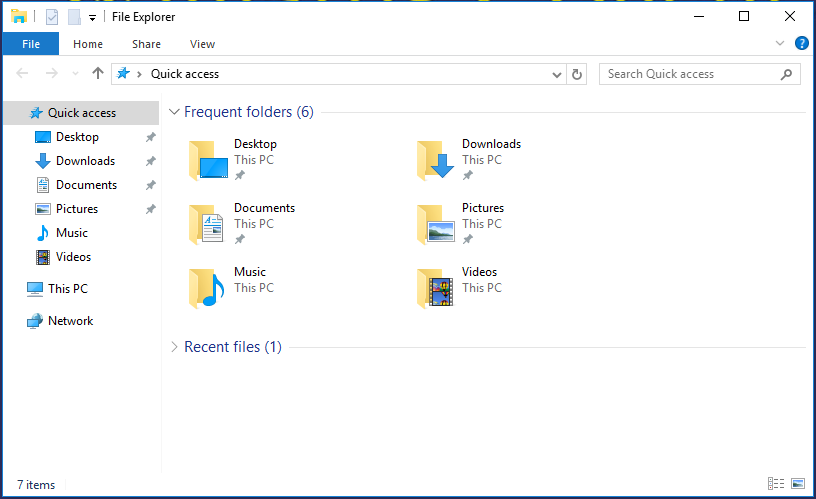
* OneDrive doesn’t appear in the navigation pane in File Explorer.
* OneDrive files aren’t kept in sync with the cloud.
* Users can’t automatically upload photos and videos from the camera roll folder.If you disable or do not configure this policy setting, apps and features can work with OneDrive file storage.
Additional details:
https://support.office.com/en-US/article/Turn-off-or-uninstall-OneDrive-f32a17ce-3336-40fe-9c38-6efb09f944b0
Screen shots —
File window before OneDrive disable policy applied:

File windows after OneDrive disable policy applied:
Apparently, there is a different version of the Chrome browser for “enterprise” users. This one says it can be controlled by over 100 policies ….
See more at:
https://www.google.com/work/chrome/browser/https://www.google.com/work/chrome/browser/
Windows 10 changes the login background a bit. What I did in windows 7 to change this no longer works. I set this with a Group Policy for “For a specific lock screen image” and set that to c:\windows\web\screen\williamslogin.jpg
See details:
https://community.spiceworks.com/topic/1262253-change-windows-10-lock-screen-background-image-gp
These can be found at:
https://www.microsoft.com/en-us/download/details.aspx?id=48257
There appears to be an issue in Windows 10 with the Start Menu, Action Center, Search Bar not opening and/or working for some users on some computers. Other users on the same computer are fine …. People are claiming this is a user profile or system file corruption and are suggesting an image restore process which first became available in Windows 8.
Anyway – Here are the suggested solution(s):
Several links —
http://www.urtech.ca/2015/09/solved-fix-windows-10-start-button-does-nothing-in-10-minutes/
See the information at:
https://jamfnation.jamfsoftware.com/discussion.html?id=13837
The software R is open source and people are adding packages constantly. On the Mac these live in the directory:
/Library/Frameworks/R.framework/Resources/library
More details see:
http://stackoverflow.com/questions/2615128/where-does-r-store-packages
In certain circumstances, Bootcamp can mess up Fusion drive formatting. Here is a detailed posting of how to recover your drive. It basically entails, booting the Internet Recovery from Apple Restart by pressing alt cmd R at startup and then using a series of diskutil commands to first remove, replace and rebuild the logical disk.
It seems that a “fusion” drive is really a “logical” drive made up of two (or I suppose more) physical drives …
See all the ugly details at:
http://apple.stackexchange.com/questions/168723/i-think-i-messed-up-the-fusion-drive-on-my-1tb-imac-with-bootcamp