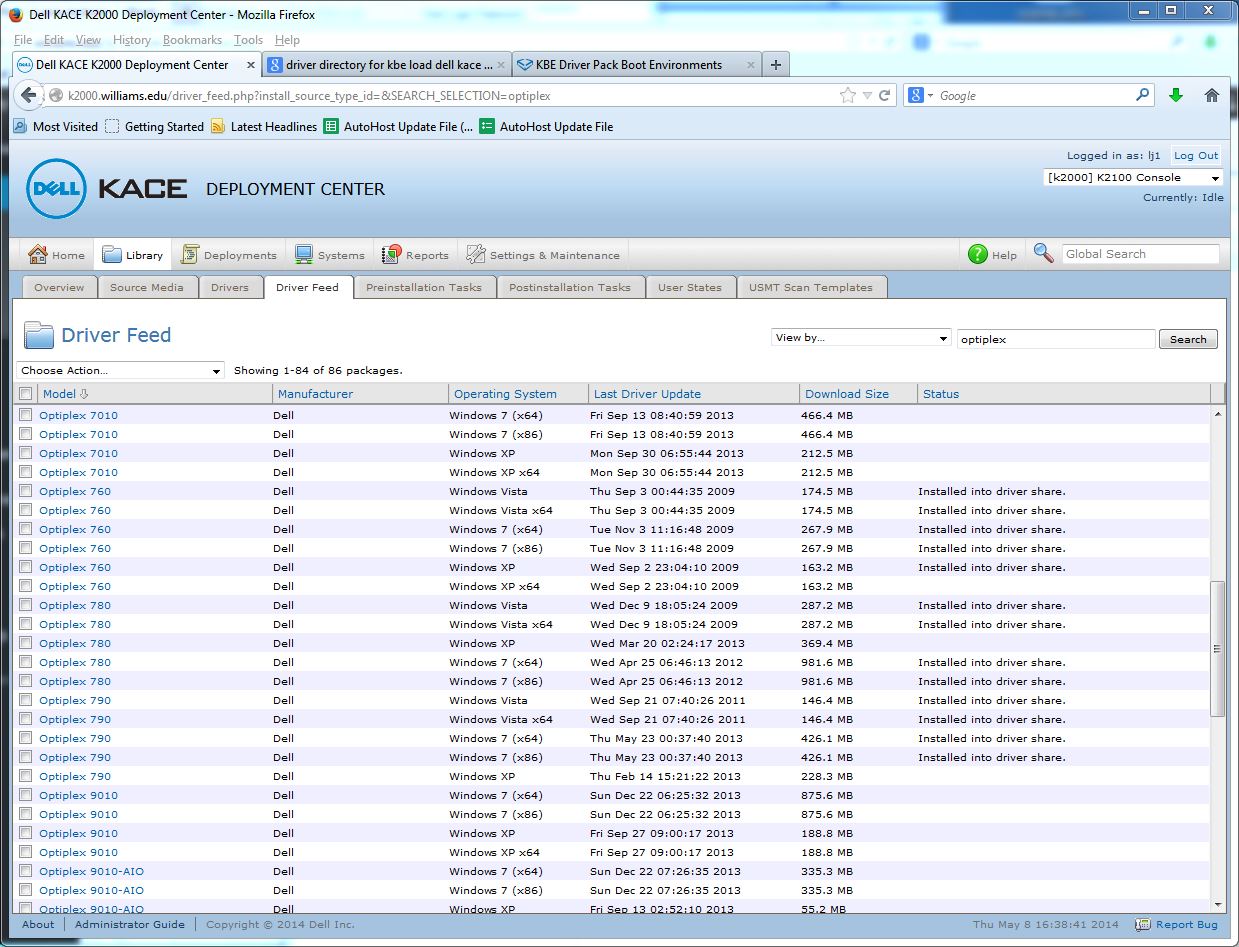
k2000 – Update Drivers

There are several places where you can “update” drivers in the Windows K2000 deployment server.  In “Library’ — “Driver Feed”  –  search for then click on a model and there is a drivers ‘download and install’ function which may be all you need …

driverk2000

If you need to add drivers that aren’t available through the driver feed mechanism you can add them to folders on the K2000 server …  My location is at:

\\k2000\drivers\kbe_windows_x64\lynna

Just connecting to \\k2000

giving the username  k2000\admin and the password that is set on the server for

“Settings – Maintenance” — “General Settings” —  “Driver/Restore Share password”


Mac – Set NTP time server from command line

Active Directory login, Keyserver access, SafeConnect, etc all require the connecting client to have a time setting that is within 5 minutes or so of the server’s time setting.  It is therefore useful to use a “network time protocol” server to set your local computer’s time to the “correct” time.

Macs typically use “time.apple.com” to set their time from the network.  This is fine most of the time. 😉

In the rare times you want to set a different time server on a Mac, use Terminal and enter the command:

sudo systemsetup -setnetworktimeserver <timeserver>
(replace <timeserver> with the address of the time server 
you want to use as in 137.165.4.21 for Williams College)

Since this is a command run with “sudo”, you’ll be asked to enter the account password and that account needs to be authorized as a “Super User” or “root” user.

By the way – the GUI interface in the “Date & Time” System preference only allows you to choose time servers hosted by Apple.

For more details see the web page at:

http://hints.macworld.com/comment.php?mode=view&cid=98039


Mac – Using Install command line to install packages

Some software can not be installed on the master image computer because it needs to be uniquely installed on each clone.  So rather then have to copy packages to each clone after imaging, why not put the packages in a known location and then call the installer remotely using the command like:


installer
-pkg /Users/labadmin/Desktop/post/Sophos_10.mpkg -target /


See the complete man page at:

https://developer.apple.com/library/mac/documentation/darwin/reference/manpages/man8/installer.8.html

Mac – Apple Remote Desktop Hangs – Kill the process

Sometimes Apple Remote Desktop hangs on the remote computer and/or you get disconnected.  When that happens you can get the message “can not control remote computer because it is running Apple Remote Desktop or another administrative application”.  To “fix” this …

With ARD on the local computer, Send the Unix command:

ps -A

This will a list of processes which are running on the remote computer.  Find the process number, the PID, for the Apple Remote Desktop application process and then give the command (send a unix command):  kill -KILL “PID#”  (change “PID#” to the actual pid #)

WARNING – the kill -KILL command is not kind.  It will stop any process without additional double check and, therefore, if you kill the wrong PID you can cause the system to halt and become completely unresponsive.

as in:

kill -KILL 25204

Mac – Removing printers with command line

I use lpadmin -x to remove printers when needed as in:

lpadmin -x Spencer-116-Color

lpadmin can be used for a bunch of other chores.  See:

https://developer.apple.com/library/mac/documentation/Darwin/Reference/Manpages/man8/lpadmin.8.html

Interestingly, the -x option isn’t listed in the man page!

See also: http://hints.macworld.com/article.php?story=20061203221317612 For additional options like clearing queues …


Windows – Change computer decsription from command line

Sometimes it’s useful to use the computer description field to store information like the the image version.  I typically do this in automated post imaging tasks, however, it is sometime necessary to manually reset this description field.

The command line to do that is:

net config server /srvcomment:computer_description

See: http://lifeofageekadmin.com/changing-windows-computer-description-from-a-command-prompt/