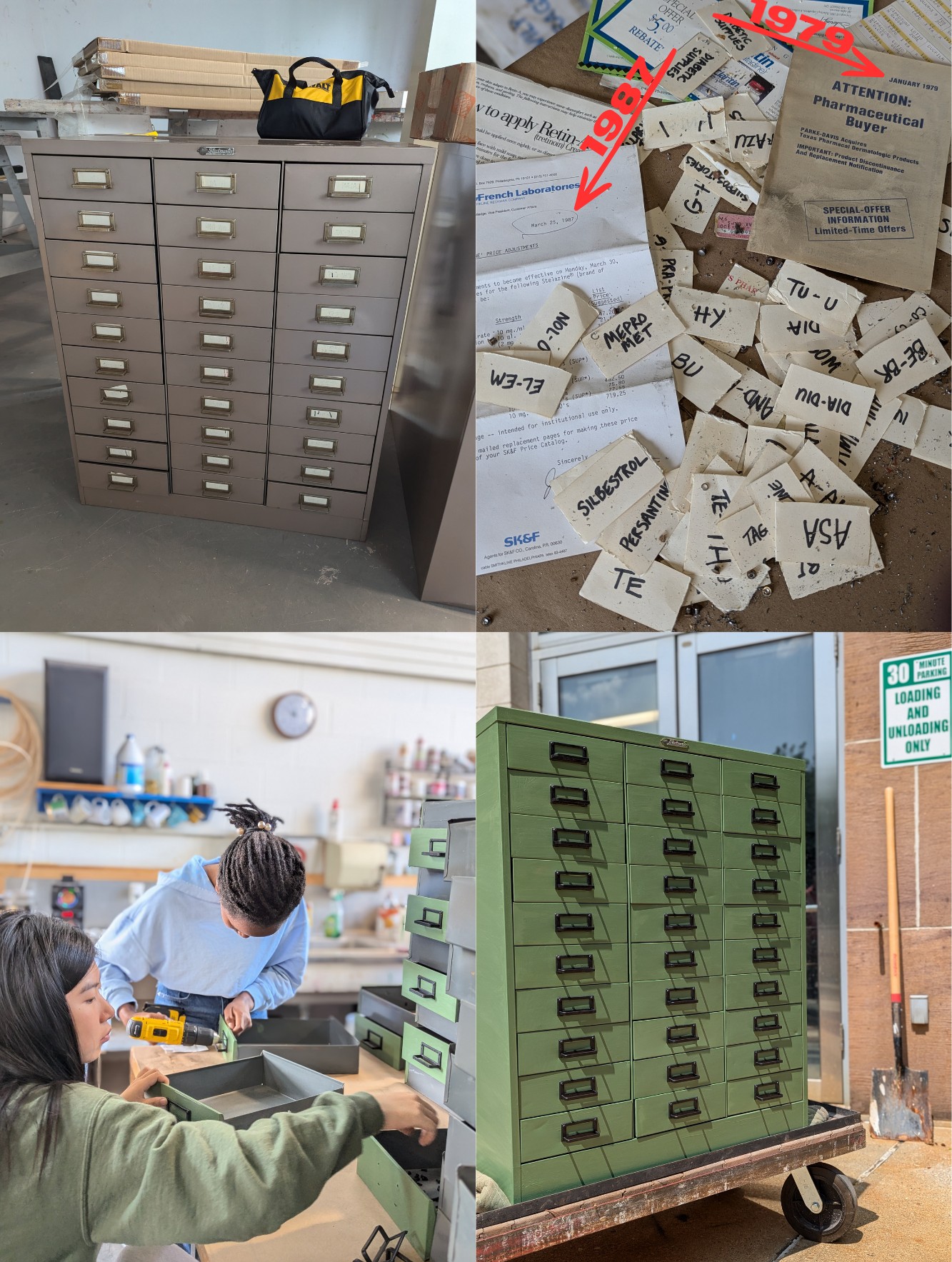
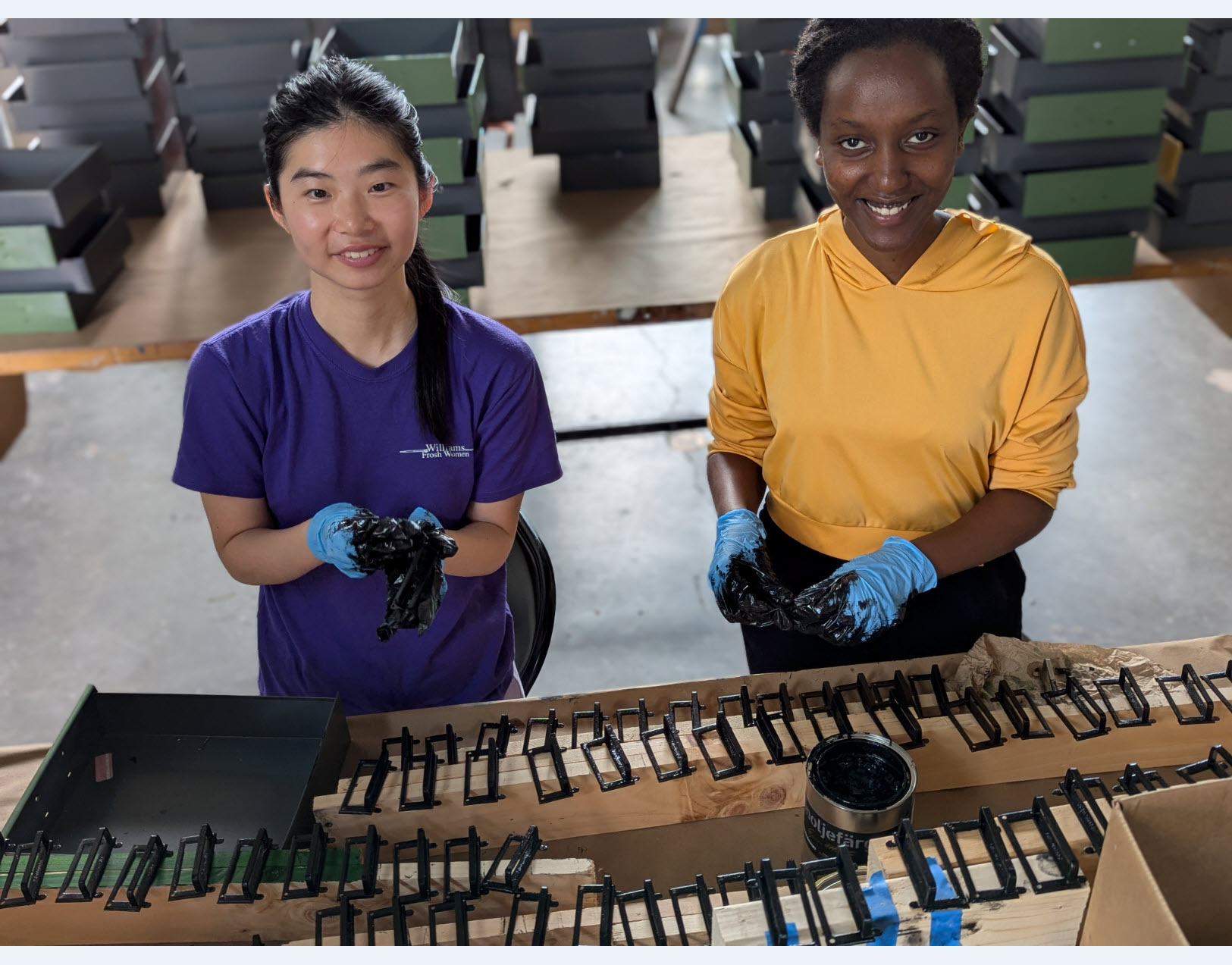
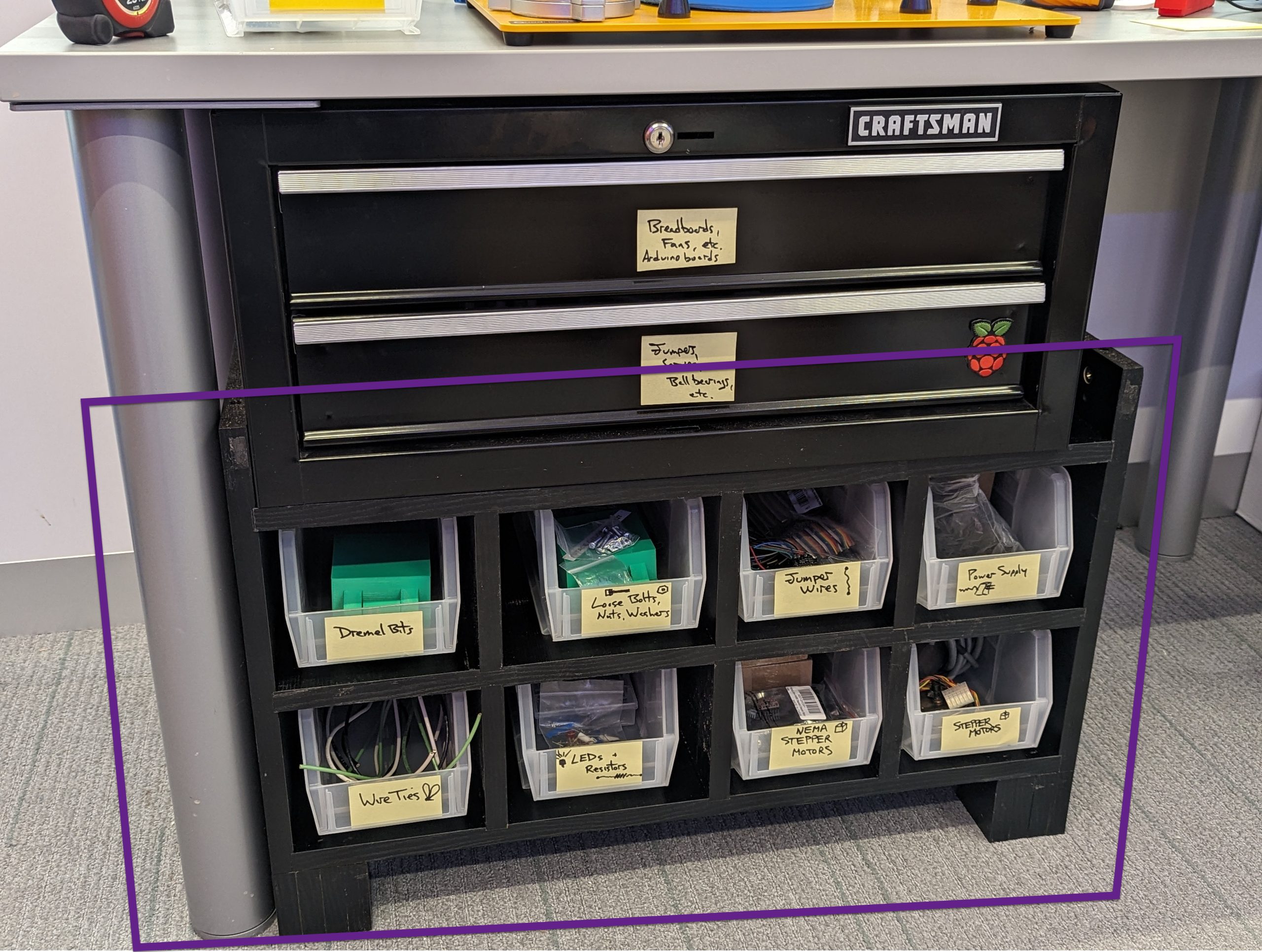
Revving Up STEM Education: Optimizing Mousetrap Cars for the Makerspace STEM Kits

Imagine a classroom of 5th graders buzzing with excitement as their mousetrap-powered cars zoom across the floor, each tweaking their design to outrace the others – all while learning the physics of potential and kinetic energy. That’s the vision behind the Williams College Makerspace’s Sustainable STEM Learning Kits project, and this semester, I had the chance to dive in, redesign a car from scratch, and use statistical methods to optimize its performance. Spoiler: it involved a paintbrush, some copper wire, and a magazine holder: improvisation at its finest!

Dual mousetrap powered car

Dual mousetrap powered car

Background: Building on a Legacy of Learning

This project builds on the groundwork laid by the Makerspace, Williams College CLiA, and the Zilkha Center through the TIDE Grant initiative, which aimed to create sustainable, reusable STEM kits for under-resourced 5th and 6th grade classrooms. As detailed in this Makerspace blog, one of the main ideas for the stem kits is a model car assembled from sustainable, reusable materials with some 3D-printed printed parts to teach energy concepts, aligning with Next Generation Science Standards (NGSS). Previous Makerspace student workers Divine Uwimana ’27 and Alice Sore ’27 created an initial design that used a rubber band to power the car. My work involved building up on and enhancing this initial design and exploring other forms of potential energy that could be used to power the car.

My Journey: From Brainstorming to Rapid Prototyping

Mousetrap car parts

Mousetrap car parts

Fusion360 flywheel model

Fusion360 flywheel model

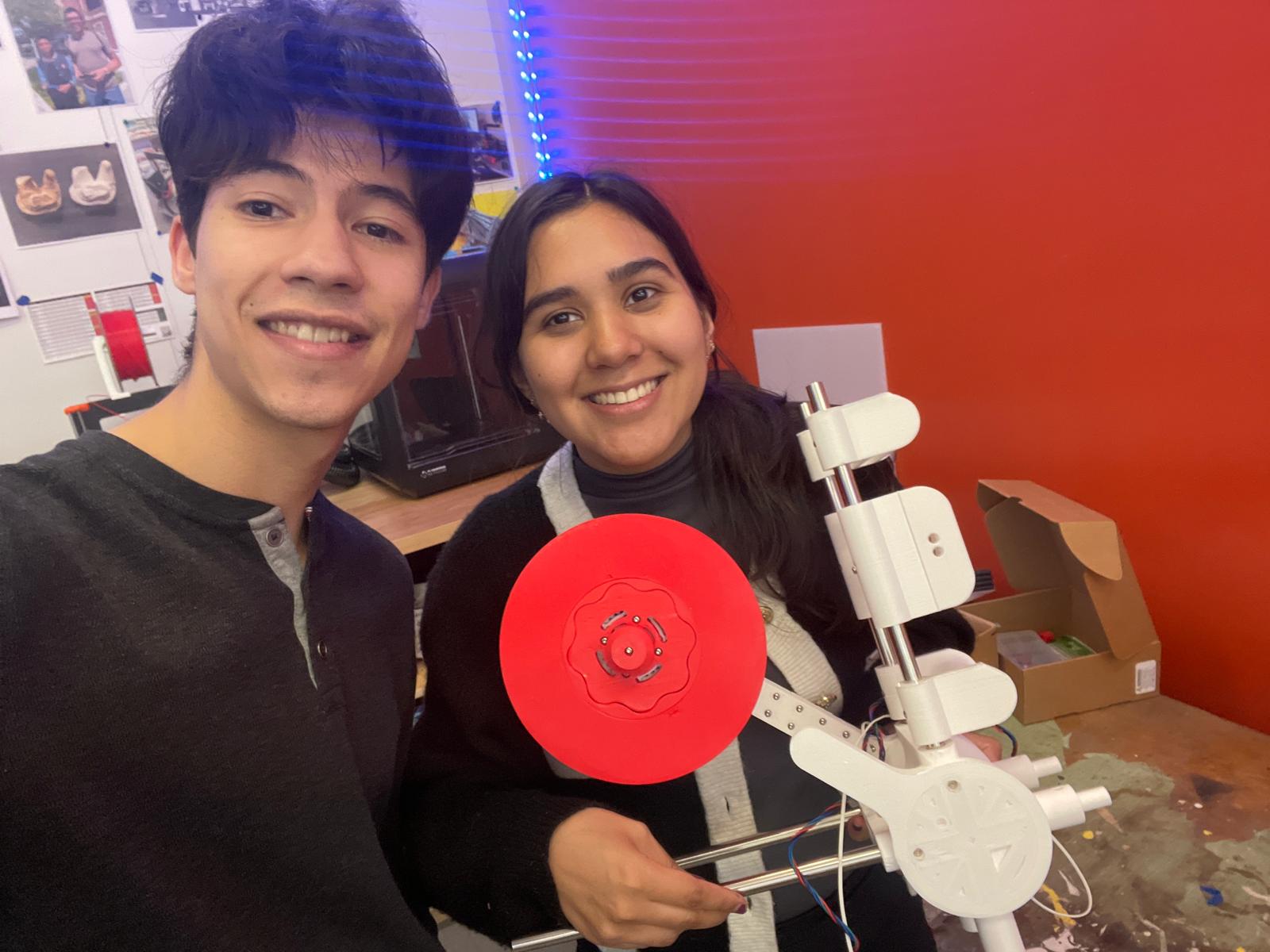
I kicked things off by meeting with Divine Uwimana to understand the project’s history and progress. Then, I teamed up with Izzie Tarantino for this joint endeavor, guided by Makerspace Program Manager David Keiser-Clark. We brainstormed energy sources for the car: elastic bands, flywheels, mousetraps, and motors. Izzie focused on elastic energy (expanding on the previous work by Divine and Alice) and modular designs, while I explored flywheels and mousetraps. I initially designed a flywheel with 8 ball bearings but decided to pivot to the mousetrap car for this semester, leveraging the existing car body as a starting point.

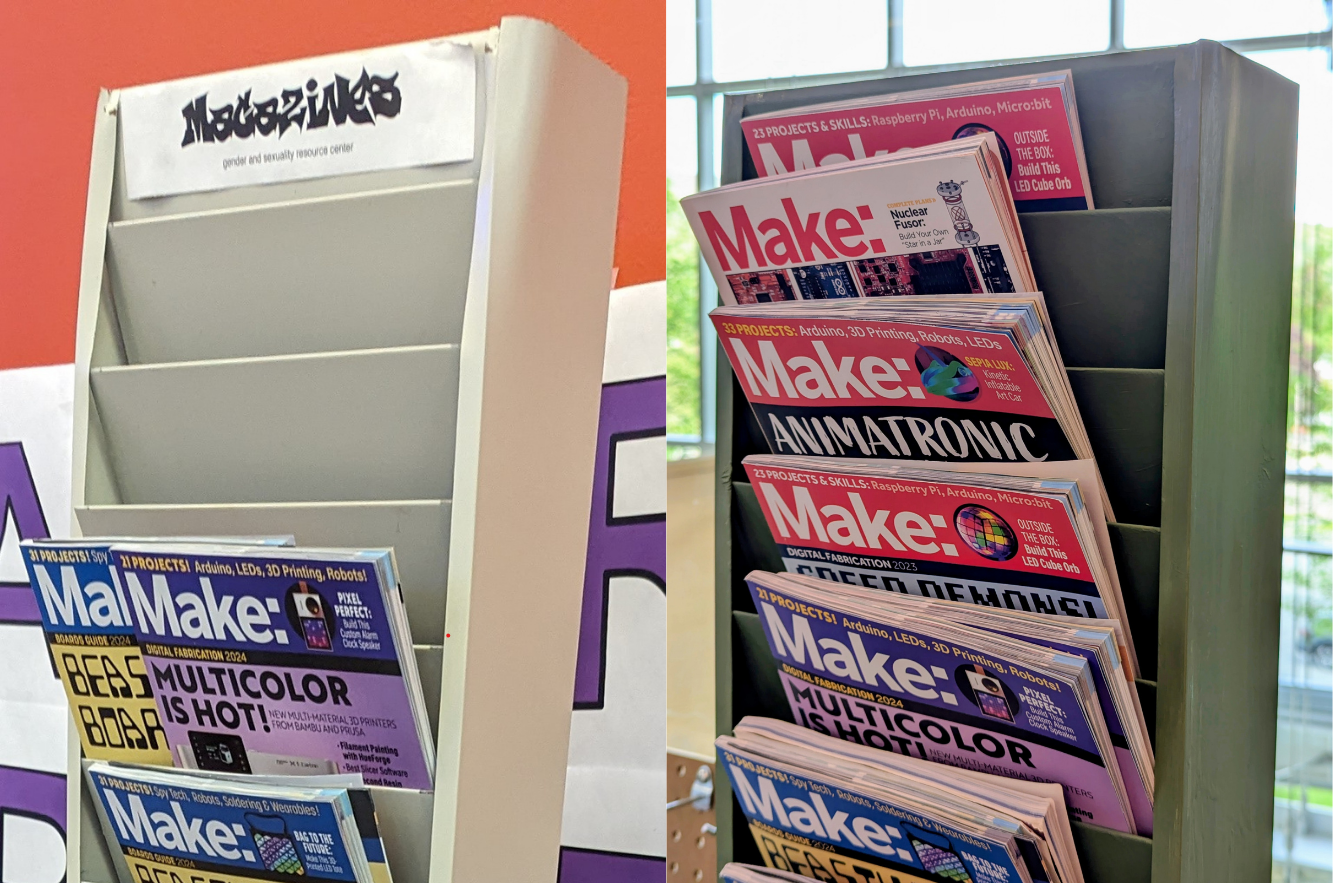
Having dabbled in Fusion 360 during a previous photogrammetry project, I saw this as a chance to deepen my skills. I tried modifying the prior design, but missing sketches made it tricky, so I started from scratch. The learning curve was steep; I relearned Fusion 360 mirroring and shape patterns, tackled advanced concepts like threading an axle, and spent hours troubleshooting. After printing the car body, I turned to rapid prototyping to test ideas without wasting resources. For instance, I used a paintbrush as a pole to connect the mousetrap to the axle with a string. I also experimented with connecting two mouse traps in series, designing a scalable system where one trap triggers the next. To test this trigger mechanism, I improvised with cardboard and copper wire, containing the setup in a magazine holder – Makerspace creativity at its best!

Mousetrap car rapid prototyping: testing trigger mechanism in makeshift compartment

Mousetrap car rapid prototyping: testing trigger mechanism in makeshift compartment

Merging Design with Data: A Statistical Experiment

The project took an exciting turn when I realized it aligned perfectly with my Statistical Design of Experiments course (Stats 344). On one hand, I had an extracurricular project that was inherently experimental; on the other, I was learning statistical methods eager for application – a textbook case of supply meeting demand with zero opportunity cost! My Stats 344 team, consisting of Lee Mabhena ’25, Victor Cazabal ’25, and myself (26’), met at the Makerspace to run a 2^(7-4) fractional factorial experiment, testing seven factors: floor type (carpet vs. hard floor), wheel friction (high vs. low), string material (polyester vs. rubber band), number of mousetraps (one vs. two), pole length (short vs. long), car length (short vs. long), and added weight (0 g vs. 100 g). Our goal? Finding the combination that maximizes travel distance while identifying which factors matter most, enabling kids to experiment with configurations and compete.

After multiple experiments, including a central composite design, we pinpointed an optimal setup: 16.37 g weight and an 8.56-inch pole length, predicting a distance of 381.27 inches. Confirmatory runs (389.14, 380.88, and 350.55 inches) validated our model, and we confirmed that floor type, weight, number of mousetraps, and pole length significantly impact performance, while wheel friction, string material, and car length had less effect.

Factors affecting mousetrap car performance: floor type, pole length, and added weight

Factors affecting mousetrap car performance: floor type, pole length, and added weight

Reflections and Next Steps

This project was a game-changer for me. I sharpened my Fusion 360 skills, learned the value of rapid prototyping, and enjoyed my first Makerspace team collaboration with Izzie –our brainstorming sessions were a highlight! Looking ahead, I’d love to revisit the flywheel design as an energy source and eventually create a universal car body that supports multiple energy sources, like a “universal adapter” for elastic, flywheel, or mousetrap power. This would give students even more ways to explore physics while fostering creativity and competition. For now, I’m thrilled to have contributed to a project that empowers young learners and bridges classroom learning with hands-on innovation, helping students see science not as abstract equations, but as something they can build, test, and improve.

Life After Williams: Stitching Memories Workshop

Contents of upcycled mending kit includes a block printed "Strive for Zero Waste" by Leni Fried of the Old Stone Mill Center.

Contents of upcycled mending kit includes a block printed “Strive for Zero Waste” by Leni Fried of the Old Stone Mill Center.

As a Resident Director, one of my responsibilities is to plan and execute a Life After Williams (LAW) event. LAW events are designed to teach students practical skills that will be useful after we leave Williams, skills that we might not learn in the classroom. For my LAW event, I decided to partner with the FabLab to hold a mending and hemming workshop. Participants were invited to learn basic sewing skills and take home a mending kit, promoting both self-sufficiency and sustainability.

To plan this event, I reached out to David Keiser-Clark, Makerspace Program Manager, who was truly invaluable throughout the process. He connected with the Old Stone Mill Center, a zero-waste makerspace in nearby Adams, MA, and sourced mending kits for our workshop including upcycled materials such as antique sewing scissors, button thread, regular thread, denim scraps for patches, embroidery thread, cork, pins, safety pins, sewing needles, a few buttons, chalk, and a thimble. The Old Stone Mill assembled these materials into custom zippered pouches that they created from upholstery samples.

Students participating in the Life After Williams workshop created by the Residential Life Team

Students participating in the Life After Williams workshop created by the Residential Life Team

50 upcycled mending kits for this and future mending workshops, created by the Old Stone Mill Center in Adams, MA

50 upcycled mending kits for this and future mending workshops, created by the Old Stone Mill Center in Adams, MA

Students participating in the Life After Williams workshop created by the Residential Life Team

Students participating in the Life After Williams workshop created by the Residential Life Team

Final elements, such as fabric tape measures, in-house 3D printed sheaths (for the scissors), seam rippers, and industrial thread, were added to each kit the day before the event. Each kit was a unique work of art and clearly made with care. The event was held on the final day of Earth Month, and I’m grateful to the Zilkha Center for helping to publicize it.

Reflecting on the event itself, I would say it was a great success. I am grateful to Maile Ruiz ‘26, a FabLab student worker, for sharing her expertise as an instructor. Nine students attended, and two of them learned to sew for the first time. I personally mended one of my favorite scrunchies and helped a fellow senior fix the cuff of her sweater. As we all sat around the table, our conversation revolved around the emotional and environmental value of caring for clothing. The senior reflected that she had brought the sweater with her to study abroad and therefore it held memories for her. In repairing it, not only was she able to decrease clothing waste, she was also able to retain the physical reminder of her memories. It was gratifying to know that these kits might empower students to take more agency in maintaining their clothes and, by extension, in reducing waste.

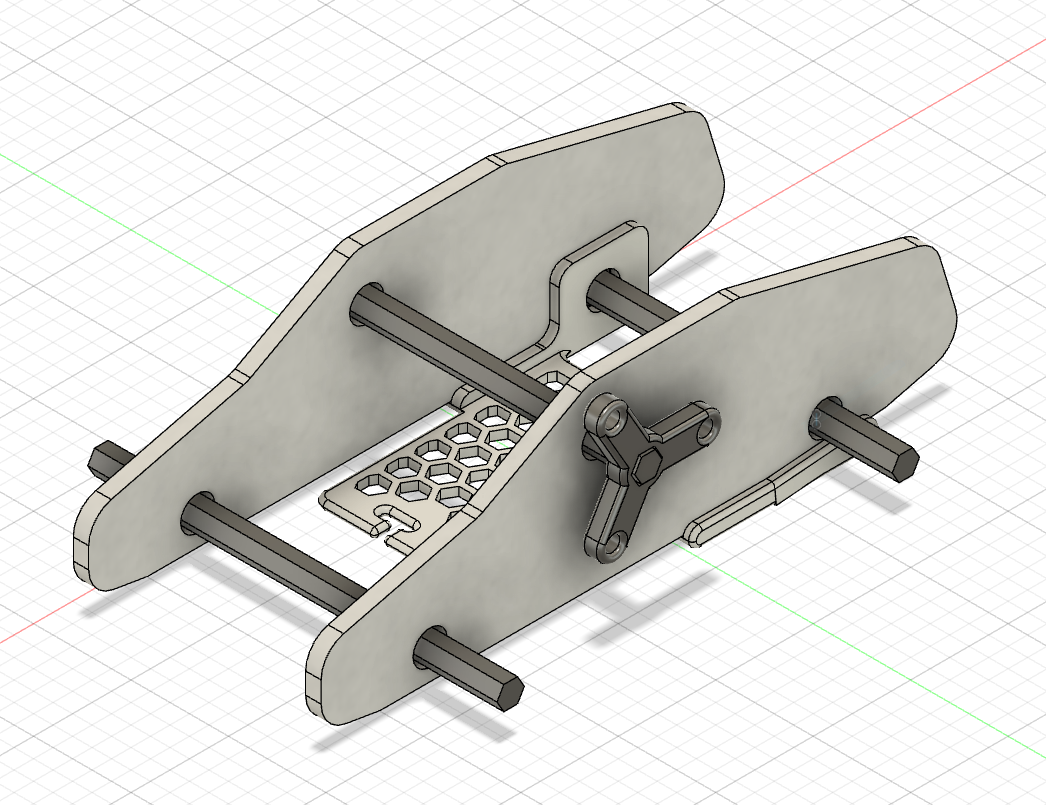
(Thank you to Anderson Keiser-Clark for contributing his Fusion360 design for the scissors sheath. We 3D printed these in flexible TPU (50% infill) and they offer a perfect grip.)

PrusaXL 3D printing a batch of scissors guards

PrusaXL 3D printing a batch of scissors guards

Fusion360 design for the scissors sheath.

Fusion360 design for the scissors sheath.


Alumni Reunion Weekend at the Makerspace

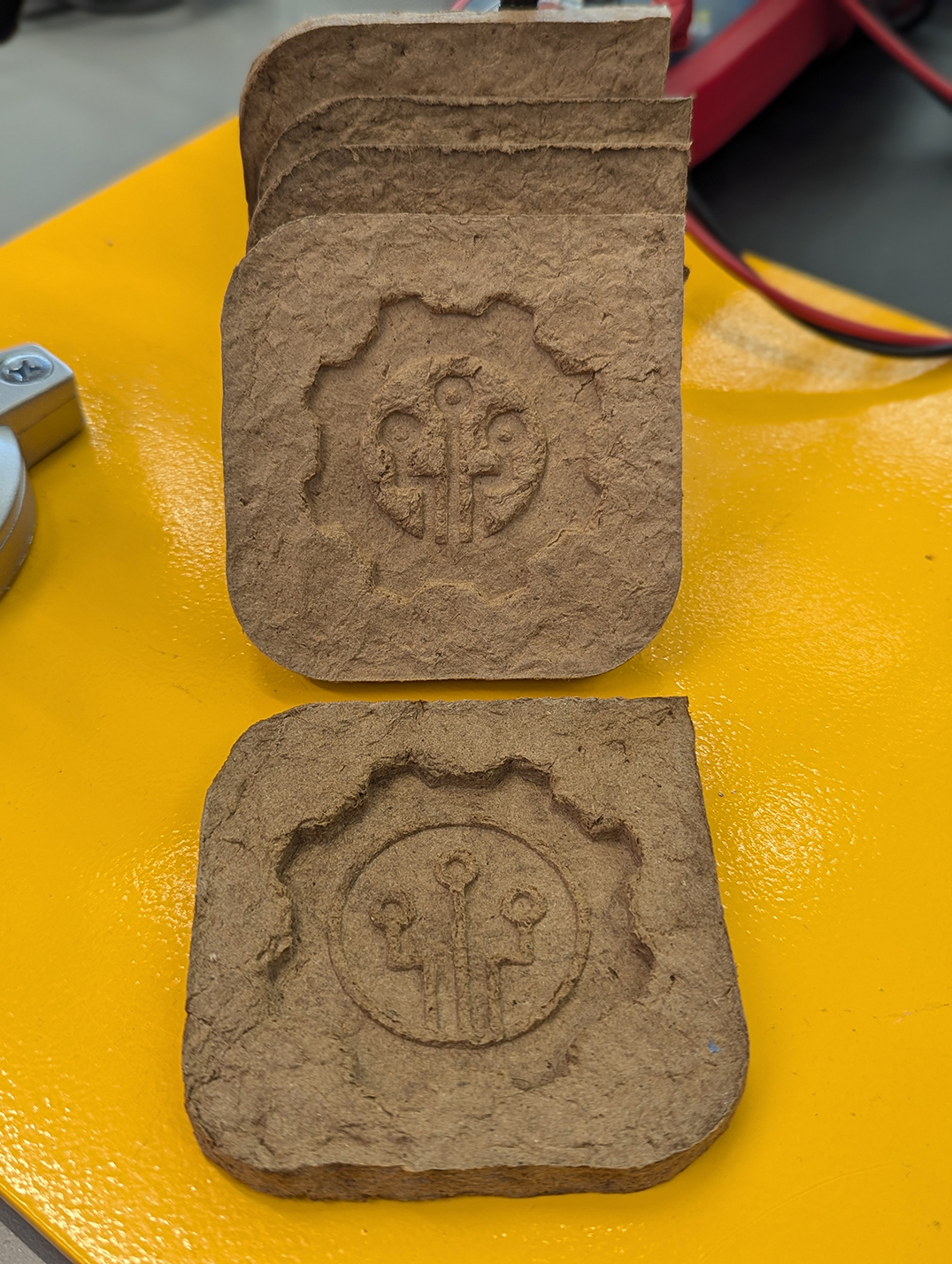
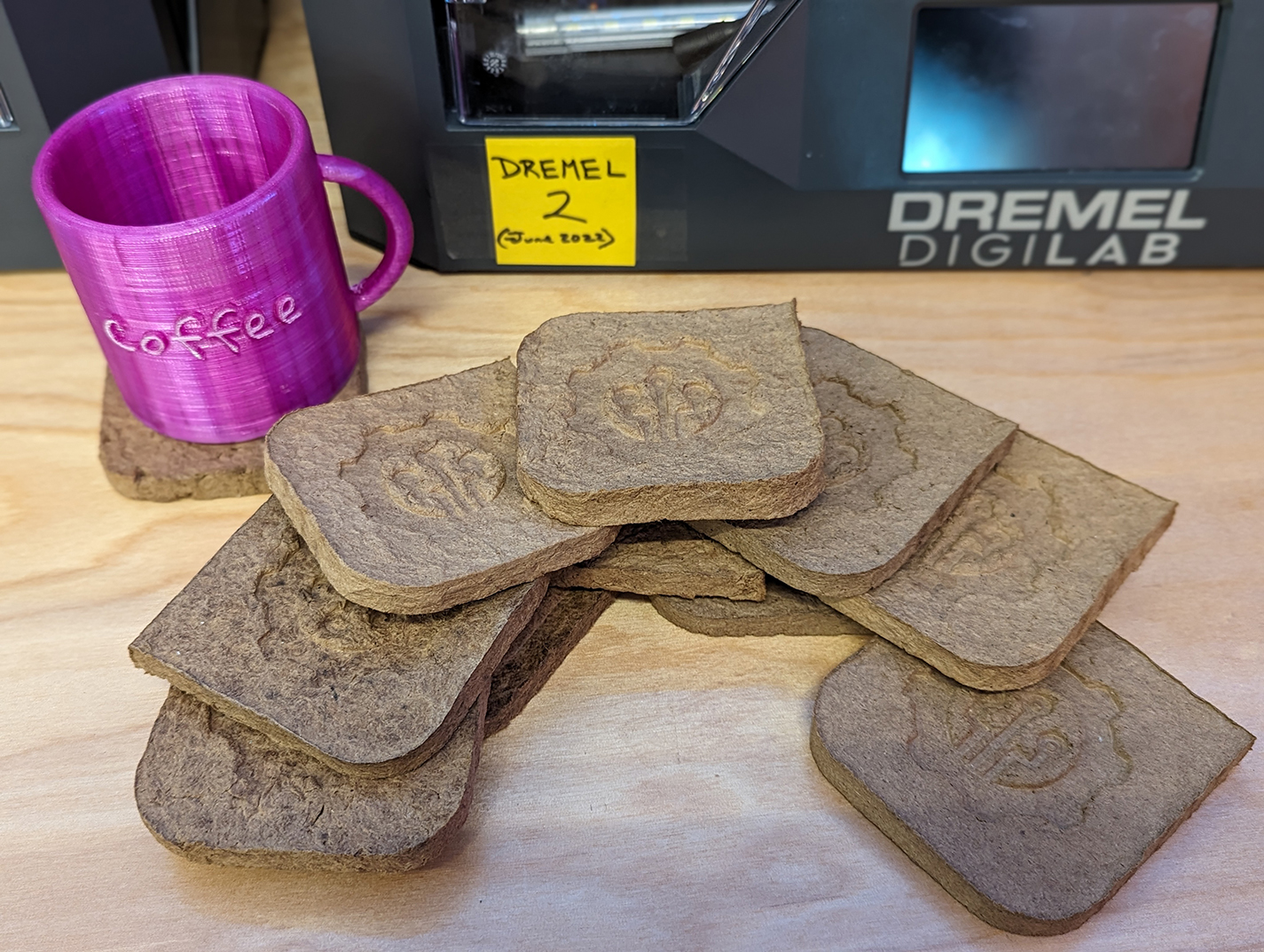
During the sunny and pleasant reunion weekend of June 7th and 8th, the Makerspace was bustling, offering tours and hands-on making experiences to over 200 Williams alums and their families. We prepared a hands-on project that would allow people to use 3D-printed molds to cast Makerspace-themed coasters, sourced from upcycled Amazon cardboard boxes. This fun experience allowed us to share and discuss an environmentally friendly DIY project that people could easily replicate at home. People can even create their own custom molds!

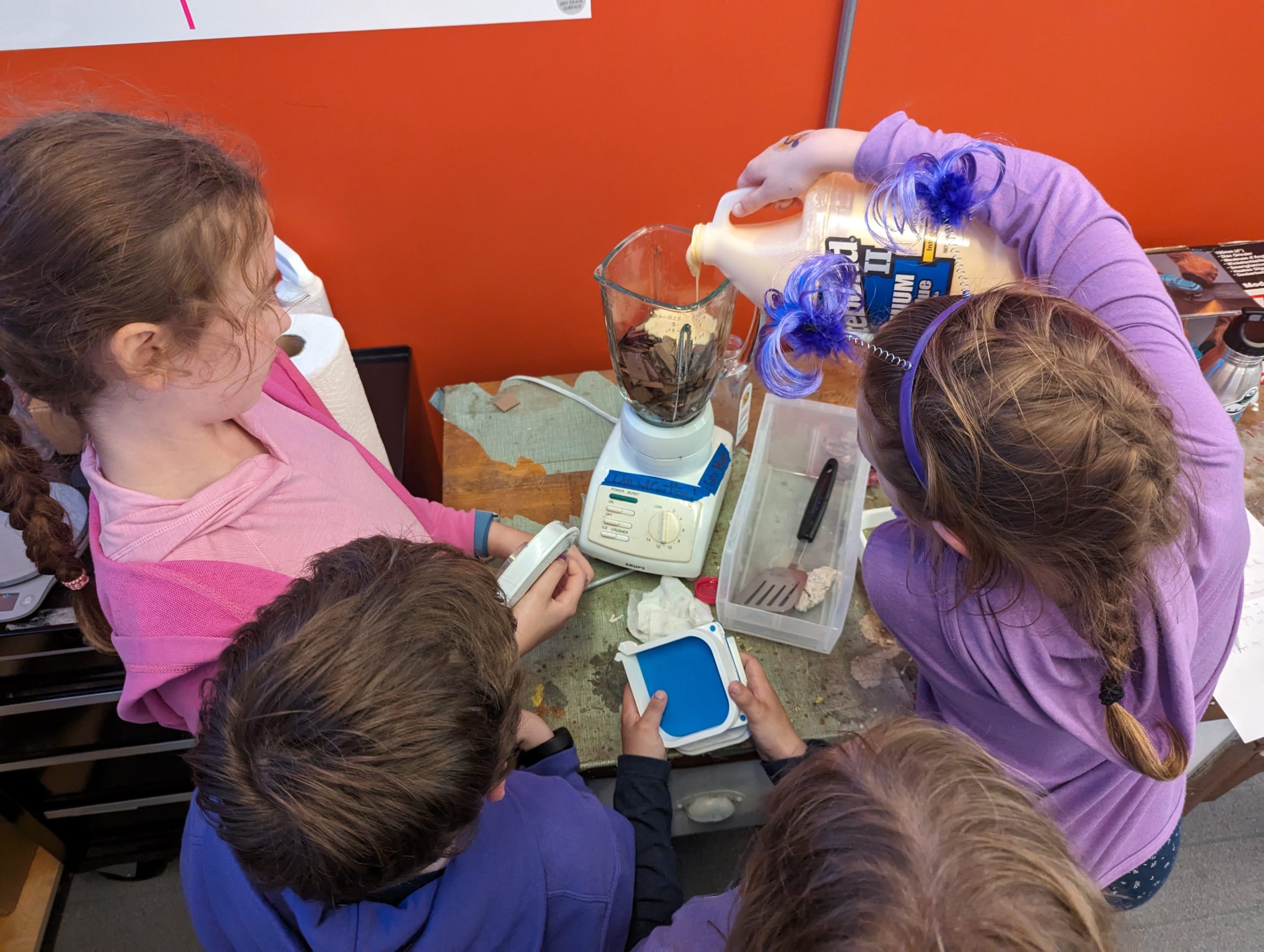
During the alumni reunion weekend, the kids seemed most excited to mix the ingredients, mold the pulp, and finally clamp the coasters. They also got to take home coasters that we had prepared (and dried!) ahead of time.

Alums in the Makerspace on June 7th, 2024

Alums in the Makerspace on June 7th, 2024

Recipe

  • Cardboard boxes (50g)
  • Water (170g)
  • PVA Glue (15g) (we used Titebond II woodworkers glue; Elmer’s white glue works, too)

Tools

Instructions

  • Cut the Amazon boxes into small pieces
  • Add into the blender: 50g of cardboard, 170g of water, and 15g of glue

    The kids were excited to mix the ingredients (cardboard, water, and glue)

    The kids were excited to mix the ingredients (cardboard, water, and glue)

  • Blend until it’s thick and looks like wet clay
  • Assemble the 3D-printed mold: we used and modified this Pulp-it model

    Kids took turns squeezing extra water from the pulp

    Kids took turns squeezing extra water from the pulp

  • Put the pulp in a cheese cloth and squeeze the excess water out
  • Fill the mold with the damp pulp
  • Press the pulp with your hands so that it is dense and evenly distributed in the mold

    And this is how you squeeze the clamps on the mold!

    And this is how you squeeze the clamps on the mold!

  • Attach the lid to the mold
  • Press the mold using a clamp
  • Let it dry for 24 hours
  • Carefully remove it from the mold and gently place it to dry in direct sunlight (or in front of a fan or heater vent) for about 6 hours
  • It should now be 100% dry and solid
  • Nice work!
Fusion 360 software: We ended up iterating and tried inverting the extrusion of our design. Which version do you like better?

Fusion 360 software: We ended up iterating and tried inverting the extrusion of our design. Which version do you like better?

The kids had a blast making the coasters while learning about how upcycling minimizes waste in our environment. This activity demonstrated how individual action, no matter how small, may collectively impact positive change.

A pile of upcycled coasters made by our alumni's children (from scrap Amazon boxes)

A pile of upcycled coasters made by our alumni’s children (from scrap Amazon boxes)

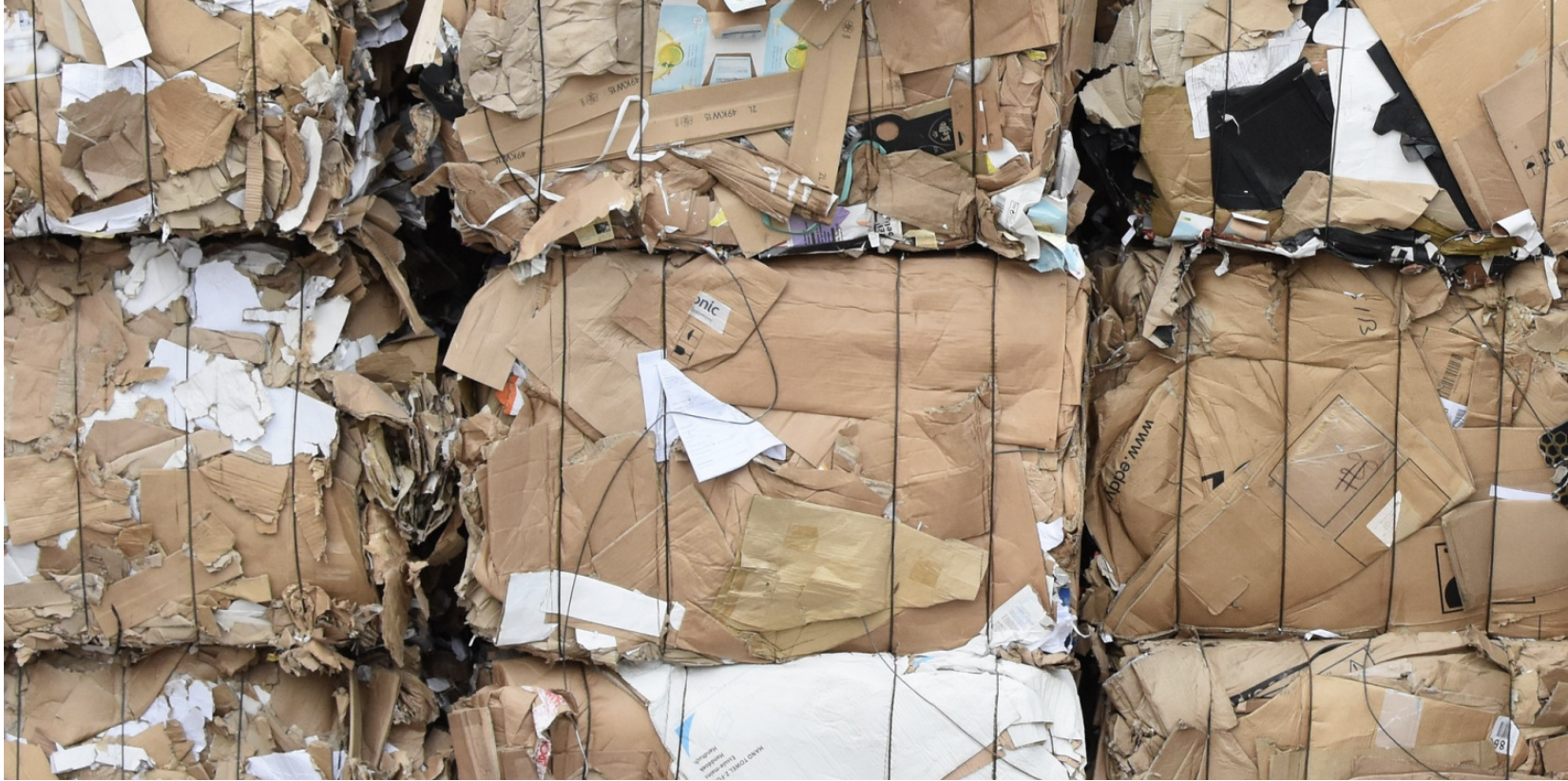
According to the Environmental Protection Agency

Packaging materials account for 28.1 percent of the total municipal solid waste (MSW), amounting to 82.2 million tons of generation in 2018. This amount poses a high environmental risk and requires systemic and individual actions to mitigate the risks.

A pile of Amazon boxes

A pile of Amazon boxes

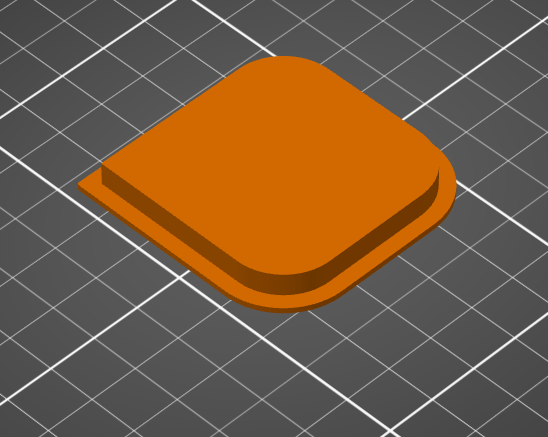
We were inspired by this Pulp-it project, and then we modified their open-source parts by using Fusion 360 software to add the Makerspace logo onto the coaster. To do this, we added an image of the logo and then extruded (raised) it about 8mm. To minimize waste, we tested our prototype models by printing it at 15% of the actual size. 

Fusion 360 software: Before adding our logo

Fusion 360 software: Before adding our logo

Fusion 360 software: After adding our logo

Fusion 360 software: After adding our logo


Sustainable 3D Printing at Williams College (Part 2)

Polyformer Updates

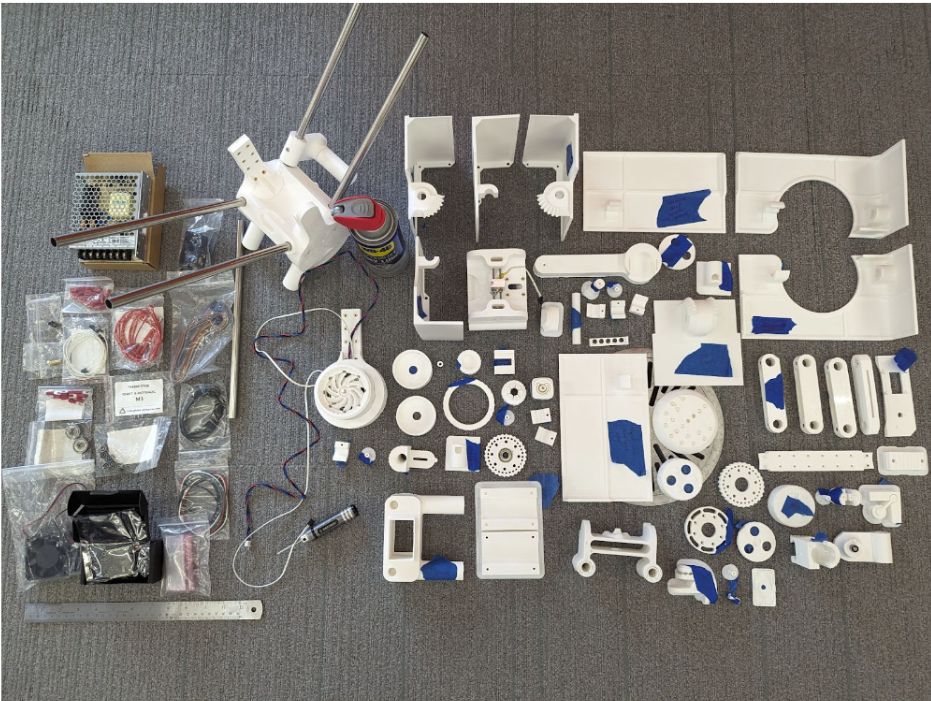
Polyformer 3D printed parts and electronics ready to be assembled.

Polyformer 3D printed parts and electronics ready to be assembled.

My name is Camily Hidalgo Goncalves, and I am a sophomore at Williams College majoring in Chemistry with a Neuroscience concentration. As a Makerspace student worker, I have recruited Milton Vento ’26, Tashrique Ahmed ’26 (both Computer Science students at Williams College and fellow Makerspace student workers), and Oscar Caino ’27, a student at Swarthmore College who is a prospective Engineering major, to assist me in assembling the Polyformer parts and electronics. We have completed several milestones, and made significant progress on the Polyformer project at Williams College. This innovative project aims to upcycle waste plastic bottles into locally-sourced 3D printer filament.

Assembly and Integration

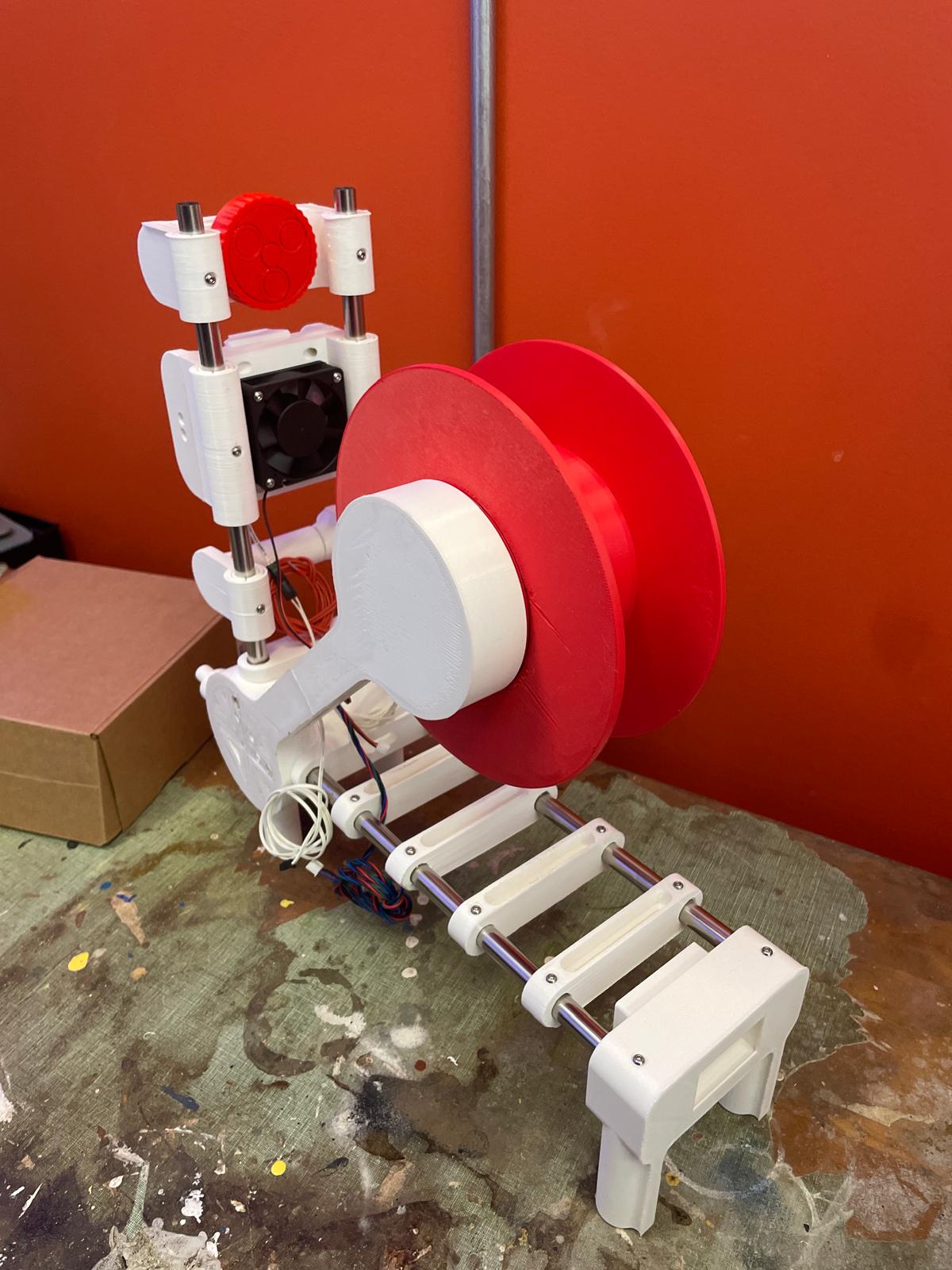
The assembled Polyformer

The assembled Polyformer

Milton, Oscar and I worked together to assemble the 78 individual 3D-printed parts required for the Polyformer. This intricate process demanded precision and teamwork. Following the assembly of the physical components, I assisted Tashrique with integrating the electronics. This included the installation of a circuit board, LCD screen, volcano heater block, stepper motor, and various sensors and wiring. These components are essential for the Polyformer to function effectively, converting plastic bottles into usable 3D printer filament. 

Collection and Processing of Plastic Bottles

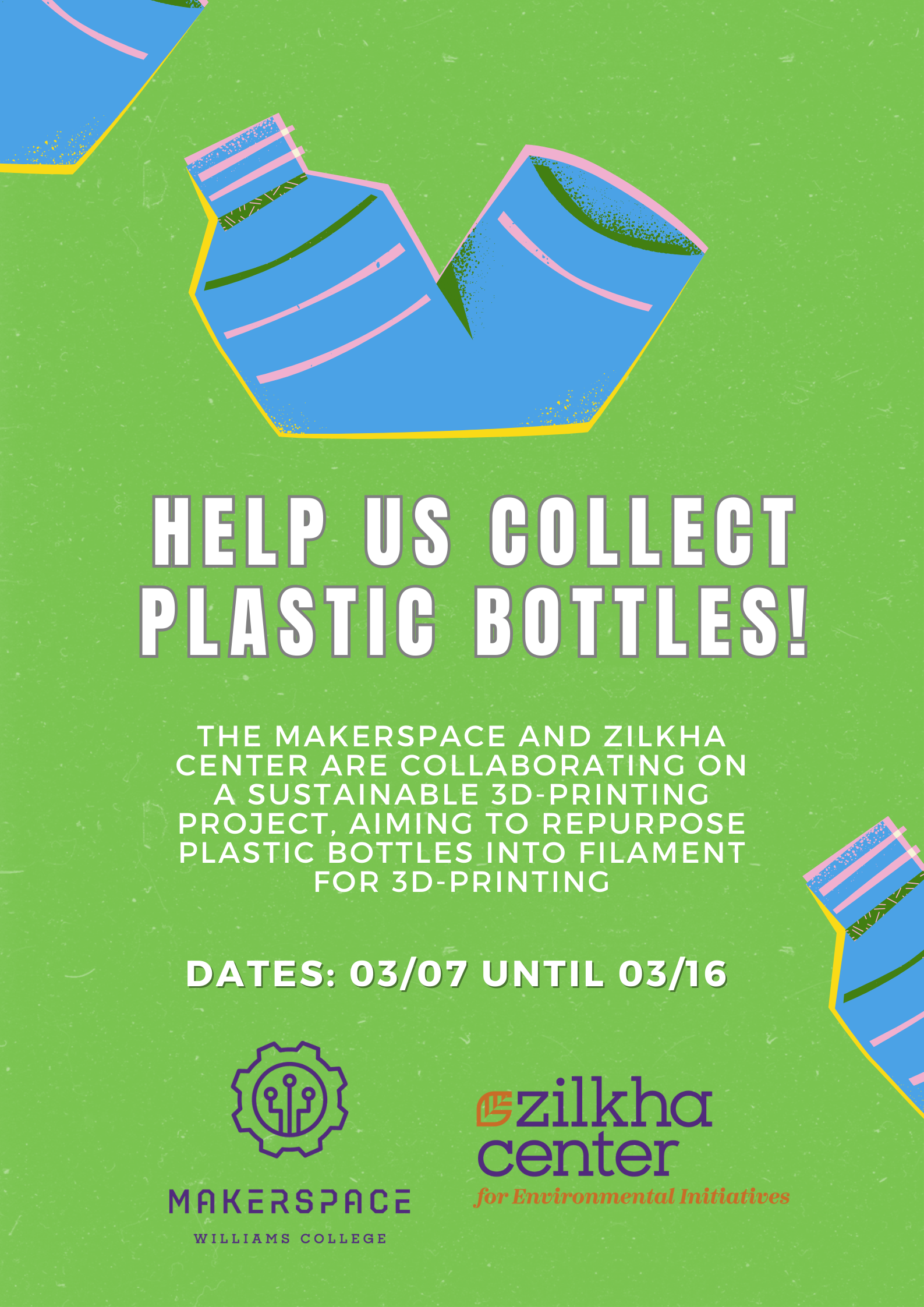
Plastic bottle collection poster.

Plastic bottle collection poster.

In preparation for testing, we collected approximately 75 plastic bottles. These bottles were contributed by the Williams College community, demonstrating a collective effort to reduce plastic waste. Elena Sore ‘27, a prospective Computer Science major and Makerspace student worker, and I worked on the initial step in the processing phase, which involved us cleaning the bottles and cutting them into long, consistent ribbons. These plastic ribbons will then be fed into the Polyformer, where they will be melted and extruded into filament.


Testing and Quality Assurance

Next fall semester we will begin rigorous testing to ensure that the Polyformer operates smoothly and produces high-quality filament that meets the required standards for 3D printing. Several tests will be conducted, including:

  1. Durability Testing: Assessing the strength and flexibility of the produced filament.
  2. Consistency Testing: Ensuring the filament has a uniform diameter, which is crucial for reliable 3D printing.
  3. Compatibility Testing: Verifying that the filament performs well with various 3D printers and printing conditions, while accommodating different material thicknesses from various brands of PET bottles.

Project Goals and Benefits

The Polyformer project aligns with Williams College’s sustainability goals and offers numerous benefits:

  • Waste Reduction: By upcycling plastic bottles, we reduce the amount of plastic waste that ends up in landfills or oceans.
  • Sustainability Education: The project serves as a hands-on educational tool, teaching students about the importance of repurposing and innovative ways to repurpose waste materials.
  • Local Impact: The filament produced will be used to create practical items such as plant pots and compost bins for the Zilkha Center for Environmental Initiatives, supporting local sustainability efforts.

Next Steps

We hope to create a sustainable cycle of converting plastic waste into useful products, while minimizing the environmental impact of plastic disposal. This project provides practical solutions to plastic waste,  and also serves as an educational tool, raising awareness about sustainability and encouraging innovative thinking in environmental conservation.

As we move forward, our next steps will be to refine the process and increase the efficiency of the Polyformer:

  1. Rigorous Testing: Thoroughly test the Polyformer to ensure it produces reliable and high-quality filament that meets 3D printing standards.
  2. Scaling Up: Increase the number of collected bottles and the quantity of filament produced.
  3. Educational Workshops: Host campus workshops to educate the broader community about the Polyformer and the importance of sustainable practices. We might seek to collaborate with the Williamstown Milne Library to host a workshop for local community members.
  4. Research and Development: Continue to improve the design and functionality of the Polyformer based on feedback and test results.

Acknowledgements

Assembling the Polyformer: Oscar Caino ‘27, a Swarthmore College student (left), and Camily Hidalgo Goncalves ‘26, a Williams College student (right).

Assembling the Polyformer: Oscar Caino ‘27, a Swarthmore College student (left), and Camily Hidalgo Goncalves ‘26, a Williams College student (right).

This project would not have been possible without the ongoing support and collaboration received. We are immensely grateful to our collaborators: David Keiser-Clark (Makerspace Program Manager), Milton Vento ‘26, Tashrique Ahmed ‘26 and Elena Sore ‘27 (Makerspace Student Workers), Yvette Belleau (Lead Custodian, Facilities), Christine Seibert (Sustainability Coordinator, Zilkha Center), Mike Evans (Deputy Director, Zilkha Center for Environmental Initiatives), and Oscar Caino ‘27 (Swarthmore College Student). Their expertise, guidance, and contributions have been invaluable to the progress of the Polyformer project.

Stay tuned for more updates as we continue to develop and test the Polyformer. Together, we can make a significant impact in reducing plastic waste and promoting sustainable practices at Williams College.

Truly-Local Internet: The PiBrary Project

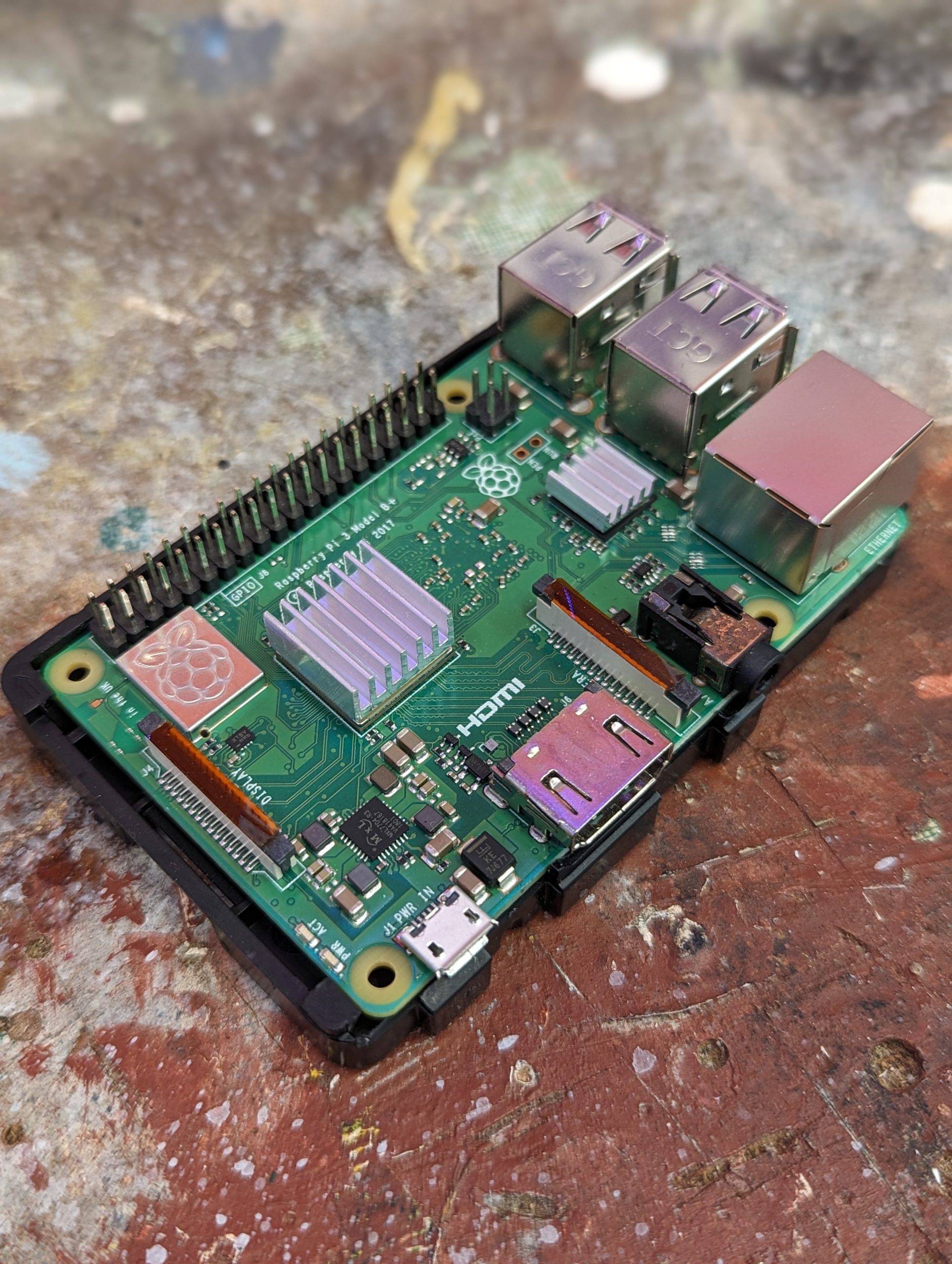
Figure 1: A Raspberry Pi 4 Model B

Figure 1: A Raspberry Pi 4 Model B

If a local organization has important information for its neighbors, is there a way it can broadcast directly to them without bouncing the data to Toronto and back? I grew up here in the Berkshires, and have recently joined the Office of Information Technology (OIT) at Williams. Thinking about Williams College’s commitment to community service and support, my project goal was to demo a low-cost, low-maintenance device which a local organization could use to easily broadcast information and resources over WiFi directly to nearby cell phone users through familiar, standard methods — (1) connecting to a WiFi network, and (2) navigating to a website address in a browser — without needing national or global infrastructure, or specialized equipment or technical skills on either side of the connection. Such an “internet-in-a-box” model could have useful applications in emergency scenarios, but also could provide curated information or resources digitally to multiple people in other specific, time-limited places and moments — for example, at a festival, workshop, teach-in, or other community event.

Figure 2: Wilmington VT, a mere 40-minute drive from Williams.

Figure 2: Wilmington VT, a mere 40-minute drive from Williams.

Let’s give this idea some real context. Imagine a small town in nearby southern Vermont – say, Wilmington. It’s late August, and a storm rips through, dropping 8 inches of rain in 24 hours, washing out roads and bridges, and knocking cell towers and internet infrastructure offline, leaving you without any connectivity for days. Local fire, rescue, and police services, town government, even your electric company, typically use websites, social media, and text messages to communicate critical information — but now, those methods don’t work. Where can you go for information regarding emergency food, shelter, medical care? Is the water safe to drink? When will power be restored? Where are the downed power lines and flooded roads? You’re both literally and figuratively in the dark.

No need to imagine: this actually happened in 2011, with Tropical Storm Irene. Superstorm Sandy in 2012 presented a similar case. And just this April, a single fiber optic cable damaged by a late-season snowstorm shut down Berkshire businesses for a day.

Truly local connections literally do not exist on the modern Internet. Are you on campus and want to view the williams.edu website? That data lives on a server in Toronto, and travels through 6 or 7 intermediary servers (including places like New Jersey and Ohio) before it lands in your cell phone’s browser (also producing 0.5g CO2 each visit). Under normal conditions, this globalized infrastructure is reliable, and has important benefits. But it’s useful to think about the edge cases. Climate change is bringing more unpredictable severe weather events. Rural areas like ours are often underserved by internet service providers (ISPs), which often have little financial incentive to invest in maintaining or expanding infrastructure.

This post offers a guide to creating your own DIY hyper-local webserver. If you can write a webpage (in plain HTML) and are open to my guidance in using a command line: follow along!

Required Equipment and Steps

Figure 3: Required hardware: Raspberry Pi 4 Model B, Power Supply, PiSwitch, and 32GB MicroSD card with Raspberry Pi OS installed.

Figure 3: Required hardware: Raspberry Pi 4 Model B, Power Supply, PiSwitch, and 32GB MicroSD card with Raspberry Pi OS installed.

I decided to build using a Raspberry Pi 4 Model B single-board computer. The Pi is about the size and weight of a deck of cards, and runs a version of Linux, an open-source operating system (OS).

There were two tweaks I determined were necessary to make the Pi ready to play the role I imagined. First: I needed to enable the Pi to act as a webserver, rather than a desktop. Second: I needed to adjust the Pi’s built-in WiFi connection to broadcast, rather than receive, a WiFi signal.

Tweak 1: Webserver Setup

Globally, 30% of all known websites use Apache, an open-source webserver software launched in 1995. I installed Apache on the Pi through the command line, using the command:

sudo apt install apache2

Now, any content I wanted to broadcast to other users I could simply place into the preexisting folder at /var/www/html/. I wrote a home page, an “about” page, and created 4 subfolders loaded with some open-licensed content (PDFs, audio and video files). You can check out my content (and adapt it if you like!) at github.com/gpetruzella/pibrary.

Tweak 2: Adjusting WiFi to Broadcast

I then used the following on the command line to tell the Pi to broadcast as a WiFi hotspot:

sudo nmcli device wifi hotspot ssid <my-chosen-hotspot-name> ifname wlan0

(The Pi’s built-in WiFi device is named “wlan0”; I chose to name my hotspot “pibrary”.)

Now, the Pi was broadcasting a WiFi hotspot, which other devices would be able to see and connect to. But… I wanted to make sure this happened automatically every time the Pi was switched on. To accomplish that, I needed to find the new hotspot’s UUID, then use that in one final configuration step. I found the hotspot’s UUID by running:

nmcli connection

This displayed a table with multiple rows: I found the “pibrary” row and copied its UUID. Then, I ran:

sudo nmcli connection modify <pibrary’s UUID> connection.autoconnect yes connection.autoconnect-priority 100

With this modification completed, simply switching on the Pi will automatically start broadcasting a WiFi signal (as a “hotspot” or source), with no extra steps.

Connecting from a Nearby Mobile Phone

screenshot of the homepage at pibrary.local.

Figure 4: Viewing the homepage at pibrary.local.

Now, the Pi was both “serving” webpages, and broadcasting a WiFi hotspot. Even without Internet — such as during power outages — any nearby user could find and connect to the WiFi hotspot on their phone… but what “web address” would they type in the browser to reach the content? The final piece of the puzzle requires knowing the Pi’s “hostname”. When I first set up my Pi, I gave it the hostname pibrary (just like the hotspot). The domain name

.local

is a special-use domain name reserved for local network connections. So, once a cell phone has connected to the “pibrary” WiFi hotspot, that user can type

pibrary.local

into the browser to reach the homepage I had set up in Tweak 1. Finding your own Pi’s hostname is as easy as entering the following on the command line:

hostname

Experiencing the Local Website

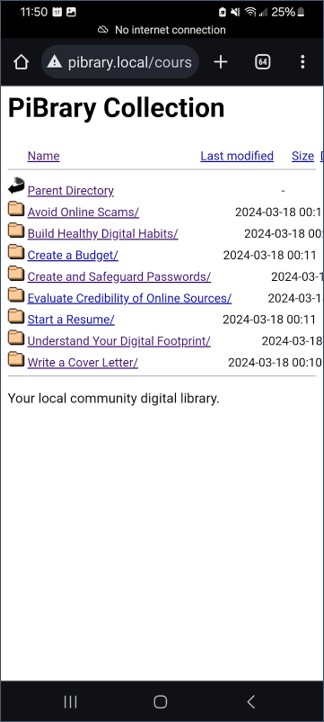
Below are a few screenshot examples of navigating the PiBrary resources from an Android phone.

screenshot of streaming an open-licensed video.

Figure 5: You can stream an open-licensed video.

screenshot: accessing directories of open-licensed learning resources.

Figure 6: You can access directories of open-licensed learning resources.

Figure 7: You can view PDFs.

Figure 7: You can view PDFs.

Challenges and Future Expansions

One limitation of this implementation is the range of consumer-grade WiFi: the maximum signal distance is roughly 90 meters under ideal conditions. The HaLow (802.11ah) standard offers up to 1km of range; but today’s consumer cell phones aren’t built to use that standard. One solution could use HaLow to send data from one Pi to another – say, one in town hall and another at a fire station (if each has an inexpensive HaLow module installed), with each one serving its own nearby neighborhood over standard WiFi. Alternatively, even off-the-shelf home mesh or WiFi “extender” hardware could improve the reach of this model without significant cost.

A second challenge: maintaining and editing content. My ideal use-case was for non-technical community members (e.g. in public safety or town government) to easily push information, announcements, etc. However, this demo succeeded because I knew how to edit and manage webpage content directly (i.e. by writing HTML). For a non-technical community member, using the bare Apache webserver this way could be a significant barrier to easy deployment or quick posting, especially in the environment of a public emergency. To address this, I would like to explore whether the YunoHost open-source server management application is compatible with the PiBrary project. YunoHost offers a very familiar and robust web editing interface, plus other possible additional services, such as email hosting.

In terms of sustainability, a lightweight Pi-hosted local site radically reduces the total carbon impact of each site visit, even taking into account the fact that Williams’ website is “hosted green”. A fascinating expansion of this project would be to use sustainable web design principles and standards as a standard part of the college’s digital presence.

Finally, privacy. Unlike ordinary internet browsing, which has many elements protecting and encrypting the flow of data, this demo creates a simple, direct, unencrypted WiFi network. (You may have noticed the “insecure alert” icon next to the address in some of the screenshots above.) In the absence of any technical trust guarantees, this setup is suitable only for very specific cases where the connection between server and client is based on human trust – like in a local community!

Thanks to David Keiser-Clark, Makerspace Program Manager, and to my colleagues on the Academic Technology Services team, for their support in developing this prototype.


TIDE Grant: Sustainable and Reusable STEM Learning Kits for Students in Under-Resourced 5th and 6th Grade Classrooms

Written by Divine Uwimana ’27 and Alice Sore ’27. 

Introduction

Our latest prototype of the car includes a winding mechanism, which will act as an additional modification of the base kit.

Our latest prototype of the car includes a winding mechanism, which will act as an additional modification of the base kit.

In an ideal world, students would have equal access to education, but that isn’t the case. While some schools have the latest learning technologies, hands-on opportunities, and all the funding they need, others are trying to give students the highest quality education they can without access to these resources. Worst of all, the schools negatively impacted are often in historically underrepresented communities, often ones with large populations of people of color, perpetuating a cycle of poverty. While brainstorming ways of helping our local communities as part of the TIDE Grant (Towards Inclusion, Diversity, and Equity Grant) proposal, providing more equitable access to STEM education was a clear way we thought we could make an impact. Building these STEM kits is a way we Williams students can use our education and access to help build up the community around us.

What is Hands-On STEM Education?

Hands-on STEM education uses physical interaction to provide real-world experiences that help reinforce the concepts being taught. While they can be helpful to the learning process, these experiences are often expensive. Whether it’s premade kits that can cost upwards of 40 dollars a student or involve costly field trips, these experiences often don’t fit within the budgets of schools. This disparity is critical to solve because studies have shown that hands-on learning opportunities help students retain what they learn better than standard learning methods such as lecturing. The problem is exacerbated in the education of younger students (K-6 range) because younger children’s lower attention spans can cause them to lose focus more quickly in the absence of active and experiential pedagogy.

This problem doesn’t only exist in a classroom setting. Many attempts have been made to bring hands-on learning to the home as supplemental education and homeschooling tools; however, cost is even more of a problem here. One of the largest companies currently producing these kits for home use is Crunch Labs. While they are similarly priced, averaging around $30 a kit, the requirement to purchase a monthly subscription typically results in costs of $300 or more per child. Also, Crunch Labs and other kits built for a home environment are often not reusable.

Access to hands-on STEM education is so important because high-quality STEM education improves students’ creativity and problem-solving skills. Research has shown that exposing kids to STEM in elementary school – especially between the first and third grades – provides students with the foundation they need to succeed in STEM-field careers. According to the research, U.S. adults with 1-2 years of experience in the workforce have reported the highest exposure to STEM concepts in elementary school. Between the ages of 5 and 8, 46% of this population experienced a STEM-related track in school and 53% of this population currently works in a job that is either entirely or heavily involves STEM – by far the largest percentage of any sector of jobs in the workforce. This suggests that exposing students to STEM at a young age captures their imagination and keeps them interested in science, technology, engineering, and math jobs early in their careers.

As student workers in the Makerspace, Divine Uwimana ‘27 and I, Alice Sore ‘27, met and collaborated with Paula Consolini, Adam Falk Director of the Center for Learning in Action, Tanja Srebotnjak (Director of the Zilkha Center for Environmental Initiatives), and David Keiser-Clark (Makerspace Program Manager). We identified a few critical criteria for STEM kits:

  1. Our STEM Kits need to be as low-cost as possible to produce. To ensure this, we must find creative ways to reduce material usage and implement supplies students may already have in their classrooms into the kits.
  2. We must design STEM kits to leverage existing lesson plans and learning requirements to ensure that the STEM kits fulfill the educational needs and standards set out by organizations like the Department of Education. 
  3. The STEM Kits must be designed to be reusable, durable, and sustainable, using sustainably sourced and produced materials wherever possible.

Brainstorming

Divine and I began the brainstorming process by researching existing STEM kits currently available on the market and how we might further improve them for our demographic group with respect to the aforementioned criteria. Since we both had little experience in the field beforehand, we wanted to understand better the design features other organizations used to create highly engaging STEM kits. Some of the qualities we observed that we believe we should replicate are listed below:

  • A good STEM kit is highly interactive. Parts of the kit, especially mechanical parts, should be designed so that students can visually see what is happening and how the action they are putting in is causing the final result.
  • A good STEM kit should not be a “one and done.” Ideally, a STEM kit will have multiple stages that allow students to build upon a product in stages, introducing new concepts or building on previous concepts.
  • A good STEM kit should be a manageable length. Even if students are having fun, dragging it out too long risks boring the students and causing the learning aspect to be ineffective.
  • A good STEM kit should be fun yet educational. This means balancing the kit to both be rich in academic concepts and interesting to keep them engaged.
  • A good STEM kit should encourage teamwork and cooperation. It should allow kids to work together to build their social skills while learning.
  • A good STEM kit should allow “trial and error.” It should enable the kids to learn from mistakes and thus build their problem-solving skills.
  • A good STEM kit should be simple yet visually complex. Just because the final mechanism is a complex contraption doesn’t mean the process of assembling it can’t be simplified and streamlined.
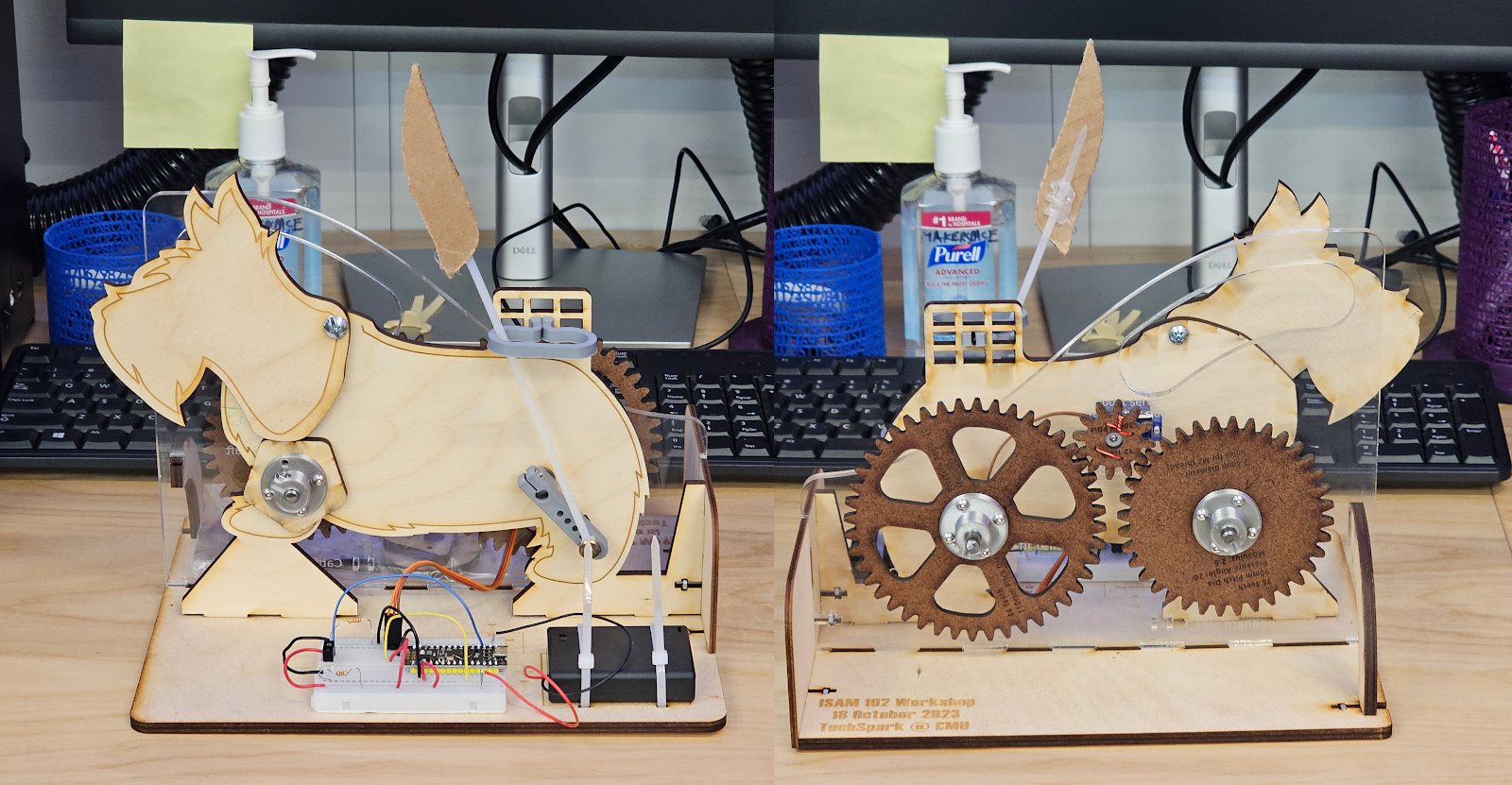
Front and back views of the mechanical scotty dog kit from Carnegie Mellon University.

Front and back views of the mechanical scotty dog kit from Carnegie Mellon University.

During our design process, we also got to experience assembling a STEM kit first-hand, specifically the mechanical Scotty dog kit we received from Carnegie Mellon University, courtesy of Professor Bill Nace and Professor Robert Zacharias. The materials used to assemble it are easy to manufacture, primarily made of thin sheets of wood and acrylic with 3D-printed plastic parts. The design is simple but very interesting; a single motor in the middle drives both the tail wagging on the back and the head bobbing on the front through a system of gears on the back. The head is made to bob up and down in a specific pattern through the radius of the spinning piece increasing or decreasing as it turns, creating a pattern of head movements that feels random. The tail spins on an arm and is locked upright using a bracket, making the tail wag back and forth with a simple spinning motion. Finally, all of this is controlled with a light sensor, allowing the user to control the speed of the motion by raising or lowering their hand above it. All these mechanisms combined to create a fascinating kit from a design standpoint, with a lot of interactivity and interesting mechanisms on display while being very quick for us to reassemble, even without instructions.

From this experience, we better understood how to design an effective STEM kit. Then, we started brainstorming ideas for STEM kits that we could create. At the end of this brainstorming, we ended up with three designs we wanted to develop further. The first is a model car, which would use a wind-up mechanism built by students to showcase the properties of potential and kinetic energy. The second idea is an energy kit expansion for the car, allowing students to electrify it while teaching them the basics of electricity and explaining renewable solar energy concepts. Finally, the third idea is a solar system kit, which would be focused on having students assemble a solar system model to teach about the planets in our galaxy and our place in the universe. With these initial ideas, we started prototyping the model car kit.

Prototyping the Model Car Kit

An initial prototype for the base car kit, giving us an idea of what the final product may look like.

An initial prototype for the base car kit, giving us an idea of what the final product may look like.

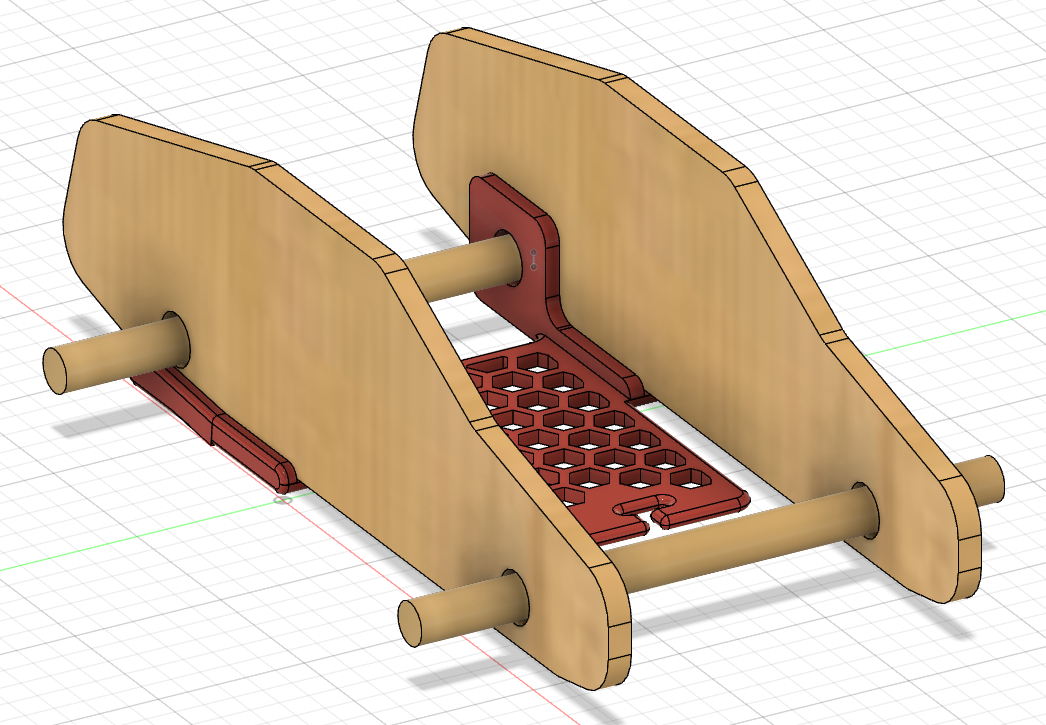
The main idea of our wind-up car kit was simple. But, as with many projects, it quickly evolved into a complex design with many digital iterations and three 3D printed prototypes. For this first design, a 3D printed base would connect the two cardboard sides and help support the back axle, which would wind up using a rubber band attached to it and the frame. Wooden dowels would act as axles and bottle caps as wheels, so when you pulled it back, the car would launch forward using energy stored in the rubber band. 

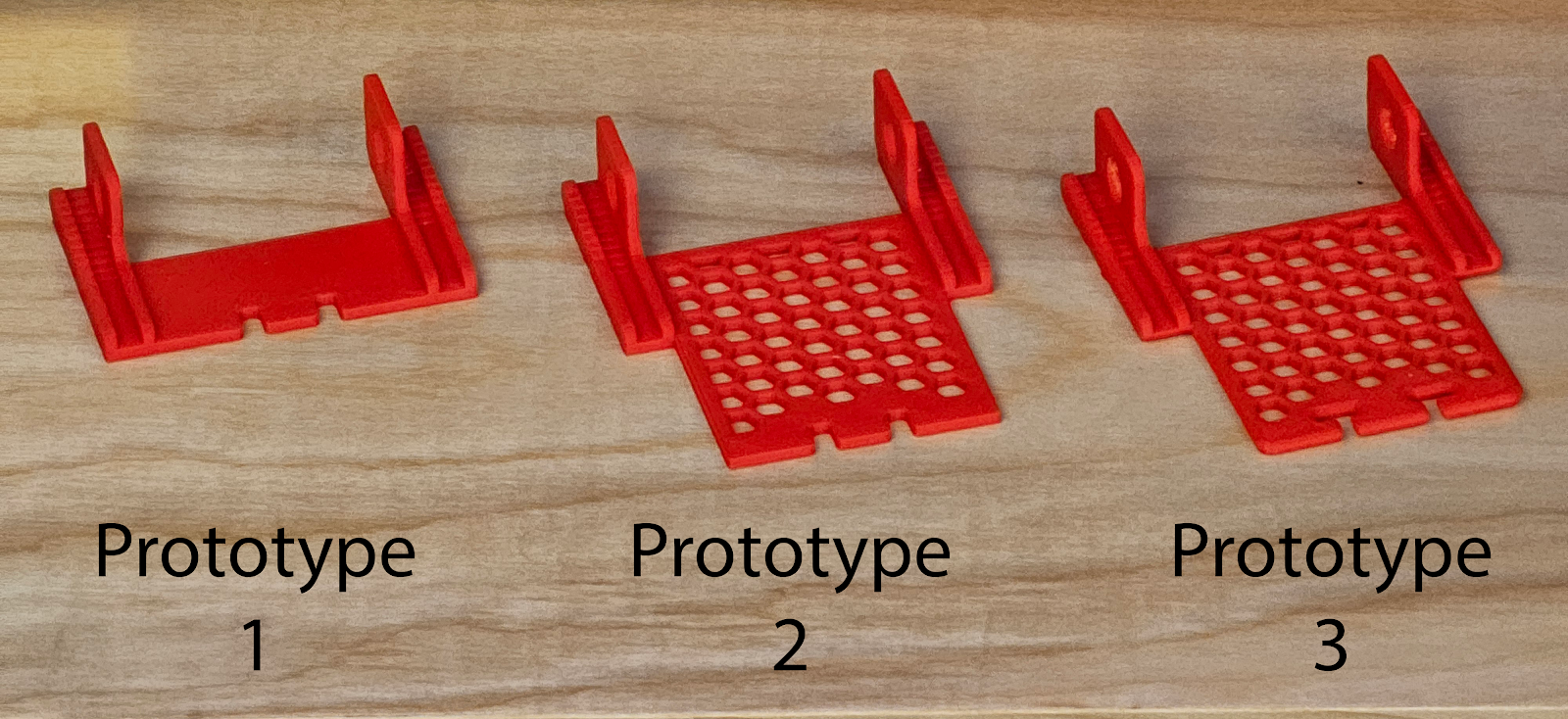
While this was a great initial idea, we encountered some problems. First, cutting out the sides made of cardboard proved difficult because two holes needed to be cut in the middle of it for axles. Ultimately, we decided that the side pieces should be replaced with laser-cut wood in the final design, which would be reusable and easier for kids to work with while providing more structural rigidity. Another issue we discovered was that the rubber band would stay on the axle instead of coming unhooked at the end, catching it, and abruptly stopping the car. Our solution was to move the hook point for the rubber band forward so it had enough energy to detach itself from the axle at the end. We also had to ensure this expansion didn’t use too much plastic, as we hope to create all the filament ourselves using recycled PET from locally gathered plastic bottles. We ended up using a honeycomb pattern, often seen in structures that use empty space to save material resources while retaining structural integrity, and by implementing this we were able to save sufficient plastic such that the larger prototypes consumed less plastic than our smaller initial prototype.

Our first three prototypes for the 3D printed base, showing how it evolved to meet the project's needs while remaining efficient in plastic usage.

Our first three prototypes for the 3D printed base, showing how it evolved to meet the project’s needs while remaining efficient in plastic usage.

For our third prototype, we rounded and smoothed as many parts as possible to prevent sharp points or edges that can occur in 3D printing. We also did this to prevent sharp points from catching or breaking the rubber band. Finally, we modified the slot at the front for the rubber band to help the car retain it, even after it detaches from the axle.

The biggest problem we ran into was not with the design of the base but with the kit itself. Our initial idea was interesting but violated one of our initial design rules. The kit was just one thing: assembling the car with the rubber band. If we wanted to make an exciting kit, we had to make at least one additional stage involving more engineering and differently demonstrating the concepts of potential and kinetic energy. 

While looking for inspiration, we stumbled upon a design by a maker named Greg Zumwalt for a 3D Printable Wind-Up Car that used a simple mechanism to limit the speed, allowing it to move farther and longer after windup as opposed to a design like ours, which simply went at top speed after release. Looking into this project’s mechanics, we realized that a similar design could be perfect to demonstrate the ways energy can be modified in the process of converting from potential to kinetic energy. So, to better understand how the mechanics worked, we downloaded the files and began printing them out to design a similar mechanism within the constraints of our model kit.

It was at this moment that the Office of Institutional Diversity, Equity, and Inclusion announced that our application for a TIDE grant was accepted and that our STEM kit project would be funded. 

Next Steps

Our next steps are to complete the second expanded energy source for our car prototype, align that with curricular concepts, and then meet later this month with an elementary school teacher to share our project and hear initial feedback. We plan to incorporate that feedback into the car prototype and then next meet with that teacher’s class and observe student reactions to utilizing it. As we continue to build several STEM kits, our theme will be to test, demonstrate, observe, seek feedback, iterate, and repeat. We hope these kits might have a significant impact on elementary students’ education in the Berkshires.

Whittle by Whittle: Envi Center Garden Signs 

When I was a prospective student, I recall my host bringing me near the Class of 1966 Environmental Center (“Envi Center”) to meet some of their friends. While passing through, I noticed a group of students picking apples from a tree and pulling weeds in the garden beds. As I took an apple from their bin and had a bite, I was incredibly overjoyed to see a garden after just having started one at my high school. Now, as a student and summer intern, I had the opportunity to see the hard work that goes into the maintenance to make the gardens a community space for all. This is why, when Christine Seibert, the Sustainability Coordinator at the Zilkha Center, reached out to the Makerspace for a project to make signage for the Envi Center gardens, I jumped at the opportunity to support this project!

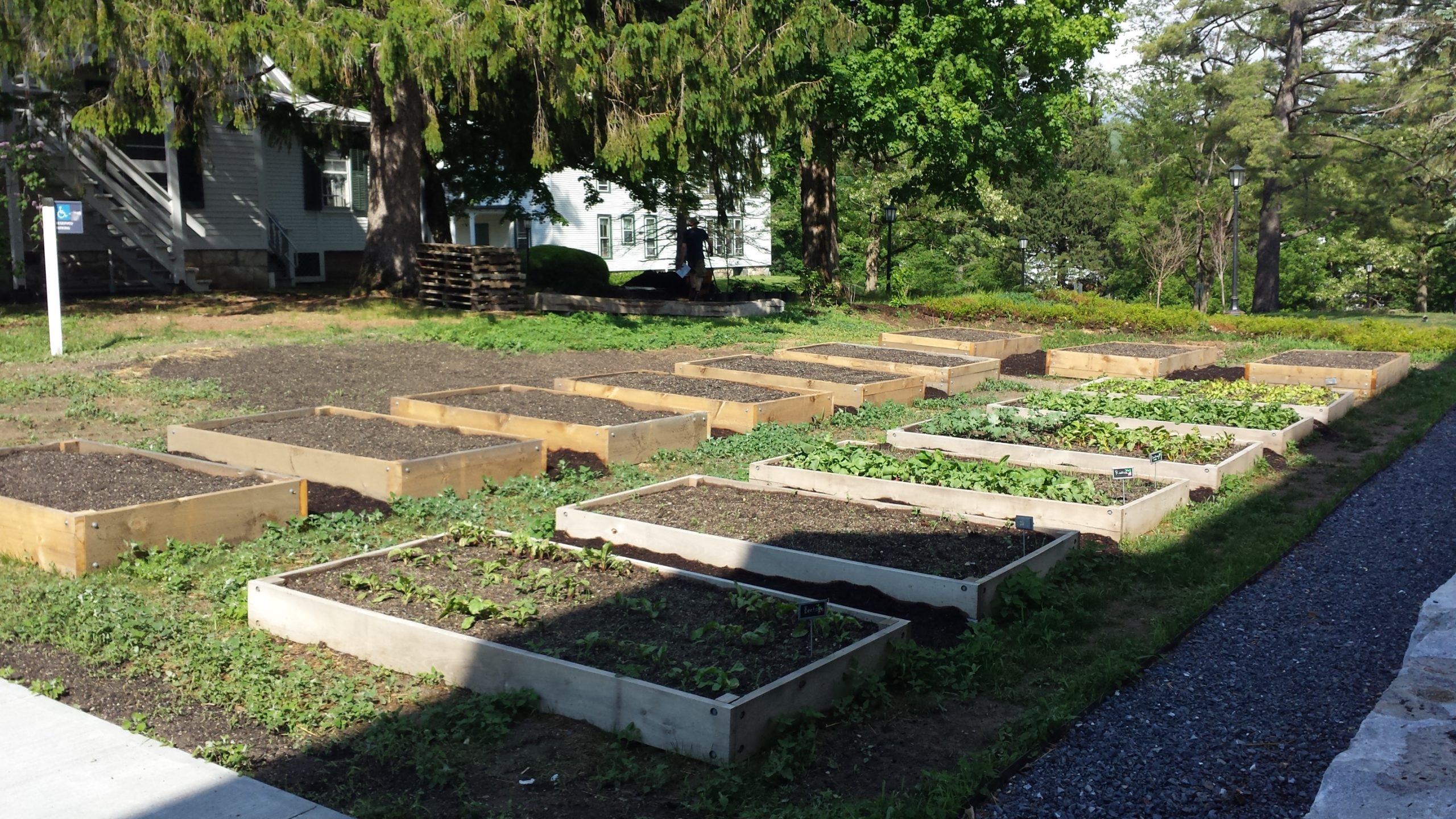
Garden Beds behind the 1966 Environmental Center

Pre-project photo of the Garden Beds (without signage) behind the 1966 Environmental Center

The garden beds are an integral part of the Envi Center. Under the Living Building Challenge certification, the building is required to operate as a net-zero energy and water space, with 35% of the surrounding land area in food production. The beds are supported by the Center for Environmental Studies (CES) and the Zilkha Center (ZC), and maintained by ZC interns and Williams Sustainable Growers (WSG). Additionally, Landscape Ecology Coordinator Felicity Purzycki advises overall orchard maintenance.

These gardens provide opportunities for community building, food production, and help teach students new skills. With these goals also come challenges. While talking to Christine about the signage project, she mentioned how garden interns already have a lot to do maintaining the gardens. This has made it difficult to find bandwidth to create signage about what is being grown and share meta information about the gardens. In addition, the current wood cookies used for signage are beginning to fade. For more than four years, the Zilkha Center has wanted a more permanent and prominent solution to identify and distinguish plants grown; this will also help ZC interns and other people to know what is ready—or not—to pick. The new signage will cover three areas: identifying the perennial and annual plants, teaching people how to use the gardens through the honorable harvest, and when certain items are ready to be picked. 

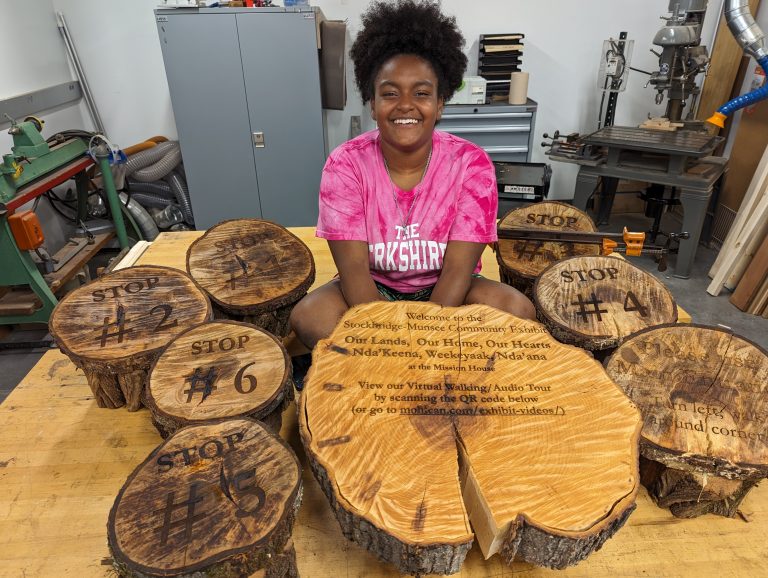
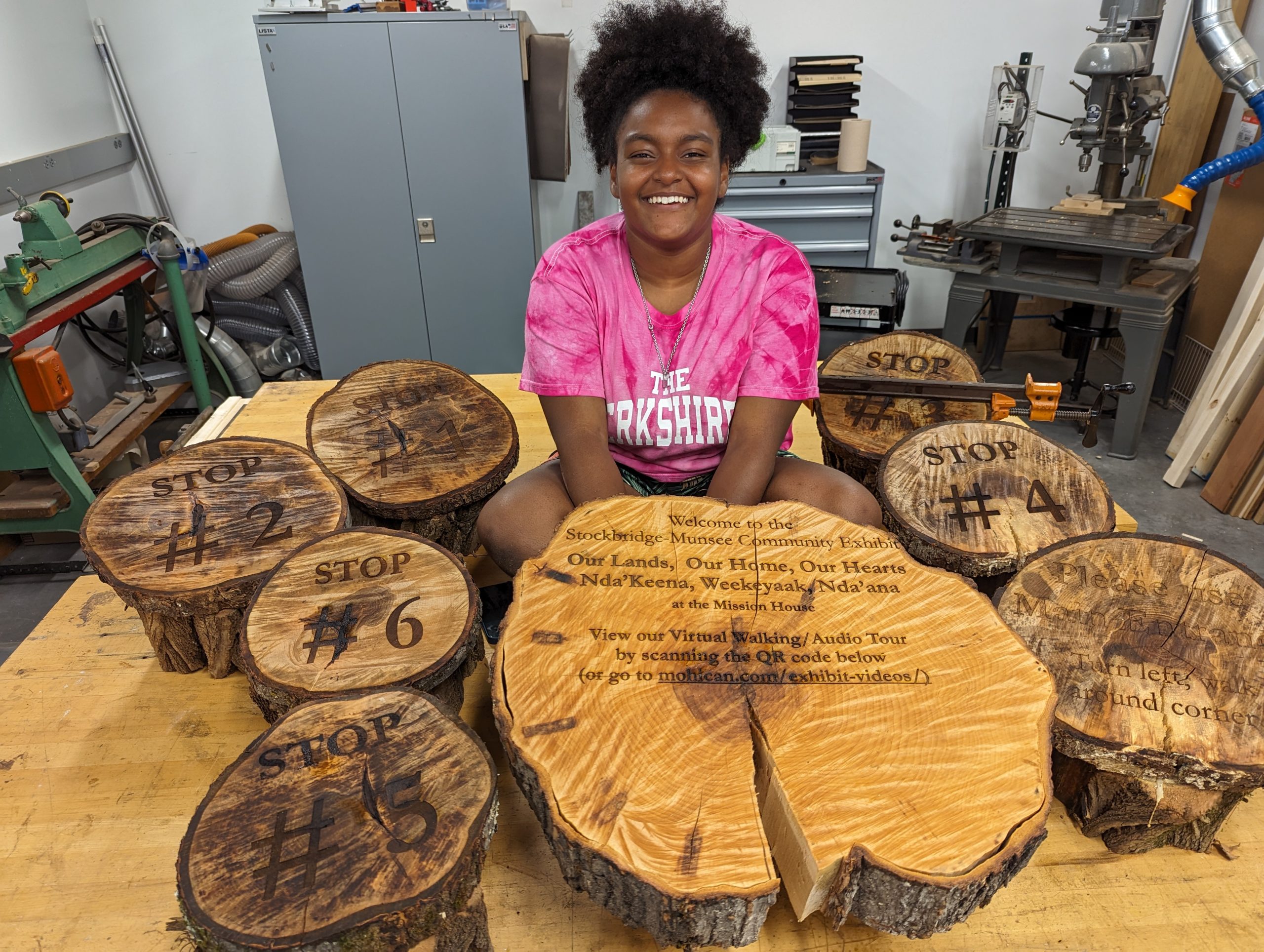
Yoheidy sits with her series of laser engraved wood slabs. She later added a laser engraved metal QR code label that directs users to the hosted video tour.

Yoheidy sits with her series of laser engraved wood slabs. She later added a laser engraved metal QR code label that directs users to the hosted video tour.

Inspiration was taken from a project recently completed by Yoheidy (Yoyo) Feliz ‘26, who engraved wood slabs to make signs for visitors going through the virtual exhibit tour at the Stockbridge-Munsee Tribe’s exhibit in Stockbridge. Those wood slabs were sourced from Hopkins Memorial Forest which is also where our project’s journey began!

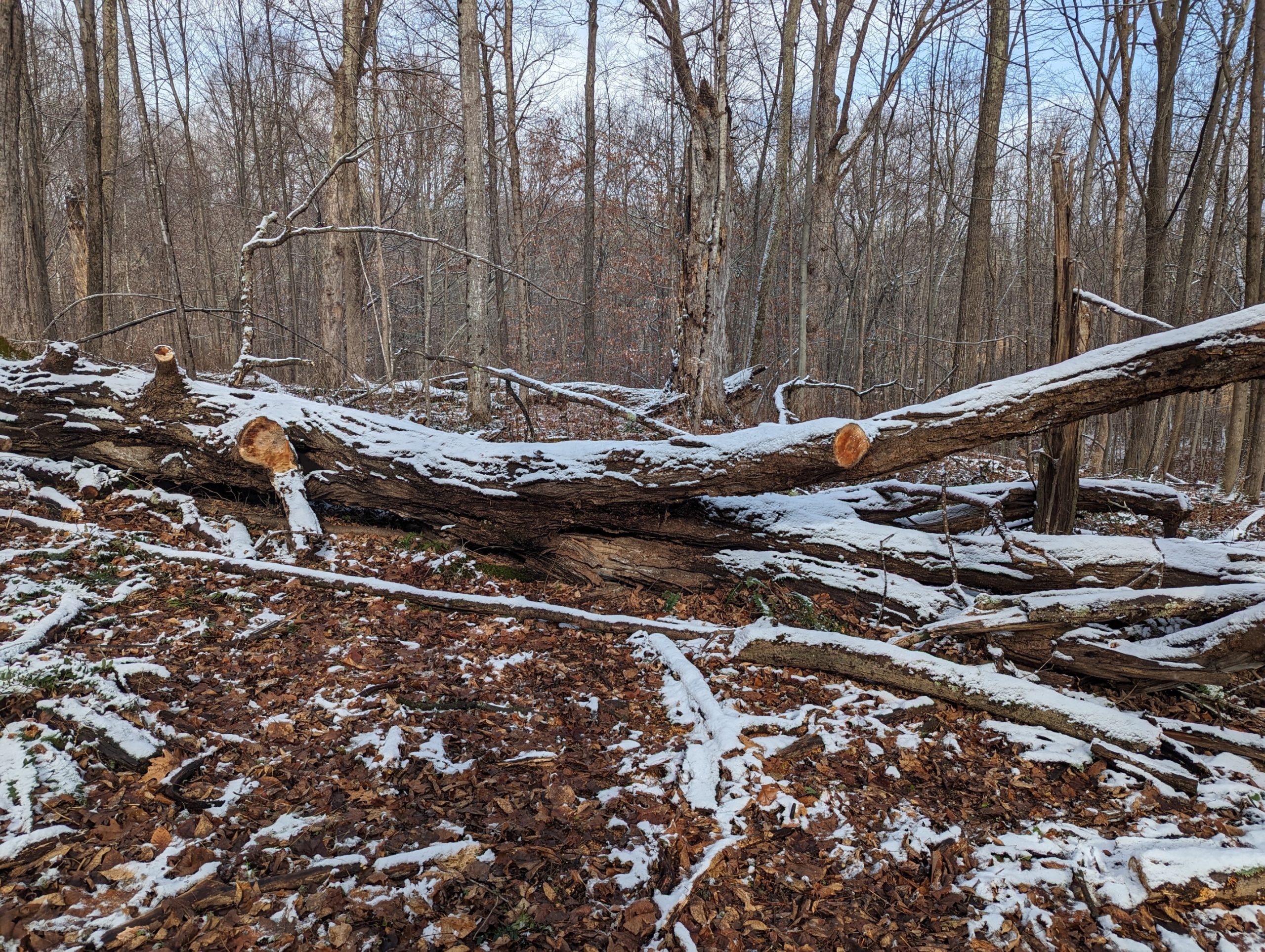
The sugar maple that provided logs for the signage

The sugar maple that provided logs for the signage

We received Sugar Maple logs claimed from the old grove across from the sugar shack with the support of Josh Sandler, Interim Hopkins Forest Manager. This tree fell two years ago, and had not yet been repurposed; the tree was part of the maple sugar grove that has a long history of being used for maple sugaring in Hopkins Memorial Forest. The logs were harvested with the help of a chainsaw by caretaker Javi Jenkins-Sorensen ‘25 who has a lot of experience in forestry.   

Logs into Lumber 

Sam Samuel '26 creating a temporary sled guide to saw logs into planks with bandsaw

Sam Samuel ’26 creating a temporary sled guide to saw logs into planks with bandsaw

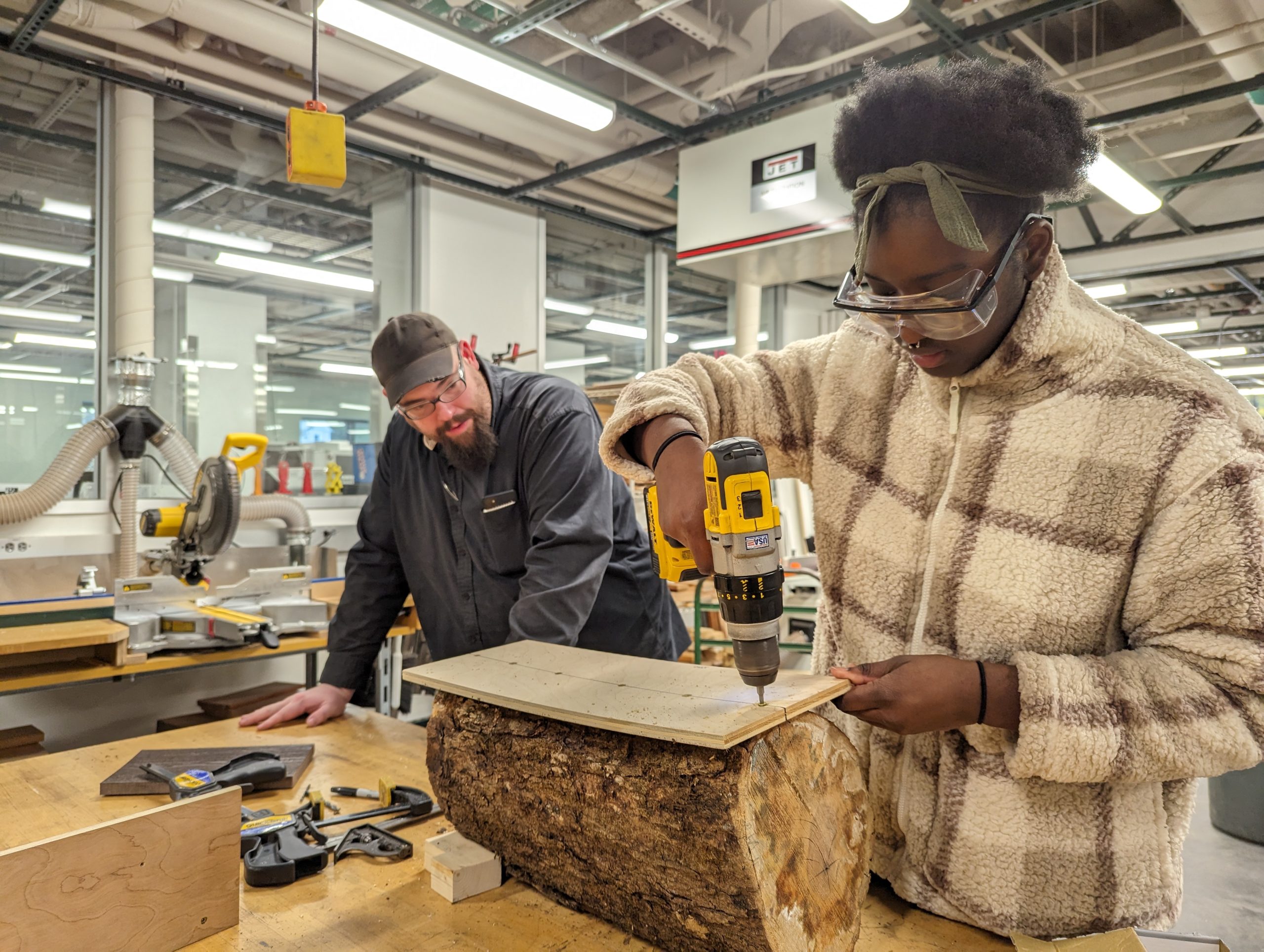
Once we received the logs, we had a series of sessions in the Williams Hopper Science Shop with Makerspace Program Manager David Keiser-Clark and Instrumentation Engineer Jason Mativi. Our goal was to mill the logs into 35 planks measuring 4″x20″ with approximately a 1″ thickness. We purchased cedar posts—that had formerly been telephone polls—locally from the Eagle Lumber sawmill in Stamford, VT. In the end, we were able to create exactly 37 planks, leaving us with precious little room for error.                

Given the unevenness of the natural logs received, the first step was to build a sled (a platform) that would stabilize each log as we sliced them into planks with the bandsaw. We affixed each log to the sled with a couple screws (carefully avoiding the path of the bandsaw blade), sliced to create a flat side, then rotated the log 90 degrees and sliced again. After making two contiguous flat sides, we were able to slice the log more conveniently by using the bandsaw fence and tabletop. 

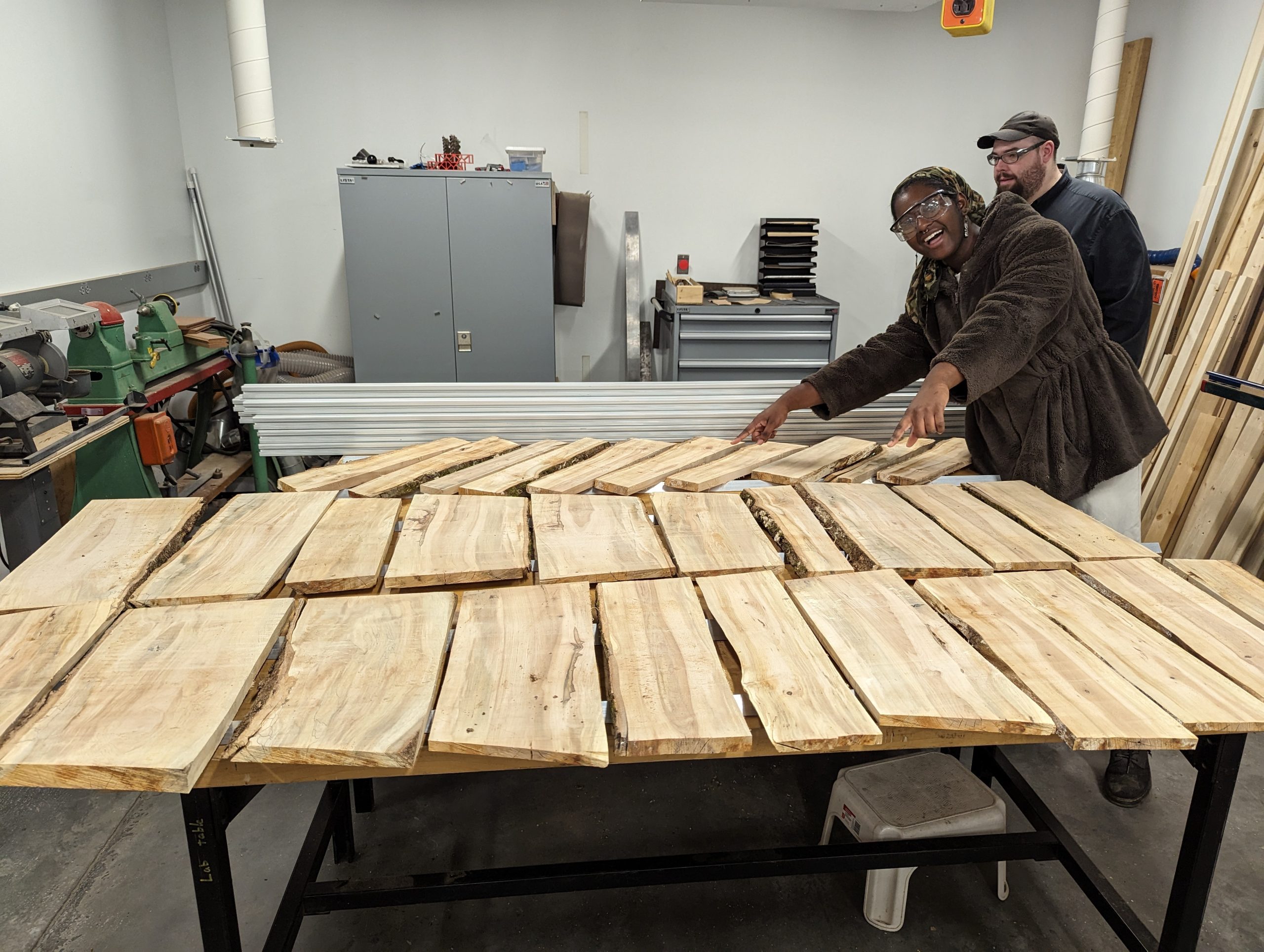
Completed lumber that was then left to dry for a week.

Completed lumber that was then left to dry for a week.

After cutting each plank, we let them dry for a week; this allowed them to shrink and to cup or curl (warp) a week. Before drying, the maple measured between 8 to 20% moisture content. Typically when letting wood dry, you want to stack your lumber with spacers to allow air flow to all sides, and allow it to dry for six months or more. Because we were short on time, we used spacers and placed weights on top of the stacks, hoping to aid them in drying flat. After a week of drying, we were able to visually see shrinkage and some warping. 

We then used the wood jointer to create one flat edge; this process created a nearly perfectly flat and square edge that was perpendicular to the wider section of the board. We then placed that flat edge against the fence of the table saw to create a second clean edge parallel to the jointed edge. We used the jointer again to create a nearly perfectly flat surface on the wide side of the board. Next we used the thickness planer to flatten the top face of the plank and be parallel with the bottom face. This work resulted in creating beautiful rectangular sugar maple planks that were both parallel and square. We repeated this process for each board.

Engraving

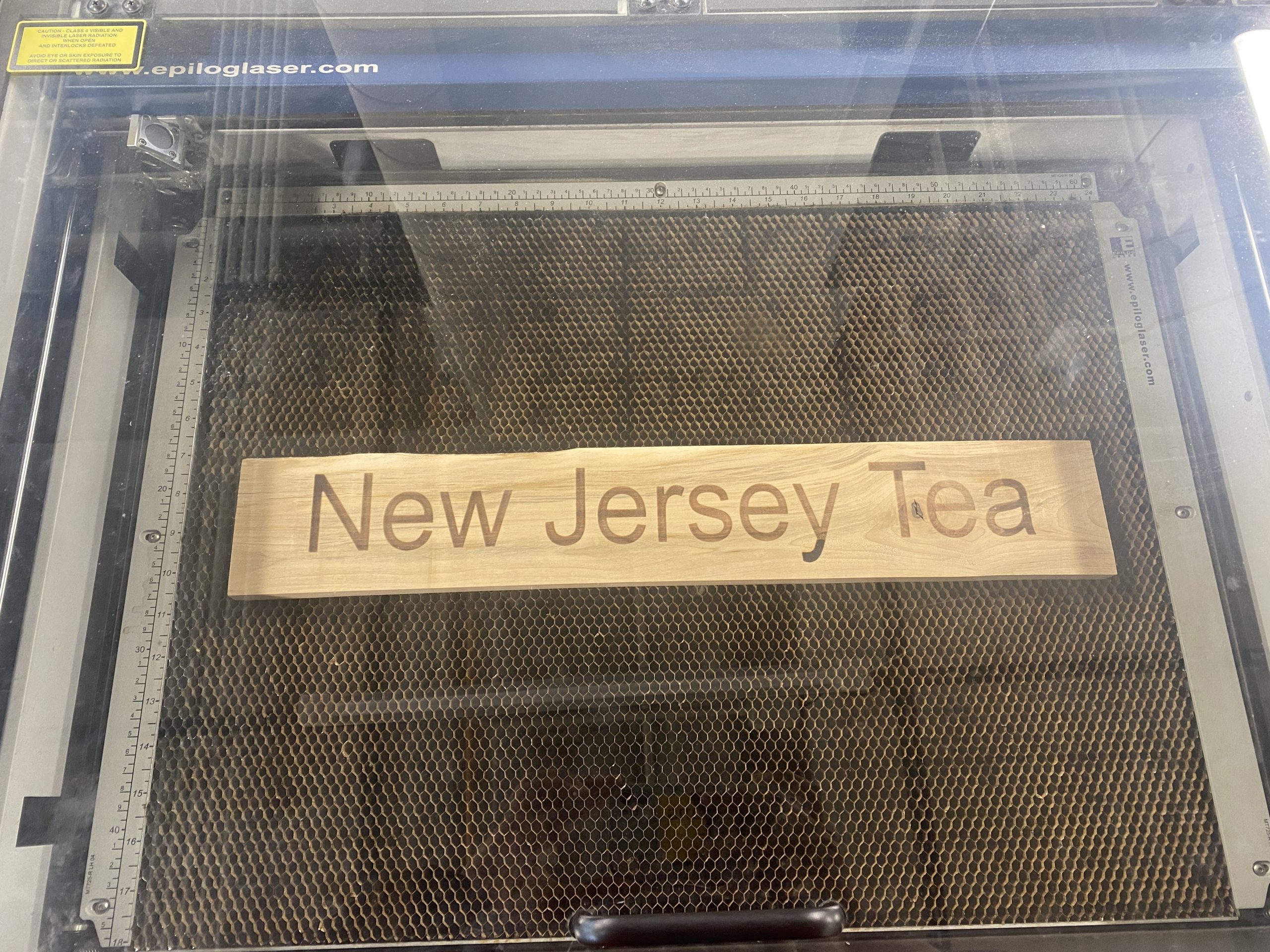
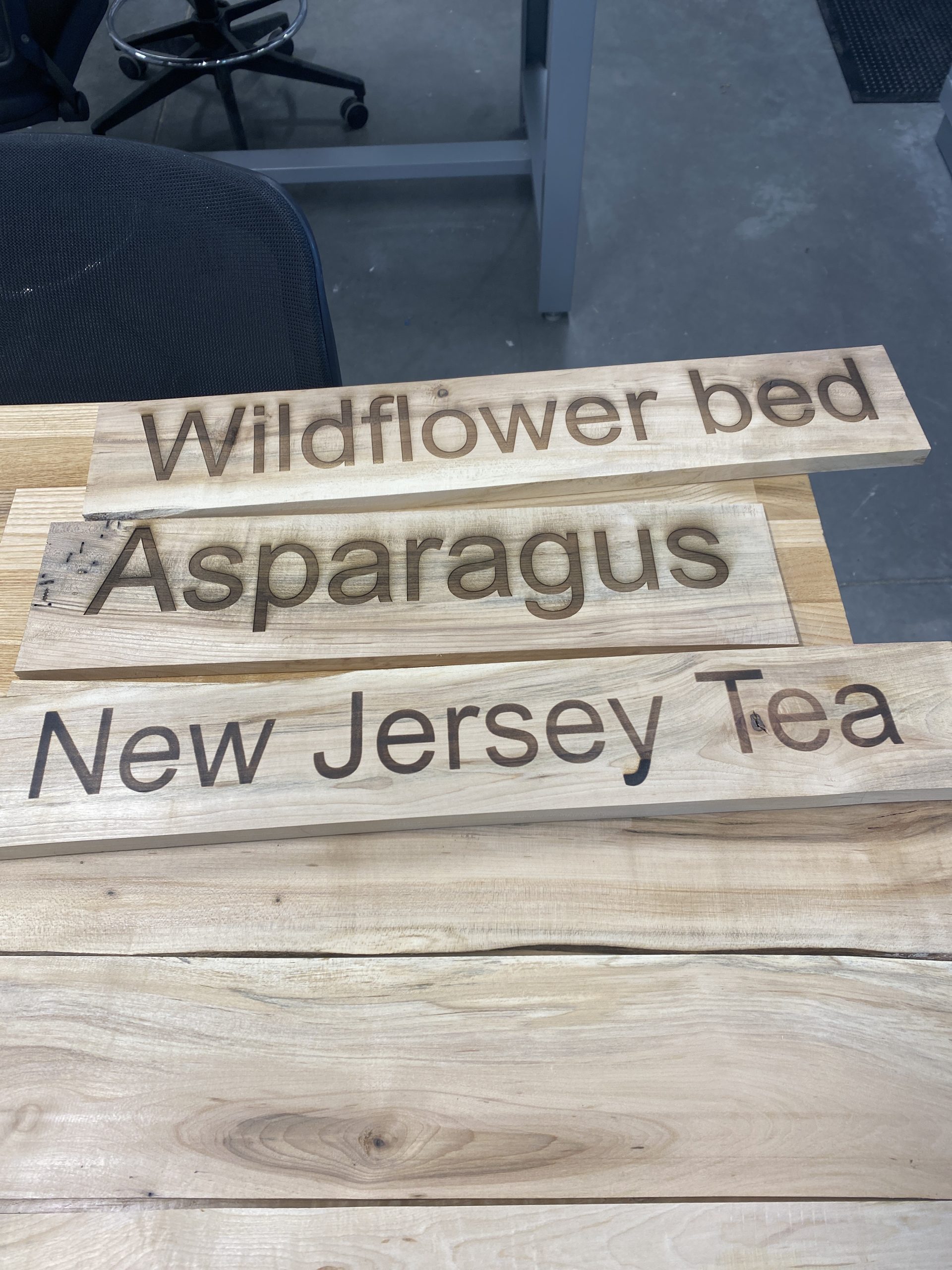
After we had jointed, sliced, and planed the maple logs into boards, Mativi and David taught me how to use the Epilog Laser Helix engraver to make a Welcome sign, informational signs for the Rain Garden, Solar Meadow, and Picking Sign, and also 31 plant identification signs. It was my first time using a laser engraver and I had to be conscious about placement, size, as well as laser power and speed. Using CorelDraw (software), I centered each sign’s text to the middle of the engraver platform, which ended up being 12 inches on the x-axis and 9 inches on the y-axis. I worried endlessly about placement and sizing so I first experimented on matboard. Despite my experimentation, I still had some underlying issues given varying thickness and placements that are evident in my very first attempts at engraving. Each laser engraving requires 15 to 20 minutes, and I often repeated that process two or three times to burn a deeper image into the wood.

Plank inside of Epilog Laser Helix after one round of engraving

Plank inside of Epilog Laser Helix after one round of engraving

First batch of completed planks for plants

First batch of completed planks for plants


Next Steps

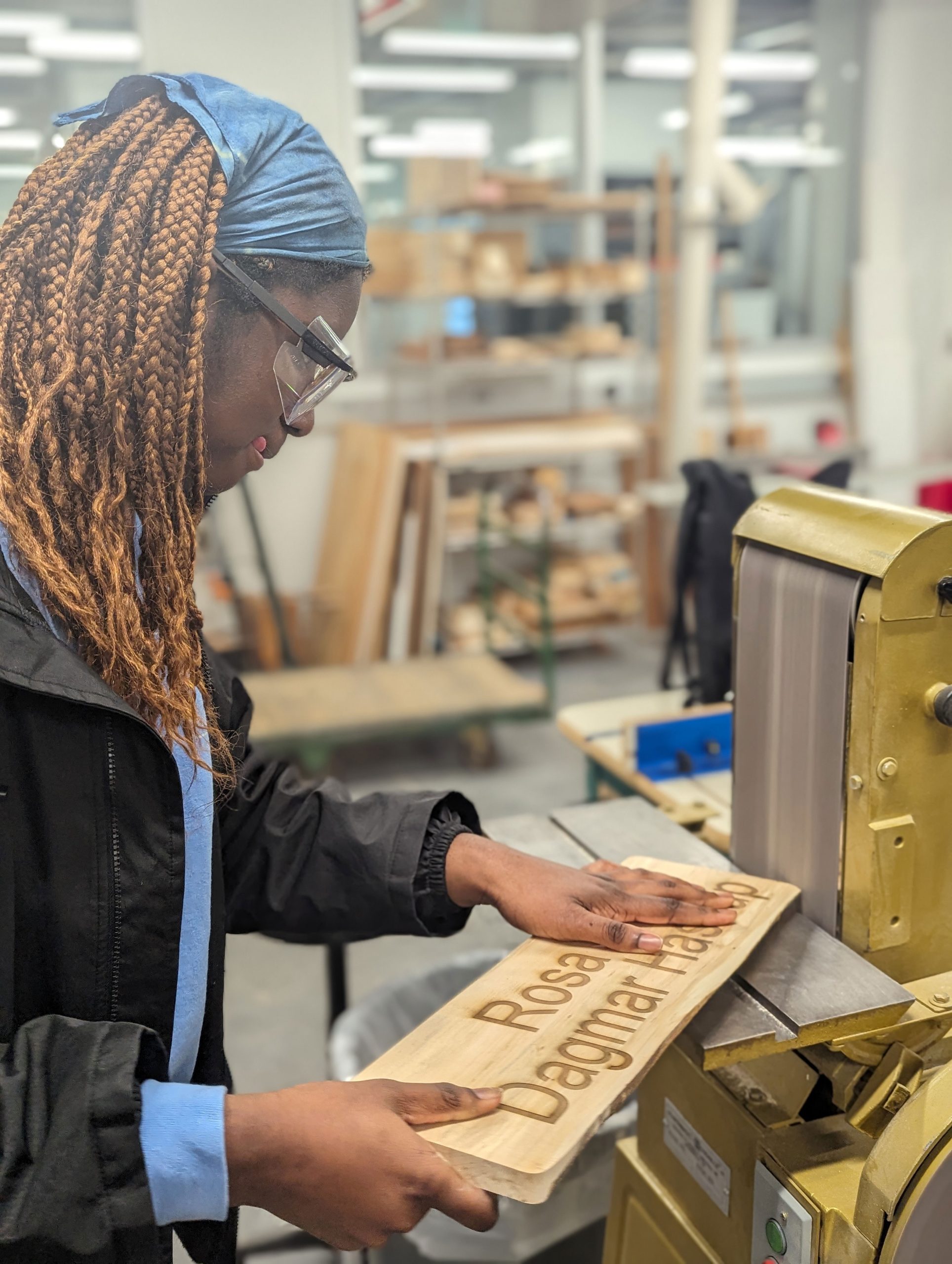
Sam Samuel '26 rounding corners with belt sander

Sam Samuel ’26 rounding corners with belt sander

I expect to complete laser engraving all of the signs within the next two weeks. The next step will be to affix the signs onto cedar posts; Jason Mativi has already cut those into 48” lengths including a spiked tip to make it easier to drive them into the ground. The final steps will include sanding the sharp corners and adding a 100% natural Walrus tung oil preservative to better show the grain and improve longevity. Because our wood is dry, we will increase the ratio of tung oil and Citra solvent from the standard 1:1 to instead be a 2:1 ratio (2 parts tung oil, 1 part citra solv) and then warm that mixture and add in beeswax (4:1 ratio of tung/citra to beeswax) for additional protection. It will be exciting to see the signs all over the Envi Center gardens! 

Postscript (May 2, 2024)

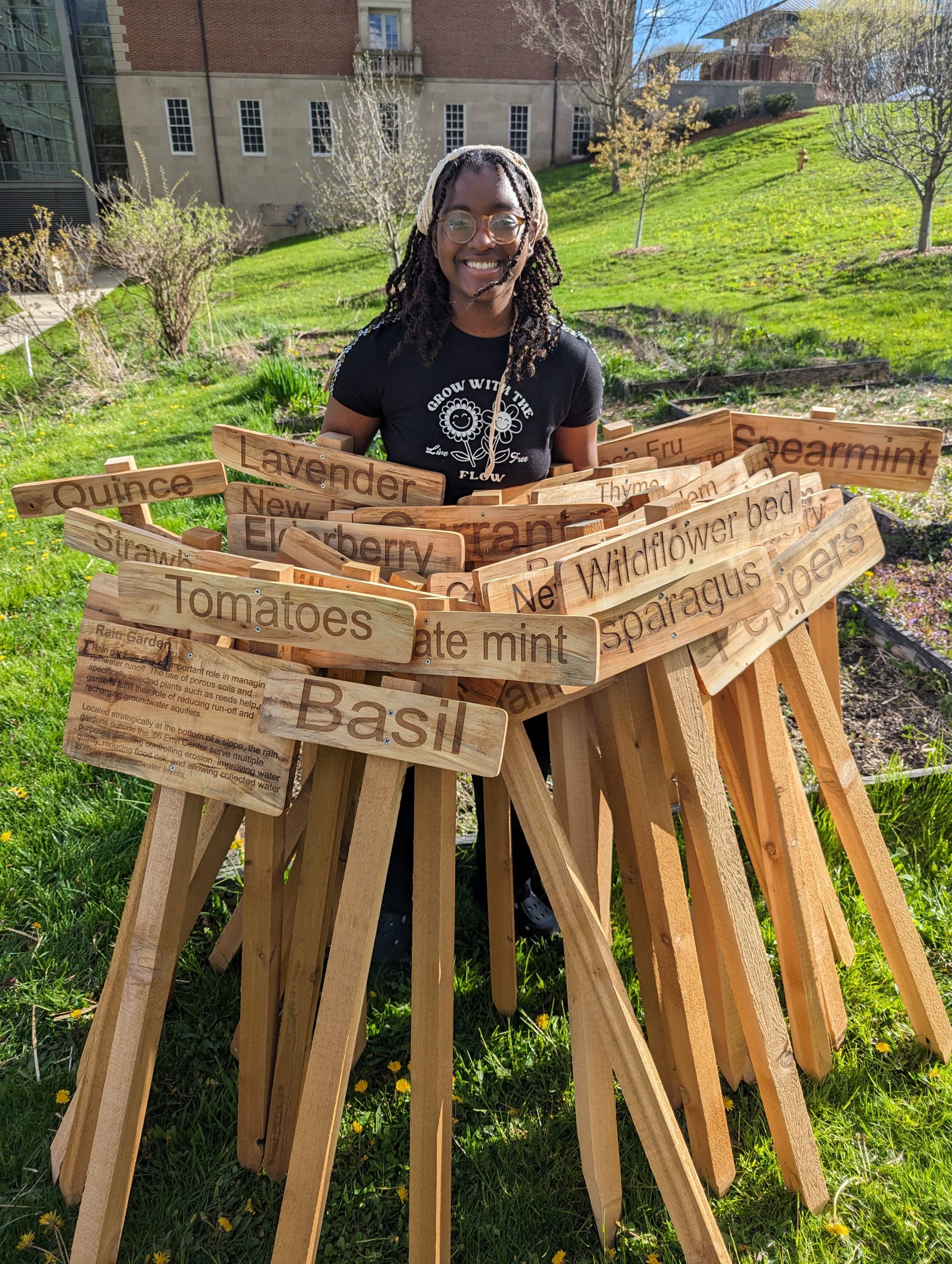
Sam Samuel ’26 with 37 laser-engraved signs made for the Envi Center community gardens.

Sam Samuel ’26 with 37 laser-engraved signs made for the Envi Center community gardens. This project used locally sourced sugar maple logs from an already fallen tree in the Hopkins Memorial Forest. Hopkins student caretaker, Javi Jenkins-Sorensen ‘25, used a chainsaw to cut the tree into logs. Sam then used a bandsaw, jointer, planer, various sanders, a laser engraver, and hand tools to create these magnificent signs.

Sam Samuel ’26 with 37 laser-engraved signs made for the Envi Center community gardens. This project used locally sourced sugar maple logs from an already fallen tree in the Hopkins Memorial Forest. Hopkins student caretaker, Javi Jenkins-Sorensen ‘25, used a chainsaw to cut the tree into logs. Sam then used a bandsaw, jointer, planer, various sanders, a laser engraver, and hand tools to create these magnificent signs.

Postscript (June 21, 2024)

We learned that weather removes the (pretty) charring that results from laser engraving.

Laser-engraved signs installed in the Envi Center gardens

Laser-engraved signs installed in the Envi Center gardens

Laser-engraved signs installed in the Envi Center gardens

Laser-engraved signs installed in the Envi Center gardens

Postscript (April 25, 2025)

Much needed maintenance has been completed on the signs!

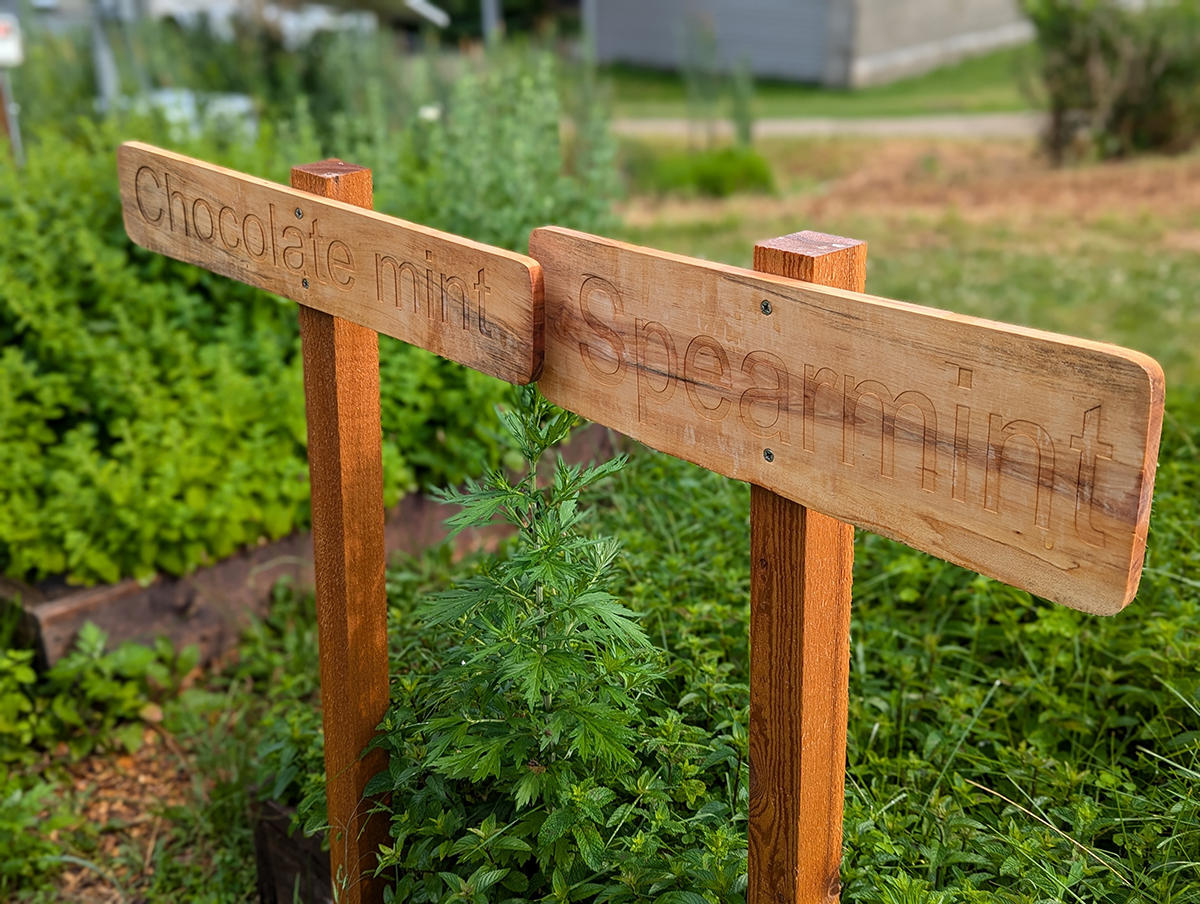
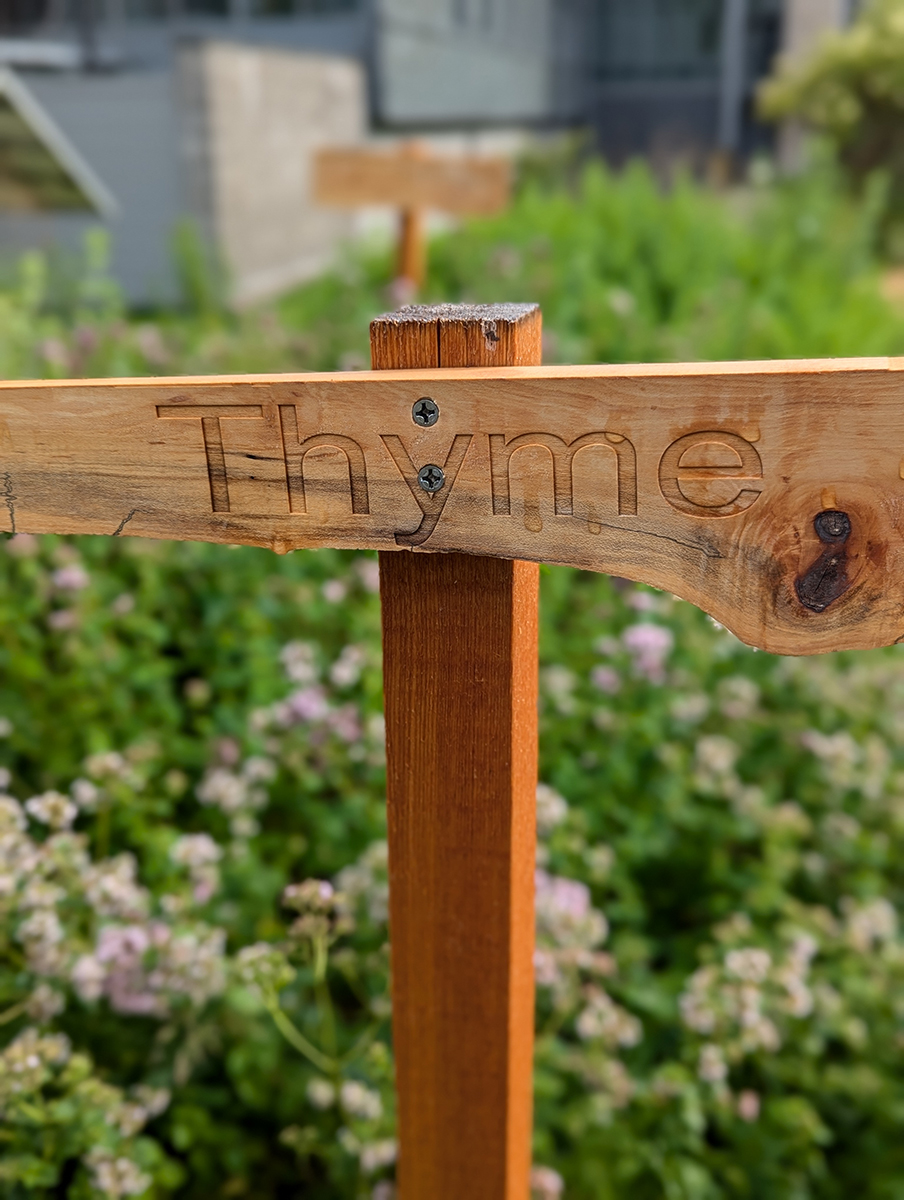
Newly painted signs: We learned that weather removes the (pretty) charring that results from laser engraving. Carefully painting the engraved letters restored the much needed contrast between the wood and the descriptive word(s).

Newly painted signs: We learned that weather removes the (pretty) charring that results from laser engraving. Carefully painting the engraved letters restored the much needed contrast between the wood and the descriptive word(s).

Newly painted signs: We learned that weather removes the (pretty) charring that results from laser engraving. Carefully painting the engraved letters restored the much needed contrast between the wood and the descriptive word(s).

Newly painted signs: We learned that weather removes the (pretty) charring that results from laser engraving. Carefully painting the engraved letters restored the much needed contrast between the wood and the descriptive word(s).

Irenee Niyibaho and Isabella Penna-Ward preparing to paint the laser engraved words in the signs

Irenee Niyibaho and Isabella Penna-Ward preparing to paint the laser engraved words in the signs

Makerspace Collaborating on Multiple Sustainability Projects

Last spring semester, the Makerspace @ Williams College pivoted to focus on academic projects that support teaching and learning goals; previously, this focus had been an aspirational goal. The Makerspace Program Manager, David Keiser-Clark, and his team of amazing student workers, now support a dozen interdisciplinary academic and campus projects at a time. A quarter of these projects support sustainability, or specifically the Zero Waste Action Plan, including: (1) a three-college collaboration to create an eco-friendly deterrent for Japanese Beetles in our community garden; (2) a prototype to upcycle plastic bottles into 3D printer filament; and (3) a set of laser engraved wood signs, sustainably harvested from Hopkins Forest, for a Stockbridge-Munsee led garden video and audio tour at the Mission House in Stockbridge, MA. Below, you’ll find a brief spotlight on each project, and possible ways we might build on these initial efforts.

E4 Bug Off Team Project : Mitigating Japanese Beetle Damage
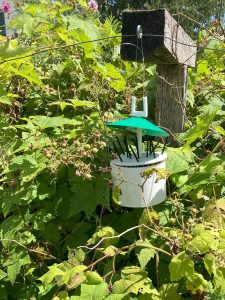
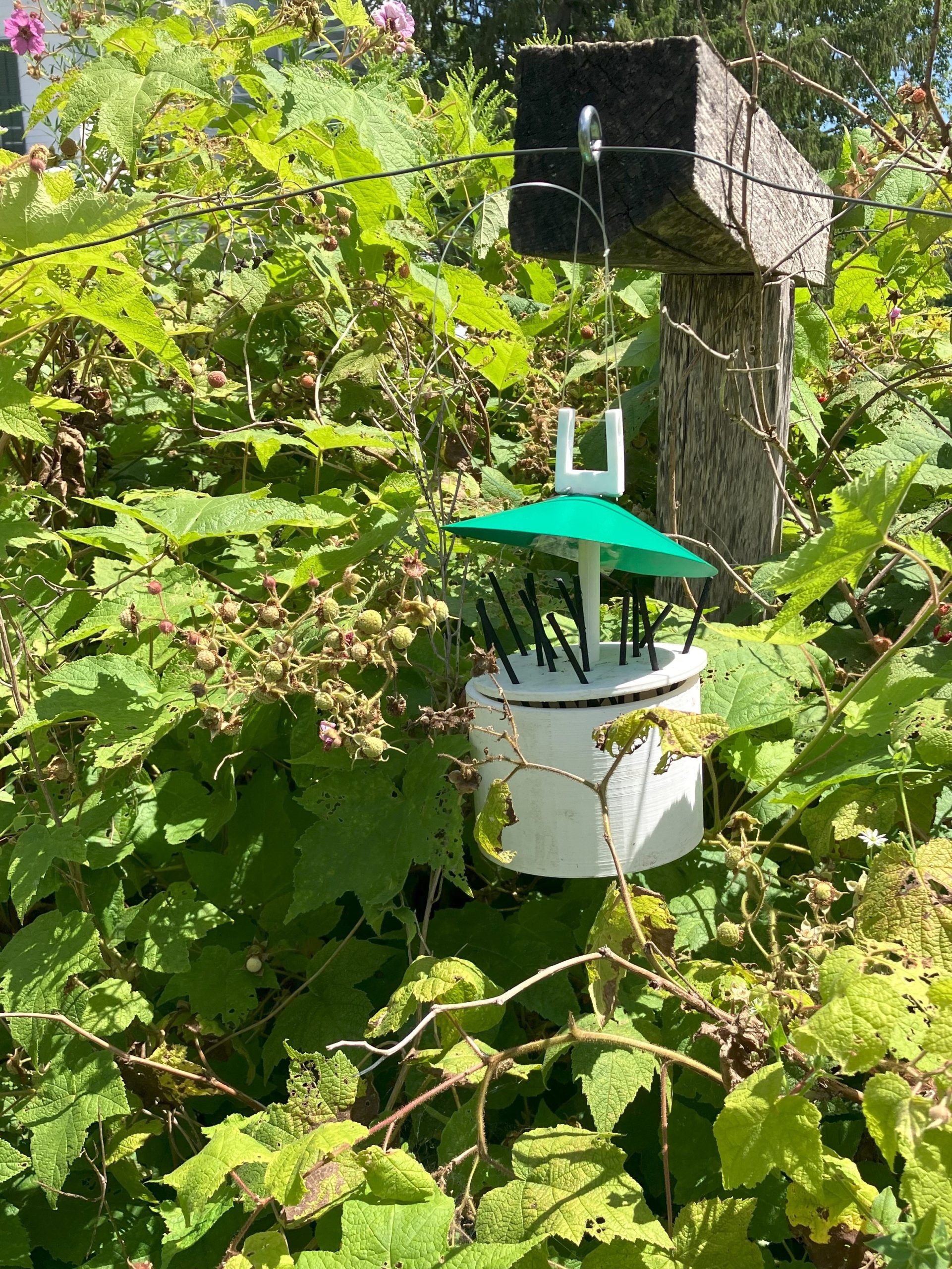
E4 Bug Off Team Project, installed in the Williams College Community Garden : Mitigating Japanese Beetle Damage

E4 Bug Off Team Project, installed in the Williams College Community Garden

The E4 Bug Off Team is a collaborative environmental project between engineering students from Harvey Mudd and Pomona Colleges, and students working with the Williams College Makerspace and Zilkha Center. The engineering students researched and developed a prototype that would safely repel Japanese beetles to hopefully stop them from defoliating raspberry bushes in the Williams College Community Garden. The Makerspace used 3D printers to create the parts and subsequently assembled the model. Zilkha Center interns then deployed the model in the gardens. The device is designed to be low-maintenance and only needs the reservoir filled weekly with 100% peppermint essential oil. Japanese beetles, in addition to other bugs and mammals, dislike the smell of the mint family, and the concentrated peppermint essential oil diffuses into the air via permeable wicks that extend from the reservoir tank.
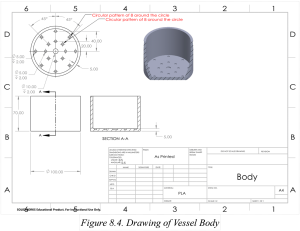
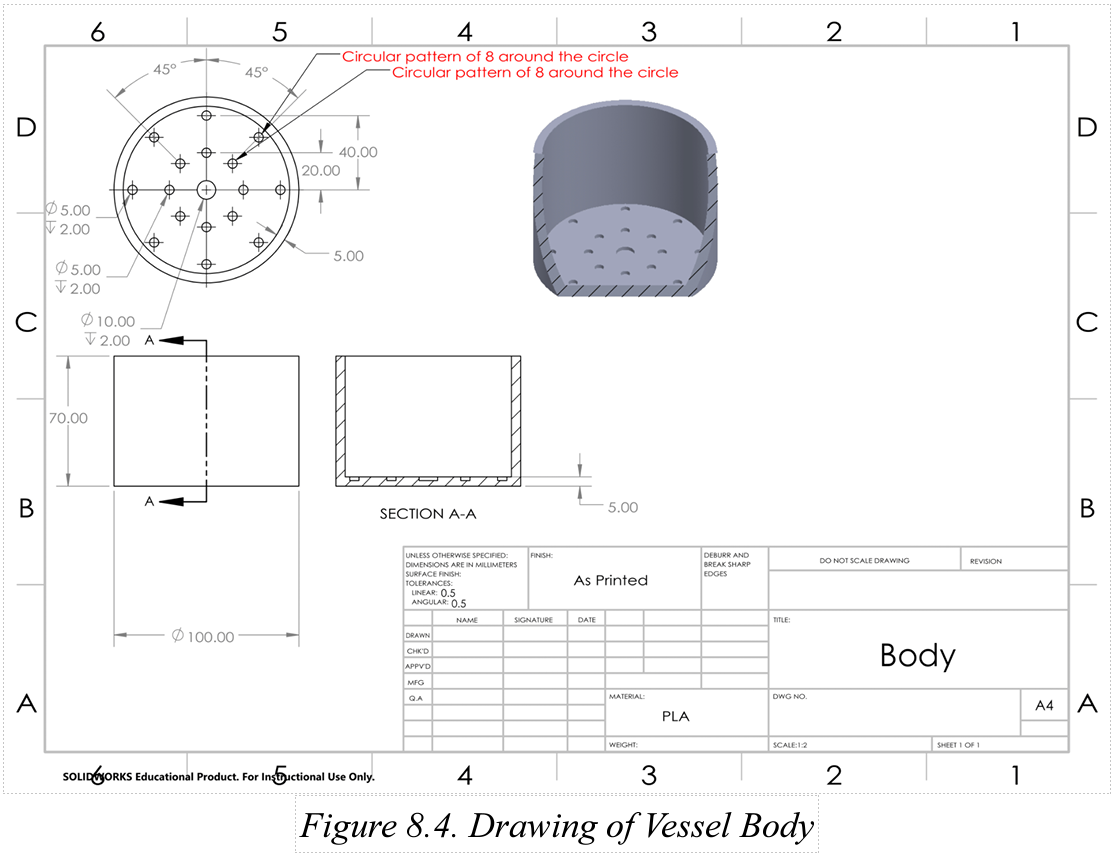
One of five engineering diagrams from the 30-page E4 Bug Off Team Project.

One of five engineering diagrams from the 30-page E4 Bug Off Team Project.

The initial model was installed in the garden in July 2022, at the tail end of the raspberry season, and immediately leaked. This spring (2023), the Makerspace re-printed the reservoir tank with a higher density (50% solid as compared to 15%), tested the model and, after 24 hours, found it to be 100% water-tight. This second model was introduced into the garden with mixed results: the functional model performs as intended, but the impact is difficult to measure without a control plot or method of measuring beetle activity this year. 

In addition to recording measurements of a control plot, additional steps to increase effectiveness could include fabricating additional models to better saturate the air within the berry patch or returning the project to the engineering team for design modifications. The final version would be printed with ASA filament, which is physically stronger and UV/moisture resistant, as compared to PLA or ABS filaments.

To learn more about this project, read this blog post by Makerspace student worker Leah Williams.

Contributors: Harvey Mudd College (Students: Javier Perez, Linna Cubbage, Eli Schwarz, Stephanie Huang; Professors Steven Santana and TJ Tsai), Pomona College (Student: Betsy Ding), Zilkha Center (Students: Martha Carlson, Evan Chester, Sabrina Antrosio; Staff: Tanja Srebotnjak, Mike Evans, Christine Seibert) and Makerspace (Student: Leah Williams; Staff: David Keiser-Clark)

Polyformer: Sustainable 3D Printing at Williams College

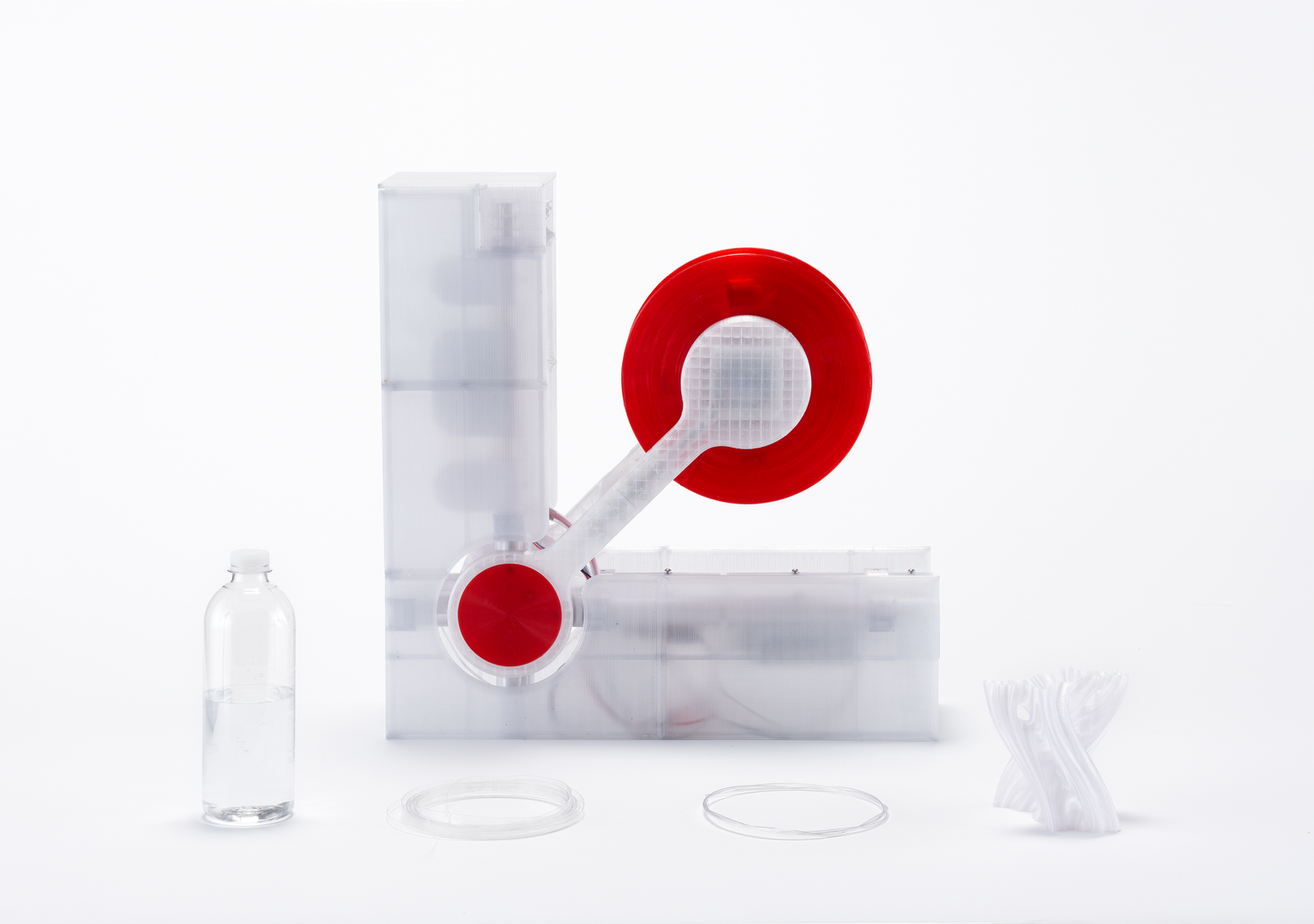
While completing a month-long Zero Waste Internship at the Zilkha Center (through the ’68 Career Center’s career exploration Winter Study course), Camily Hidalgo pitched building a machine to convert waste plastic into usable 3D printer filament. The project aligns with the Williams College Zero Waste Action Plan, which is based on the sustainability strategy in the Williams College Strategic Plan. She envisioned this as being a collaborative effort between the Williams College Zilkha Center and the Makerspace. 

After researching several options, she selected the Polyformer because it is an open-source (publicly accessible) project that seeks to create a DIY kit, composed of standard and commonly found parts, able to convert and upcycle plastic bottles (waste) into usable 3D printer filament. This project was launched in May 2022 and has quickly amassed more than 4,000 people who follow and/or contribute to the project (on Discord), while a core group of dedicated volunteers develop the project.
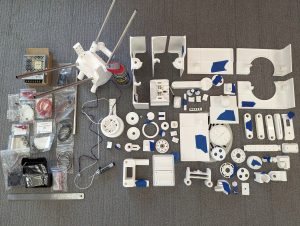
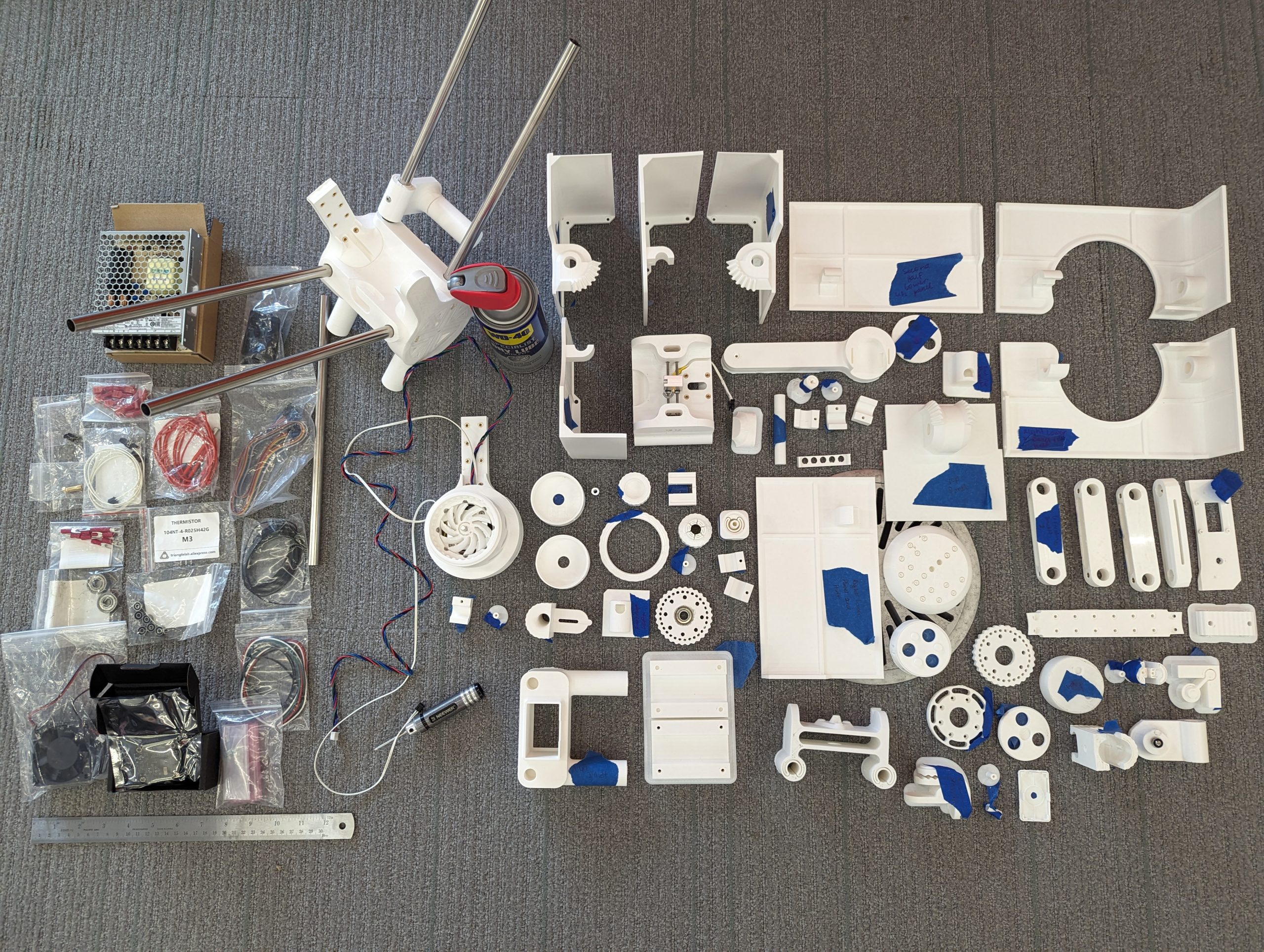
Many of the 78 printed parts that will be assembled into the Polyformer.

Many of the 78 printed parts that will be assembled into the Polyformer.

The intended outcome is to build a machine, based on standardized specifications, that effectively slices a water bottle into a half-inch wide ribbon, and then feeds that ribbon through a heated funnel, called a hot-end, to extrude it as 1.75mm PET filament. Camily seeks to create a working prototype to demonstrate our ability to disrupt our plastic waste stream and upcycle that into usable 3D printer filament. Approximately 40 bottles are required to create a standard 1 kg roll of filament, (enough to print 6 of the aforementioned beetle devices!). This project seeks to raise awareness that we can both reduce the quantity of waste that the college ships offsite while using that waste to create new filament and thereby purchase less of that virgin material from China. Upcycling waste can reduce the environmental impacts associated with the extraction of raw materials and product manufacturing as well as the significant carbon footprint associated with shipping those products to us from the other side of the globe.
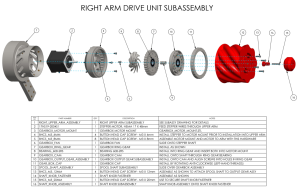
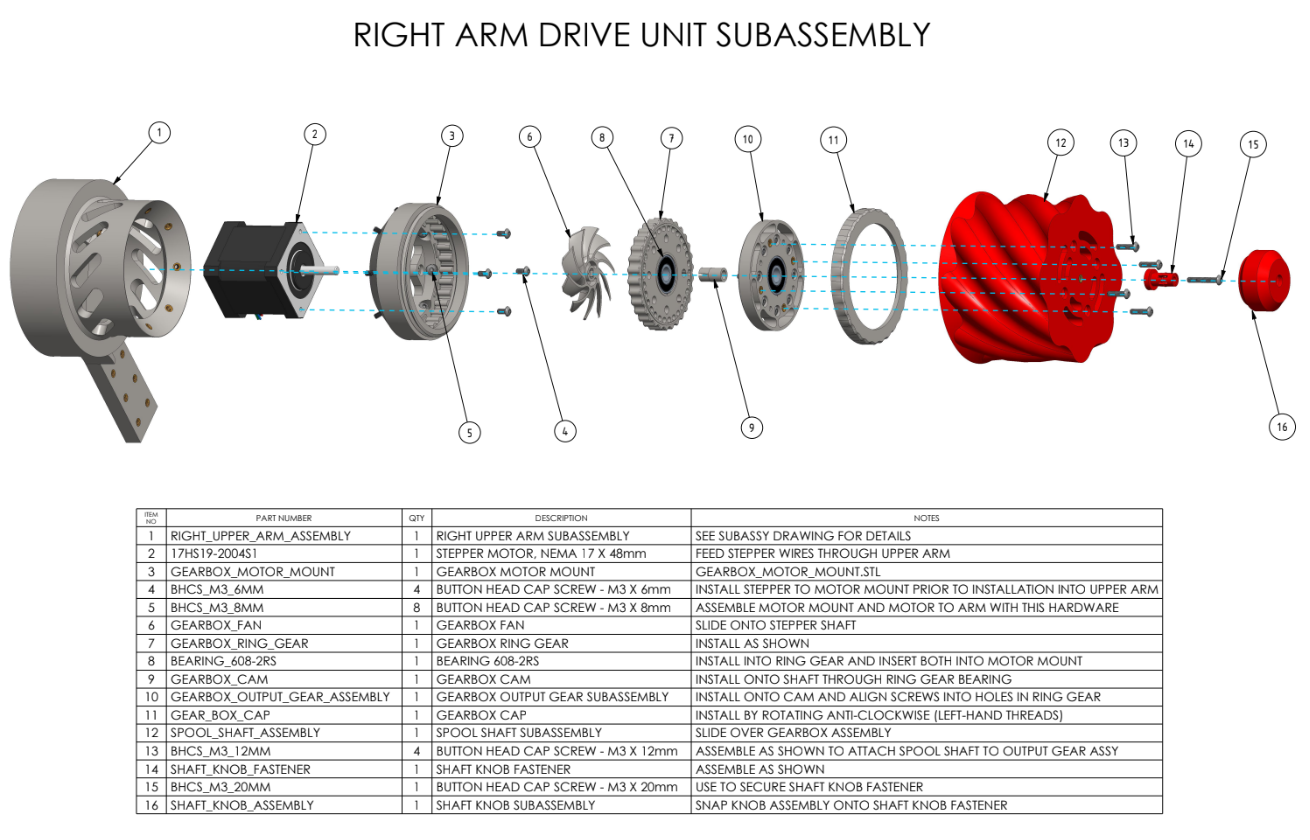
Polyformer diagram for building the "Right Arm Drive Unit Subassembly."

Polyformer diagram for building the “Right Arm Drive Unit Subassembly.”

Camily Hidalgo notes that this project is complicated because the design is constantly being improved. Additionally, it requires 3D printing 78 individual parts and then assembling those with a kit of sourced materials that includes a circuit board, LCD screen, a volcano heater block and 0.4 mm hot end, a stepper motor, stainless steel tubing, bearings, neodymium magnets, lots of wires, and lots of metal fasteners.

This project began last spring semester and, as of this summer, all 78 parts have been locally printed. Assembly has begun, and will be completed during the fall semester, followed by actual testing under a science lab exhaust hood to safely capture antimony, a VOC released when PET reaches its melting point. 

To learn more about this project, read this blog post by Makerspace student worker Camily Hidalgo.

Contributors: Zilkha Center (Student: Camily Hidalgo; Staff: Tanja Srebotnjak, Mike Evans, Christine Seibert), Makerspace (Students: Camily Hidalgo, Milton Vento; Staff: David Keiser-Clark), Chemistry (Professors: Chris and Sarah Goh; Staff: Gisela Demant, Jay Racela)

Laser Engraving: Stockbridge-Munsee Garden Video and Audio Tour
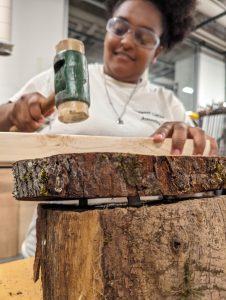
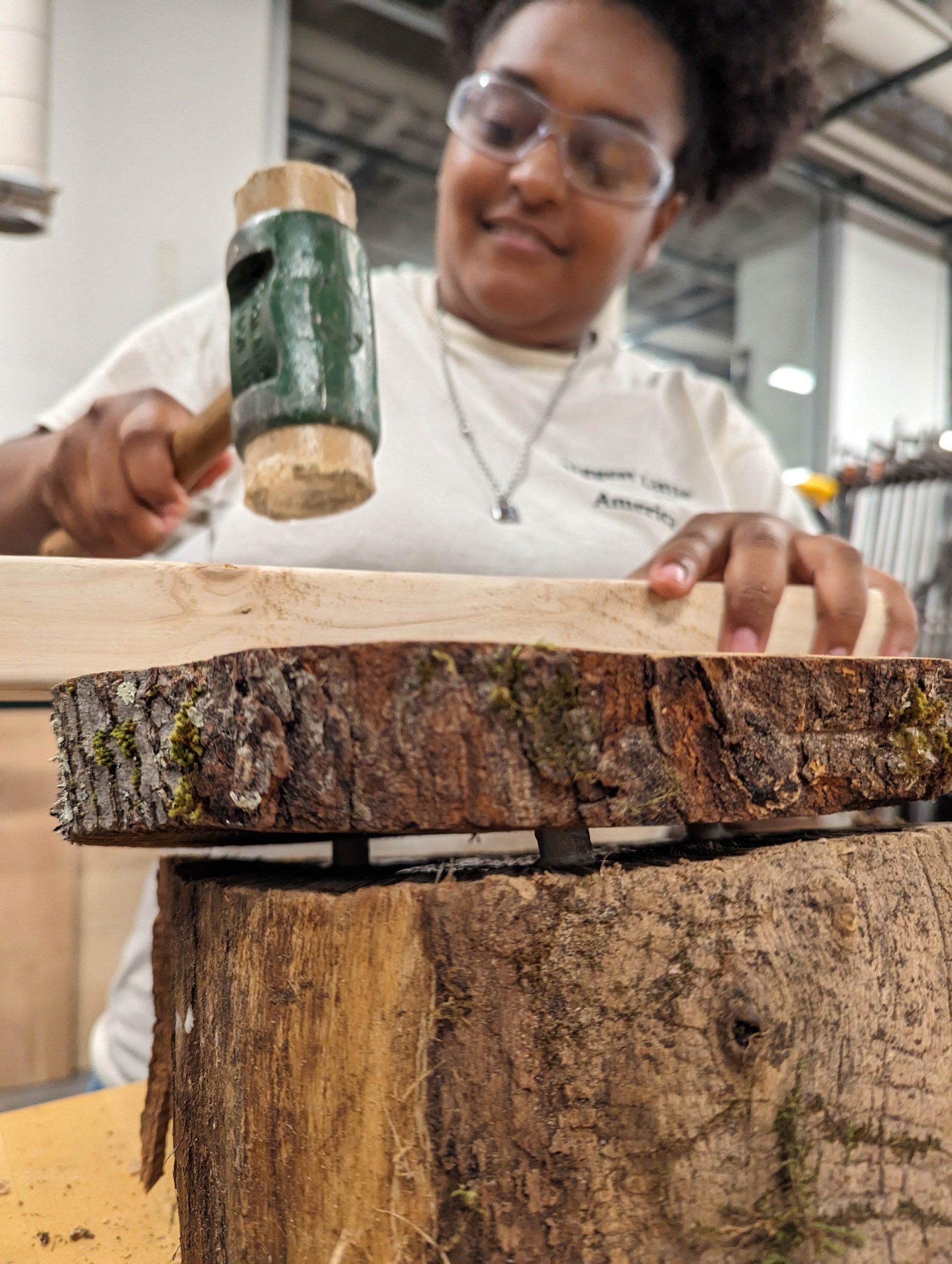
Yoheidy Feliz connecting a red maple slab to a slanted locust base, with dowels and wood glue.

Yoheidy Feliz connecting a red maple slab to a slanted locust base, with dowels and wood glue.

The Stockbridge-Munsee Community Historic Preservation Office summer intern, Yoheidy Feliz, reached out to the Zilkha Center for help with creating locally sourced wooden signs for a permanent video and audio tour at the Stockbridge-Munsee Garden in Stockbridge, MA. She received a dozen sugar maple and red maple discs, plus locust wedges, all sustainably harvested from already fallen trees in the Williams College Hopkins Forest. 

Yoheidy approached the Makerspace and, in collaboration with expertise and tools from the Science Shop, learned how to use an industrial laser engraving machine to etch a welcome sign with QR code, as well as multiple audio guide messages, onto sanded wooden discs. She attached these discs to sloped wooden bases (“wedges”) using woodworking dowel joinery, wood glue and a mallet, and then applied a natural, non-toxic preservative coating of Walrus-brand tung oil. 
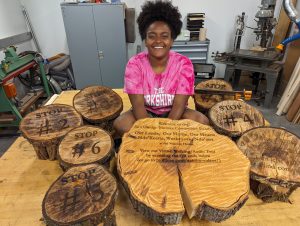
Yoheidy sits with her series of laser engraved wood slabs. She later added a laser engraved metal QR code label that directs users to the hosted video tour.

Yoheidy sits with her series of laser engraved wood slabs. She later added a laser engraved metal QR code label that directs users to the hosted video tour.

The day after completing all of this work, she installed these at the Mission House garden, and then created these stunning video and audio tours to guide local and remote viewers through the gardens.  

To learn more about this project, please be on the lookout for an upcoming Makerspace guest blog post by Yoheidy Feliz.
Contributors: Stockbridge-Munsee Community Historic Preservation Office (Staff: Bonney Hartley, Historic Preservation Manager; Student: Yoheidy Feliz), Science Shop (Staff: Jason Mativi, Michael Taylor), CES & Zilkha Center (Staff: Drew Jones, Christine Seibert), Makerspace (Staff: David Keiser-Clark)

Cloning the Last of its Kind
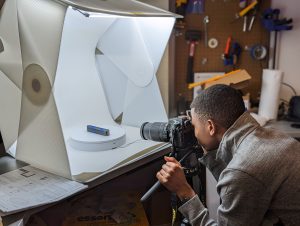
Milton Vento ‘26 using photogrammetry to create a 3D object

Milton Vento ‘26 using photogrammetry to create a 3D object

Most recently, Associate Professor of German, Chris Koné, approached the Makerspace with a problem: all but one of the file hanging clips to his beloved office desk had broken. The result: piles of overflowing manila folders surrounding his desk, cramping his office and style. He searched Ebay, Etsy, and Amazon, but was unable to find replacement parts. He even visited a store in NYC that specializes in providing office parts. Alas, the parts were obsolete. So he approached the Makerspace and asked if we might be able to replicate his last remaining viable part.
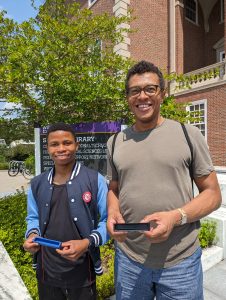
 

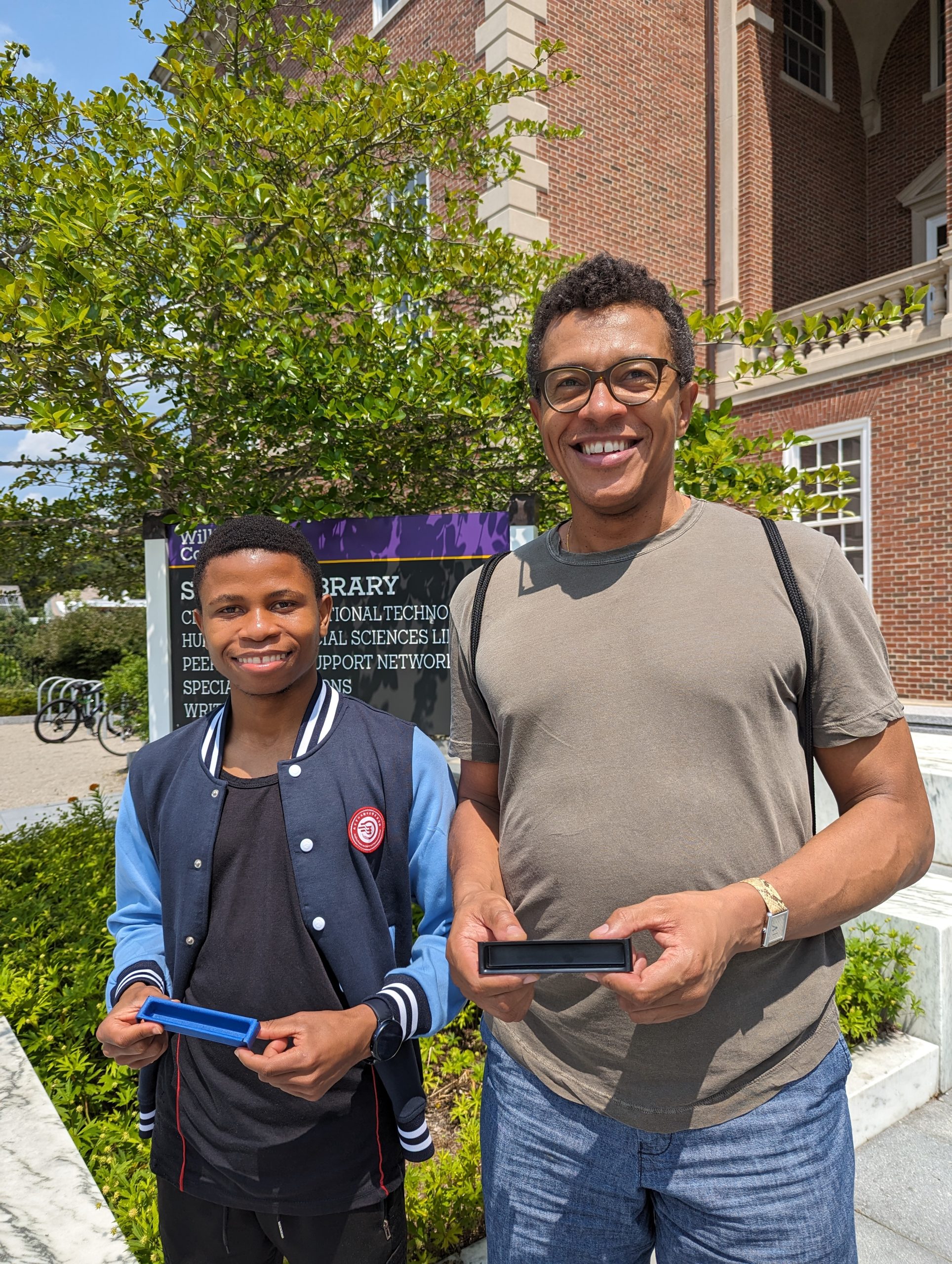
Milton Vento and Chris Koné hold the original and cloned objects.

Milton Vento and Chris Koné hold the original and cloned objects.

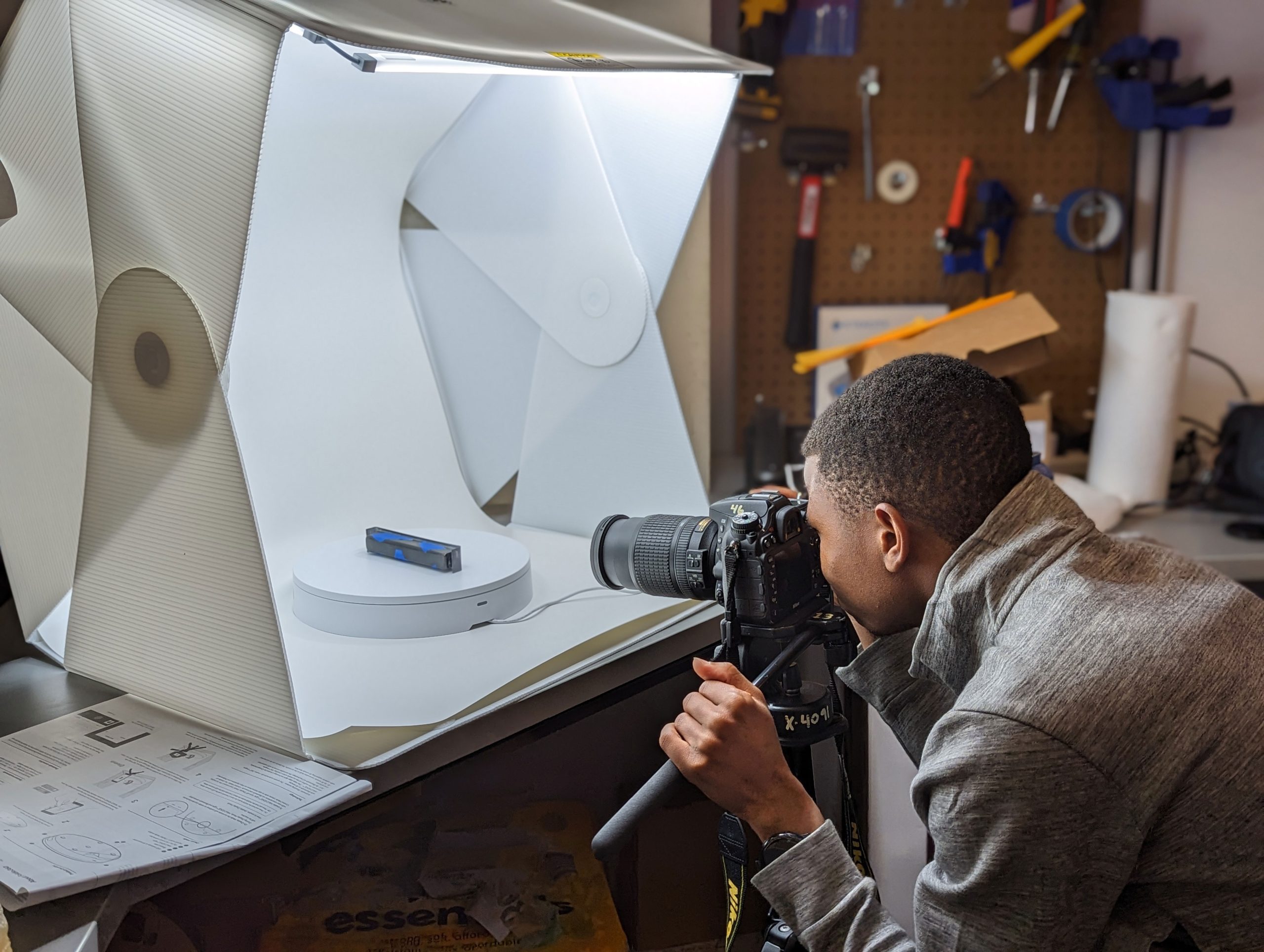
Milton Vento, the Makerspace’s summer student worker, took on the task as his first project, using it as an opportunity to learn photogrammetry, an accessible and low-cost method of taking many photographs of an object from varying angles and then using software to stitch them together into a 3D digital object. He expanded the project by testing four different methods of creating 3D objects using: standard manual DSLR photogrammetry with Metashape software; photogrammetry using a smart turntable that rotates and sends an infrared signal to the DSLR camera, causing it to iteratively release the shutter and then advance the turntable several degrees and then repeat that process; an older DAVID5 object scanner; and the RealityScan app that requires only a smartphone. This exploration resulted in two distinctly more efficient workflows that will become standard use this fall in the Makerspace. 

He also successfully re-created a 3D object of the final remaining desk part, and printed and delivered a half dozen of these parts to Chris. Should any of these ever break, the file can easily be retrieved and re-printed. 

Contributors: German Department (Professor: Chris Koné), Makerspace (Staff: David Keiser-Clark, Student: Milton Vento)

Future Project Ideas

One upcoming and likely collaboration between the Makerspace and the Zilkha Center would be to laser etch additional sustainably-harvested Hopkins Forest wood slices to create signs for the Williams College Community Garden. Additionally, the Zilkha Center, Makerspace and MCLA Physics and Environmental Center may brainstorm the possibility of creating a larger prototype for upcycling plastic into pellets. The pellets could then be used for injection molding, given to local artists for artwork, or sold regionally; this idea was sparked by Smith College’s collaboration with Precious Plastics


You can find this blogpost and other sustainability projects at sustainability.williams.edu.

Sustainable 3D Printing at Williams College (Part 1)

The Polyformer: upcycle bottle waste to 3D printer filament

The Polyformer: upcycle bottle waste to 3D printer filament

The massive amount of plastic bottles incinerated or dumped in landfills or oceans is a growing global concern. In the United States alone, despite recycling efforts, 22 billion plastic bottles are incorrectly disposed of each year. It is evident that our current recycling strategy has been falling short for the past 60 years, and it gives us false confidence to continue our plastic-dependent lifestyle. In response to this urgent problem, Williams College, through a collaboration between the Makerspace and Zilkha Center for Environmental Initiatives, has embarked on an innovative sustainable 3D-printing project that seeks to upcycle plastic bottles into 3D print filament.
Recycling Methods: Ineffectual at Best and Deceptive at Worst

The current state of plastic waste recycling presents significant challenges and limitations. Recent statistics highlight the large scale of this issue as well as the urgent need to seek innovative and improved solutions.  The United States, for example, generated approximately 40 million tons of plastic waste in 2021, of which only 5-6% (two million tons) were recycled, far below previous estimates. Moreover, between 2019 and 2020, there was a 5.7% global decrease in plastics recovered for recycling, resulting in a net decrease of 290 million pounds. These statistics indicate a concerning downward trend in plastic recycling efforts. 

The annual global production of approximately 400 million tons of plastic waste adds to the growing environmental crisis. Import bans by countries like China and Turkey have hindered recycling efforts, as the United States previously relied on outsourcing a significant portion of its plastic waste for recycling. The inherent challenges of plastic recycling, such as its degradation in quality with repeated recycling, make it less suitable for circular recycling processes. In the United States, the total bottle recycling rate has declined, with 2.5 million plastic bottles discarded every hour. Similarly, the global accumulation of plastic waste in oceans, estimated to be between 75 and 199 million tons, poses a severe threat to marine life and ecosystems, and the long degradation time of plastic bottles, which can take over 450 years, adds to the concern.

These statistics emphasize the pressing need to address the limitations of Polyethylene terephthalate (PET) plastic recycling. Relying solely on conventional recycling methods is inadequate to tackle the magnitude of the problem. Innovative approaches, such as upcycling, are crucial for effectively reducing plastic waste and minimizing our environmental impact. By finding alternative uses for plastic materials, we can break free from the limitations of circular recycling processes and make a significant change in helping eradicate the plastic waste crisis.

Myths, Pros, and Cons of Recycling and Upcycling

Recycling: Despite its benefits, the reality is that after being collected and aggregated, much of the recycled content is stored in unsafe locations until it overflows and is eventually landfilled or burned. Recent incidents, such as a recycling center fire in Richmond, Indiana, highlight the dangers, inefficiencies, and serious consequences of the current recycling system. 

In addition, when plastics are recycled, their potential recyclability is subsequently decreased. PET is classified as grade 1 plastic due to its high recycling potential. However, once it is recycled, it downgrades to the 7th grade, which is no longer recyclable. For this reason, at the Williams Makerspace, we decided to implement the strategy of upcycling that aims to repurpose PET plastic instead of recycling it to provide longer durability. 

Upcycling: Upcycling offers an alternative approach by diverting items from the waste stream and enabling their reuse. While upcycling may not restore plastic to its original grade, it provides a longer second life for the material before it becomes waste once again. Upcycling is the practice of transforming a disposable object into one of greater value. Therefore, upcycling contrasts the idea that an object has no value once disposed of or must be destroyed before reentering a new circle of production and value creation. 

The Polyformer Prototype and Its Value

The Polyformer is a sustainable 3D printing project that aims to convert PET plastic bottles into 3D printer filament. For the purposes of this project, the filament will initially be used to produce 3D-printed plant pots and compost bins for the Zilkha Center, effectively converting waste into items that can be utilized on a day-to-day basis. This process could reduce the purchase of virgin plastic objects (i.e., pots and bins), reducing carbon-related shipping emissions and reducing waste generated by single-use plastics. This project aims to explore the environmental impact of repurposing on-site waste into products needed on campus. Additionally, this project offers a prototype for developing locally-sourced 3D printer filament, which would reduce our dependence on purchasing virgin filament that is typically sourced from other countries, such as China, and bears a carbon footprint. The project’s goals include providing an educational opportunity for the students to engage in environmental activism by repurposing single-use plastic bottles into 3D filament and useful objects for the Williams College community. 

The Polyformer is an open-source project with over 4,000 Discord members. It is a prototype and has pain points, such as that the bottles require manual cleaning, individual manual placement onto the machine, and any impurities that can cause the filament to fail (break or clog) in the 3D printer. The Polyformer community is actively addressing these issues, and while solutions do not yet exist, this is an exciting project that offers an opportunity to disrupt the stream of plastic waste.

Project Goals and Alignment with Williams’ Strategic Objectives

The project’s goals align with the Williams College Zero Waste Action Plan, which builds upon the sustainability strategy in the college’s strategic plan, focusing on three of its goals. Firstly, it offers an educational opportunity for students to engage in environmental activism and learn about upcycling as a solution to plastic waste. Secondly, the project promotes sustainability by reducing waste and carbon emissions associated with single-use plastics. Thirdly, it reinforces Williams College’s commitment to local engagement and community impact by providing practical and sustainable solutions to address environmental challenges.

Building the Polyformer

Polyformer: Parts View

Polyformer: Parts View

The Polyformer is a tool that will allow Makerspace student workers to manually automate cutting a water bottle into a long, consistent ribbon that feeds into a repurposed 3D printer hot end, converting it into a standard 1.75 mm filament. Building a Polyformer requires 3D printing 78 individual parts and then assembling those with a Bill of Materials (BOM) that can be sourced individually or purchased as a kit. This acquired kit includes a circuit board, LCD screen, a volcano heater block and 0.4 mm hot end, a stepper motor, stainless steel tubing, bearings, neodymium magnets, lots of wires, and a box of metal fasteners.

We have printed all 78 parts, and my fellow Makerspace student workers have been instrumental in helping to complete that process. The next stage, which I plan to begin this summer, is assembling and testing the Polyformer to transform the plastic bottles into 3D-printer filament.

Polyformer as a Disruptor

This project aims to disrupt our plastic-centric world in several ways. By repurposing plastic bottles into valuable filament, it challenges the notion that disposables have no value once discarded. Furthermore, it reduces dependence on external filament sources and contributes to a more self-sufficient and sustainable production cycle.

Polyformer: Next Steps

Polyformer assembly

Polyformer assembly

The project is currently in the prototyping phase, and this summer, I hope to begin assembling the Polyformer and, subsequently, testing it under a science lab hood. We will use a hood to vent the area because the process of melting PET/G ribbon, from the bottles, into filament releases antimony – a suspected carcinogen — and other volatile organic compounds (VOCs). When our Polyformer works as expected, students will

then volunteer to collect approximately 200 plastic bottles (a standard 1 kg roll of filament requires approximately 40 bottles) to manufacture sufficient filament to produce the four large plant pots and 22 compost bins. The pots and bins will be provided to Zilkha Center gardening interns and the Sustainable Living Community at the College, serving as practical examples of upcycling in action.

Conclusion

The sustainable 3D printing project at Williams College represents a powerful initiative to combat plastic waste through upcycling. By repurposing plastic bottles into valuable filament and creating sustainable products, the project aligns with Williams’ commitment to environmental stewardship and community engagement. Through innovative approaches like this, we can work towards a future with reduced plastic waste, increased sustainability, and a more conscious approach to consumption.

References

  1. USA Plastic Bottles Pollution: https://www.container-recycling.org/assets/pdfs/media/2006-5-WMW-DownDrain.pdf
  2. Plastic Pollution as a Global Issue: https://www.sciencedirect.com/science/article/pii/S0304389421018537 https://education.nationalgeographic.org/resource/one-bottle-time/
  3. The evolution and current situation of Plastic Pollution: https://www.sciencedirect.com/science/article/abs/pii/S0025326X22001114
  4. What is Upcycling?: https://www.researchgate.net/publication/303466628_Upcycling
  5. What is the Polyformer?: https://www.reiten.design/polyformer https://www.aliexpress.us/item/3256804888534268.html
  6. Recycling data: https://blog.nationalgeographic.org/2018/04/04/7-things-you-didnt-know-about-plastic-and-recycling/.
  7. Plastics Material Specific Data: https://www.epa.gov/facts-and-figures-about-materials-waste-and-recycling/plastics-material-specific-data
  8. Richmond, Indiana Recycling Plant Fire: https://www.nytimes.com/2023/04/12/us/richmond-indiana-recycling-plant-fire.html
  9. Williams College Strategic Plan and Zero Waste Action Plan: https://sustainability.williams.edu/waste/zero-waste-action-plan/ https://president.williams.edu/strategic-plan-2021/