Tag Archives: Group_Policy

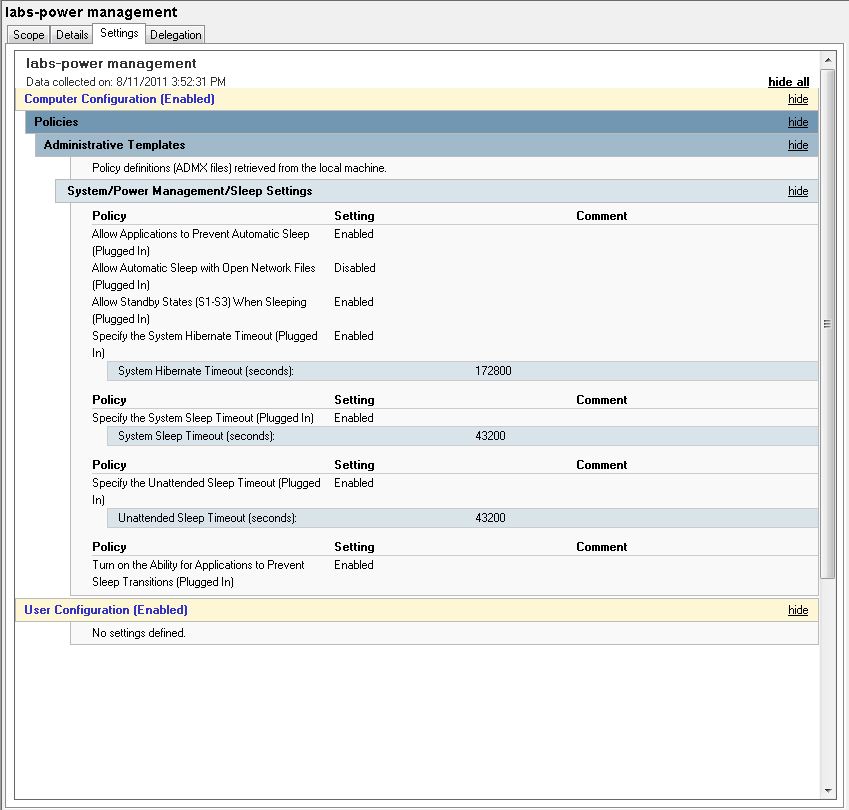
Windows 7 – GPO – Power Management

Using group policy settings I can manage when computers go to sleep, etc. I also have a KACE 1000 management server which allows me to shutdown computers on a particular schedule. Lastly, most of my computers are set to boot automatically at a certain time in the morning. So – with a combination of these tools – I can shutdown and turn on the computers in different places depending on needs. One set of computers may need to be on till 2:30 am while another set can be shut off at 4:30 pm, etc.
Windos 7 – GPO – DNS Settings

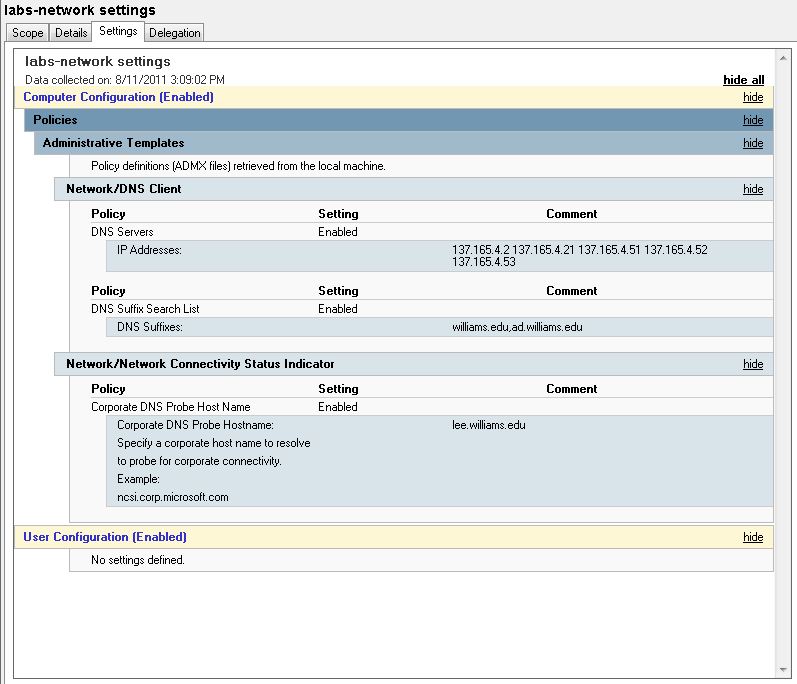
Theoretically, the DHCP servers should feed the correct information for DNS to windows 7 clients. Unfortunately, presently, I am experiencing an increased occurrence of DNS related troubles on my subnets. That is putting a “hitch in my giddy-up” as they say for imaging computers for the new semester …

To mitigate the trouble I am adding static information to DNS settings using a group policy setting … This doesn’t fix imaging but it will allow people to use the computers with more reliability once they are imaged …. To get the imaging done I can revert to using local hard drives if I have to …

Also, static entries are being added to the bottom of the “Hosts” file in: c:\windows\system32\drivers\etc

# Settings added to mitigate DNS drops – summer 2011 – Lynna
127.0.0.1 localhost
137.165.4.2 lee.williams.edu
137.165.4.21 lenox.williams.edu

Windows 7 – Allow Remote Desktop

Remote desktop access is not allowed by default in Windows 7. I change this both in the image before deployment and I also set this in group policy. if I just do this in group policy, I will be prevented from connecting to a deployed computer that has had a problem with renaming and/or joining the domain …

To allow access into a windows 7 computer from a non-windows 7 computer be sure to set … “Select Allow Connections From Computers Running Any Version Of Remote Desktop to allow connections from any version of Windows.”

For details on allowing remote desktop access see:
http://technet.microsoft.com/en-us/magazine/ff404238.aspx

Windows 7 – Desktop Background Problems

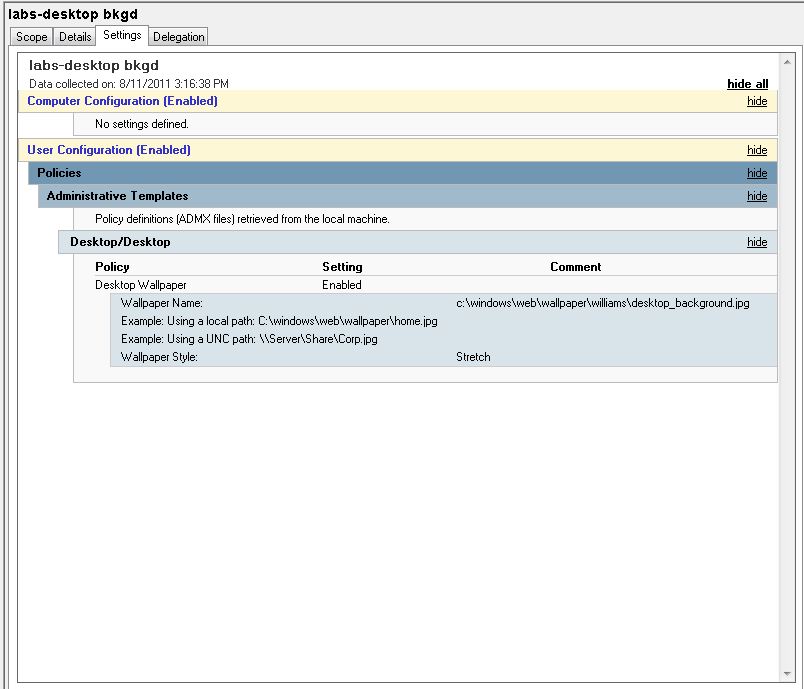
Early in my testing I noted that the desktop background I wanted to display was not getting applied correctly via group policy. At first I thought the following Microsoft KB article would come to the rescue ….

http://support.microsoft.com/kb/977944

Unfortunately, however, this hotfix screwed up a bunch of other settings I had in the default user profile. So …

After uninstalling the hotfix, I migrated from bmp to jpg images smaller than 200 mb and stored them in the preferred windows wallpaper directory of:
C:\Windows\Web\Wallpaper
In this directory I actually created a sub-directory for all my Williams backgrounds. Now I point my group policy setting to one of these files as needed and all is fine …

I have also recently found this article about using “CopyProfile” and the desktop background …

http://blogs.technet.com/b/deploymentguys/archive/2010/04/28/issues-with-copyprofile-and-windows-7-wallpaper.aspx

I don’t actually use “CopyProfile” for reasons in:
http://sites.williams.edu/lj1/labs/windows-7-user-profile-copy/

but … perhaps the above links will help others …