Skip to content

The VRC Post

The Blog of the Williams College Art Department Visual Resources Center

Recent Posts

  • eMuseum Network Features 1.6 Million Objects from Top Museums
  • Finally! ARTstor to offer 35,000 Images from the National Gallery of Art, Washington, DC
  • From Medicine to Magic: Wellcome Images
  • Download ARTstor Groups of up to 150 Images
  • Now Available in ARTstor: Every Painting from the National Gallery, London

Categories

  • Tech Tips
  • VRC Watercooler
  • What's New

Tags

  • apps
  • ARTstor Digital Library
  • ARTstor OIV
  • Blog
  • color
  • copyright
  • download
  • e-books
  • fashion
  • guide
  • Henri Matisse
  • image collections
  • Josef Albers
  • links
  • Mac
  • museums
  • navigating
  • Omeka
  • online exhibitions
  • open access
  • portfolios
  • PowerPoint
  • presentation software
  • Prezi
  • projection
  • publishing
  • remote access
  • searching
  • transitions
  • troubleshooting
  • Video
  • VRC
  • VRC website
  • Williams College website
  • Williams VRC Collection
  • zooming

RSS ARTstor News

Author: Amy McKenna

Extend Your ARTstor Remote Access

Remote access to ARTstor is available off-campus using your standard ARTstor log-in for 120 days.  Are you going to be away for longer than four months?  Contact the VRC staff and we can extend your remote access period by 30 days.  And no worries — there’s no need to divulge your top-secret password!

Posted on August 14, 2012August 14, 2012Categories Tech TipsTags ARTstor Digital Library, remote access

Troubleshooting for Classroom Projection

It’s quick, easy, and straight to the point. Use our newly created troubleshooting guide for glitch-free projection.


Posted on July 19, 2012July 26, 2012Categories Tech TipsTags guide, projection, troubleshooting

Are Your ARTstor OIV Presentations Growing Unwieldy?

Just prior to presenting, select the option to save as a “Read-Only Slide Presentation” .shw or Show file. This removes the extra baggage of the image palette from your file. Just be sure to save your original .prs file as your master copy and place to make future edits.

Posted on July 19, 2012July 26, 2012Categories Tech TipsTags ARTstor OIV, presentation software

Instantly Download High Resolution Images from the National Gallery of Art

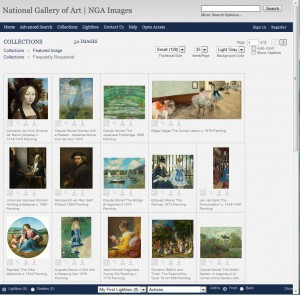
NGA Images features over 20,000 open access digital images up to 3,000 pixels each. Take one minute to register and start downloading stunning, zoomable works of art. We will be adding selected images to the Williams VRC Collection for your convenience. Faculty, please let us know if you have special requests.


Posted on July 19, 2012July 26, 2012Categories What's NewTags download, image collections, museums, zooming

Elegant PowerPoints?!

Abrupt transitions can be visually jarring during a lecture. A smoother transition respects the aesthetic import of your images. If you use black backgrounds, try applying the Fade Through Black transition at slow or medium speeds in the Animations menu.

Posted on July 19, 2012July 26, 2012Categories Tech TipsTags PowerPoint, presentation software, transitions

Go Beyond Left and Right with Prezi

Are you ready to explore new ways to present images in the classroom? Prezi, the zooming presentation editor, provides an expansive blank canvas upon which users can place unlimited images or text without the confines of a template. Zooming is available anywhere. The VRC staff is seeking adventurous faculty ready to explore this new terrain!

Posted on July 19, 2012July 26, 2012Categories What's NewTags presentation software, Prezi, zooming

Posts pagination

Previous page Page 1 Page 2 Page 3
Proudly powered by WordPress